
Grocery · supermarket · convenience
A grocery store runs six kinds of work through one system: a lane, a scale counter, a shelf, a self-checkout bank, a back door and an office. Most POS hardware is chosen for the first and fails on the second.
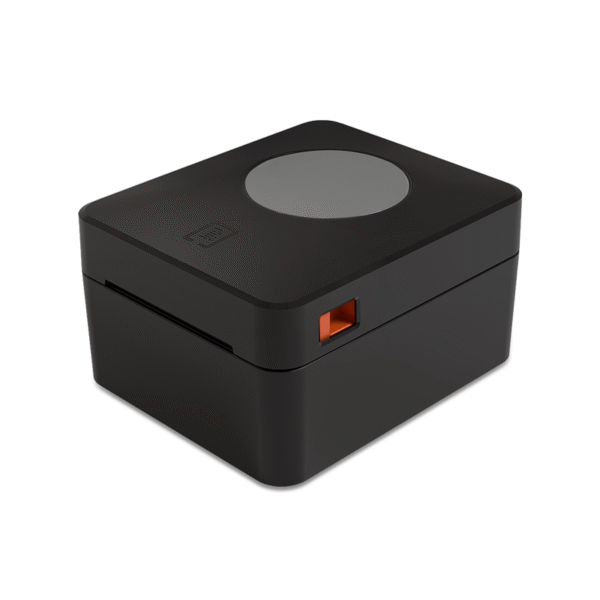
The reason is the scale. On a clothing or convenience lane the counter is a screen, a printer, a drawer and a scanner — four parts that talk to the terminal over interfaces every terminal has. A supermarket adds a weighing instrument, and the weighing instrument is the one peripheral whose connection has never been standardised. Get that connection wrong and the cashier types PLU codes by hand for every loose item, which costs more at the till over a year than the terminal cost to buy.
We build the hardware: terminals, receipt printers, drawers, scanners, displays, label printers and kiosks. We do not build scales and we do not sell software. What follows is how the hardware is arranged in a grocery store, station by station, with the interface that decides each one.
What is different·Checkout lane·Scale counter·Shelf and bulk·Self-checkout·Receiving·Back office·Lane count·What we do not make
What a grocery lane has that a clothing lane does not
Three differences, and each one moves the hardware.
Weighed goods. A grocery basket contains items with a barcode and items without one. Bananas, loose potatoes, a tray of salad from the deli, a bag of nuts from the bulk bin — none of them carry a manufacturer barcode. Each one needs a weight, a price per kilogram and a label, and each one needs it at the point of sale rather than in the back room. This is the only part of a retail POS that requires a measuring instrument on the counter.
Scan volume at speed. A supermarket lane scans more items per transaction than any other retail format, and the operator is standing, not sitting. That changes the scanner form: a hands-free omni-directional unit on the counter, not a handheld pistol grip. The grocery market also still runs on UPC and EAN-13 as the primary symbology, with QR appearing on produce stickers and promotional packs — which is why the scanner has to read both without being reconfigured mid-shift.
Lane count. A boutique has one counter. A supermarket has four to twenty, plus a self-checkout bank, and they all print. Receipt printers on a shared local network rather than on individual USB cables is not a preference at that size, it is what makes the deployment supportable.
Those three differences produce three distinct counters inside the same store. They are not the same workstation with different software:
| Counter | What has to move fast | Scanner form | Scale | Second printer |
|---|---|---|---|---|
| Express lane, basket only | The queue | Hands-free omni on the counter | No | — |
| Standard lane, full trolley | Items per minute | Hands-free omni, plus a handheld for bulky items | Optional | — |
| Produce and bulk counter | The label | Handheld 2D | Required | 100 mm label printer |
The third row is where grocery deployments stall. The terminal is the same class of machine as the lane; the difference is one port and one roll of label stock.
Everything below is written for a grocery format. The general retail case — apparel, convenience, specialty, a mixed floor with more than one format on it — is covered separately in retail POS hardware by store layout, and a single-counter store that needs none of this can start from the small business configuration guide. The full hardware set, arranged by counter position rather than by store type, is on the POS system collection.
Station 1 — the checkout lane
The terminal choice in a grocery store is not a screen-size choice, it is a driver choice. Scale vendors ship their configuration tools and communication libraries for Windows, because that is where supermarket software has run for thirty years. On Android the scale is reached through whatever serial implementation the POS application carries, and whether that implementation exists is a question for your software supplier rather than for us.
Which means the honest ordering is: pick the scale, read its protocol document, then pick the terminal that has the port the protocol needs. Doing it the other way round — terminal first, scale later — is how stores end up with a USB-HID scale and a cashier who reads the weight before the platform settles.
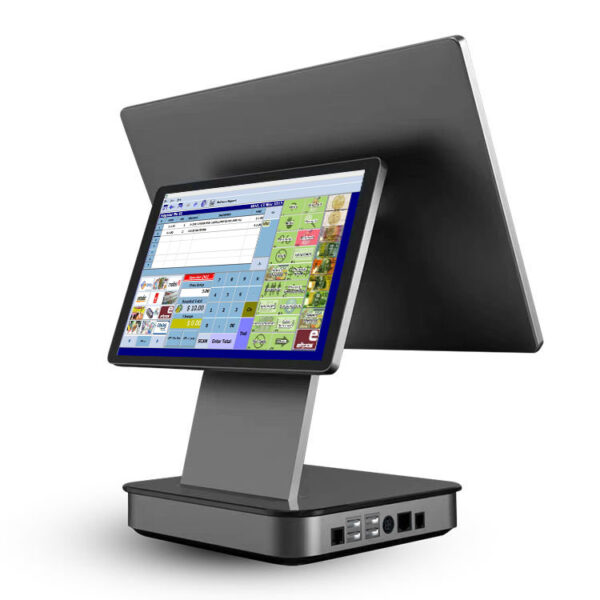
DCA-151WS15″ 4:3 at 1024×768, Celeron J1900 to J4125, 6×USB, 1×RJ45, 2×COM RS232, VGA plus HDMI. Windows 7, 10, 11 or POSReady.Specifications →
DCA-152WThe same port set on a foldable stand: 15 or 15.6″, 6×USB, 1×RJ45, 2×COM RS232. For counters that get wiped down underneath.Specifications →
DCA-Q3S15.6″ with an 80 mm printer inside the shell and an 11.3″ rear LCD, 440×300×360 mm, 7 kg. Celeron J1900 to Core i5.Specifications →
DCA-156A15.6″ Android 11 on RK3566 or RK3568, 4×USB (one OTG), 1×RJ45, 1×RJ12 scale, 1×RJ11 drawer, 12 V 2 A.Specifications →
DCA-Q3ASame shell and the same port set as the 156A — 4×USB, RJ12 serial, RJ11 drawer — across Android 10 to 13.Specifications →
DCA-155A15.6″ Android 11 on RK3566 or RK3568, 2 GB plus 16 GB standard. Its published port list stops at power and DC-in, so put the drawer on the printer.Specifications →
Full range of countertop and all-in-one units: POS terminals · if the store runs Windows-only software: Windows POS systems · Android equivalents: Android POS terminals
The receipt printer is a network decision
At one or two lanes a USB receipt printer is fine. From four lanes upward it is not, and the reason is not speed. Supermarket software addresses printers by name or by IP because a lane has to be able to print to a till slip station or to the service desk. A USB printer is addressed as whatever port it happens to be plugged into on a particular PC, so when a lane PC is swapped, the printer mapping goes with it. An Ethernet printer keeps its identity.
Print speed does matter, just less than people expect. The difference between 220 mm/s and 260 mm/s is roughly one tenth of a second on a 300 mm receipt — not nothing at a busy lane, and not the first thing to spend on. The 8250 and the 8330 share the 260 mm/s mechanism and the same full port set; the 8330 puts it in a taller housing, which is the only real difference between them.
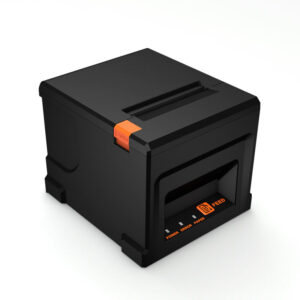
POS-825080 mm at 260 mm/s, USB, serial, parallel, Ethernet, WiFi or Bluetooth. Short housing; the multi-lane default.Specifications →
POS-836080 mm at 220 mm/s, USB, LAN or Bluetooth. Cheaper than the 8250 and it gives up serial and parallel.Specifications →
POS-837080 mm at 220 mm/s, USB, LAN or Bluetooth, 100 km print head and a cutter rated at 1.5 million cuts.Specifications →
Cutters, interfaces and paper specifications: thermal receipt printers
The drawer, and one number worth calculating
The drawer opens on a 12 V or 24 V solenoid pulse from the terminal’s RJ11 port or from the printer’s drawer port. The voltage has to be fixed at order time; a 24 V drawer on a 12 V pulse will not latch, and the failure looks like a software fault.
Grocery lanes cycle the drawer far more often than other retail counters, so the cycle rating is worth reading. The 410B is rated at 1,000,000 open cycles. A lane doing 800 transactions a day — a reasonable single-lane figure for a mid-size store — works out to roughly three and a half years of opens before the rating is reached. A lane doing twice that halves the number. This is arithmetic from the specification, not a warranty, but it is the right order of magnitude to plan against.
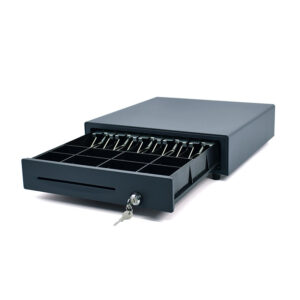
POS-410B410×420×100 mm, 4/5/6/8-bill with 8 coin slots, RJ11, RJ12, USB or RS232, 12 or 24 V, rated 1,000,000 open cycles.Specifications →
POS-405AThe same tray layout in a 405 mm shell — 5 mm narrower, same depth. 12 or 24 V.Specifications →
POS-350A350×380×92 mm, 4 kg, 4 or 5 bill and 2, 5 or 8 coin, RJ11 or RJ12 only. No media slot in the front.Specifications →
Bill and coin layouts, locks and kick-out wiring: cash drawers · why the pulse voltage matters: 12 V versus 24 V kick-out
The scanner sits on the counter, not in a hand
A grocery lane presents items at the rate the operator can move them, and both hands are usually occupied. That is a hands-free omni unit with a scan window large enough that the barcode does not have to be aimed. A handheld is still needed on the same lane for bulky items — a case of water, a sack of rice — but as the second scanner, not the first.
POS-8230Hands-free omni 1D/2D, CMOS 640×480, 115 mA working, 4 mil minimum, 1.5 m drop rating, USB or RS232.Specifications →
POS-8800FDesktop 2D imager, 308 g, 110×99×150 mm, USB, 0.25 A operating and 0.32 A peak.Specifications →
POS-8280AWireless omni 2D, 30 m open-space range, 100,000-barcode cache for stock counts, USB HID or CDC.Specifications →
Symbologies, current draw and mounting options: barcode scanners · why a 1D laser and a 2D imager behave differently on produce stickers: laser versus imager
The customer display has a port problem
A pole display is the only part of the lane the customer reads, and in a grocery store it earns its place: the running total is the main defence against a dispute at the till. The catch is that the two families connect differently.
The VFD units — two lines of twenty characters — run on RS232 or USB, which every terminal in this range can supply. The LCD units run on HDMI or VGA, which means they consume a display output: the 10.1″ POS-CD10H is HDMI only, and the 7″ POS-CD7A takes VGA or HDMI. A POS all-in-one typically has one VGA or HDMI port, and if that port is feeding the customer display it is not feeding a second operator screen. If your lane plan includes both a rear-facing LCD and a customer display, count the display outputs before you count the screens.
VFD220Two lines of 20 characters, VFD, RS232 or USB, 350° horizontal rotation. The one that survives a wet cloth.Specifications →
PD220V-IITwo lines of 20, VFD at 500–1000 cd/m², USB only, 355° rotation.Specifications →
POS-CD7A7″ 16:9 at 1024×600, VGA or HDMI, 430 cd/m², 12 V 3 A.Specifications →
Pole displays, card readers and the rest of the counter: POS peripherals
A store that sells drinks rather than goods makes the same purchases in a different order — the receipt width comes before the scanner, and the cup label does the work the shelf edge does here. That case is on cafe POS system hardware by counter station.
If the software is cloud-hosted rather than on the terminal, the lane hardware does not change — but what happens when the link drops does. What a cloud POS leaves on the counter covers the offline window and the local hub separately.
Station 2 — the scale counter
This is the section that decides whether the store works. Everything else on this page can be swapped after opening; the scale connection cannot, because it is written into the software configuration and into the counter cut-out.
A scale reaches a POS terminal in one of three ways, and they are not equivalent:
| Connection | Port on the terminal | Models here that have it | What the software receives | Where it goes wrong |
|---|---|---|---|---|
| RJ12 scale port | Dedicated RJ12, labelled scale | DCA-156A, DCA-Q3A — one each | Weight, tare, and on some protocols the unit price | One scale per terminal, and the frame format belongs to the scale maker |
| RS232 at DB9 | COM port, native UART | DCA-151WS (2), DCA-152W (2), DCA-KSA (1), DCA-M30 (2) | Weight and tare, plus two-way commands to the scale | Baud rate, parity and pinout have to be set per scale model |
| USB-HID | Any USB port | Every terminal on this page | One number, delivered as if typed on a keyboard | No stability flag, so a fast operator reads a moving weight |
The third row is the cheapest to install and the most expensive to live with. It is also the one most often chosen without the buyer knowing which row they are in.
The USB-HID row is worth spelling out, because it looks like a free win. A HID scale presents itself to the computer as a keyboard: it types the weight into whichever field has focus. It needs no driver, it works with any terminal and any operating system, and it costs less than a scale with a serial interface. What it cannot do is tell the software that the platform has settled. A scale oscillates for a moment after an item is placed; on a HID connection the POS receives whatever number was on the display at the instant the field took focus. On an RS232 or RJ12 connection the scale sends a stability bit with each frame, and the software can refuse to accept a weight until that bit is set.
That is the whole difference: not speed, correctness. A scale counter that accepts unstable weights produces a small, constant rate of mispriced items, and the rate is invisible until someone reconciles a week of transactions against a week of deliveries.
We do not make the scale
The instruments in a grocery store — a bench scale at the produce counter, a price-computing scale with its own label printer at the deli — come from weighing-instrument manufacturers and carry their own metrology approval for the country of sale. We supply the terminal, the port and the label printer behind it. Your scale supplier will hand you a protocol document; the port column in the table above is what you match it against.
Two practical consequences. First, ask the scale supplier for the interface type before you order terminals, not after. Second, if the store already owns its scales and they are RS232, the terminal list narrows to the units with native COM ports — the two Windows terminals and the M30 handheld, plus the single COM on the KSA.
DCA-156AOne RJ12 scale port and one RJ11 drawer port on the terminal. Android 11, 4×USB of which one is OTG.Specifications →
DCA-Q3AOne RJ12 serial port and one RJ11 drawer port, Android 10 to 13, 4×USB, 12 V 2 A.Specifications →
DCA-151WSTwo native RS232 COM ports at DB9 — enough for a scale and a second serial device at the same time. Windows only.Specifications →
DCA-152WTwo RS232 COM ports on a foldable stand, 15 or 15.6″, 6×USB, 1024×768 or 1366×768.Specifications →
DCA-KSA15.6″ all-in-one with the receipt printer inside and one RS232 COM port. Android board or Intel J4125 in the same housing.Specifications →
DCA-M305″ handheld that carries 2×RS232, 1×LAN, 1×USB-A host and MDB. Android 14; used as a scale terminal at a service counter.Specifications →
Terminals with scale ports, all of them: POS terminal range · handheld units with RS232: mobile POS and handheld terminals
The label the scale counter produces
A weighed item needs a label that carries the product name, net weight, price per kilogram, total price, a packed-on date and a barcode the lane can scan. That is five fields plus a barcode, and it is the reason a produce counter needs a 100 mm label printer rather than the 80 mm receipt printer next to it. On a 100 mm label the barcode, the weight block and the price sit side by side without shrinking the type; on a 58 mm portable they have to be stacked, and the label gets long enough to wrap around a bag of grapes.
The three desktop units below carry the same 160 mm/s mechanism and differ in width and sensing. The 9250 has the widest range of effective print width, 25 mm to 100 mm, which matters if the store uses more than one label size in a week. A fourth unit, the POS-9200, has the same 100 mm effective print width and the same USB, LAN and Bluetooth set, but its published table repeats the speed row label instead of giving a figure — if that model is on your shortlist, ask for the speed rather than assuming it matches this group.
POS-92104-inch desktop, 160 mm/s, 100 mm effective print width, 110 mm roll, USB, LAN, Bluetooth and WiFi, 2 kg.Specifications →
POS-9220160 mm/s, 104 mm effective print width, transmissive and reflective sensors, 110×100 mm maximum roll.Specifications →
POS-9250160 mm/s, effective print width 25–100 mm, 104 mm maximum paper, four sensors including black mark and paper exit.Specifications →
Label printers by width and resolution: thermal label printers
Station 3 — shelf edge, bulk bins and the paper problem
A grocery store prints more labels than receipts, and it prints them in three different places: at the shelf edge when a price changes, at the bulk bin when a product is decanted, and at the back door when a delivery arrives. The printer that suits each is decided by the width of the stock it has to carry, not by the brand of the POS software.
| Label or roll width | Models | Print speed | Where it belongs in the store |
|---|---|---|---|
| 100 mm, 4 inch | POS-9210, POS-9220, POS-9250, POS-9200 | 160 mm/s (9200 unlisted) | Shelf edge, produce and deli labels, promotional hanging tags |
| 72–80 mm | POS-8007, POS-8008 | 60–70 mm/s | Portable: aisle work, markdowns, receiving at the door |
| 20–50 mm | POS-5816 | 50–90 mm/s | Small price tags, cable and fixture labels |
The portable units print more slowly on purpose: they run from a 1500–2600 mAh battery, and a 100 mm desktop mechanism would flatten that in an hour.
POS-8007Portable 80 mm, 60 mm/s, paper 20–80 mm, 72 mm print width, USB Type-C plus Bluetooth, 2600 mAh, 350 g.Specifications →
POS-8008Portable, 70 mm/s, paper 30–72 mm, USB plus Bluetooth, 2000 mAh.Specifications →
POS-5816Portable 58 mm, 50–90 mm/s, paper 20–50 mm, USB Type-C plus Bluetooth 4.0, 1500 mAh.Specifications →
Portable and desktop label printers together: thermal label printers
Every printer in this section is direct thermal. The image is made by heating a coated paper, with no ribbon and no toner. That has two consequences a grocery store feels and a clothing store does not.
The first is fading. A direct thermal label darkens with heat and light, so a shelf label under a window or a spot lamp goes pale over months, and a label in a chilled case takes moisture into the coating and can go dark on its own. The second is stock choice: because there is no ribbon, there is no way to swap to a synthetic or a coated stock that survives those conditions better — you can buy better thermal paper, but you cannot change the marking method.
So the boundary is worth stating plainly. Shelf-edge labels in the dry aisles, produce and deli labels at the counter, receiving labels at the back door, markdown labels on the aisle: yes. Labels for the inside of a frozen case, long-life labels for outdoor signage, and A4 or A5 promotional posters: no. A laser or inkjet printer makes those, and no setting on a thermal printer will make it into one.
The same applies to electronic shelf labels. An ESL is a battery-powered display with a radio, not a printer, and we do not make them. If a store is planning ESL for the whole floor, the thermal printers here cover the transition period and the back-of-house, not the steady state.
Station 4 — self-checkout, and the one thing it cannot weigh
The kiosk range is the same hardware family we build for self-ordering in restaurants and for check-in in hotels: a steel or aluminium enclosure, a capacitive panel, an embedded 80 mm-class printer and a scan window, in portrait or wall-mounted form. For a grocery store the useful specification is the printer and the scan window, because those two decide the item mix the unit can handle.
The H series is the dual-screen build of the same cabinet — the second face carries a promotions panel or an attendant station — and the A238S and B series are the wall-mounted variants of the A238 panel. None of them changes the printer or the scan window.
The embedded printer has a 72 mm print width at up to 170 mm/s with a partial cut. That is a standard 80 mm receipt at a speed below the counter printers — acceptable for one slip per transaction, and the reason a self-checkout bank does not need the fastest mechanism on the floor.
Self-Service Kiosk K Series15.6 or 21.5″ at 1920×1080, 350 nits, Windows 7/10/11 or Android 7/12, built-in 72 mm print width at 170 mm/s, 1D/2D scanner window.Specifications →
Self-Service Kiosk R SeriesModular: 15.6, 21.5 or 23.8″, Android 10 or 12, 350–450 nits, same embedded printer and scanner as the K.Specifications →
DCA-A23823.8″ 1920×1080 at 300 cd/m², 10-point PCAP touch, metal shell and tempered glass, Celeron J1900 to Core i7, 4×USB.Specifications →
Kiosk enclosures, panel sizes and mounting: self-service kiosks · how to size a kiosk bank against queue length: self-service kiosk configurations
The specification does not include a scale. None of these units has a weighing platform, and none of them has a port documented for one. That sets a hard boundary on the item mix.
Pre-packaged goods, drinks, household, chilled ready meals, packaged bakery: they scan and they work. Loose produce, bulk nuts, a bag of apples priced by weight: they need a scale on the machine and a produce-recognition step behind it, and that is a different product from a different supplier. If the self-checkout plan is produce-heavy, our kiosk is the wrong unit, and it is better to say that before a pilot than after one.
One more thing worth planning for: the wireless module on these units is 802.11b/g/n on 2.4 GHz. A supermarket floor is a hostile radio environment — steel shelving, chilled cases with metal frames, and every other device in the building competing for the same band. Run a cable to the kiosk bank where the floor allows it, and treat wireless as the fallback rather than the design.
Station 5 — receiving, the stock room and the office
Receiving is the station most often specified by habit, and it is the one where a wrong choice shows up as a daily delay rather than an outage. The work is three different jobs with three different units.
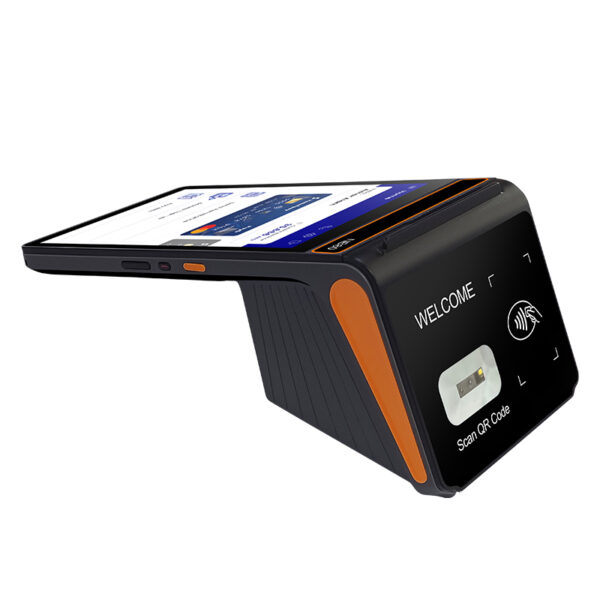
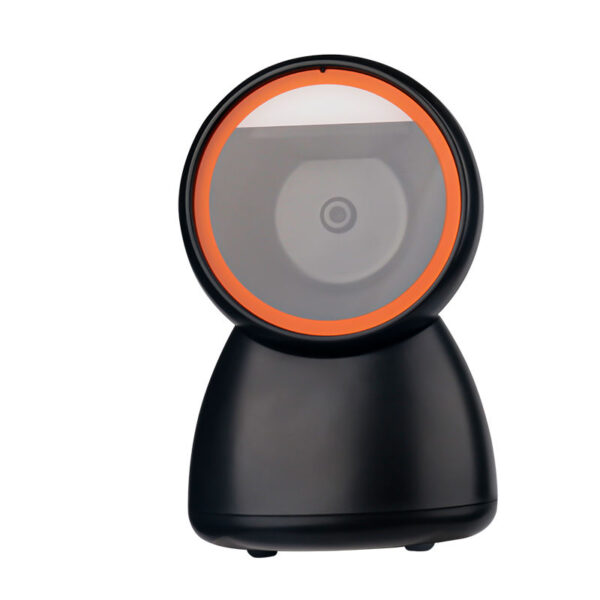

Scanning cartons at the door. Delivery cartons carry GS1-128 and increasingly a DataMatrix, not the EAN-13 that the lane reads. That needs a 2D imager. The H61 carries a 1D CCD scanner as an option, which is enough for a price tag and not enough for a pallet label — worth knowing before a hundred units are ordered for the wrong task.
Counting the aisle. A stock count wants a unit that can work away from the access point and reconcile later. The 8280A wireless scanner holds 100,000 thirteen-digit codes in cache mode and covers 30 m in open space, so a counter can walk an aisle without a live link and upload the batch afterwards. That is a different job from scanning at a till, and it is the reason the cache figure matters more than the range figure.
Labelling the delivery. This is where the handhelds with a built-in printer disappoint. A 58 mm printer inside a handheld produces a till-style slip, not a 100 mm receiving label. If the store labels pallets and shelf positions on receipt, the printer is the portable 8007 or 8008, and the handheld is only the scanner.
| Model | Screen | Scanner as specified | Built-in printer | Weight |
|---|---|---|---|---|
| DCA-H20 | 5.7″ | Not stated in the table — two scan keys | No | 300 g |
| DCA-H50 | 6″ | 1D and 2D, Symbol 4710 optional | No | 410 g |
| DCA-H61 | 5.5″ | 1D CCD, option | No | — |
| DCA-H62 | 5.5″ | 1D, QR and 2D | 58 mm | — |
| DCA-H80 | 8″ | 2D CMOS | No | — |
| DCA-M30 | 5″ | Not stated in the table | No | 418 g |
Where the column says not stated, the published specification table does not name an engine type. Ask for the scan engine before committing a receiving rollout to that model — a 1D CCD and a 2D imager look identical in a photograph.
DCA-H205.7″ at 720×1440, Android 10, Qualcomm octa-core, 300 g with battery, two dedicated scan keys. The lightest unit here for a full shift.Specifications →
DCA-H506″ at 1440×720, Android 11, 410 g, 1D and 2D symbologies with Symbol 4710 engine as an option. No printer.Specifications →
DCA-H625.5″ at 1280×720, Android 8.1 or 11, 58 mm printer inside, 5000 mAh battery, 1D/QR/2D support.Specifications →
DCA-H808″ at 800×1280, Android 12 or 13, 2D CMOS scanner. The Pro build adds 2×USB-A, RJ11, RJ12 and LAN.Specifications →
DCA-H615.5″ at 1280×720, Android 8.1 or 11, 1D CCD scanner as an option only. Not a unit for GS1 or DataMatrix receiving labels.Specifications →
DCA-M305″ Android 14, 418 g, 2×RS232, 1×LAN, 1×USB-A host and MDB. Fixes to a counter rather than travelling.Specifications →
Handheld range with batteries, radios and accessories: handheld and mobile POS · why the scan engine matters more than the range: Android barcode scanner interfaces
The back office is a network problem with a computer attached
The office machine in a grocery store does three things: it holds the local database or the local cache of it, it hosts the label and report printing, and it connects the lane network to the store network. Which of those you need decides the box.
Two of these units are network appliances and two are serial concentrators. The M100 has two gigabit ports, which is the useful shape: one port to the store network, one to the lane switch, so the tills are on their own segment and a misconfigured lane cannot reach the office machines. The M200 goes further with four 2.5 GbE ports and is the right unit where the lane switch and the office box are the same device.
The M300 has no RJ45 port. Its own specification says so: the J6412 chassis carries 2×HDMI, 1×DP and 2×RS232, and no Ethernet at all. It is a display-driving box for a three-screen counter, not an office machine. If a quotation lists an M300 as the store server, the network has to come from somewhere else.
DCA-M100Intel N100, 2×USB 3.0 plus 2×USB 2.0, 2×HDMI and 1×DP, 2×RJ45 gigabit, 170×125×50 mm, −20 to 60 °C.Specifications →
DCA-M200Celeron J4125, 4×2.5 GbE Intel i225/i226, 1×RS232, HDMI plus VGA, 139×126×40 mm. Where the lane network terminates.Specifications →
DCA-M4006×DB9 COM with 4 switchable to RS422/485, expandable to 12 RS232, 4×2.5 GbE, 9–36 V input. The one for a room full of serial.Specifications →
Fanless industrial machines with the full port lists: industrial mini PCs
How lane count changes the wiring
A single lane is the unit that everything else repeats. What changes with lane count is not the counter — it is where the printing and the data live.
| Lanes | Terminal | Receipt printers | Office | What breaks first |
|---|---|---|---|---|
| One or two | Any all-in-one; the terminal is also the server | One per lane, USB is acceptable | None | A terminal that dies takes the day with it |
| Three to six | Windows units with native COM for the scales | One per lane, Ethernet, fixed address | One M100, dual NIC | Printer addressing after a PC swap |
| Seven or more | Same, plus a spare kept configured | Ethernet, documented address plan | Two M100 in a primary and standby pair | Cable runs past the permitted length |
| Self-checkout bank | Kiosk K, H or R | Built in, 72 mm width | Shares the lane office | Wireless backhaul through steel shelving |
Four rows, one principle: as the lane count rises, printing and addressing move from the terminal to the network, and the office box stops being optional.
The cable point is not filler. A lane is a fixed position with a cable run back to a cabinet, and the run has a length limit that depends on whether it carries power, USB or Ethernet. USB is the one that fails quietly: a 5 m passive extension on a receipt printer works until the paper feed draws current, then produces intermittent dropped jobs that look like a driver problem. If the lane plan puts the printer more than a couple of metres from the terminal, plan for Ethernet or for a powered hub, not for a longer USB cable.
What we do not make
Hardware lists are more useful when they say what is missing from them. Five things a grocery store needs are not on this page:
- Scales and weighing platforms. We supply the port that a scale connects to; the instrument itself comes from a weighing manufacturer with its own metrology approval.
- Thermal-transfer, laser and inkjet printers. Every label printer here is direct thermal. Cold-case labels, wash-down labels and A4 promotional sheets need a different marking method and a different supplier.
- Electronic shelf labels. An ESL is a radio-linked display, not a printer.
- Cash recyclers and coin dispensers. Our drawer range opens on a solenoid pulse and holds notes and coins; it does not count them back out.
- Software. We ship the operating system you specify and stop there. No subscription, no per-lane licence, and no lock that ties the hardware to a software brand.
Being clear about those five is what makes the rest of the page usable. A store that needs cold-case labelling, ESL and self-checkout with produce weighing is buying three systems from three suppliers, and the hardware here is the part in the middle.
Frequently asked questions
Can a grocery POS run without a scale at all?
Yes, and many small stores do. A grocery store whose entire range is pre-packaged — drinks, packets, chilled ready meals — treats the lane like any other retail counter and needs no weighing instrument. The scale becomes necessary at the moment the store sells anything by weight, including a single loose produce line. Below that threshold a lane built from a terminal, a receipt printer, a drawer and an omni scanner is complete.
Which terminals have a scale port?
Two Android units carry a dedicated RJ12 scale port: the DCA-156A and the DCA-Q3A, one port each. Four units carry native RS232 COM ports, which most serial scales can use: the DCA-151WS and DCA-152W with two each, the DCA-KSA with one, and the DCA-M30 handheld with two. Every terminal can accept a USB-HID scale, but that connection carries no stability signal.
Windows or Android for a supermarket lane?
Follow the scale driver, not the price. Scale configuration tools and communication libraries are usually published for Windows, because that is where supermarket software has run. If the store’s software stack and its scales are known to work on Android, the Android terminals here have the same RJ12 and RJ11 ports and cost less to run. If the scales came first and their documentation is Windows-only, that decides the lane.
How many receipt printers do I need for six lanes?
One per lane, plus one at the service desk if the store has one. Six lanes is six printers, each with a fixed address on the lane network, not a pool of printers that any lane can reach. The exception is a store that prints at a separate packing station — that is a seventh unit, and it should be chosen for volume rather than for counter footprint.
Can a portable label printer handle shelf-edge labels?
For dry aisles, yes. The 8007 and 8008 carry rolls from 20 to 80 mm and print at 60 to 70 mm/s, which is slow but adequate when a person is walking the aisle changing a handful of prices. For a full price reset across a store, the desktop units at 160 mm/s are the right tool, and the portable is for the corrections afterwards.
Do you supply the scale itself?
No. We supply the terminal with the port, the cable specification and the label printer behind the counter. The scale comes from a weighing-instrument manufacturer, and its protocol document is what you match against the port list on this page. If you already own scales, send us the interface type and we will tell you which terminals can talk to them.
Send the lane plan, not a model number
A grocery hardware quotation only works if it starts from four facts: how many lanes, whether anything is sold by weight, what the scales output, and what label sizes the store uses.
- Lane count and whether a self-checkout bank is planned
- Scale make and model, or just the interface — RS232, RJ12 or USB-HID
- Label widths for shelf edge, produce and receiving
- Country of sale, because the drawer voltage and the power plug follow from it
With those four we will return a station-by-station list with the port each device occupies, so the software supplier can check it against their driver support before anything is ordered.

