Buying guide
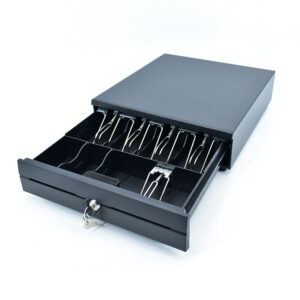
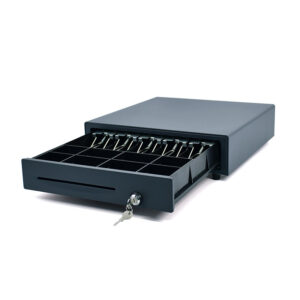
Four steel drawers on two footprints. What decides the choice is the counter cut-out, the number of bill and coin compartments, and whether the drawer is triggered by the printer or driven from the software.
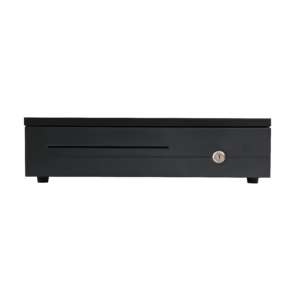
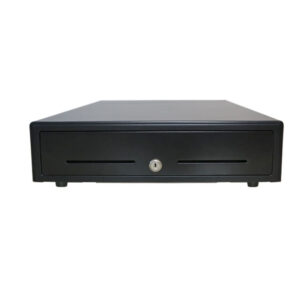
The POS-350A is 350 x 380 x 92 mm with no media slot - sized for a small counter where the drawer sits under the terminal and receipts come off a printer beside it. The POS-405A, 410A and 410B are 405 to 410 mm wide and 420 mm deep, with two media slots so cheques and notes can be filed through the front without opening the till.
The POS-350A opens on an RJ11 or RJ12 pulse from the receipt printer. The wider drawers also take USB, RS-232 and a DC jack, which is what you need when no printer has a drawer port, or when the software has to log every open. Solenoid voltage is 12 V or 24 V and is set at order - it has to match the printer port.
The POS-405A, 410A and 410B take a 4, 5, 6 or 8-bill insert with metal wire clips and eight adjustable coin compartments; the POS-350A is limited to a 4 or 5-bill tray and 2, 5 or 8 coin sections. A market running high-denomination notes needs the 8-bill tray; a QSR that never takes cheques does not need the media slot and should take the smaller POS-350A.
| Model | Size (W x D x H) | Media slot | Interface |
|---|---|---|---|
| POS-350A | 350 x 380 x 92 mm | none | RJ11 / RJ12 |
| POS-405A | 405 x 420 x 100 mm | 2 | RJ11 / RJ12, USB, RS-232, DC jack |
| POS-410A | 410 x 420 x 100 mm | 2 | RJ11 / RJ12, USB, RS-232, DC jack |
| POS-410B | 410 x 420 x 100 mm | 2 | RJ11 / RJ12, USB, RS-232, DC jack |
Only if the printer has a drawer kick port and the solenoid voltage matches it. The drawer port on the 80 mm printers here is 12 V / 1 A and the POS-8370 is 24 V / 1 A, so the drawer follows the printer rather than a default, and a 12 V drawer on a 24 V port will not latch reliably. Tell us the printer model when ordering and the drawer is set to match.
Yes on the POS-405A, 410A and 410B, which carry a status micro switch. The POS-350A does not, so a no-sale open on that model is only visible on camera.
The three wider models are rated at 1,000,000 open cycles on a ball-bearing slide. At 300 opens a day that is a little over nine years of service before the slide is due.
Read nextWhat is a cash drawer, and what opens it? · Cash drawer kick-out: 12 V, 24 V and the RJ11 cable
Send the printer model and the counter cut-out dimensions, and we will match the drawer, the insert layout and the trigger voltage. Drawers ship with the terminals on the POS system hardware page.
This is a gallery to showcase images from your recent social posts
“A review from a customer who benefited from your product. Reviews can be a highly effective way of establishing credibility and increasing your company's reputation.”
Customer Name
“A review from a customer who benefited from your product. Reviews can be a highly effective way of establishing credibility and increasing your company's reputation.”
Customer Name


Premium POS Hardware Manufacturer With 5000+ Projects Completed | OEM/ODM Touch Screen Solutions Since 2014.
Furong Lantian Industrial Park, Xinqiao,Shajing Town,Shenzhen China.
Get the latest updates via email.Any time you may unsubscribe.