If you want more information of our industry and products,please contact us.
Get to Know Us Now
Terminals get specified carefully: CPU, screen size, RAM, OS. Then a printer is added at the end of the quote, usually the cheapest one on the list, and it becomes the component that determines how fast the queue moves. A 15-inch touchscreen does not help a cashier who is waiting for a 150 mm/s printer to finish a two-page receipt at the end of a lunch rush.
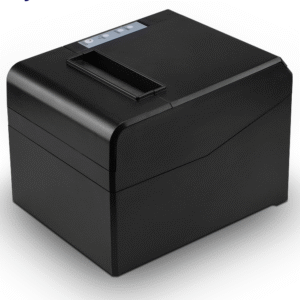
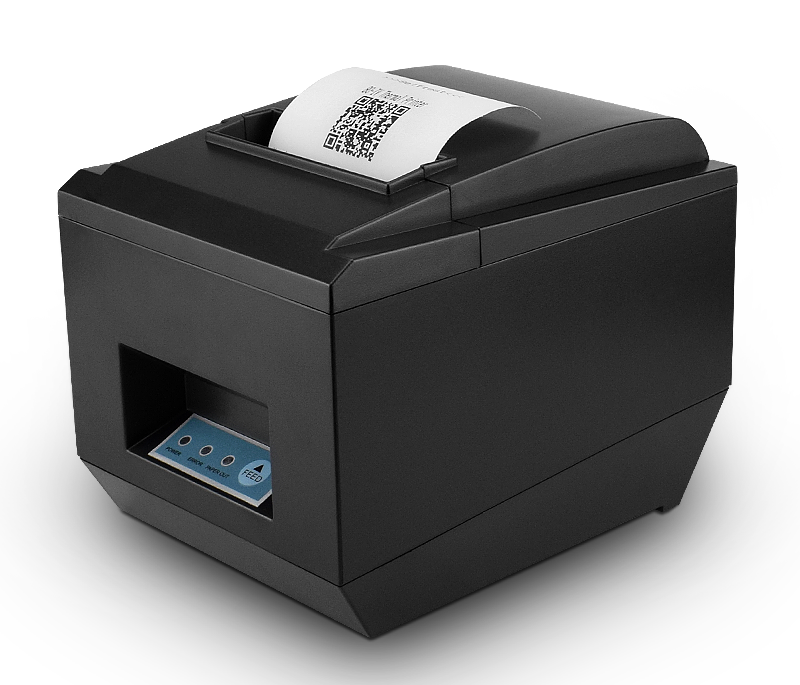
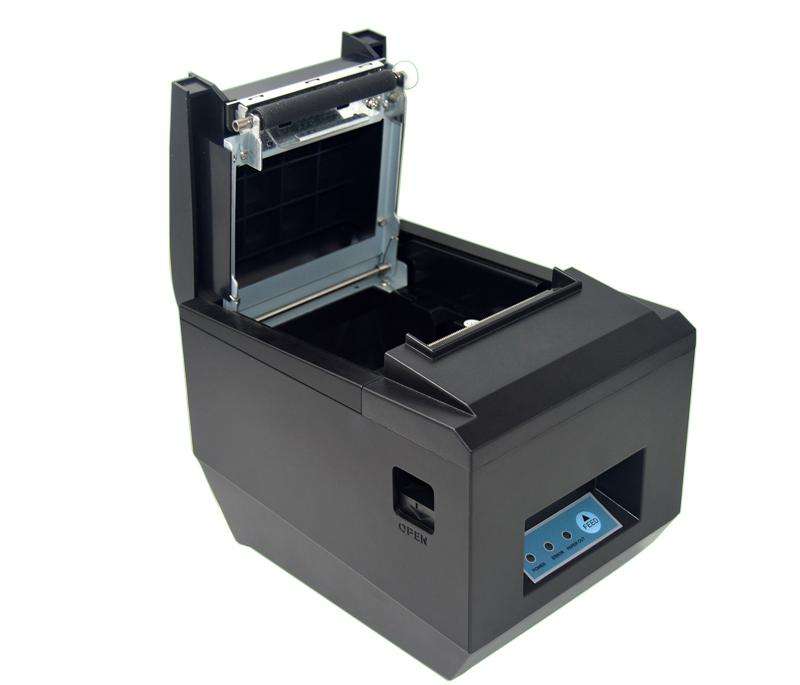
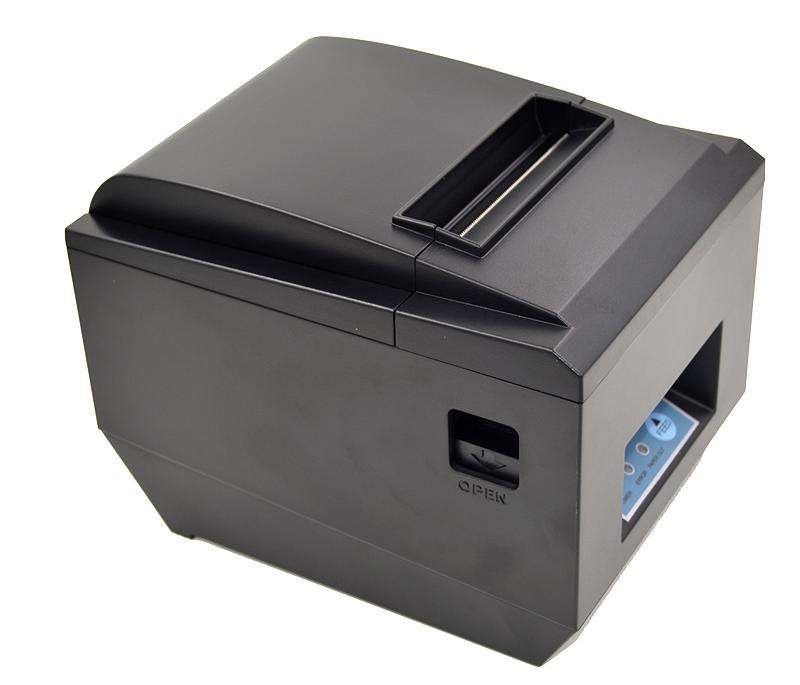
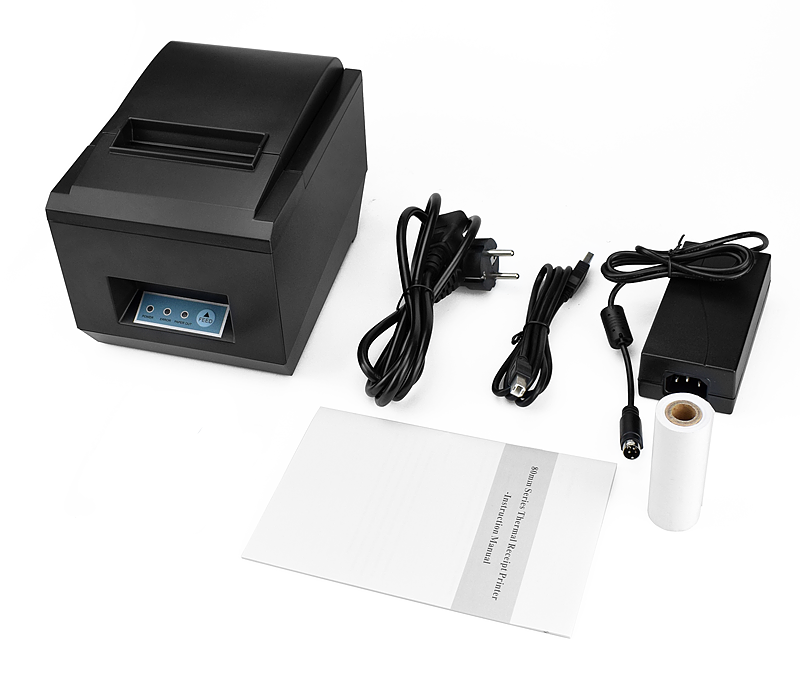
The POS-8250 is the 80 mm workhorse in the DcaPOS range: thermal line printing at 260 mm/s, a full or partial auto cutter, a 576-dot print head, and interface options that cover USB, serial, parallel, Ethernet and wireless. It is also the model most OEM customers end up standardising on, because the same unit drops into a counter, a wall mount or a kitchen station without a different spare-parts list.
Print speed is usually quoted at maximum, with a small print density and a short line. The practical number to design around is the time to print a typical receipt: 25 to 35 lines of itemised text with a logo at the top. At 260 mm/s that receipt clears in roughly the time it takes the customer to put their card away; at the 200–220 mm/s of a budget unit, the cashier waits, and the customer waits behind them.
Two other figures matter more than the headline speed:
Print density and speed are a trade-off. On cheap thermal paper the default density can look grey; the POS-8250 exposes density and speed through DIP switch settings and ESC/POS commands, so a site can trade a little speed for darker output if their paper stock is not the best. We would rather tell you that than let you discover it after the first pallet of paper arrives.
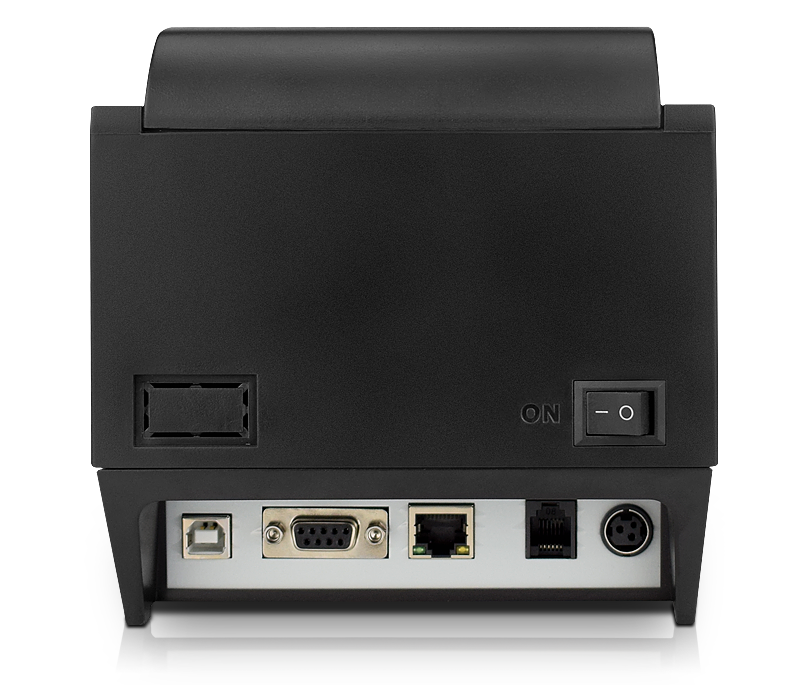
Almost every printer problem we see in the field is an interface problem, not a mechanical one. The POS-8250 covers the full set, and the right choice depends on what is driving it.
Plug-and-play on Windows, supported by every Android POS SDK, and the simplest thing to support remotely. Use USB when the printer sits next to the terminal and there is no reason for it to be anywhere else. The limitation is cable length: keep it under 3 m or move to a network unit.
Older Windows POS applications and industrial controllers often expect a COM port or an LPT port and will not enumerate a USB printer. Serial also runs further than USB without a hub, which is why it survives in back-office and warehouse printing. If your software was written before 2010, confirm the port type before ordering — this is the single most common specification error in a printer order.
A network printer has an IP address, which means any terminal on the LAN can send a ticket to it. This is how kitchen and bar printers are normally deployed: one unit per station, addressed by the POS, no cable back to a specific till. It also makes the printer reachable for remote diagnostics, which is worth more than the price difference once you have units in more than one city.
Wireless is the right answer when the ordering device moves: tablet POS, handheld order-taking, pop-up counters. Both are optional on this model, and both need a stable 2.4 GHz environment — Bluetooth in particular suffers in a room with dozens of devices. For a fixed till, wired is still better.
The printer is usually what opens the cash drawer. The POS-8250 provides a 12 V / 1 A drawer port on RJ11, driven by an ESC/POS command, which is the standard arrangement for the drawers in this range (POS-410A, POS-410B, POS-405A). Two things go wrong here more often than any other wiring issue:
Because the kick-out command goes through the printer, a printer that hangs or loses its queue will also stop opening the drawer. That is the argument for keeping the printer on a wired interface at the till and for keeping the queue small.
The unit takes 79.5 ± 0.5 mm rolls up to 83 mm in diameter, 0.06–0.08 mm thick. Roll diameter is the number that decides how often staff change paper: an 83 mm roll holds meaningfully more than the 60–65 mm rolls used in smaller printers, which in a busy site is the difference between one change per shift and three.
The auto cutter does full or partial cuts. Partial cut leaves a tab so the receipt does not drop to the floor — worth specifying for counter-service sites where the printer is mounted above a customer’s reach. Full cut is cleaner for receipts that are handed over immediately.
Thermal printing has no ribbon and no ink, so the running cost is paper and the occasional head cleaning. There is no per-page consumable to budget, which is why the cost-per-receipt argument for thermal over impact printing is not close.
Three further 80 mm units share this platform, and buyers reasonably ask which one to take. The honest answer is that two of them are the same printer in different tooling.
For OEM programmes, standardising on one of the 260 mm/s units keeps the spare-parts list and the driver package identical across a fleet, which is worth more than a small unit-price difference.
ESC/POS. The printer speaks the ESC/POS command set, so it works with the standard drivers in Windows POS software, Android POS SDKs and most Linux-based POS stacks. If you have written your own print layer, the NV Flash (256 KB) lets you store a logo image in the printer and call it with a single command instead of sending a bitmap with every receipt.
iOS. Apple devices do not enumerate a USB printer. iOS printing goes over the network (Ethernet or Wi-Fi) or through a vendor SDK. Confirm this before committing to an iPad-based deployment.
Power. DC 24 V / 2.5 A external adapter. In a fixed installation, put the adapter on a switched outlet with the terminal, not on a separate circuit — a printer that stays powered while the till is off will hold a queue that nobody can see.
Environment. Rated for 0–45 °C working temperature at 10–80% humidity. That is fine for a counter; it is not a machine for an outdoor kiosk or an unventilated kitchen corner next to a fryer.
Yes. USB, serial and network connections are supported by the common Android POS SDKs, and the ESC/POS command set is identical to what those SDKs expect. Check the specific SDK’s supported interfaces — some only implement USB and network.
Yes, through the 12 V / 1 A RJ11 port, triggered by an ESC/POS command. Confirm your drawer’s rated voltage and pin-out before wiring.
Yes. Store the image in the printer’s 256 KB NV Flash and call it from the print template, which is faster than sending the bitmap with each job.
Full cut separates the receipt completely. Partial cut leaves a small tab so the paper stays attached — better for printers mounted above the counter, where a loose receipt can fall.
No. This unit is for continuous receipt roll. For labels, use a dedicated label printer: the paper path, the platen and the sensor arrangement are designed for die-cut stock.
12 months minimum, with a rated print-head life of 100 km. Extended terms are available for OEM programmes — ask at quotation stage.
Next step: tell us what drives the printer (software, OS, interface), the receipt layout, and the drawer model you use — we will confirm the interface variant, the driver package and a factory-direct quote. Email sales@dcapos.com or contact us.
Related: POS-8370 80 mm printer with stored logo · POS-8360 compact 80 mm printer · thermal printers · POS-410A cash drawer · POS peripherals · POS systems
| Specifications | |||
| Interfaces | USB/Serial/Parallel/Ethernet/Wifi/Bluetooth(Optional) | ||
| Print Comand | ESC/POS | ||
| Print Method | Thermal Line Printing | ||
| Print Speed | 260mm/sec | ||
| No. of Total Dots | 576 dots/Line | ||
| Resolution | 203 dpi (8 dots/mm) | ||
| Auto Paper Cutter | Full or Partial cut | ||
| Print Width | 72±0.5mm | ||
| Character Set | Alphanumeric /Chinese Kanji | ||
| Print Font | 12 x 24; 24x 24 | ||
| NV Flash | 256K bytes | ||
| Compatible OS | Window Systems ; Android & IOS Operate Systems | ||
| Paper | |||
| Type | Roll Paper | ||
| Width | 79.5±0.5mm | ||
| Roll Diameter | 83mm | ||
| Paper Thickness | 0.06-0.08mm | ||
| Electrical | |||
| Adapter Voltage | DC24V/2.5A | ||
| Cash Drawer Control | 12V/1A | ||
| Print Head | Reliability | ||
| Print Reliability | 100km | ||
| Physical | |||
| Dimension |
|
||
| Unit Weight | 2kgs(with accessories) | ||
| Pieces Per CTN | 8 Pieces | ||
| Color | Black and White | ||
| CTN Dimension | 48*45.1*35.2cm | ||
| Carton Weight | 19kgs | ||
| Environmental | |||
| Temperature | Working: 0 to 45 Degrees | ||
| Humidity | Working: 10%-80% | ||
| Warantty | 12 months at least | ||
| Certificates | CE& FCC ROHS / ISO9001:2008 | ||
First time specifying an 80 mm receipt printer? Read what a thermal print head does before you compare dots per line, then what a POS system is made of to see where the printer sits among the five parts.