If you want more information of our industry and products,please contact us.
Get to Know Us Now
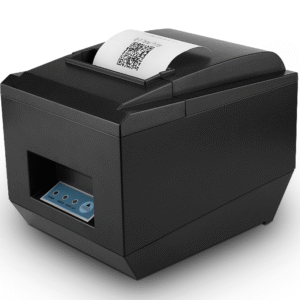
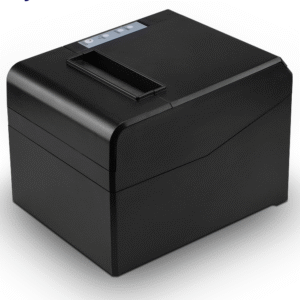
Most 80 mm receipt printers are sold one at a time to a shop that needs one. The POS-8360 is the other case: it is the unit distributors, e-commerce sellers and OEM programmes buy twelve at a time, because at 0.72 kg and 16 × 13.5 × 12.15 cm it is the smallest and lightest 80 mm mechanism in the DcaPOS range, and freight is charged on both.
That is not a marketing angle, it is a purchasing decision. A printer that weighs 2 kg and ships eight to a carton costs a different amount to move than one that weighs 0.72 kg and ships twelve to a carton — and if you are landing stock in a market where the unit itself is the cheap part, the difference in landed cost per unit is set by the carton, not the BOM.
The POS-8360 unit is 16 × 13.5 × 12.15 cm with accessories, 0.72 kg. Twelve fit in a 61.4 × 38.8 × 29.8 cm carton weighing 14 kg. Compare that against the larger 80 mm chassis in the range, which ships eight to a carton at 19 kg.
Run the numbers on a container or an air shipment and the consequence is straightforward:
None of this matters if you are buying one printer for one counter. All of it matters if you are buying two hundred.
The POS-8360 prints at 220 mm/s. The 260 mm/s models in the range are faster, and it is worth being precise about when that gap is visible.
A typical retail receipt is 25–35 lines with a logo at the top, about 20–25 cm of paper. At 220 mm/s that is roughly one second of print time; at 260 mm/s it is about 0.8 seconds. Nobody in a queue notices 0.2 seconds.
The gap only becomes real in three situations:
Below those thresholds, 220 mm/s is sufficient, and the money is better spent on the carton economics or on a spare unit.
The interface set on this model is deliberately narrow: USB, Ethernet, and Bluetooth as an option. There is no serial and no parallel port. That is a simplification, not an omission, and it matches how printers are actually deployed now.
What the narrow set rules out is the legacy case: an older Windows POS application that expects a COM port or an LPT port and will not enumerate a USB printer. If your software was written before roughly 2010, check the port type before ordering — this is the single most common specification error in printer orders, and it is not fixable with an adapter cable in every case.
The POS-8360 lists Windows, macOS, Android and iOS in its supported operating systems. macOS is the one worth calling out, because it is where cheap 80 mm printers usually fail: they publish a Windows driver and an Android SDK and leave the Mac to whatever generic CUPS driver happens to work.
Two practical notes follow from that:
16 × 13.5 cm of counter space is small enough to sit beside a tablet stand, under a shelf, or on a narrow service counter where a 19 cm deep printer would overhang. In convenience-store and kiosk-counter formats — where the whole point is that the counter is 40 cm deep — that difference is what decides whether the printer goes on the counter at all or ends up on a bracket behind it.
The trade-off is mass. A 0.72 kg printer moves when you pull a receipt hard, and it can walk across a smooth counter over a few hundred transactions. Two fixes, both cheap: put it on a rubber mat, or use the mounting points to fix it down. If the site has heavy paper handling, the heavier 2 kg units in the range are more stable on an open counter.
The unit takes 79.5 ± 0.5 mm rolls up to 80 mm in diameter, 0.06–0.08 mm thick, with a 72 ± 0.5 mm print width and a 576-dot line at the standard 80 mm geometry. Receipt templates built for any ESC/POS printer render without re-laying out the logo or the tax block.
The auto cutter does full or partial cuts. Partial leaves a tab so the receipt stays attached — the right setting for a printer mounted above customer reach, where a loose receipt drops to the floor. Full cut is cleaner when the receipt is handed over immediately.
The print head is rated for 100 km, which is the number that decides whether the printer is a consumable or a capital item. At 400 receipts a day and 15 cm per receipt, that is roughly four years of head life. Thermal printing has no ribbon and no ink, so the running cost is paper plus the occasional head clean — there is no per-page consumable to budget.
Being straight about the limits saves a return:
The range has four 80 mm units, and the honest summary is that two of them are the same printer built in different tooling.
For an OEM programme, the decision is usually made on one question: does the fleet need serial or parallel anywhere? If yes, standardise on a 260 mm/s model and keep one driver package. If no, the carton economics of the POS-8360 are hard to beat.
Not over USB — iOS does not enumerate USB printers. Use the Ethernet variant and print over the network, or a vendor SDK that supports Bluetooth. Confirm this before committing to an iPad-based deployment.
Optional on this model. Specify it at quotation stage; the interface configuration is fixed at build time, not switchable in the field.
Yes. The port is rated 12 V / 1 A on an RJ11 connector, triggered by an ESC/POS command. Specify the 12 V solenoid version when you order the drawer — the POS-410A, POS-410B and POS-405A are each available with either a 12 V or a 24 V solenoid, and the 24 V version will not fire reliably from this port. If you also run a POS-8370, note that its drawer port is 24 V / 1 A — the two printers need different drawer versions.
Yes — 256 KB of NV Flash, so the logo lives in the printer and is called with a command instead of being sent as a bitmap with every receipt.
Twelve per carton, carton 61.4 × 38.8 × 29.8 cm at 14 kg gross. Pallet count depends on your stacking rules — ask us for the loading plan if you are booking a container.
12 months minimum, with a 100 km rated print head. Extended terms are available for OEM and distribution programmes.
Next step: tell us the annual volume, the interface you need and the destination market — we will quote factory-direct and send the carton and pallet dimensions for your freight calculation. Email sales@dcapos.com or contact us.
Related: POS-8370 80 mm printer with stored logo · thermal receipt printers · POS-8250 80 mm printer · POS-410A cash drawer · POS peripherals
| Specifications | |||
| Interfaces | USB/Lan/Bluetooth(optional) | ||
| Print Comand | ESC/POS | ||
| Print Method | Thermal Line Printing | ||
| Print Speed | 220mm/sec | ||
| No. of Total Dots | 576 dots/Line | ||
| Resolution | 203 dpi (8 dots/mm) | ||
| Auto Paper Cutter | Full or Partial cut | ||
| Print Width | 72±0.5mm | ||
| Character Set | Alphanumeric /Chinese Kanji | ||
| Print Font | 12 x 24; 24x 24 | ||
| NV Flash | 256K bytes | ||
| Compatible OS | Window /MAC/Android & IOS Operate Systems | ||
| Paper | |||
| Type | Roll Paper | ||
| Width | 79.5±0.5mm | ||
| Roll Diameter | 80mm | ||
| Paper Thickness | 0.06-0.08mm | ||
| Electrical | |||
| Adapter Voltage | DC24V/2.5A | ||
| Cash Drawer Control | 12V/1A | ||
| Print Head | Reliability | ||
| Print Reliability | 100km | ||
| Physical | |||
| Dimension |
|
||
| Unit Weight | 0.72kgs(with accessories) | ||
| Pieces Per CTN | 12 Pieces | ||
| Color | Black and White | ||
| CTN Dimension |
|
||
| Carton Weight | 14kgs | ||
| Environmental | |||
| Temperature | Working: 0 to 45 Degrees | ||
| Humidity | Working: 10%-80% | ||
| Warantty | 12 months at least | ||
| Certificates | CE& FCC ROHS / ISO9001:2008 | ||


First time specifying an 80 mm receipt printer? Read what a thermal print head does before you compare dots per line, then what a POS system is made of to see where the printer sits among the five parts.