If you want more information of our industry and products,please contact us.
Get to Know Us Now
Most scanners are operated by trained staff who know where the window is. A price checker is used by whoever walks up to it: someone holding a box in one hand, a child at waist height, a customer in a hurry who waves an item somewhere near the device and expects a number to appear.
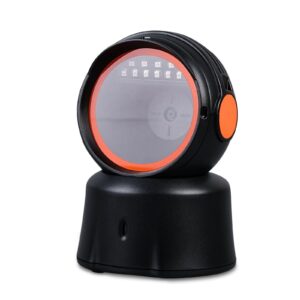
That changes the design brief. The unit has to be forgiving about position, it has to be aimed rather than pointed, and it has to be safe to leave running unattended for a whole trading day. The POS-8800F is built to that brief: a desktop presentation scanner on an adjustable tilt stand, reading downward through a window from 15° to 65°, with auto-sensing and auto-sleep.
A price checker on a shelf has a fixed geometry problem: the reading window has to be at an angle the customer can present an item to without crouching, and the display has to be readable at the same time. A stand that tilts from 15° to 65° covers the range between a counter-level unit and a shelf-height unit.
The practical settings:
Getting this wrong is why some price checkers are popular and others are ignored. If a customer has to bend down and hunt for the window, they stop using it and queue at the till instead — which defeats the purpose of installing one.
The window faces up and reads items presented above it, so the sensor sees the code in a top-down geometry. That has two consequences for how the scanner behaves.
Resolution is Code 39 at ≥ 5 mil, print contrast floor 30%, and motion tolerance 35 cm/s on a 10 mil QR code. That last number is the one that governs the experience: a customer waving an item over the window at normal speed is inside 35 cm/s, so the scan succeeds on the pass rather than requiring a pause.
A price checker sits in a shop floor with nobody supervising it. Two behaviours matter.
Auto-sensing means there is no trigger: the unit detects an object entering the field of view and scans. There is no button for a customer to fail to find, and no button for a child to press repeatedly.
Auto-sleep means the illumination and sensor drop to a low-power state when nothing is in front of the window, waking on detection. On a device that runs for twelve hours a day with perhaps two hundred scans, this is the difference between an LED array that lasts the life of the unit and one that fades in a year.
Power draw is modest: 0.18 A standby, 0.25 A operating, 0.32 A maximum at 5 V — under 2 W at peak, drawn from the host’s USB port. A price checker with no separate power supply is a price checker that can be installed by anyone with a spare USB port.
The specification lists invoice code support, which matters in markets where a tax invoice or a receipt carries a scannable code alongside the product barcode. Two practical uses at a retail counter:
Decode coverage is the full 1D set — UPC-A, EAN-8/13, Code 128, Code 39, Code 93, Codabar, Interleaved 2 of 5, GS1-128 and ISBN — plus PDF417, Micro QR, QR, Aztec and Data Matrix on the 2D side. PDF417 is the format that matters for documents and ID cards, so having it here is consistent with the document-code use case.
308 g in ABS+PC, 110 × 99.3 × 149.6 mm, black and orange. Lighter than the high-throughput desk scanners in the range, which is appropriate: a price checker is not pushed around by staff all day, it is bolted to a shelf or set on a counter and left alone.
IP42 — protected against objects over 1 mm and against dripping water at up to 15° tilt. On a shop floor that covers dust and the occasional spill nearby; it is not a wash-down rating.
ESD protection is 15 kV air discharge, which matters more than it sounds for an unattended device: a customer walking across a carpeted floor and touching the unit can discharge into it, and an unprotected scanner locks up or resets, which reads as “the price checker is broken again”. Drop rating is 1.2 m onto concrete.
Operating range is 0–50 °C at 20–85% non-condensing humidity. That is indoor retail, and it is the honest envelope — a price checker in an unheated outdoor area or a cold store is outside it.
USB with no driver. Windows XP through 10, Linux, Android and macOS are supported, and the unit presents as a keyboard in HID mode, so a price-checker application receives the code as typed input followed by an Enter.
Fifteen keyboard layouts are available — English, Belgian, Finnish, French, German, Italian, Swedish, Danish, Norwegian, Spanish, Portuguese, Turkish Q and F, Japanese and Russian. For an OEM programme shipping into several markets, that removes a per-country firmware build.
Yes — it is a USB device and draws power from the host. In a price-checker installation the host is normally a small PC or the POS terminal itself.
It is rated for 1.2 m drops onto concrete with 15 kV ESD protection and an IP42 housing. It is not waterproof and it is not designed to be hit; a vandal-resistant installation needs a protective enclosure, which we can quote.
Yes, in 2D mode. QR, Micro QR, Aztec and Data Matrix are all in the decode list.
Yes — invoice code support is in the specification, and PDF417 is covered, which is the format most documents use.
The POS-7200 is a high-throughput checkout scanner with 120 fps and an RS232 option. This unit is a customer-facing price checker: adjustable tilt, auto-sleep, USB only, lower cost.
12 months minimum. OEM branding, packaging and keyboard layout are configurable — ask at quotation stage.
Next step: tell us the mounting position (counter, shelf, aisle end), the host device and whether document codes are scanned — we will confirm the tilt hardware and quote factory-direct. Email sales@dcapos.com or contact us.
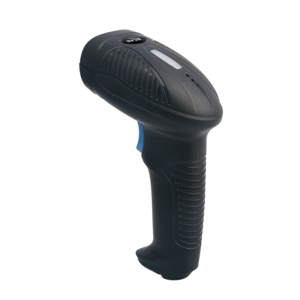
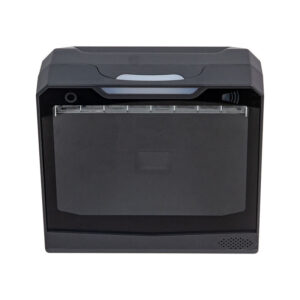
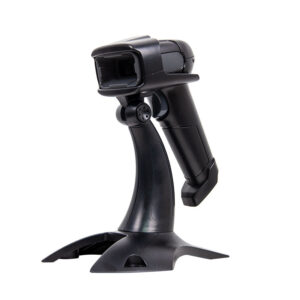
Related: POS-1670 handheld scanner · POS peripherals · POS-7200 desktop scanner · POS-8230 hands-free scanner · POS systems


| POS-8800F Technical Parameter | |||||||
| Model | GT-8800F Technical Parameter | ||||||
| Item | Wired 2D Image Desktop barcode scanner | ||||||
| Physical Parameter | |||||||
| Material | ABS+PC | ||||||
| Power Supply | DC 5V ±5% | ||||||
| Operating Current | 0.18A(Standby);0.25A(Operating);0.32A(Max)[Average] | ||||||
| Power consumption | 0.90W(Standby);1.25W(Operating);1.60W(Max)[Average] | ||||||
| Weight | 308.0g±5g(Without cable) | ||||||
| Size | L * W * H:110.0 * 99.3 * 149.6(unit:mm) | ||||||
| Color | Black and Orange | ||||||
| Performance Parameter | |||||||
| Interface | USB | ||||||
| System supported | Linux,Android,Windows XP、7、8、10,MAC | ||||||
| Language supported | English;Belgium;Finnish;French;German;Italian;Swedish;Danish; Norwegian; Spanish; Portuguese; Turkish Q; Turkish F; Japanese; Russian; Czech; Thai; Ukrainian; Brazilian; Greek; Hungarian; Dutch; Polish; Romanian; Slovakia language; [Support virtual keyboard] |
||||||
| Sensor | Rolling CMOS sensor 640*480 | ||||||
| Light Source | White LED Light | ||||||
| Processor | 32-bit MCU | ||||||
| Motion Tolerance | 35cm/sec[10mil QR] | ||||||
| Resolution | Code39 ≥5mil | ||||||
| Error Rate | 1/5000000 | ||||||
| Reading Mode | Image | ||||||
| Triggle Mode | Auto-sensing | ||||||
| Prompt Mode | Buzzer+Indicator Light(LED) | ||||||
| Scanning Angle | Pitch±55°,Yew±55°,Roll 360° | ||||||
| Invoice Code supported | Support | ||||||
| Print Contrast | ≥30% | ||||||
| Decoding Capability | 1D | UPC-A JAN/EAN-8 JAN/EAN-13 Code 128 Code 39 Codabar Code 93 Interleaved 2 of 5 UPC-E UCC/EAN 128 GS1-128 ISBN Industrial(Standard)2 of 5 Code 11 MSI Plessey Code32 GS1 Composite GS1 Databar Composite Matrix 2 of 5 |
|||||
| 2D | PDF417 Micro QR Code QR Code Aztec code Data Matrix | ||||||
| Scanning Depth | QR Code 12.50mil(7 bit):0cm – 11cm PDF417 9.17mil(7 bit):0cm -11cm Data Matrix 12.50mil(8 bit):0cm – 7cm Code 128 7.50mil(15 bit):1cm – 10cm EAN13(10mil):3cm – 12cm |
||||||
| Environment Parameter | |||||||
| IP Grade | IP42 | ||||||
| Operating Temp. | 0 to 50℃ / 32 to 122℉ | ||||||
| Storage Temp. | 0 to 50℃ / 32 to 122℉ | ||||||
| Operating Humidity | 20% to 85%(No Condensation) | ||||||
| Storage Humidity | 20% to 85%(No Condensation) | ||||||
| ESD Protection | 15KV air discharge | ||||||
| Shock Resistance | 1.2m free fall on concrete surface | ||||||
| Ambient light | 0→100000Lux | ||||||
First time specifying a desktop 2D scanner? Read why a laser cannot read a phone screen before you pick an engine, then what a POS system is made of to see where the scanner plugs in.