POS hardware · five slots · 21 models
Five positions on a counter, twenty-one models, and one connector per position that decides what can sit beside it. This page is the hardware half of a point of sale system, ordered by counter position rather than by product family.
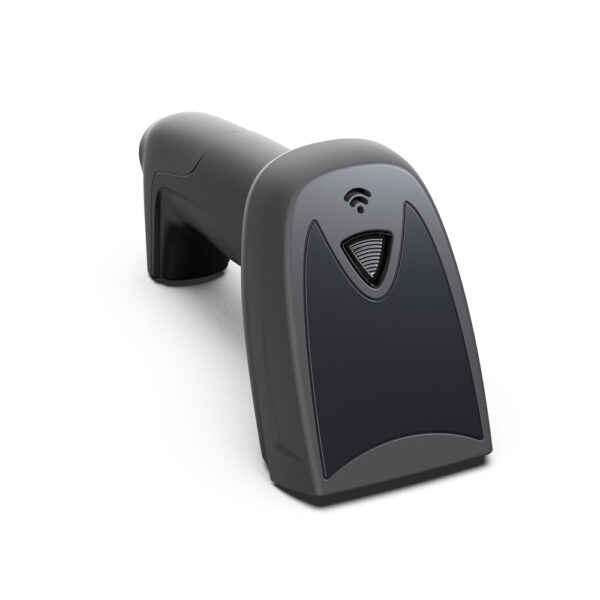
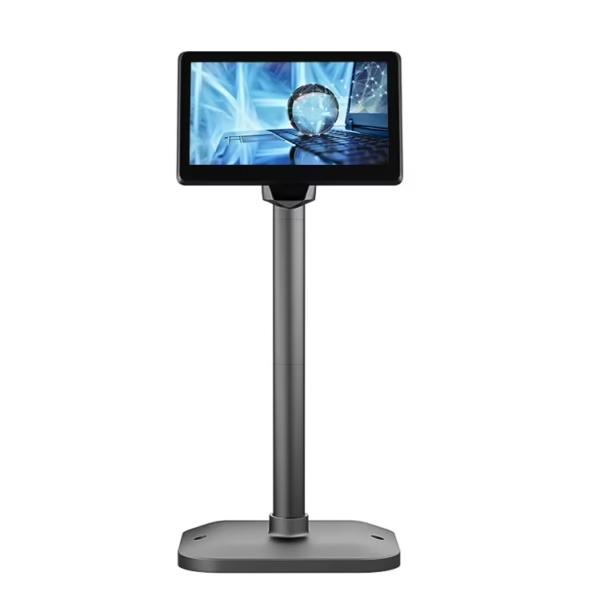
A POS system is only as reliable as the hardware underneath it. DcaPOS manufactures the terminals, touch monitors, printers, cash drawers, scanners and kiosks that keep checkout lanes, kitchens and store floors running — built in our own Shenzhen factory since 2013, supplied factory-direct, and available for full OEM/ODM customisation.
This page is the starting point for choosing a POS platform. Below you will find the hardware categories we manufacture, the questions that actually decide which one fits your deployment, and the industries we build for.
POS System Hardware We Manufacture
Windows POS Systems
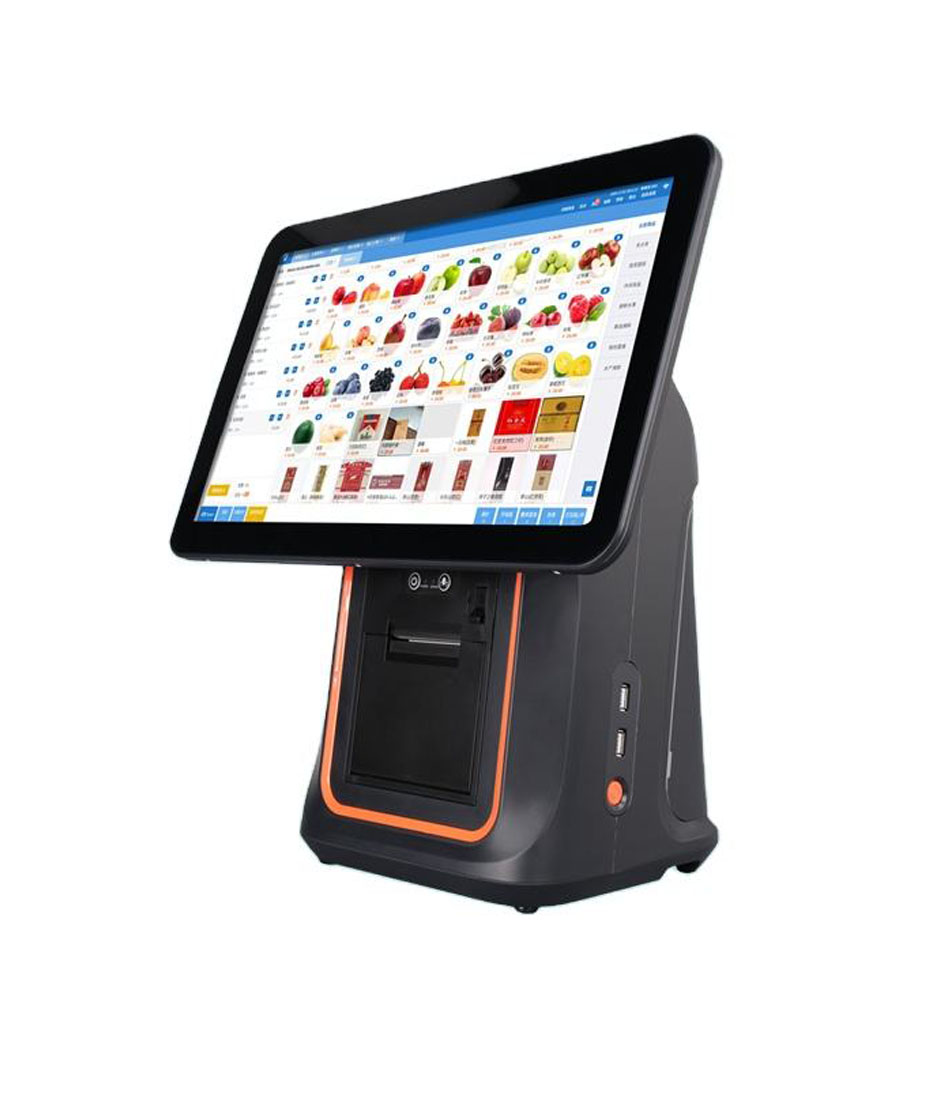
Intel-based all-in-one terminals for operators who need full desktop software compatibility: legacy ERP clients, weighing scales, complex peripheral chains and multi-screen setups. The safe choice where your software stack was written for Windows. Explore Windows POS systems.
Android POS Systems
Lower power draw, faster boot, quieter operation and a smaller footprint — ideal for high-turnover counters and cloud-based POS software. Available with built-in thermal printer, multiple screen sizes and optional customer-facing displays. Explore Android POS systems.
If that software is cloud-based, the terminal has its own requirements that have nothing to do with the app: how long it can queue card payments with no connection, and which wired port keeps the shop’s devices talking when the uplink drops. We set both out in what a cloud POS terminal has to carry.
Mobile & Handheld POS
PDA-style terminals and 8-inch handhelds for table service, stock counts, queue-busting checkout and field sales. Built for drop resistance and full-shift battery life rather than desk duty. Explore mobile POS.
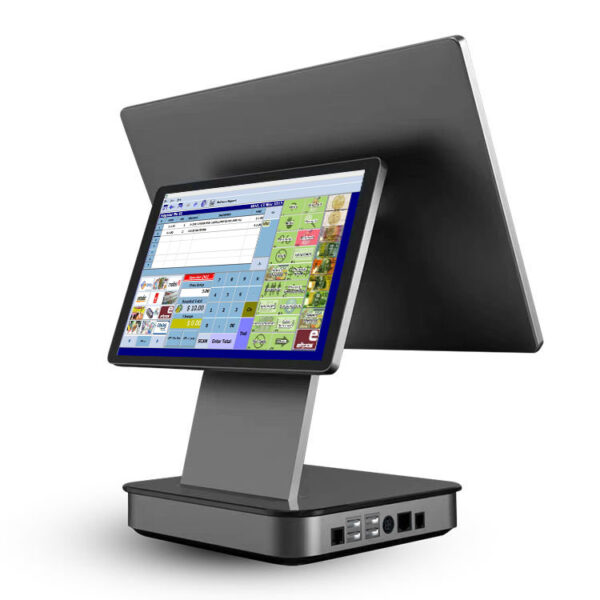
Those three shapes overlap more than the headings suggest, so the POS machine range lines all twelve countertop units up by form: an 11-inch all-in-one with the printer inside, a 15.6-inch dual-screen chassis, or a foldable-stand model for a shallow counter.
Self-Service & Self-Ordering Kiosks
Freestanding, wall-mounted and countertop kiosks for ordering, ticketing, check-in and wayfinding — with payment, printer and scanner integration. Explore kiosk models.
Touch Screen Monitors & Commercial Displays
Projected-capacitive and resistive touch monitors, digital menu boards, digital signage and KDS displays for front-of-house and back-of-house visibility. Explore touch monitors.
POS Peripherals
Thermal receipt and label printers, barcode scanners, cash drawers, customer pole displays and magnetic card readers — matched to the terminal so integration is not your problem. Explore POS peripherals.
The collection: five slots, twenty-one models
A point of sale system is not one box. It is five positions on a counter, and each position has a connector that decides which models can fill it. The list below is ordered by slot rather than by product family, because that is the order a deployment actually goes wrong in — the drawer that will not open, the printer that the terminal cannot address, the scanner that browns out a handheld battery.
Terminal·Receipt printer·Cash drawer·Scanner·Customer display·Configuration table
Slot 1 — the terminal
The terminal runs the software and owns most of the ports. Everything else on the counter plugs into it, so the port count here sets how much of the rest you can add later. Three of these carry a built-in printer, which trades servicing access for counter space.
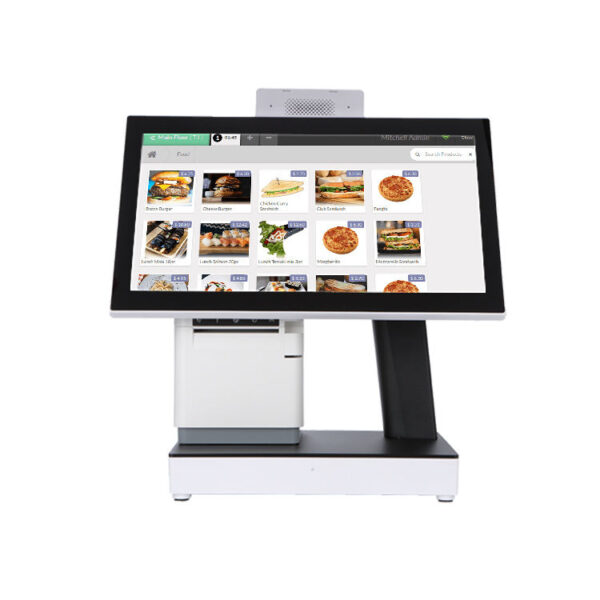
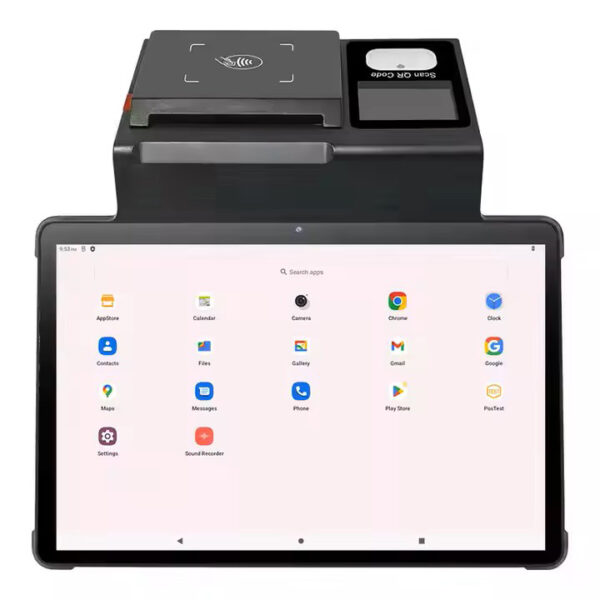
DCA-155A15.6″ Android 11 on RK3566 or RK3568, 1366×768, 2 GB plus 16 GB standard. Its published port list stops at the power button and DC-in — choose it for the screen, and put the drawer on the printer.Specifications →
DCA-156A15.6″ aluminum bezel, Android 11, optional 10.1″ non-touch second display, 4×USB, RJ11, RJ12.Specifications →
DCA-KSA15.6″ all-in-one with the receipt printer inside the shell; Android board or Intel J4125 in the same housing.Specifications →
DCA-Q3A15.6″ Android 10–13, optional 10.1″ second display, 4×USB, RJ11, RJ12, 12 V 2 A.Specifications →
DCA-151WS15″ 4:3 Windows terminal, J1900 to J4125, 6×USB, 2×COM, mSATA or M.2 to 512 GB.Specifications →
DCA-NB1111″ Android 12 or 13 with 1D/2D head and 58 or 80 mm printer built in, 800×1280 IPS.Specifications →
All 16 countertop and all-in-one terminals: POS machine and POS terminal range · Windows-only software: Windows POS systems · tablet POS hardware, by port count · what the five lines cost · EPOS: what the receipt has to carry
Slot 2 — the receipt printer
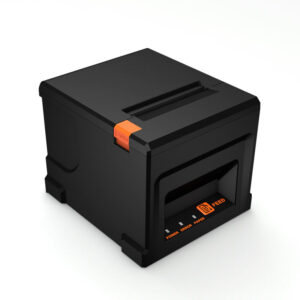
Two numbers decide the printer: paper width and print speed. An 80 mm roll gives 72 mm of printable width at 576 dots a line; a 58 mm roll gives roughly 48 mm and no room for a logo and a tax line side by side. The drawer usually hangs off the printer rather than the terminal, so the printer’s drawer port is part of the drawer decision, not a separate one.
POS-836080 mm, 220 mm/s, 576 dots a line, USB or LAN, Bluetooth optional. The default lane printer.Specifications →
POS-833080 mm, 260 mm/s, USB, serial, parallel, Ethernet, WiFi or Bluetooth. Fastest of the 80 mm set.Specifications →
POS-825080 mm, 260 mm/s, same port set as the 8330 in a shorter housing. LAN standard for multi-lane.Specifications →
POS-5890U58 mm, USB plus Bluetooth, 70 mm/s, 50 km head life, no auto cutter. For queue-busting tablets.Specifications →
Full range with cutters, interfaces and paper specs: thermal receipt printers · label work instead: thermal label printers
Slot 3 — the cash drawer
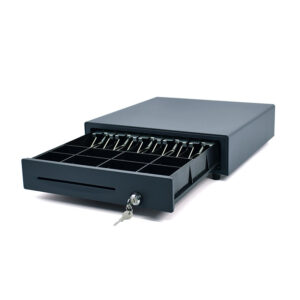
Every drawer in this range opens on a 12 V or 24 V solenoid pulse, and the voltage has to be fixed at order time against the printer’s drawer port. The 410 and the 405 are the same shell at 410 mm and 405 mm; the 350 is the compact one, and it is the only one without a media slot in the front.
POS-410B410×420×100 mm, 4/5/6/8-bill with 8 coin slots, RJ11/RJ12/USB/RS232, 12 or 24 V, MTBF 1,000,000.Specifications →
POS-405A405×420×100 mm, same tray layout as the 410B in a 5 mm narrower shell, 12 or 24 V.Specifications →
POS-350A350×380×92 mm, 4 kg, 4 or 5 bill plus 2, 5 or 8 coin, RJ11 or RJ12 only, no front media slot.Specifications →
Bill and coin layouts, locks and kick-out wiring: POS cash drawers · why the pulse matters: 12 V vs 24 V kick-out
Slot 4 — the scanner
Handheld for items you lift, desktop for items you slide across glass, overhead for items you cannot turn. On a mains-powered lane the choice is ergonomics. On a handheld terminal it is current draw, because the scanner is competing with the radio and the printer for the same battery.
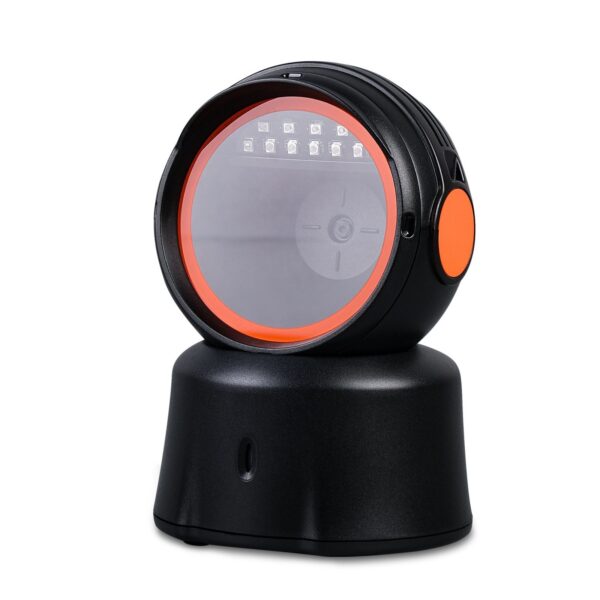
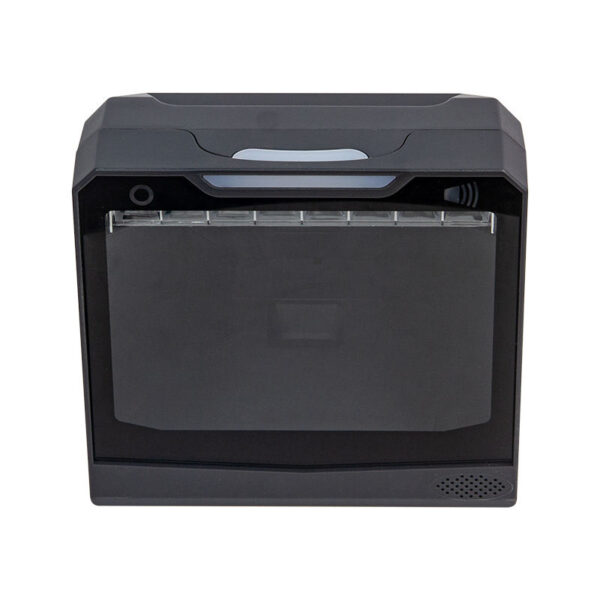
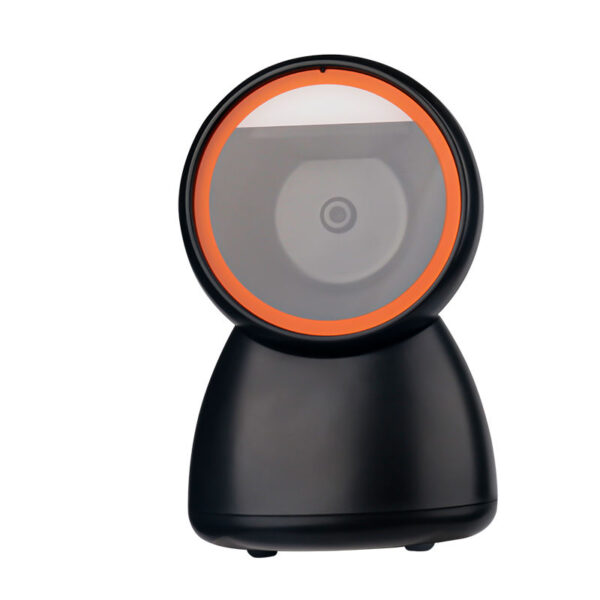
POS-1800A2D wired handheld, USB, 200 mA working and 270 mA peak, 145 g without cable.Specifications →
POS-7200Desktop 2D and QR reader, 120 fps, 4 mil minimum, USB-HID, USB-COM or RS232.Specifications →
POS-8230Hands-free omni 1D/2D, 115 mA working, 1.5 m drop rating, USB or RS232.Specifications →
POS-8280AWireless omni 2D, 30 m open-space range, 100,000-barcode cache for stock counts, USB receiver.Specifications →
Every scanner with its symbologies and current figures: barcode scanners · 1D against 2D: laser versus imager
Slot 5 — the customer display
The display is the only part of the system the customer reads. A two-line VFD shows the last item and the total; a small LCD can show the running basket. Neither changes checkout speed, and both are usually skipped on a first rollout and added on the second.
POS-CD7A7″ customer LCD on a pole, for the basket at a compact counter.Specifications →
POS-CD10H10.1″ IPS pole display, wide enough for a running item list rather than a total.Specifications →
VFD220Two-line VFD pole display, the cheapest readable option and the one that survives grease.Specifications →
PD220V-IITwo-line VFD, front-facing mount, wired to the terminal’s serial or USB port.Specifications →
Pole displays, VFD and LCD together with the card reader: POS peripherals
Which combination fits your counter
Five configurations that account for most of what we ship. Each line is a complete set — terminal, printer, drawer, scanner and display — and the note after it is the constraint that decided the choices, not a preference.
| Counter | Terminal | Printer | Drawer | Scanner | Display |
|---|---|---|---|---|---|
| Single lane, fixed budget | DCA-151WS15″ 4:3 Windows | POS-836080 mm, 220 mm/s | POS-350A350 mm, RJ11 | POS-1800A2D wired handheld | — |
| Supermarket, four lanes or more | DCA-155A15.6″ Android, 4×USB | POS-825080 mm, 260 mm/s, LAN | POS-410B410 mm, 8-bill | POS-8230hands-free omni | POS-CD7A7″ LCD |
| Restaurant counter plus kitchen | DCA-156A15.6″ Android, second screen | POS-8330two units: counter and pass | POS-410B410 mm, 12 V | POS-1800A2D wired handheld | VFD2202-line pole |
| Compact cafe, under 600 mm of counter | DCA-NB1111″, printer and scanner inside | built in58 or 80 mm | POS-350A350 mm | built in1D/2D head | 2.4″ rear screenon terminal |
| Self-service or self-order | Kiosk seriesK/R/H/B/A238/Q/Z | built in80 mm, kiosk mounted | nonecard or cash acceptor | built inbarcode or QR | main panel15.6″ to 32″ |
The two rows worth arguing about are the first and the fourth. A fixed-budget lane almost always over-spends on the terminal and under-spends on the printer, and the printer is the part that gets used every ninety seconds. A compact cafe usually under-specifies the drawer: the 350 holds a smaller note stack, and a cash-heavy weekend will find that out. If the counter is a single one or two lanes and there is no IT department behind it, the small business POS configuration guide walks the same five slots against measured counter dimensions.
One configuration is not on that table because it does not fit a row: a supermarket lane with weighed goods. The terminal is the same class of machine, but the counter gains a scale port and a 100 mm label printer, and the software has to read a stability bit rather than a typed keystroke. The grocery POS system configuration walks the six stations of a store separately, including the one thing our kiosks cannot weigh.
If the counter sells drinks rather than goods, the deciding part of the build moves from the drawer to the receipt: cafe POS system hardware by counter station starts from the ticket width, the cup label and the screen above the bar. A service counter swaps the constraint again — nobody queues at the till and the tip is agreed across the desk: salon POS system hardware starts from the drawer that fits under the desk and the screen the client can see.
If the software is cloud-hosted rather than on the terminal, the slot that changes is the terminal’s memory and network, not the rest of the counter — what a cloud POS leaves on the counter covers that half separately.
How to Choose the Right POS System
Most failed POS deployments are not hardware failures — they are mismatches between the terminal and the way the business actually works. Five questions decide it:
- What does your software require? Windows-only applications eliminate Android terminals; cloud POS with offline mode usually runs better on Android.
- What is the environment? Grease, flour, heat and vibration in a kitchen; dust and continuous use at a busy counter; rain and impact for outdoor or field use.
- Which peripherals must connect? A built-in printer saves counter space but constrains servicing; external peripherals give flexibility but need cable and port planning.
- Who operates it? High staff turnover argues for large touch targets and fewer steps; self-service argues for a sealed, vandal-resistant front.
- What is the five-year cost? Purchase price, spare parts, service labour and downtime usually matter more than the unit price difference between two terminals.
If you are fitting a single counter rather than a chain — one or two lanes, a fixed budget, no IT department — the small business POS configuration guide walks through the same questions against counter measurements and model numbers, from drawer depth to printer roll size.
The Terms and the Parts, Explained
Each question above turns on a part you may not have had to name before. These guides define the hardware in plain terms — what it is, what it is measured in, and where it breaks — and each one links on to the product line it belongs to.
- The system as a whole — what a POS system is, the five parts it is made of and where each one fails; what an EPOS system is, and why the UK and Ireland use the older name for the same hardware; how a POS system works, tracing one sale through the terminal, the printer and the drawer with real timings.
- Choosing a shape — types of POS systems, split by physical form rather than software feature; all-in-one POS systems, where panel, board and printer share one chassis and the roll sets the footprint.
- The parts on the counter — thermal printers and why 80 mm paper gives 72 mm of print; barcode scanners, 1D against 2D; cash drawers and the pulse that opens them; customer displays, VFD against pole LCD.
- Self-service — what a kiosk is across self-ordering, self-checkout and check-in.
Built for the Industries We Serve
- Retail — counter and lane terminals, barcode scanning, cash management and label printing. Retail POS solutions
- Restaurants & food service — order terminals, kitchen display systems and self-ordering kiosks. Restaurant POS solutions
- Hospitality — front desk, bar and table-service devices. Hospitality solutions
- Healthcare — check-in kiosks and clinical workstations. Healthcare solutions
- Education & corporate — canteen POS, interactive displays and campus self-service. Education solutions · Corporate solutions
Why Buy POS Hardware From the Factory
- No middle layer. You deal with the manufacturer on specification, pricing and warranty, so a change request does not travel through three companies.
- Certification you can use. CE, RoHS, FCC and CCC on the relevant product lines, with test reports supplied for your market entry.
- Scale without switching suppliers. 10,000 units monthly capacity covers a pilot batch and a national rollout on the same line and the same quality standard.
- OEM/ODM as standard. Your logo, packaging, colour, boot screen and — where needed — your own industrial design. See OEM/ODM services.
- Spares and support after delivery. Spare-part kits, RMA terms and technical documentation for the life of the product.
Hardware Guides, Counter by Counter
Each of these takes one counter and works out what the hardware has to be, rather than listing models. Same parts, different constraint.
- Grocery — six workstations, and the three ways a scale can connect.
- Cafe — why the ticket is a production order, and what 48 characters do to it.
- Salon — the customer never stands at the till, so the display has to turn.
- Convenience store — nine hundred tickets on 40 cm of counter, and the two scan channels that make it work.
- Bar — a wet rail, and why a tab is four stages rather than one sale.
- Liquor store — 2.8 lines a ticket, and the four exceptions that set the queue.
- One counter — what actually has to be bought for a single till.
- Cloud-based — what the subscription leaves behind on the counter.
- Tablet — the port block: what a tablet does and does not give you.
- Cost — the five lines on a POS bill, and which of them are ours.
- EPOS, UK and Ireland — the receipt as a VAT record, and how long it has to survive.
- Barcode scanners — what USB-HID versus USB-COM changes.
Frequently Asked Questions
Do you supply complete POS systems or only hardware?
We manufacture hardware. Our terminals ship with your choice of operating system and are designed to work with the POS software you already use or resell — we do not lock you into our own software stack.
Can I order a mixed container of terminals and peripherals?
Yes. Mixed orders across product lines are routine, and we quote them as one shipment with consolidated packing lists.
What warranty comes with your POS terminals?
Standard warranty terms are stated in the quotation and confirmed in the supply contract, with DOA replacement and spare-part support available. Extended terms can be agreed for volume accounts.
Can you pre-configure devices before shipping?
Yes — imaging, software pre-load, language packs, asset tagging and custom boot screens can be applied before packing for volume orders.
What are the five parts of a point of sale system?
Terminal, receipt printer, cash drawer, barcode scanner and customer display. The terminal runs the software and carries the ports; the other four attach to it directly or through the printer. A sixth part — the payment terminal — is normally supplied by your acquirer rather than by us.
Can I buy a point of sale system without the software?
Yes, and that is the normal order for us. We ship hardware with the operating system you specify — Windows or Android — and your software is installed by you, your reseller or our pre-configuration line. We do not sell subscriptions and we do not tie the hardware to a software brand.
Get a POS System Quote
Send us your use case, software platform, peripherals and expected volume. We will recommend the right terminal, confirm lead time and quote factory-direct. Email sales@dcapos.com, call +86 133 1295 3271, or contact our team.
Related reading: Android POS terminal vs Windows POS system · Restaurant POS terminal vs tablet POS