
If you want more information of our industry and products,please contact us.
Get to Know Us Now
Most “industrial” mini PCs are office machines in a metal case. They work on a desk and fail in the places industrial buyers actually install them: a workshop with metal dust, a cold store at −15 °C, a kiosk enclosure with no airflow, a production line where the power is cut every evening without a shutdown.
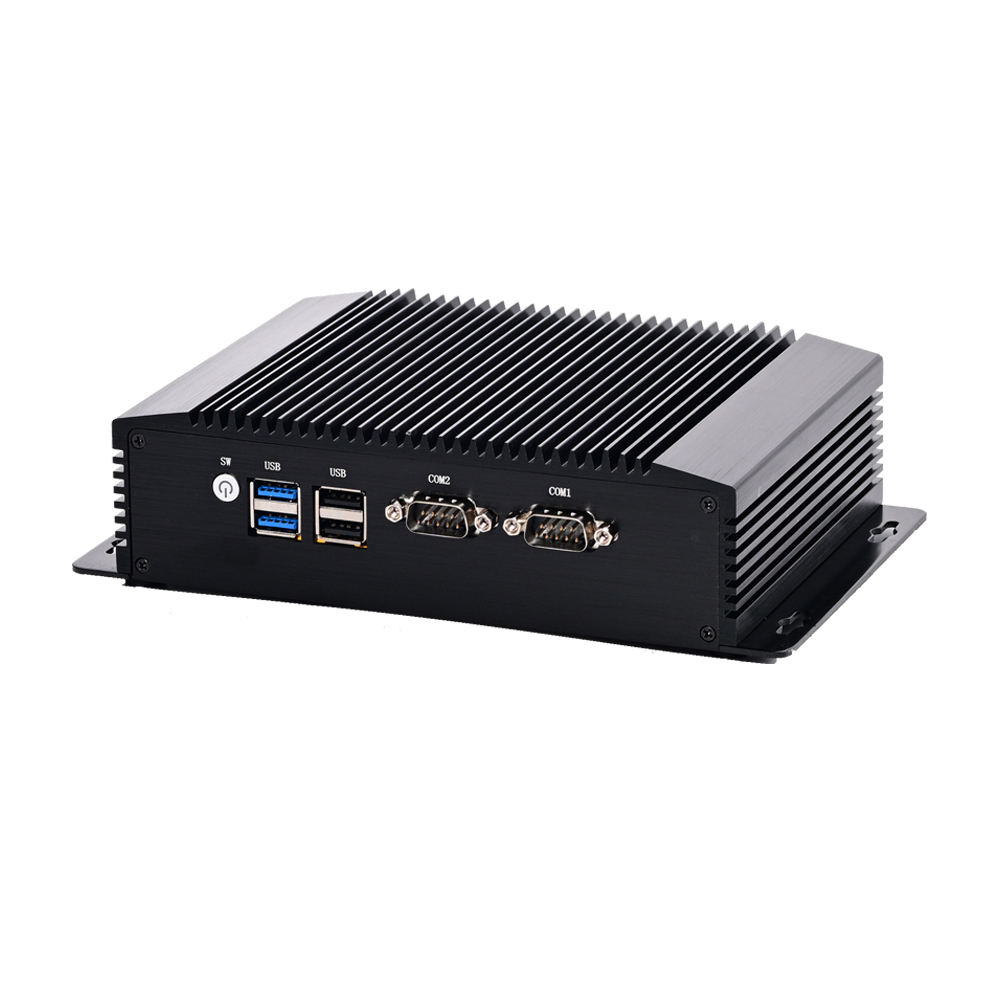
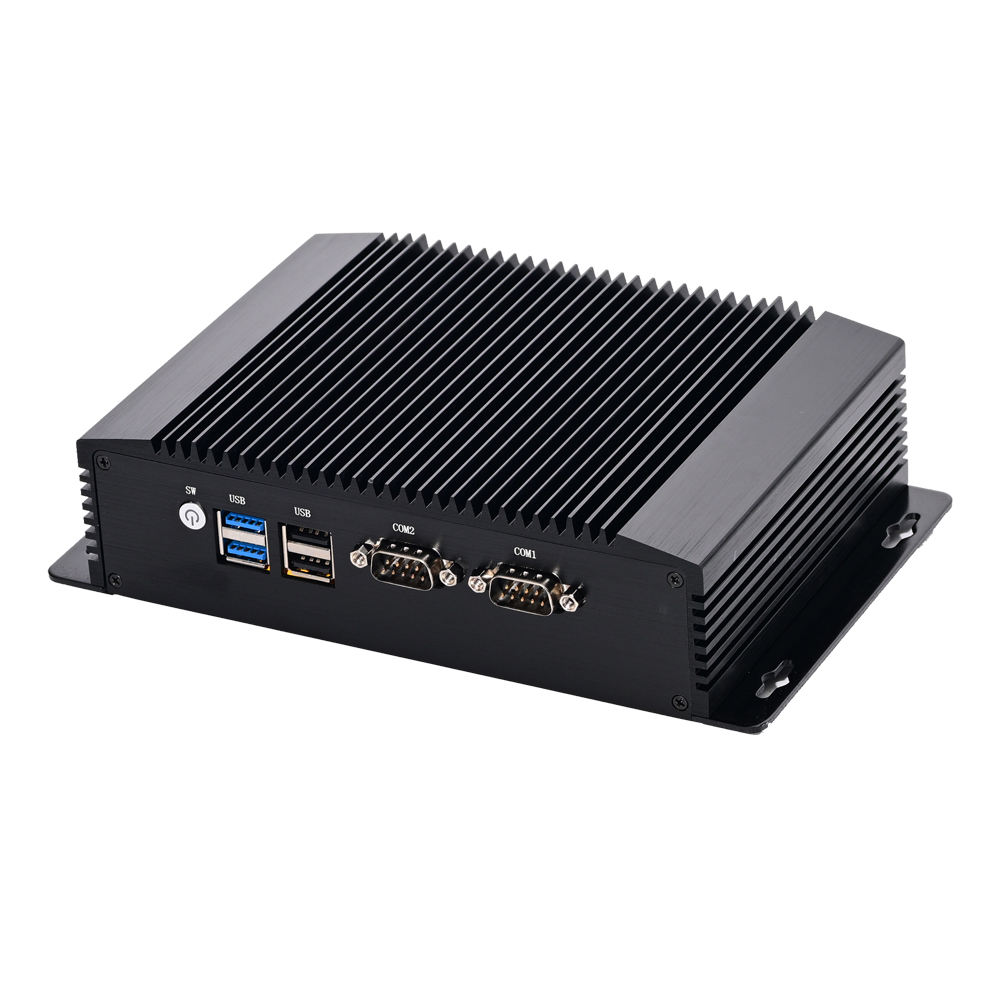
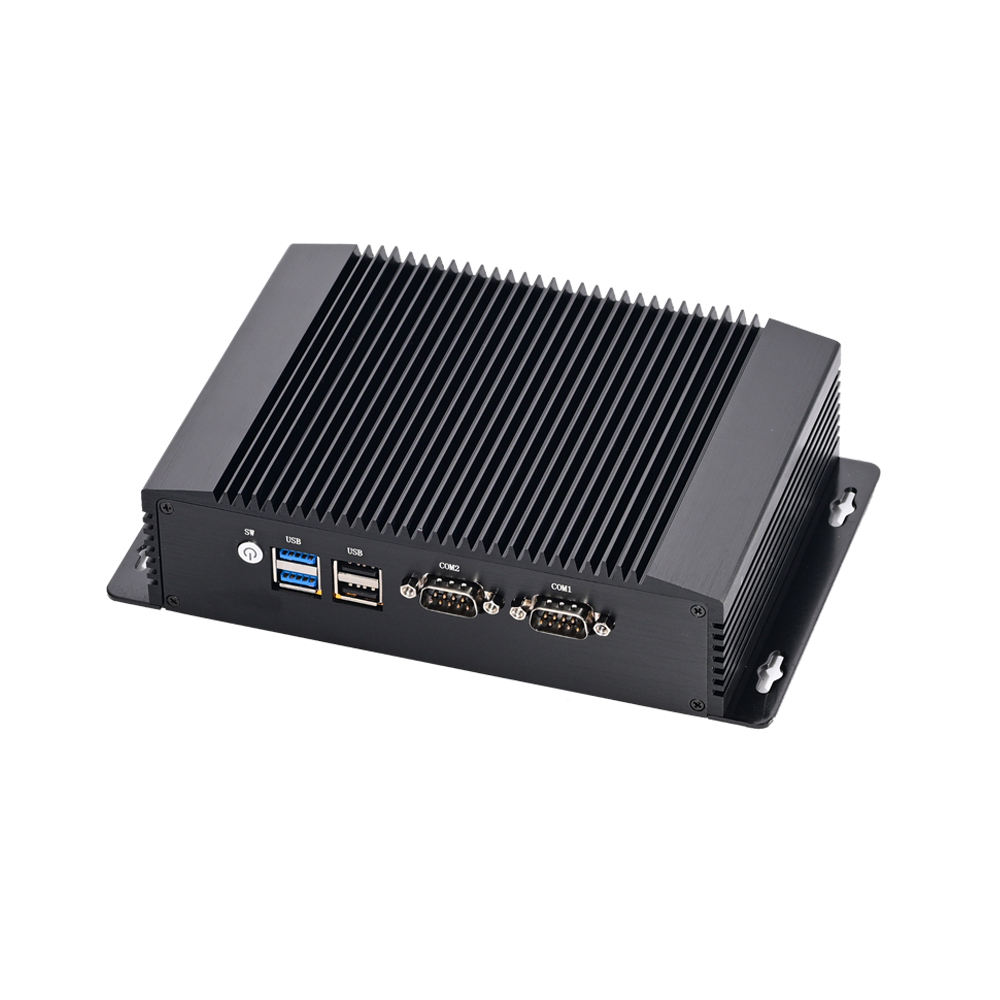
The DCA-M100 is a fanless mini PC built around those constraints: an Intel N100 quad-core in a 170 × 125 × 50 mm die-cast body weighing 2 kg, rated from −20 °C to +60 °C, fed by a 12–19 V DC input, with watchdog, auto power-on, Wake-on-LAN and PXE built in. It is the box you mount behind a screen or inside a cabinet, not the box on a desk.
No fan means three specific things, and each one is a failure mode removed:
The trade-off is real: passive cooling limits sustained CPU load. The N100 is a 6 W-class part chosen precisely because it can be cooled passively without throttling. If your application needs sustained heavy compute — video analytics, local databases, multi-camera recording — this is the wrong class of machine, and no amount of chassis engineering changes that.
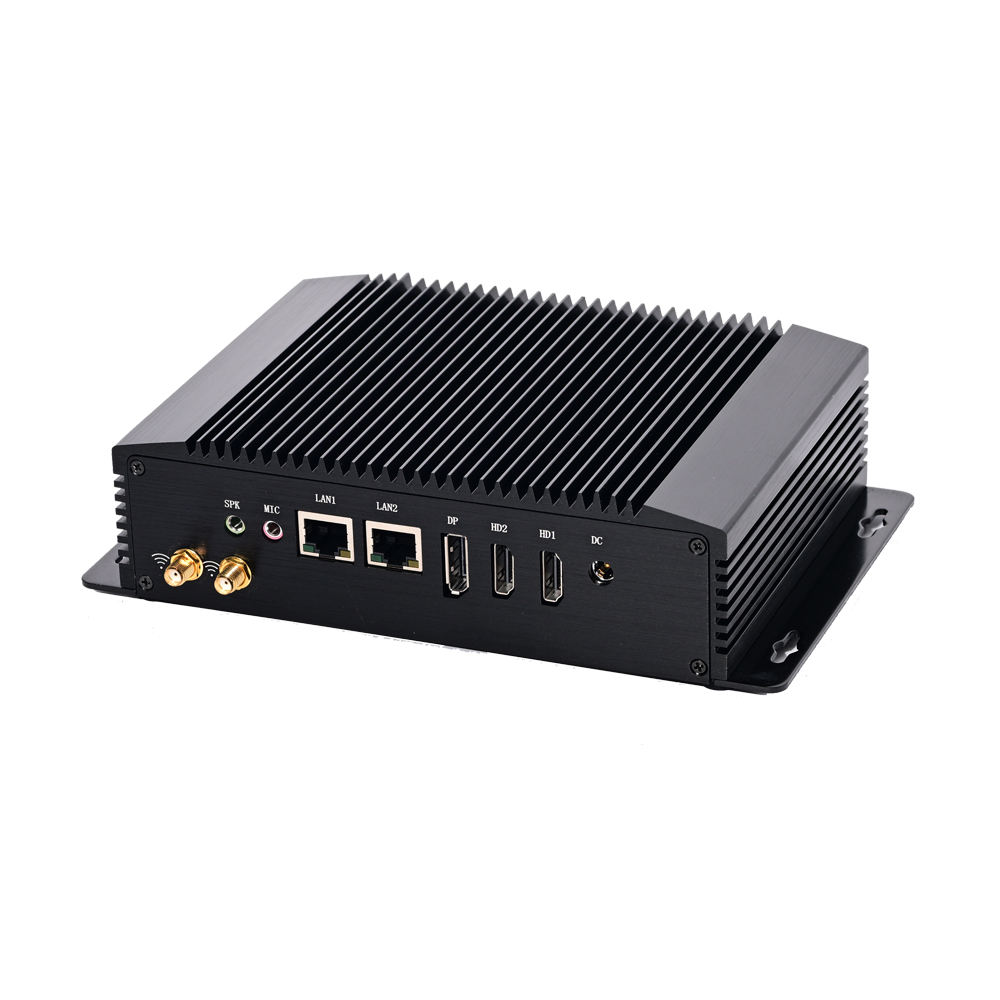
The unit drives 2 × HDMI 1.4 and 1 × DisplayPort 1.2 simultaneously, plus an eDP header for panel mounting. In a commercial installation that is three useful outputs:
The eDP header is the detail integrators care about: it lets a panel be driven directly from the board without an HDMI cable and a separate power feed, which is how you build a display into a kiosk enclosure rather than bolting a monitor onto it.
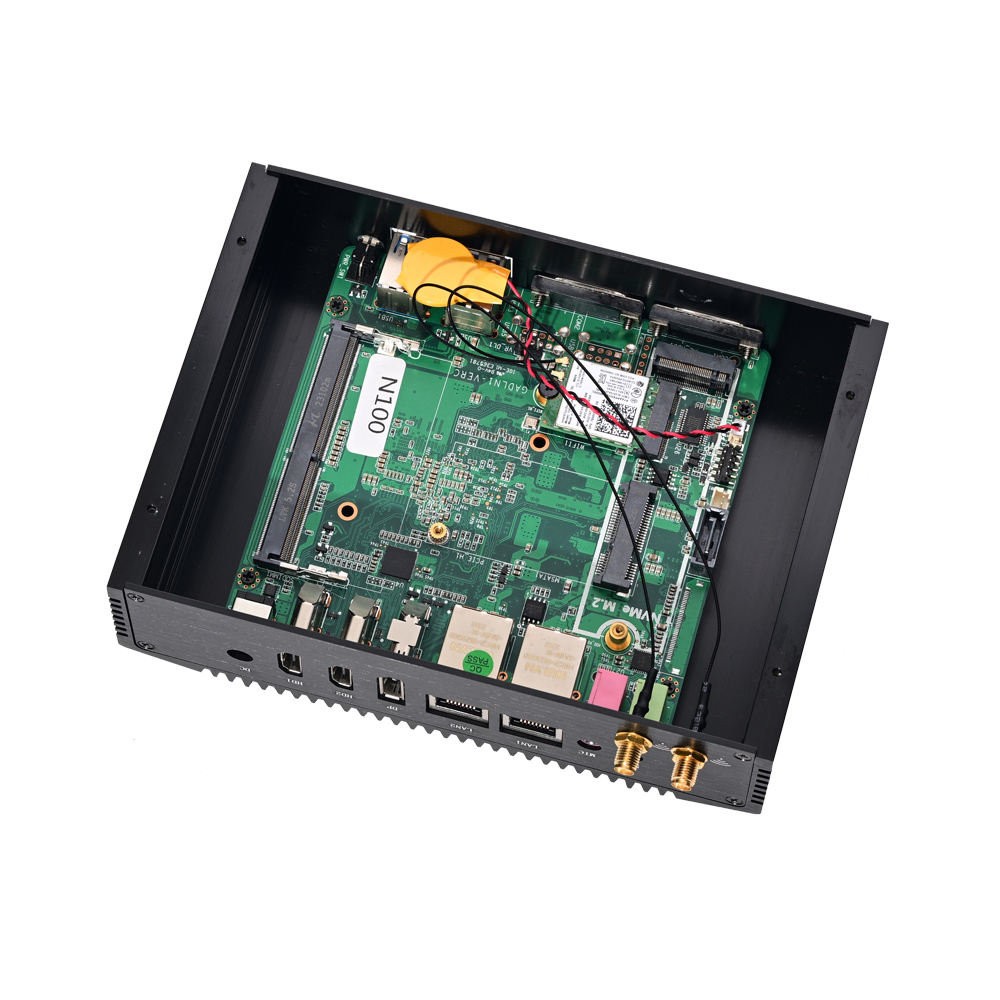
The M100 carries 2 × RJ45 Gigabit Ethernet, 2 × USB 3.0, 2 × USB 2.0, 2 × DB9 RS232 COM ports, mic and speaker jacks, and a 12 V DC input. Two M.2 2230 slots take Wi-Fi and Bluetooth modules if the site needs wireless.
The serial ports are the reason this class of machine still exists. Scales, label printers, barcode scanners, PLCs, access-control panels, medical instruments and older POS peripherals often speak RS232 and nothing else. A USB-to-serial adapter is the usual workaround, and it is also the usual source of “device not found” support tickets after a Windows update — native COM ports do not move.
Dual LAN matters where the machine sits between two networks: a store network for the POS software and a separate VLAN for the signage player, or an OT network for the line equipment and an IT network for reporting. One box, two interfaces, no routing rules on a switch.
The board takes one SO-DIMM DDR4 slot (4 GB or 8 GB, DDR4-2133) and supports storage across an M-SATA SSD, a 2.5-inch SATA SSD or HDD, and an M.2 2280 NVMe SSD. That combination is unusual at this size and it is useful: a small NVMe for the OS, a 2.5-inch drive for local recordings or a database, and the M-SATA slot left free for a spare or for a second OS.
Two practical notes. First, DDR4 SO-DIMM — not DDR5, and not soldered, so it can be upgraded or replaced in the field. Second, if the deployment writes continuously (video, logs, database), use an SSD and size it generously: a 2.5-inch spinning disk in a fanless body with no airflow is a heat problem as well as a vibration problem.
Input is 100–240 V AC through an external adapter, with a DC input range of 12–19 V (12 V / 5 A recommended). A wide DC range is a genuine advantage in vehicle, kiosk and battery-backed installations, where the “12 V” rail is rarely exactly 12 V.
Four firmware features decide whether this machine can be deployed unattended:
Tell us at quotation stage whether you need a bare unit, a Windows licence and image, or your own image pre-loaded and tested. For fleets we can apply your build and drivers before packing.
Yes. Configure it as a headless unit and it will boot and run with no display attached — the normal setup for a signage player or a data collector.
Two DB9 RS232 ports. If your equipment needs a specific pin-out or RS485, confirm the requirement at order stage — pin-out variants exist and are not something to discover after delivery.
Yes, fully passive. The chassis is die-cast aluminium and acts as the heatsink. Keep the mounting surface clear and do not wrap the unit in foam or insulation.
−20 °C to +60 °C, 0–90% relative humidity non-condensing, with a storage range of −30 °C to +70 °C.
At 170 × 125 × 50 mm and 2 kg, yes — behind a monitor or on a wall plate. Specify the bracket with the unit if you need one supplied.
Next step: send the application (signage, kiosk, HMI, back office), the peripherals and their interfaces, the temperature environment and whether you need a Windows licence — we will confirm the configuration and quote factory-direct. Email sales@dcapos.com or contact us.
Related: DCA-M400 industrial PC · DCA-M200 quad-LAN mini PC · DCA-M300 triple-display mini PC · industrial mini PCs · Windows POS systems · POS peripherals · contact sales
|
Product Name
|
Fanless Industrial Mini PC DCA-M100
|
||
|
CPU
|
Onboard Intel Alder Lake Gen12 N100 3.4GHz Quad Core Four Threads
|
||
|
RAM
|
1* SO-DIMM DDR4 Slot Support 4GB/8GB DDR4-2133
|
||
|
SSD
|
1*M-sata SSD + 1* 2.5inch SATA SSD or HDD +1 x M.2 slot for NVME 2280 SSD
|
||
|
Video
|
Intel® UHD Graphics
|
||
|
I/O
|
1 x Power On/Off Switch 1 x 12V DC In
2 x USB3.0 + 2*USB2.0
2 x HDMI 1.4, 1 x DP 1.2
2 x RJ45 Giga LAN
1 x MIC, 1 x SPK
2 x DB9 RS232 COM
|
||
|
Network Card
|
2 x Realtek 811H Gigabit Ethernet Controller 10/100Mbps/1000Mbps BaseT LAN
|
||
|
Wi-Fi:
|
1 x M.2 2230 slot for Wi-Fi & Bluetooth module / 1 x M.2 2230 slot for Wi-Fi & Bluetooth module
|
||
|
Input
|
100-240V AC/50-60Hz
|
||
|
Output
|
12V~+19V, recommend 12V/5A
|
||
|
Operating Temperature
|
-20°C/+60°C
|
||
|
Storage Temperature
|
-30°C/+70°C
|
||
|
Relative Humidity
|
0%~90% (non-condensing)
|
||
|
Functions
|
Watchdog, Auto power on, Wake-On-LAN, PXE
|
||
|
Hyper-threading
|
Support Hyper-Threading
|
||
|
Weight & Size
|
2KG 170*125*50MM
|
||
|
Package items
|
1xMini PC, 1xPower Adapter, 1xPower Cord, 1xScrews Bag
|
||


First time specifying a fanless industrial mini PC? Read what a POS system is made of before you treat the computer as a commodity, then how one sale moves through the till to see what the box has to keep up with.