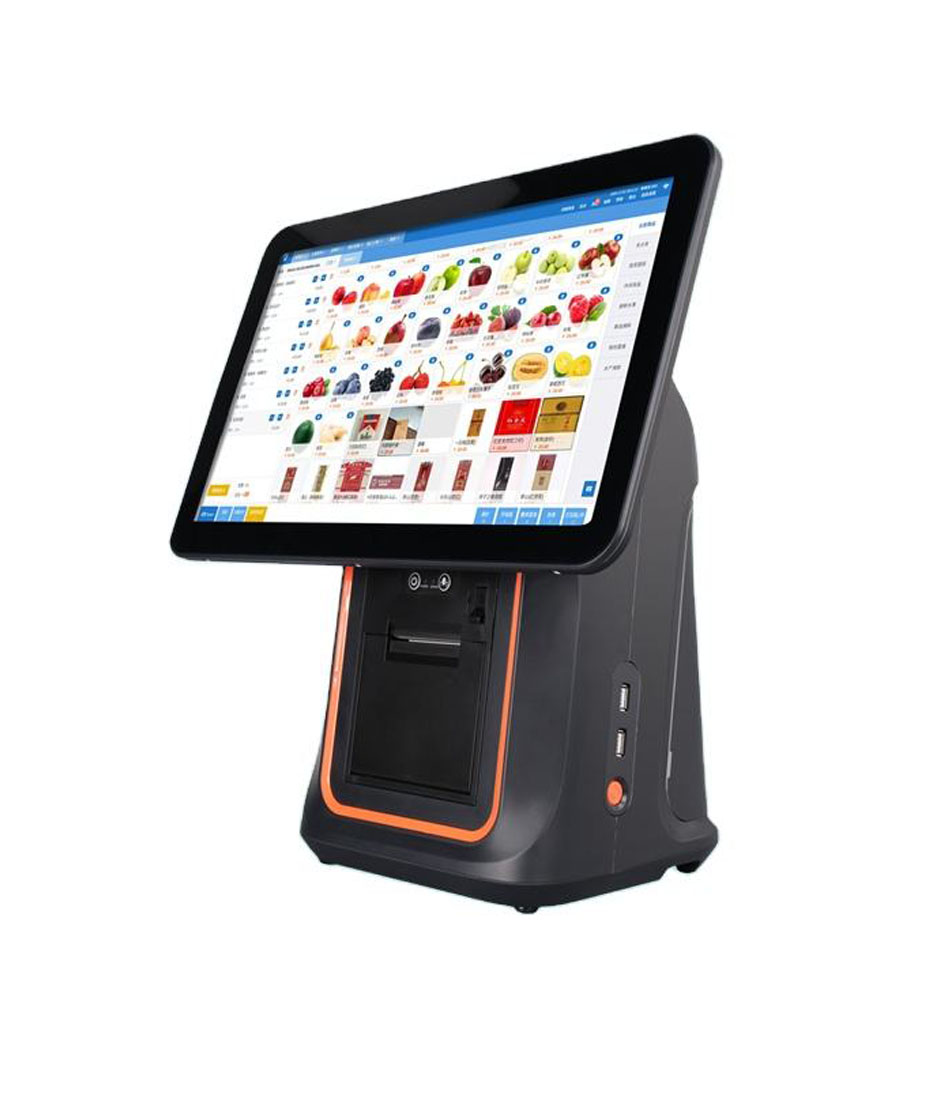
A cloud POS moves the product table, the prices, the stock counts and the reports onto a server you do not own. It does not move the screen, the network cable, the receipt printer, the cash drawer or the power brick. Those five things stay on the counter, and on the day the connection drops they are the only reason the store can still take money. This page is about that half of the system: what a terminal has to carry, how much memory a browser front end actually needs, and which single port decides whether the rest of the counter keeps working.
What the cloud takes, and what it leaves on the counter
The split is cleaner than the marketing suggests. Four things move off the counter: the item and price table, stock decrement, customers and promotions, and reporting. Four things stay: input (scanner and touch), output (receipt and customer display), cash (the drawer and its trigger), and connectivity (the network port).
Each of those four has a failure mode that a cashier will describe as a software problem and that no software vendor can fix from their side. A receipt that will not print is usually a paper cover that did not latch. A drawer that will not open is usually a loose RJ11 lead, not a till that lost power. A terminal that “freezes” mid-queue is often a 2 GB device that ran out of memory when the cashier switched to the scanner settings and back.
We build the hardware and we do not sell subscriptions, so the useful thing we can write is the other direction: when you pick a cloud POS, what do you ask the hardware supplier for? The answer is not a brand. It is a short list of ports, a memory floor, and one network decision that most rollouts skip.
Three kinds of offline, and only one of them is your internet
“What happens when a cloud POS goes offline” gets answered as if there were one outage. There are three, and the counter behaves differently in each.
| What broke | The counter can still | The first thing that stops |
|---|---|---|
| Local network — switch, patch lead, access point | Ring up a sale on the terminal that is still up, take cash, print to a printer on the same switch | Kitchen tickets and shared printing, because the terminals can no longer see each other |
| Internet — the ISP line or the router’s uplink | Everything that stays inside the shop, plus card payments queued on the device | Stock decrement, online orders, gift cards, menu edits |
| The vendor’s cloud — their outage, not yours | The same as an ISP outage; the device enters offline mode on its own | Reports, and anything that needs a fresh price from the server |
The first row is the one people miss. A dead local network looks like a cloud problem from behind the till.
The published behaviour is worth reading in the vendor’s own words, because it sets the hardware requirement. Toast’s support documentation states that its devices enter Offline Mode automatically after roughly 40 seconds without a connection to the internet, the local network or the Toast cloud, and show a banner across the top of the screen. While that banner is up, staff can take new orders, accept card payments (background card processing is on by default), print receipts and open cash drawers — the last two on the condition that the Ethernet cables stay connected.
The same document lists what staff must not do: do not unplug the Ethernet cables, do not power the devices off, do not restart the router, and do not log out of the app. Without a connection, nobody can log back in.
That last restriction is the one that turns a software rule into a hardware requirement. If a terminal loses power mid-outage it comes back to a login screen it cannot pass, so a power cut during an outage is not an interruption, it is a closed store. Budget for it: a battery-equipped terminal at the main lane, or a UPS that covers the terminal, the switch and the router together.
The one hardwired terminal that keeps the others talking
Most cloud POS deployments are sold as all-wireless. That works until the internet drops, and then the shop is not one system any more, it is a set of tills that each know only their own last sale.
Toast documents why. For the kitchen display to keep receiving tickets during an outage, two conditions must both be met: the router must pass UPnP multicast traffic, and there must be at least one hardwired, non-Elo-V1 device on the network acting as the local hub. The system picks that hub automatically, there can only be one, and it only talks to devices on its own subnet. Multiple subnets “significantly reduce” the chance that offline kitchen displays work at all.
So the hardwired terminal is not a spare. It is the node that holds the shop together when the uplink is gone. Three things follow for a purchase order:
- At least one terminal per site with a real RJ45. Not a USB-to-Ethernet dongle hanging off a tablet — a port on the chassis, cabled to the switch, in a place where nobody will kick it.
- One VLAN, one subnet, for everything on the counter. Terminals, printers and kitchen displays. If the plan has a second subnet for “staff devices”, the local hub cannot reach across it.
- Client isolation off on the POS network. It is a sensible default on guest Wi-Fi and it silently breaks device-to-device discovery: every device shows as connected, the signal is strong, and print jobs never arrive.
On our own line, RJ45 is standard rather than an option: the DCA-156A, DCA-Q3A, DCA-151WS, DCA-152W, DCA-NB11 and DCA-KSA each carry one 10/100 Mbps port. That is the minimum for the hub role. Wi-Fi on the same units is for the handhelds and for the tablet that walks the floor, not for the lane that has to survive an outage.
Offline card payments run on a clock the hardware sets
Almost every buyer knows a cloud POS can take cards offline. Far fewer know that the offline session has a time limit, and that the limit is set by the shape of the device rather than by the subscription.
Square publishes both numbers. On its reader-and-stand hardware the offline session is capped at 1 hour. On its all-in-one Terminal and Register it is 24 hours. Payments taken offline are stored on the device and uploaded automatically on reconnection; the documentation recommends completing the upload within 24 hours and states that pending payments not uploaded in time expire and cannot be recovered.
| Device form | Offline card window | Who carries a declined payment |
|---|---|---|
| Card reader plus a tablet or stand | 1 hour (Square’s published limit) | The merchant |
| All-in-one terminal with local storage | 24 hours (Square’s published limit) | The merchant |
| Cash | No limit, and no authorisation to wait for | Nobody, which is why the drawer still matters |
Same provider, same account, one hardware decision — twenty-three hours of difference in how long the lane can keep swiping.
Four other details from the same documentation change how a store should be run, and all four are hardware-adjacent:
- Offline payments have to be switched on before the connection drops. A store that enables it after the first outage has already lost that day’s card sales.
- A maximum amount per offline transaction can be set. That limit belongs in the written procedure for an outage, next to the instruction to take cash above it.
- Declines are not shown at the till. The cashier sees an authorisation status of pending, not approved, and the merchant is responsible for anything that is later declined, expired or disputed.
- Some payment types do not work offline at all — with Square, that includes Tap to Pay on iPhone and Android, gift cards and manually entered card numbers.
Availability differs by market as well: Square’s UK documentation states that physical contactless cards do not work offline, while digital wallets do, which is the opposite of what a US reader might assume. Treat the vendor’s documentation for your own country as the only citable version, and test one offline transaction before go-live rather than reading about it.
What a browser-first front end asks of the terminal
Cloud POS clients come in two shells, and they load the hardware differently.
A native app calls the API directly and renders the interface locally. Memory use is steady, but the app is a process the operating system can kill when it needs memory back, and reopening it usually means logging in again. A WebView or browser shell re-fetches its resources on a cold start: slower first paint, higher memory peak, and the same login problem when the process is recycled.
Either way the terminal has to hold three things at once: the front end, the local print service, and the background sync that queues transactions while the connection is bad. That is the number to size memory against — not the operating system version on the box.
| RAM / storage | What it realistically runs | What the cashier notices |
|---|---|---|
| 2 GB / 16 GB | One foreground app at a time, with the OS reclaiming background processes | Switching to scanner settings and back reloads the page; an unsubmitted cart is gone |
| 3–4 GB / 32–64 GB | Front end, print service and background sync held at the same time | Switching costs a second, not a sale |
| 8 GB or more / 128 GB SSD (Windows) | Several windows, a second screen, and a local report or spreadsheet | Nothing, which is the point |
Storage matters for the same reason: the offline queue is written to disk, and a full partition is a lost queue.
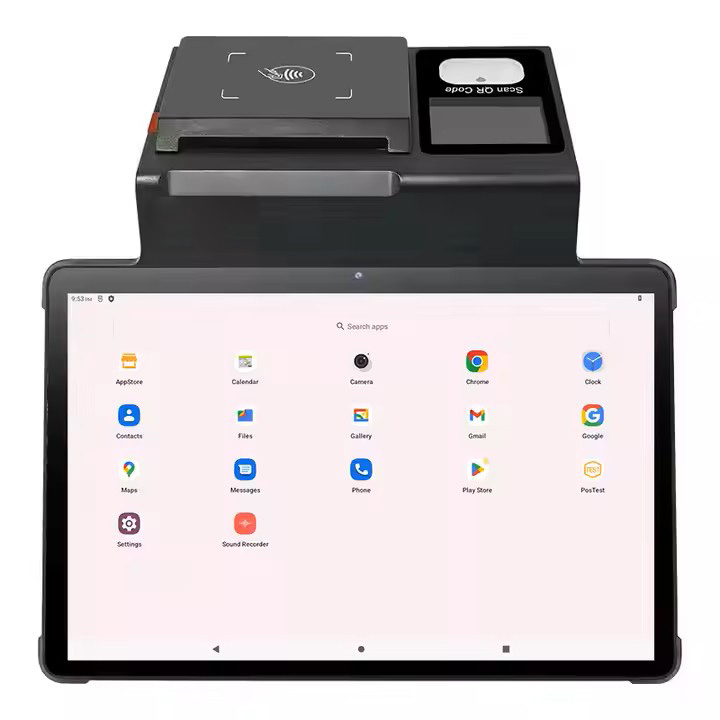
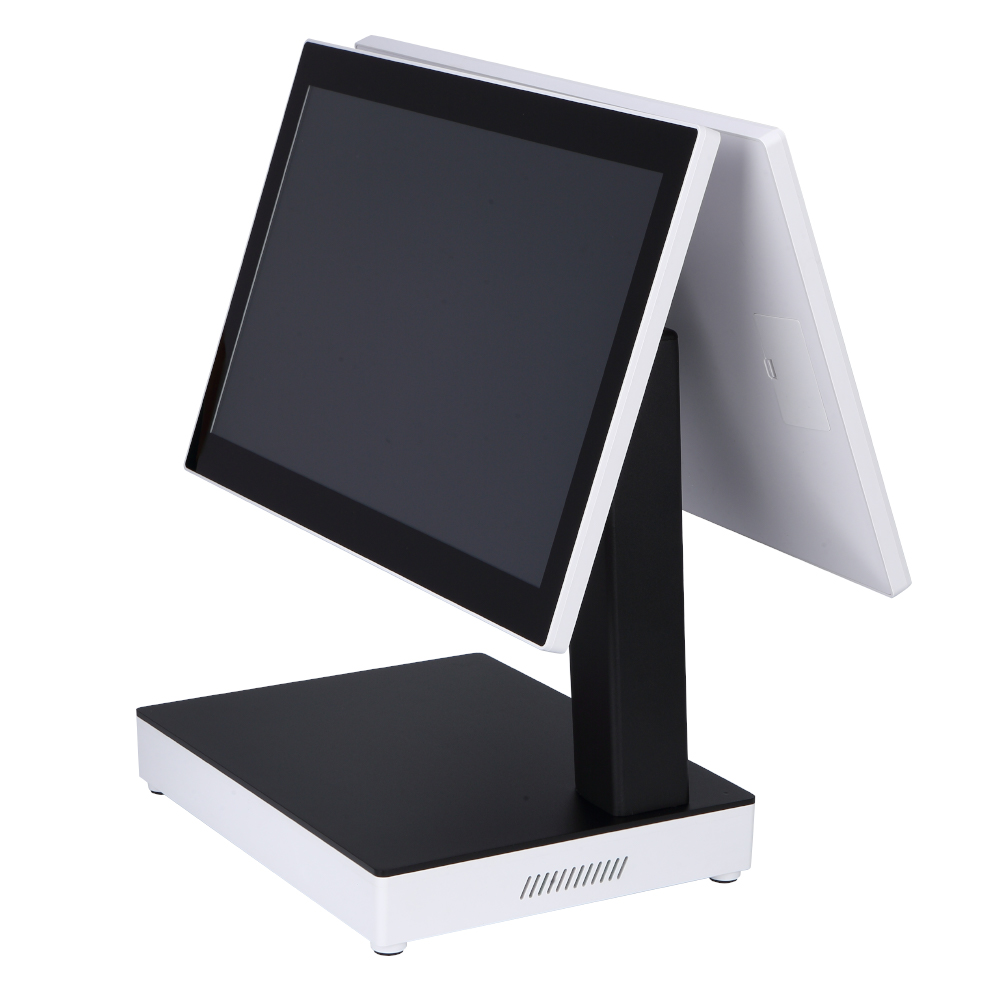
Our own ranges sit across those tiers rather than in one: the DCA-155A, DCA-156A and DCA-Q3A ship 2 GB DDR4 with 4 GB as an option and 16 GB eMMC with 32 GB as an option; the DCA-NB11 offers 3 GB + 16 GB or 4 GB + 64 GB; the DCA-Q3S runs DDR3L-4 GB with a 128 GB mSATA; the DCA-151WS and DCA-152W start at 4 GB and go to 32 GB, with storage from 32 GB to 512 GB.
None of that makes a 2 GB terminal wrong. It makes it a single-purpose terminal: one app, one screen, no multitasking. If the software vendor’s own device list calls for 4 GB, buy 4 GB — the cost difference per lane is small against a queue that stops while a page reloads.
Five ports that decide whether the store keeps running
Spec sheets bury the ports in a table near the bottom. They are the part that determines what happens on a bad day.
- RJ45. The only port that qualifies a terminal for the local-hub role described above. A unit with no wired port is an island the moment the uplink fails, however good its Wi-Fi looks on the datasheet.
- RJ11 for the cash drawer. The drawer is not a printer accessory; it is a separate trigger circuit, and a 12 V drawer on a 24 V output stays shut while the receipt prints normally. The voltage has to match — our note on the 12 V and 24 V kick-out signal covers how the two behave, and the POS-405A is specified with a 12 V or 24 V solenoid at order for exactly that reason.
- USB, and enough of it. Printer, scanner, customer display, sometimes a keypad. Six ports on an all-in-one is not padding when a store keeps a legacy scale. Cable runs over 3 metres need the voltage drop checked, not assumed.
- RS232. Barcode scales, older customer displays and kitchen printers still speak serial. The Windows units carry two RS232 ports (151WS, 152W); among the Android units the KSA carries one, and several others carry none at all. Count the serial devices in the shop before choosing the platform, not after.
- DC input at the right amperage. 12 V/5 A is the common pairing. A chassis with an 80 mm printer inside needs 12 V/7 A — that is what the DCA-KSA datasheet specifies for the printer configuration. Undersized adapters show up as a screen that dims for a second every time a receipt prints.
One extra slot is worth counting: SIM. The DCA-NB11 carries two SIM slots and 4G/3G/2G support, so a terminal can reach the cloud over cellular when the fixed line is down. It is the cheapest redundancy on a counter, and it is not a replacement for the local hub — cellular restores the link to the vendor, not the link between two terminals ten metres apart.
Wi-Fi is the line of the spec sheet people skip
“Wi-Fi: supported” is not a specification. The question is which bands.
Two of our Android units are 2.4 GHz single band — the DCA-156A and DCA-Q3A are IEEE 802.11 b/g/n on 2.4 GHz only, which is a deliberate cost decision for a counter that will be cabled. The DCA-POS116A runs 802.11 a/b/g/n/ac, and the NB11 Pro adds a 5 GHz band (802.11 a/b/g/n) — dual band is what a floor-walking device needs.
2.4 GHz in a restaurant or a mall is a shared lane: microwaves, Bluetooth headsets, neighbouring access points and wireless cameras all sit on it. A store that reports “the POS has never been this slow” is usually describing a single-band terminal in a crowded band, not a slow server.
- Cable the fixed lanes. Reserve wireless for handhelds and for devices that move.
- Survey coverage at the worst spot with the room full, not the best spot with it empty. Vendors commonly ask for no worse than about −65 dBm where handhelds work; designing to −55 dBm leaves margin for a full dining room absorbing the signal.
- Leave client isolation off on the POS network. It fails quietly, which is the worst way for a network setting to fail.
Power, restart, and the twenty minutes nobody budgets
A power cut is more common than an internet cut and takes longer to recover from, because a cloud terminal that reboots has to get back through a login that may not be reachable.
- Cold start on an Android all-in-one is roughly 30–60 seconds; a Windows unit takes longer and then has to log in.
- A battery in the chassis buys time at the main lane: the DCA-NB11 carries a 7.6 V 3200 mAh pack (equivalent to 3.8 V 6400 mAh) and the DCA-POS116A a 6000 mAh pack.
- A UPS that covers only the terminal is half a UPS. The switch and the router have to stay up too, or the local hub loses the network it was holding together.
- Remote management is not a luxury once there are several sites. The DCA-NB11 datasheet lists MDM enrolment; kiosk mode that blocks app exits and forces the POS to the foreground prevents the most common cause of a “broken” terminal, which is staff opening something else.
When a cloud POS is the wrong answer
Cloud POS sells operational convenience, not a higher reliability ceiling. There are situations where a local deployment with cloud backup is simply the better fit, and it is worth saying so before a rollout rather than after:
- The line is chronically unstable and cannot be changed — a basement unit, an old mall, a temporary site.
- There is no one on site who can reconcile a queue of offline transactions when the connection returns.
- The counter depends on heavy local peripherals: a barcode scale, kitchen printing, local membership cards, an electronic scale interface.
- Outages routinely run longer than the card processor’s offline window.
- A regulation requires the transaction data to stay on site.
If two or more of those apply, a Windows terminal running a local client against an on-premise server, with the cloud as a reporting copy, will cost less in lost sales than a subscription that stops at the door. The Windows terminals exist for exactly that pattern.
A terminal checklist for the purchase order
Written as three columns because a checklist that cannot be checked is a wish list.
| Ask for | Why it matters | How to check before ordering |
|---|---|---|
| At least one terminal per site with a chassis RJ45 | It is the only candidate for the local hub when the uplink drops | Look at the port list on the rear panel, not the Wi-Fi line |
| All counter devices on one subnet | A local hub cannot reach across subnets, and silence is its failure mode | Draw the VLAN plan before the switch is ordered |
| 4 GB RAM and 64 GB storage | Holds the front end, the print service and the sync queue at once | Read the memory line on the datasheet, not the OS version |
| RJ11 drawer port at the drawer’s rated voltage | A 24 V drawer on a 12 V trigger stays shut, with no error | Match the drawer spec to the terminal’s trigger output, in writing |
| An offline window long enough for a trading day | Sessions expire and unsent transactions are lost, not delayed | Ask the POS vendor for the limit that applies in your market |
| UPS covering terminal, switch and router | A dead router takes the local hub and every printer with it | Measure real draw at the counter; nameplate watts mislead |
| Kiosk mode or MDM enrolment | Staff cannot leave the POS app, and a fleet can be reconfigured remotely | Confirm device-owner provisioning, not just a launcher app |
Print this and take it to the supplier meeting. Every row is answered by a datasheet or a port, not by a demo.
Questions buyers ask before switching
Can a cloud POS take money with no internet at all?
Yes, within limits. Cash always works. Card payments can be queued on the device and uploaded later, for as long as the processor’s offline window allows. Receipt printing and drawer opening continue on the local network. What stops is stock decrement, menu changes, gift cards, online orders and reporting — anything that needs a price or a balance from the server.
How long can we keep taking cards offline?
It depends on the device form and the processor, and the two published numbers from Square are far apart: 1 hour on reader-and-stand hardware, 24 hours on its all-in-one Terminal and Register. Whatever the window, the merchant carries declined, expired and disputed transactions, and the queue has to be uploaded before it expires. Confirm the number for your own market in writing.
Do we need a server in the shop?
No server. But you do need one wired terminal acting as the local hub, and every device on the same subnet, or the terminals stop talking to each other the moment the uplink fails. That is a network and cabling decision, made before the terminals arrive.
Will a consumer tablet on a stand do?
For a market stall, for a while. On a counter that runs eight hours a day it fails on the parts that are not on the spec sheet: no chassis RJ45, no RJ11 drawer trigger, a battery that becomes the power supply, no kiosk lock-down, and no repair path. We wrote a comparison of commercial hardware against consumer tablets if the numbers are useful.
What happens to the queue of offline transactions?
It uploads when the connection returns. The work is the reconciliation afterwards: which payments were declined, which tips are still pending, and whether the shift review can close. Plan who does that, and how, before the first outage rather than during it.
Can we mix Android and Windows terminals in one store?
Technically yes. In practice the offline behaviour, the printer drivers and the management tooling all differ, and the person debugging an outage has two systems to check instead of one. Keep one platform per site; mix across sites if the workload differs.
Which platform should a cloud terminal run?
If the POS vendor ships an Android app and the counter has one or two USB peripherals, Android is cheaper to own and quicker to boot — see our Android terminals. If the shop needs two COM ports, a local Windows client or a second screen driven from a desktop OS, take the platform comparison seriously and buy Windows.
Tell us the counter, and we will tell you the terminal
We build the hardware side: Android and Windows terminals, handhelds, printers, drawers, scanners and fanless boxes. No subscription, no tie-in to one POS vendor.
- How many lanes, and how many of them need a wired port
- Which POS software, and whether it ships a native app or a browser client
- Which peripherals are staying: printer width, drawer voltage, serial devices