If you want more information of our industry and products,please contact us.
Get to Know Us Now
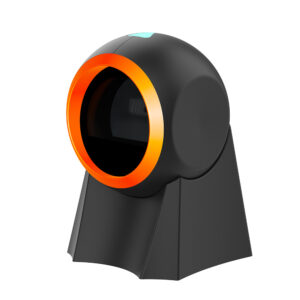
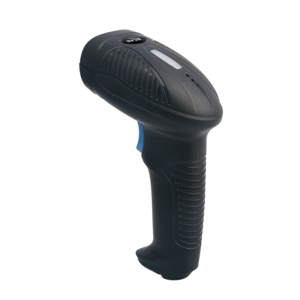
A cashier handling a basket does three things: pick the item up, find the barcode, put it in the bag. A handheld scanner forces a fourth motion — aim and pull the trigger, one item at a time. A desktop presentation scanner removes that motion entirely: the item passes over the window, the beep confirms it, the hand keeps moving.
The POS-8280A is a wired desktop 2D imager built for that motion: 640 × 480 CMOS sensor, 4 mil resolution, a 45° × 35° field of view, 360° roll capability, and a window size that lets a product be presented at an angle instead of squaring up to a laser line. It also reads phone screens, which is the part that decides whether a counter can take digital payments and digital coupons at speed.
Laser scanners read a single line. Imagers read a picture. That difference produces four practical outcomes:
Typical depth of field on this unit is 35–270 mm for a 13 mil UPC and 35–200 mm for a 10 mil Code 128, with 20–200 mm for PDF417 and 20–150 mm for Data Matrix. In practice that is a comfortable working window above the window glass — roughly the height a cashier naturally passes an item.
Depth of field is what buyers underestimate. A short range forces the cashier to bring every item to a specific height, which is slower and causes more misreads. A generous range lets the item pass at whatever height the hand happens to be. For an item-heavy counter — grocery, pharmacy, hardware — this is worth more than a marginal difference in decode speed on a spec sheet.
Screen code reading is the most common requirement and the most common disappointment. Three variables decide whether it works:
Where screen scanning is the dominant workload — a ticket gate, a pickup counter, a venue entrance — a dedicated 2D engine with a larger aperture will always outperform a general-purpose presentation scanner. Be honest about the mix at specification stage.
The scanner connects over USB in either HID keyboard-emulation mode or CDC virtual-serial mode, and supports the HID-POS protocol for higher-speed transfer.
Most deployments start in HID mode and stay there because it works. If your POS supports serial, switch: the failure modes are fewer.
At 68 × 93.5 × 151.3 mm and 262 g, the unit has enough mass to stay put when a cable is tugged, which is the usual reason a presentation scanner ends up on the floor. Working current is 240 mA at 5 V, so it runs from the USB port without an external supply. LED and buzzer confirmation are both present — set the volume against the noise floor of the store, because a scanner nobody can hear is a scanner the cashier re-scans by habit.
Operating range is −10 °C to +60 °C at 5–95% humidity, non-condensing. That is comfortable for indoor counters and adequate for a covered outdoor stall; it is not an outdoor kiosk scanner.
Yes, with white LED illumination and a 100,000 LUX ambient rating. Screen brightness, angle and distance still matter — hold the phone 5–15 cm above the window, roughly parallel.
Yes in HID keyboard mode: plug in, and it types into the focused field. For POS-integrated use, configure CDC/serial mode or HID-POS if your software supports it.
Better than a laser, but not unlimited. Minimum symbol contrast is 15% and resolution is 4 mil; a label that has lost a third of its bars to abrasion may still decode, one that has lost half will not.
No in HID mode. CDC mode may need a virtual COM port driver on some Windows versions.
Yes. Both symbology families are enabled by default and decoded by the same engine, so no mode switching is required.
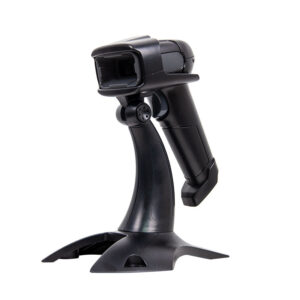
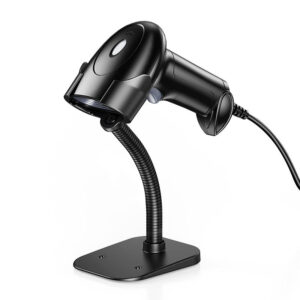
The scanner and a USB cable. Stands and brackets are available separately.
Next step: tell us the counter type, the mix of 1D labels and phone-screen codes, and the POS software — we will confirm the interface mode and quote factory-direct. Email sales@dcapos.com or contact us.
Related: POS-1800A rugged 2D scanner · POS peripherals · POS-7200 desktop 2D reader · POS-1670 handheld scanner · POS systems
|
Wireless Attributes
|
||
|
Radio Technology
|
2.402GHz to 2.480GHz
|
|
|
Operation Distance
|
30m (open space)
|
|
|
Working Mode
|
Wired transmission mode/wireless transmission real-time mode/cache mode/inventory mode
|
|
|
Storage Capacity
|
100,000 13-digit barcodes
|
|
|
Battery
|
/
|
|
|
Performance Characteristics
|
||
|
Image Sensor
|
CMOS
|
|
|
Image(Pixels)
|
640 pixels (H) x 480 pixels (V)
|
|
|
Interfaces
|
USB(HID、CDC)
|
|
|
Symbologies |
2D
|
Aztec Code,Data Matrix Code,Maxicode,Micro QR Code,PDF417,QR Code,MicroPDF417,HANXIN code,etc.
|
|
1D
|
Code128,Code11,Code32,Code39,Code93 ,EAN/UPC,EAN-8,EAN-13,Full ASCII Code39, Interleaved 2 of 5,Matrix 2 of 5,MSI,UPC-A ,UPC-E,
Codabar,Codablock A,Codablock F, GS1 DataBar Expanded,GS1 DataBar Limited,GS1 DataBar Omnidirectional,etc. |
|
|
Resolution
|
≥4mil
|
|
|
Light Source
|
Aiming: Red LED, Illumination: White LED
|
|
|
Scan Angle
|
Roll 360°,Pitch±60°,Skew±60°
|
|
|
Symbol Contrast
|
≥15%
|
|
|
Field of View
|
Horizontal 45° , Vertical 35°
|
|
|
Typical Depth of Field
|
Code128
|
35mm-200mm(10mil)
|
|
UPC
|
35mm-270mm(13mil)
|
|
|
PDF417
|
20mm-200mm(10mil)
|
|
|
Data Matrix
|
20mm-150mm(10mil)
|
|
|
Mechanical / Electrical Attributes
|
||
|
Dimensions (mm)
|
L68mm*W93.5mm*H151.3mm
|
|
|
Weight
|
262g
|
|
|
Notification
|
LED, Buzzer
|
|
|
Working voltage
|
DC 5V±5%
|
|
|
Working Current
|
240mA
|
|
|
Environmental Attributes
|
||
|
Operating Temperature
|
-10°C to +60°C
|
|
|
Storage Temperature
|
-20°C to +70°C
|
|
|
Humidity
|
5% to 95% ( non-condensing )
|
|
|
Ambient Light
|
0 to 100,000 LUX
|
|
|
Accessories
|
||
|
Cable
|
USB Cable
|
|


First time specifying an omnidirectional QR scanner? Read why a laser cannot read a phone screen before you pick an engine, then what a POS system is made of to see where the scanner plugs in.