POS and Kitchen Hardware for Restaurants, Cafés and QSR Chains
Counter terminals with the printer built in, kitchen displays that survive the pass, self-ordering kiosks and handhelds for table service. DcaPOS builds the hardware layer; your software partner supplies the rest.
Where restaurant hardware actually gives up
A restaurant is a harder environment than an office and a dirtier one than a shop. Most failures we are asked to solve trace back to four places.
Heat and grease at the pass
A kitchen display sits within a metre of a fryer. Grease film insulates the panel and cooks the board, and a fan pulls the whole mess inside. Fanless aluminium with an IP65 front panel and a -10 to 55 °C working range is the only configuration we recommend for a hot line.
Ticket timing at the rush
Paper tickets and a rail work until the second printer jams. A KDS that routes by station and bumps from the line removes the print step entirely, and it gives the expediter a single view of what is late rather than a rail of curling paper.
Order accuracy at the counter
Modifiers, combos and upsells are where mistakes happen. A 15.6-inch screen with a clear modifier layout, plus a printer inside the same housing, keeps the till to one power lead and one cable run instead of a terminal plus a separate box on the shelf.
Service away from the till
Table service, queue busting and terrace orders all need a device that fits in an apron pocket and prints a 58 mm ticket on the spot. A handheld with an integrated printer is cheaper than a second fixed till and far cheaper than a lost order.
Station by station
A 60-cover restaurant and a 12-site QSR chain need the same five roles filled, at different sizes.
| Station | What we specify | Why |
|---|---|---|
| Counter / till | 15.6-inch Android terminal with built-in 80 mm printer; second customer-facing screen optional | One housing means one power outlet, one network drop, one thing to clean. |
| Kitchen | 21.5-inch fanless KDS, IP65 front, VESA or wall mount | Grease-resistant front panel and no intake fan to clog. |
| Self-ordering | 23.8-inch kiosk, 10-point PCAP, 21.5 to 32-inch options | Floor-standing with a weighted base; payment and scanner modules are bay-mounted. |
| Table service | 5.5 to 6-inch handheld with 58 mm printer and 2D scan | Order and print at the table; syncs to the kitchen over Wi-Fi. |
| Back office | Fanless mini PC, dual HDMI | Runs the BOH reporting client and label printing without a noisy desktop. |
Hardware we build for this sector
Every unit below is a current production model with its own specification page. Housing, memory, screen size and interfaces are configured per order.

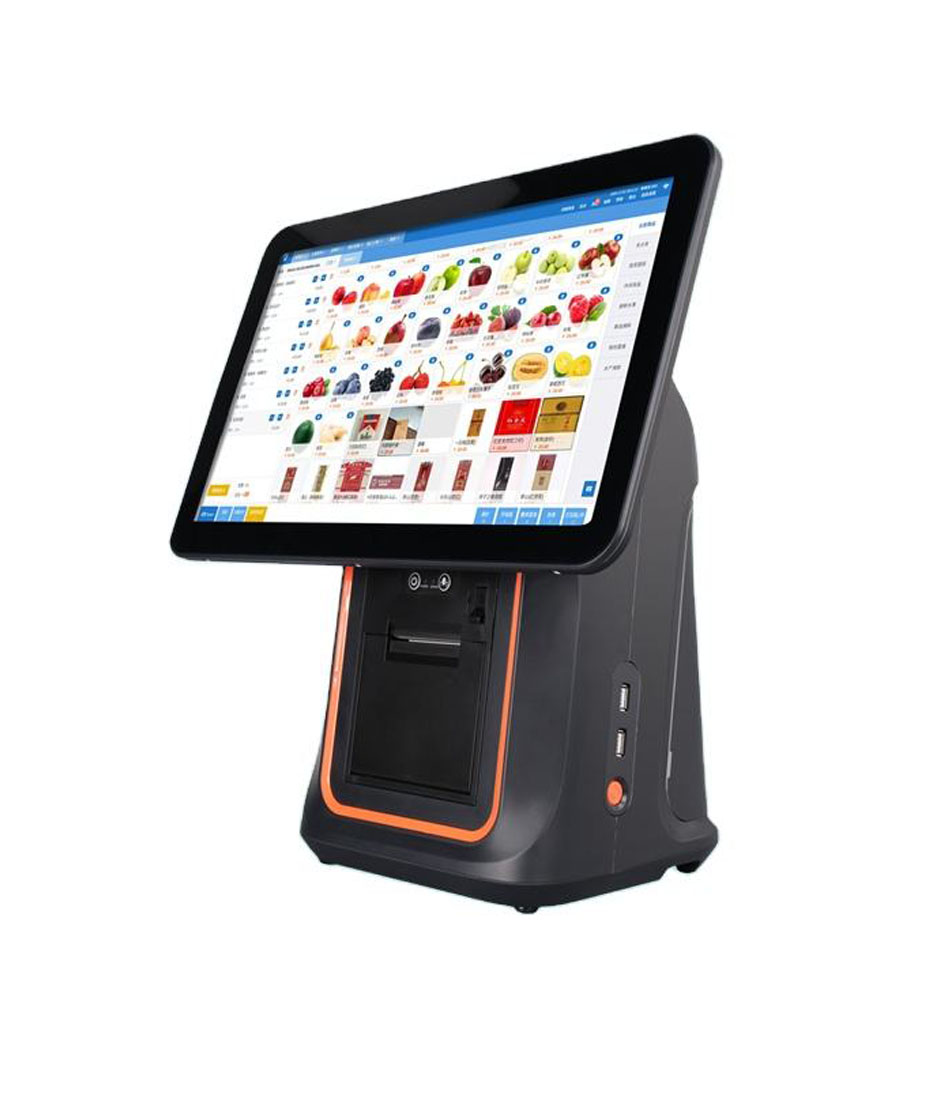
15.6 Inch All in One Touch Screen with Build in Printer DCA-KSA
15.6-inch Android counter terminal with the 80 mm printer inside the housing.
View specifications →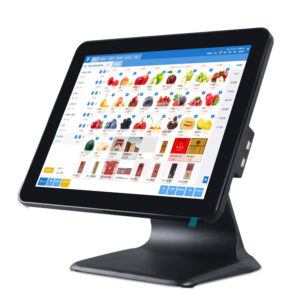
Android POS System DCA-155A
15.6-inch Android terminal, RK3566 or RK3568, second screen or VFD on the back.
View specifications →
Kitchen Display System
21.5-inch KDS, IP65 front panel, -10 to 55 °C, wall or VESA mount.
View specifications →
Self Ordering Kiosk Q Series
23.8-inch self-ordering kiosk, 10-point PCAP, 21.5 to 32-inch options.
View specifications →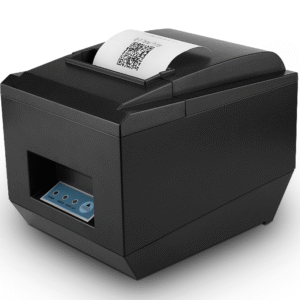
80mm Receipt Printer POS-8250
260 mm/s with auto cutter for high-ticket counters.
View specifications →
Handheld POS Terminal DCA-H50
Handheld for table service and queue busting, 58 mm printer, 2D scan.
View specifications →More models for this sector
The other 35 models we build for restaurant and food service, filed by hardware family. All are in current production, and housing, memory, screen size and interfaces are set per order.
Browse the full range: Android POS, KDS / AIO PC · all POS hardware
What we customise
Menu screens, brand colours and the software stack are yours. The hardware underneath is where we do the work.
Brand-matched housings
Housing colour, logo placement and screen bezel matched to your brand guide, including white and two-tone finishes that stock units do not offer.
Software provisioning
Your ordering app pre-installed, auto-start configured, peripherals mapped, and a test order placed on the unit before it ships.
Printer and cash drawer integration
ESC/POS emulation, drawer trigger from the printer port, and receipt format templates checked against your font and logo.
Consumables and spares
Paper rolls, printer heads and power adapters quoted with the rollout so a single site does not stop trading over a £20 part.
Frequently asked questions
The questions buyers ask before they place a first order.
Can the kitchen display survive a hot line?
The DCA-215C KDS is fanless with an IP65 front panel and a working range of -10 to 55 °C, which is the configuration we recommend within a metre of cooking equipment. Mount it away from direct radiant heat and steam, and wipe the front panel rather than spraying cleaner into the bezel.
Does a self-ordering kiosk need a specific software partner?
No. The kiosk is a Windows or Android computer behind a touch panel; it runs whatever ordering application you license. What we configure is the layer underneath: OS image, kiosk lockdown, payment module and scanner integration, so your software partner is not debugging drivers on site.
58 mm or 80 mm receipts?
80 mm is the default for counter receipts in restaurants: wider, faster, and easier to read a long order on. 58 mm is the right choice for handhelds, delivery bags and anywhere the ticket is short and the device has to be pocketable.
Can one terminal drive both the till and a customer-facing screen?
Yes. The DCA-155A and DCA-KSA support a second display or a 2×20 VFD/LCD on the rear cover, driven from the same unit. That is usually enough to show the order total and a logo without a second computer.
What is the minimum order for a branded rollout?
Branded housing, boot logo and packaging changes start at low volume on an existing platform. A new kiosk enclosure or a different screen size needs tooling and a higher minimum; we quote the tooling separately so you can see exactly what the customisation costs.
Tell us your covers per day and your software stack
We will propose a counter, kitchen and self-service configuration around it, with indicative pricing at your target volume.
Send your requirements