
Tablet POS · 5.5 to 15.6 inches
A tablet till is four devices and one connector. A tablet-shaped terminal is the same glass with the printer, the scanner and the port block inside. Five sizes, and the specification that decides which one leaves the counter.
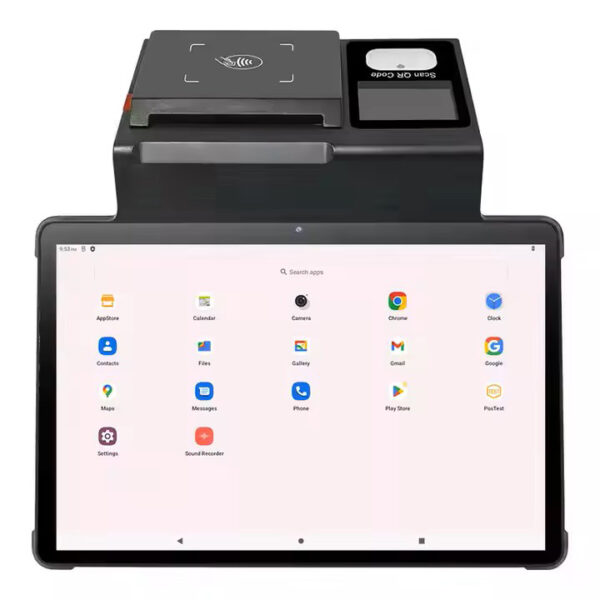
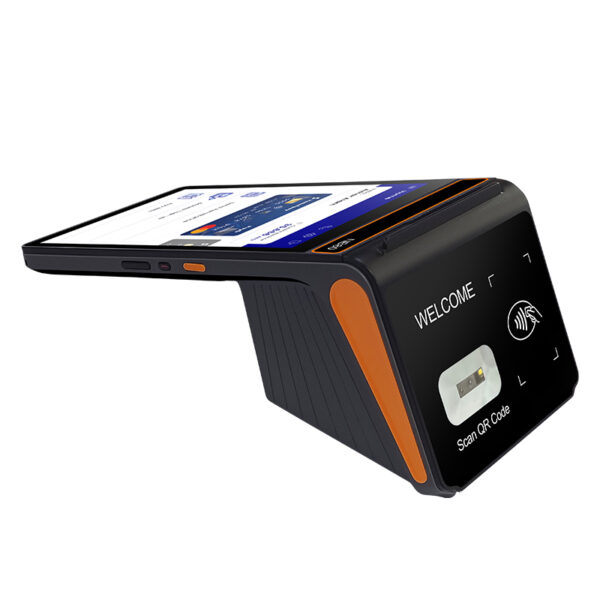
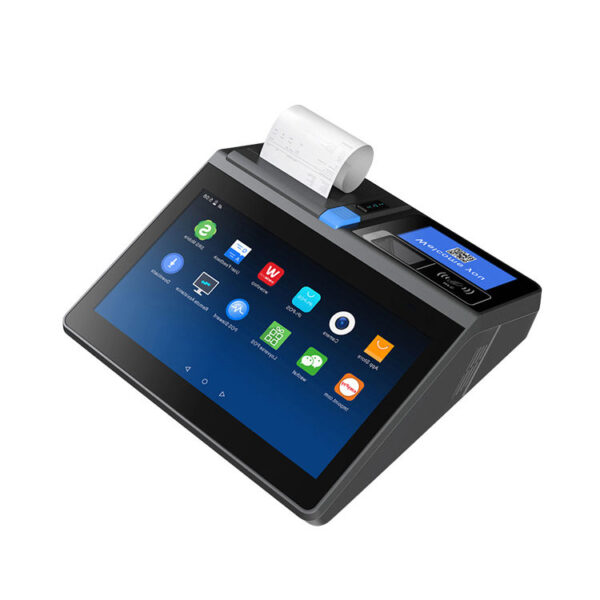
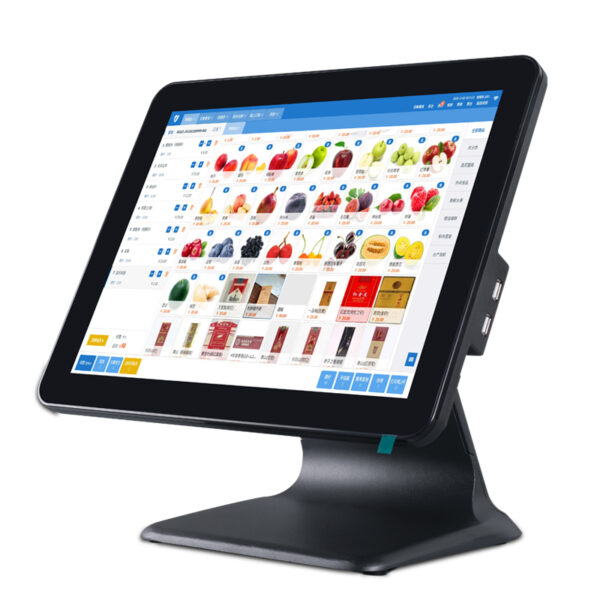
A tablet POS is a tablet that has to become a till. The glass is identical to a tablet’s; what differs is everything that leaves the housing — how many connectors, whether the receipt mechanism is inside it, and whether the card reader is part of it or a second device with its own charger. This page is the arithmetic of those four things, in the order they fail.
The case for a tablet is real, and it is not a marketing case. A slate on a stand with a Bluetooth printer and a paired card reader is a working till. It costs less to start with than a purpose-built terminal, and it is the only shape that follows a checkout around a room. A shop that takes thirty payments a day between a counter, a table and a market stall should buy exactly that.
The case against it appears the first time something has to be plugged in. A drawer needs a 12 or 24 volt pulse that a tablet has no way to send. A receipt needs a mechanism, and a mechanism that talks to a tablet over Bluetooth is a second device with a second battery. A card needs a certified reader, and that reader is a third. One connector becomes a hub, the hub becomes a power supply, and the till that was going to be simple has four chargers and three radio links on the desk.
We build the other shape. Terminals from 5.5 to 11.6 inches with the printer, the scanner and the port block in the body, 15.6-inch panels where the glass is all a counter needs, and the accessories that go with them: 58 and 80 mm printers, cash drawers in three widths, 2D scanners, pole and VFD displays, and mini PCs. We do not make iPads or tablets, and nothing here runs iPadOS. What follows is what to check before ordering either kind.
Three shapes·The accessory list·Sizes·The port block·Printing·The card·The drawer·Standing it up·Four builds·What we do not make
Three shapes, and the word that hides them
“Tablet POS” is used for three machines that share a touchscreen and very little else. All three ring up a sale. All three are sold as a point of sale system. The difference between them appears on the second day, when something has to be plugged in.
A consumer tablet on a stand. An iPad or an Android slate in a case, with a Bluetooth receipt printer on the counter, a card reader paired to it, a barcode app using the camera, and a drawer that opens because somebody presses a physical button on the printer. Four devices, three radio links, four things to charge. None of that is wrong. It is a bill of parts that has been spread across a desk instead of gathered into a box.
A tablet-shaped terminal. The same 8 to 11 inch glass, with the receipt mechanism, the barcode engine, the NFC coil and a block of connectors inside the housing. The DCA-NB11 is 700 g and carries all four: an 11″ panel at 800×1280, a 1D/2D head, an NFC reader, and a printer that takes 80 mm or 58 mm paper. The DCA-POS116A is the same idea at 11.6 inches and 2.35 kg, with a Seiko mechanism and an auto cutter built into the base.
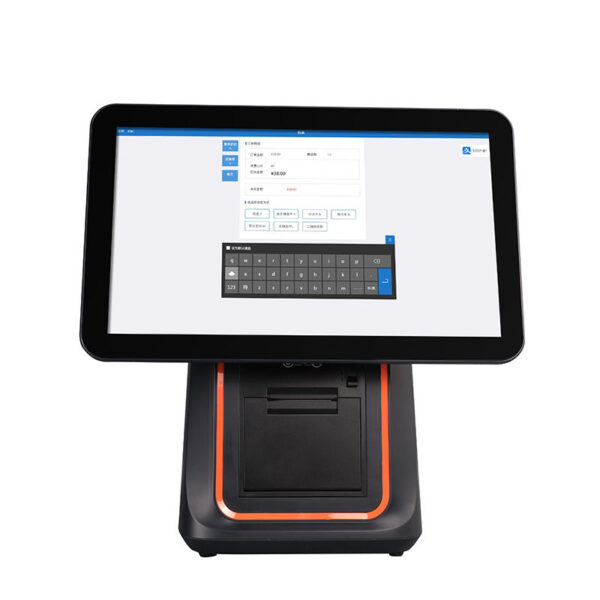
A counter terminal. 15.6 inches, 6.5 kg on a fixed base, no battery, and a port list that assumes a desk underneath. The DCA-155A is this shape. It is the simplest way to get a large screen and the most awkward way to get a device that moves, because moving it is a two-person job once the cables are in.
| Shape | What you carry | Connectors on the body | Printer | Where it wins |
|---|---|---|---|---|
| Consumer tablet + accessories | Tablet, stand, printer, reader, hub, four chargers | One, shared between charging and any peripheral | Bluetooth unit with its own battery | A checkout that moves every hour, on volume under 30 tickets a day |
| Tablet-shaped terminal | One device, 700 g to 2.35 kg | One on the base build, seven on the Pro build | Inside the body, 58 or 80 mm | One till that works in one place and leaves it once a day |
| Counter terminal | Nothing. It is bolted to a desk | Four to six, plus VGA or HDMI on some models | Separate unit, or inside on the KSA and the 116A | Two people at one counter and a screen the customer reads |
The middle row is what this page is about. It keeps the word tablet and drops the accessory bag — the printer, the reader and the port block move inside the housing, and the only thing left on the desk is a drawer cable.
Most buyers arrive here meaning the first row and leave with the second, because the second is the only row that is a tablet in the hand and a till on the counter. The third row is for a shop that has a counter and knows it: a supermarket lane, a hotel desk, a pharmacy window where two people work the same transaction.
What the glass does not include
Four things a till needs that a tablet has no answer for. Each one has a workaround, and every workaround is another box, another cable and another battery on the desk.
- A printer mechanism. A thermal head, a platen, a stepper motor and a paper path with a spring-loaded cover. On a tablet this is a separate Bluetooth unit with its own roll and its own pairing. It is not a small omission: the mechanism is the bulkiest part of a till, and the reason a body that holds one is 700 g rather than a few hundred grams.
- A drawer pulse. A cash drawer opens when a 12 or 24 volt pulse arrives on a pair of RJ11 wires and is held for a few hundred milliseconds. A tablet has no such output at any price, in any app. This is why tablet tills open the drawer from the printer: the printer has the port, the tablet does not. The kick-out signal, explained.
- A certified card reader. EMV Level 1 and Level 2 and PCI PTS are tests of a device, not permissions granted to an app. A tablet can run the payment application; it cannot be the reader. So the card goes into a second certified device, paired or cabled, with its own battery, its own firmware and its own certification date.
- A port block. RJ45 for a wired network, USB-A for a scanner or a USB stick, RJ12 for a scale, a COM port for a label printer bought in 2014. One Type-C connector covers none of these without a hub — and a hub is a fifth device, with a power budget of its own.
The test we use, and the one worth applying to any quote: unplug everything and count what is still a till. A tablet with a flat Bluetooth printer is a tablet. An NB11 with a flat printer is still a till with a screen, a 2D scanner, an NFC reader and a drawer port — it still takes the order, and it still scans the next customer’s membership code.
The three bodies this page is built on, smallest first. Each one keeps the tablet’s proportions and moves one more of the four missing items inside the shell.
DCA-NB1111″ at 800×1280 in portrait, 700 g, Android 12 (13 on the Pro). Printer, 1D/2D head and NFC inside; 80 or 58 mm paper on a 60 mm roll. The standard build lists two SIM slots and one Type-C; the Pro adds RJ11, RJ12, RJ45 and four USB-A.Specifications →
DCA-POS116A11.6″ at 1366×768, 292 mm wide, 2.35 kg. Seiko mechanism with auto cutter at 200 mm/s, 60 mm roll. 5×USB, 1×RJ45, 1×COM, 2×RJ11. Android 7.1 or 8.1 — check the app’s minimum version.Specifications →
DCA-155A15.6″ at 1366×768 or 1920×1080, 250 cd/m², RK3566 or RK3568, Android 11 or higher. 6.5 kg net on a fixed base, with a 15.6 or 12.1″ rear panel and a 2×20 VFD option.Specifications →
The whole terminal range, including the ones with no printer: POS terminals by category · handheld POS terminals · the Android range · what an all-in-one integrates
The accessory list is the answer
Whether a tablet is enough is not a matter of taste. Write down the five jobs the till actually does — take the order, scan an item, print a receipt, take the card, open the drawer — and beside each one write what a tablet needs in order to do it. The list that results is the answer, and it is different for a market stall and a pharmacy.
Where a tablet is the right answer
Four conditions. A tablet that meets all four is a better buy than anything on this page, and we would rather a shop worked that out here than after a purchase order.
The checkout moves every hour. A queue busted in an aisle, an order taken at a table, a stall that packs into a car at four o’clock. A device that gets carried should not have a drawer port, because the drawer is not coming with it. This is the case a tablet was designed for.
The volume is under about thirty payments a day. Below that number the accessory chain is paid back in flexibility rather than throughput, and the failure modes — a pairing that drops, a printer that runs flat — happen rarely enough to be an irritation instead of an outage. Above it, a dropped pairing twice a day is a queue.
The shop already owns the tablets. A fleet of slates bought for something else, a case already fitted, a charger already on the wall. Sunk cost is not an argument for anything, but existing hardware that already works is.
The tablet is the second screen, not the till. A tablet mounted where the customer can read it is a perfectly good customer display, and it does one thing a POS display cannot: run the shop’s own content between transactions. The till itself stays a till, which is a different and much cheaper decision.
Where it stops, in the order it happens
The failures arrive in a predictable sequence, and the first one is always the paper.
1. The receipt. The printer pairs at opening and is asleep by lunch. A Bluetooth link managed by the operating system drops when the tablet sleeps, and the reconnect is a person standing at the counter pressing a button while a customer waits with a card in their hand. Then the roll runs out — inside a device that nobody is watching, because it is not the device on the screen.
2. The drawer. The drawer opens from the printer, which means it is cabled to a device that is cabled to nothing. The software’s no-sale log records a button press, not a drawer state, because there is no signal to record. A terminal with an RJ11 port has that signal; a tablet does not.
3. The card. A dongle or a paired reader puts the customer’s card into a device that is not the one showing the total, so the tip is confirmed on a screen in the wrong pair of hands. In a shop that asks for a tip, this is the failure customers remember, and it is the reason a handheld with EMV inside exists at all.
4. The network. Wi-Fi only, on a network that also carries the music, the cameras and the staff phones. A wired port is not nostalgia: it is the difference between a till that keeps working through an access-point firmware update and one that does not.
5. The glass. A consumer panel is designed for clean, dry fingertips. In a kitchen, a bar or a workshop the fingers are neither, and a capacitive layer that ignores a gloved hand turns a two-tap order into four taps and a queue. The DCA-H50 and the DCA-M30 both publish a panel rated for gloves and wet fingers; a tablet publishes nothing of the kind.
| Job | What a tablet needs | What that adds to the desk | What breaks |
|---|---|---|---|
| Print a receipt | A Bluetooth printer and its roll | One device, one battery, one charger | Pairing drops when the tablet sleeps |
| Open the drawer | Nothing — it opens from the printer | A cable from drawer to printer | No drawer state, so no no-sale log |
| Take the card | A certified reader, paired or cabled | One device, one certification, one battery | Tip confirmed on the wrong screen |
| Scan an item | The camera, or a Bluetooth scanner | Nothing, or one more paired device | Bad light, crumpled labels, no aiming |
| Stay on the network | Wi-Fi, or a USB-C to Ethernet adapter | An adapter on the only port | Charging competes with the adapter |
Five rows, three of which add a device. That is the honest summary of a tablet till: it is not worse at ringing up a sale, it is worse at everything that surrounds one.
None of that makes a tablet a bad machine. It makes it a machine with an accessory list, and the list is the thing to price against a terminal that has the same parts inside its own shell.
The two ends of that comparison, already written out: POS terminal versus tablet POS, the drawer test · commercial hardware versus a consumer tablet · tablet POS for restaurants, and the stand · the five lines on the bill
The scanner deserves its own paragraph, because it is the one job where a tablet is close to adequate and the gap is cheap to close. A phone camera reads a QR code perfectly well in good light at twenty centimetres. What it does not do is read a 7 mil barcode on a crumpled label at forty centimetres while the operator is looking at the screen, and it does not read at all in the stockroom corner where the light is a single bulb. A dedicated 2D engine takes a picture with its own illumination and decodes it in milliseconds; that is the whole difference, and it is why every 2D unit in the range reads a phone screen and the 1D units do not.
POS-8800FDesktop 2D presentation scanner, 308 g, USB. Auto-sensing, no trigger, 35 cm/s motion tolerance on a 10 mil QR code, reads a phone screen at 0–11 cm. IP42, 1.2 m drop.Specifications →
POS-1800AWired 2D handheld, 145 g, USB. QR from 1 to 20 cm, EAN-13 to 30 cm, 4 mil minimum, three trigger modes. The one to hand across a counter.Specifications →
POS-8280AWireless omnidirectional 2D, 2.4 GHz, 30 m range, 262 g, 100,000-code cache for counting offline. USB receiver, and it also runs on the cable.Specifications →
Every scanner, by interface and by engine: Android barcode scanners and what the USB interface decides · 1D laser versus 2D imager · POS peripherals by category
Sizes, and what each one actually holds
The range runs from 5.5 to 15.6 inches and the numbers in between are not a ladder of quality. A larger screen holds more of an order and more of a list; a smaller one is held in one hand for eight hours without a strap. Everything else about a size — the resolution, the processor, the printer — is a consequence of which of those two jobs the device was built for.
Resolution matters less than most spec sheets imply at these sizes, because the job is reading short strings: an item name, a price, a table number, a membership code. What matters is how many pixels land on a character at arm’s length, which is pixels per inch, and that number changes by a factor of two across this range while the resolutions barely move.
The same pixels at two sizes
The 11-inch NB11 and the 8-inch H80 are both 800×1280. Both are exactly 1,024,000 pixels, arranged on diagonals three inches apart: about 137 ppi on the 11-inch body and 189 on the 8-inch one. The 11-inch terminal shows more at once because it is physically bigger, not because it is sharper, and the 8-inch handheld is the easier of the two to read at 30 cm with the device tilted away from a light.
The other extreme is the counter. The 15.6-inch DCA-155A at 1366×768 works out at about 100 ppi, the lowest figure in the range, and it is the one place where the 1920×1080 option earns its price: the same screen is read by a standing cashier at 60 cm and by a customer leaning over the counter at a metre, and 100 ppi is where a 10 pt total starts to shimmer.
| Model | Screen | Resolution | Weight | What it holds |
|---|---|---|---|---|
| DCA-H62 | 5.5″, 58 mm paper | 1280×720 | 358 g | One line item and a total, held in a palm. The receipt-only unit |
| DCA-H50 | 6″, 58 mm printer | 1440×720 | 410 g | A payment and a tip prompt, on a panel rated for gloves |
| DCA-M30 | 5″, no printer | 1280×720 | 418 g | A contactless tap, unattended. IP65 and IK09 |
| DCA-H80 | 8″, 58 mm standard | 800×1280 | 800 g | A twelve-item order grid in one hand; 189 ppi |
| DCA-NB11 | 11″, portrait | 800×1280 | 700 g | An open ticket list, a floor plan, a 30-line receipt preview |
| DCA-POS116A | 11.6″, landscape | 1366×768 | 2.35 kg | Two panes side by side: items on the left, ticket on the right |
| DCA-155A | 15.6″, landscape | 1366×768 or 1920×1080 | 6.5 kg | A full receipt book and a second panel; 100 ppi at 1366 |
Pixels per inch calculated from the published panel resolution and diagonal: 800×1280 is 1,509 pixels across the diagonal, so 137 ppi at 11″ and 189 at 8″. Weight is net, without paper.
Portrait, landscape and the version of Android
Orientation is set by the panel, not by the app. 800×1280 is portrait and 1366×768 is landscape, and a POS application that was written for a landscape lane will letterbox itself on the NB11 unless it reflows. That is not a hardware fault, but it is a hardware decision: a grid of twelve tiles is four rows of three in portrait and three rows of four in landscape, and the one the staff reach for is the one that puts the most-used tile under the thumb.
The number that is never on the marketing page is the Android version, and it is the one that removes models from a shortlist before any other comparison starts. The POS116A lists Android 7.1 or 8.1 on a Rockchip RK3288. The NB11 lists 12, the Pro build 13, the H80 12 or 13, the H50 11, the H62 8.1 or 11, and the 155A 11 or higher. If the POS application’s minimum is Android 10 — and a growing share of payment SDKs now sit there — then the 116A and the H62 are out, whatever their screen or their port list says.
DCA-H808″ at 800×1280, 800 g, Android 12 or 13. 2D CMOS head, 6400 mAh removable (400 cycles to 80 %), 58 mm standard or 80 mm optional, 40 mm roll. The Pro build adds RJ11, RJ12, LAN and 2×USB-A.Specifications →
DCA-H506″ at 1440×720, 410 g, Android 11. EMV L1&L2, PCI PTS 6.x, three-track MSR, contactless on 14443A/B, 2×PSAM. Panel rated for gloves and wet fingers, 58 mm printer, −10 to 50 °C.Specifications →
DCA-H625.5″ at 1280×720, 358 g, Android 8.1 or 11, IP54 and a two-year warranty. 5000 mAh, 58 mm at 90 mm/s, 48 mm print width. No card reader — the receipt-only unit.Specifications →
The same bodies with a printer and a radio argument attached: handheld POS, the battery and the radio · handheld features ranked by station · mobile POS terminals
The port block
Every argument above reduces to one number, and the number is how many connectors leave the housing. A tablet has one. A terminal has five to seven, and the difference is not convenience: each of those ports is the only physical way to do a job, and no adapter invents a job that the hardware has no circuit for.
Same glass, seven connectors
The NB11 and the NB11 Pro are the same 11-inch body, the same 800×1280 panel, the same printer, the same 700 g and the same paper path. The difference is the slot row, and the slot row is the whole of it.
The standard build lists two SIM slots and one Type-C. That is the entire list. The Pro build lists RJ11, RJ12, RJ45, four USB-A, a DC charging jack, two SIM slots and a Type-C OTG port — seven connectors where there was one, at identical weight.
Two consequences follow, and both of them decide installations. The drawer can plug into the terminal on the Pro build and cannot on the standard build, where it has to hang off a printer instead. And charging moves: the standard build charges through the 5 V/2 A Type-C port, so the charger and any Type-C peripheral share one connector; the Pro charges through the DC jack at 12 V/2 A and leaves the Type-C free for OTG.
| Connector | DCA-NB11 | DCA-NB11 Pro | DCA-POS116A |
|---|---|---|---|
| RJ11, cash drawer | — | 1 | 2 |
| RJ12, scale or drawer | — | 1 | — |
| RJ45, wired LAN | — | 1 | 1 |
| USB-A | — | 4 | 5 |
| Type-C | 1, charging and OTG | 1, OTG only | — |
| DC charging jack | — | 12 V/2 A | 12 V/5 A |
| COM, RS232 | — | — | 1 |
| Printer inside | 80 or 58 mm | 80 or 58 mm | 80 mm, auto cutter |
Port counts are from the published slot rows, not from photographs. The POS116A carries two RJ11 ports, so one terminal can hold the drawer at the counter and a second drawer at another station.
The drawer port is not always 12 V. The 8360, 8250, 8220 and 8330 all list a 12 V/1 A drawer output; the 8370 lists DC 24 V/1 A on the same row — the only 80 mm unit that does. The drawers are ordered with a 12 V or a 24 V solenoid, so the solenoid has to match whichever port it ends up on: a printer, a terminal or a handheld in the Pro build. A 12 V drawer on a 24 V port buzzes without opening, and the fault gets diagnosed as a broken drawer for a week.
A hub is not a port block
A USB-C hub costs almost nothing next to the step from the standard NB11 to the Pro, and on paper it does the same job: four USB-A, an RJ45, sometimes an HDMI. It is worth being exact about what it does not do, because a hub is the point at which a tablet build starts looking like a bargain and stops behaving like a till.
It does not produce a 12 or 24 volt pulse on an RJ11 pair, so the drawer still opens from the printer. It does not contain a thermal mechanism, so the receipt still comes from a device with its own battery. It does not carry an EMV certification, so the card still goes into a third device. And it draws its power from the same port it is plugged into: on a 5 V/2 A charger that is a budget of ten watts shared between the hub, the tablet and whatever is plugged into the hub, which is the arithmetic behind a tablet that charges overnight but not during a shift.
What a hub does do well is convert a moving till into a fixed one with a cable tray. That is a legitimate build, and it is the DCA-M100 arrangement: a fanless box 170×125×50 mm and 2 kg, with two HDMI 1.4 ports, a DisplayPort, two gigabit LAN ports, four USB and two RS232, specified from −20 to 60 degrees with a watchdog and auto power-on. Put the box under the counter, put the screen on a VESA arm, and the tablet leaves the till entirely.
Printing, when the printer is not in the box
A tablet till prints through a second device. A terminal prints through its own shell. The difference is not the quality of the print — a 203 dpi thermal head is a 203 dpi thermal head — it is who owns the paper, the battery and the pairing.
Inside the body
The NB11 takes 80 mm or 58 mm paper on a roll up to 60 mm in diameter, and the specification adds a line that most tablets cannot match: it supports thermal and label printing from the same mechanism. That second word matters for a shop that prints a shelf edge or a collection slip, because it removes the label printer from the desk rather than adding it.
The POS116A is the faster of the two: a Seiko mechanism with an auto cutter at 200 mm/s and a 60 mm roll. A 100 mm receipt leaves it in half a second, and the cutter means the slip is a slip rather than a length of paper torn against a serrated edge.
The H80 gives up paper to keep the weight. It takes 58 mm as standard and 80 mm as an option, on a maximum roll of 40 mm, and it is 800 g with a removable 6400 mAh cell. The H50 and the H62 are 58 mm only, at a 48 mm print width and a 40 mm maximum roll.
Outside the body
The Bluetooth route has one honest advantage and three costs. The advantage is that the printer can sit where the paper needs to be — under a pass, beside a till, on the other side of a counter — instead of where the tablet is. The costs are a second battery, a second pairing and a second thing to charge at closing time.
The POS-5890U is the 58 mm answer: USB and Bluetooth, 70 mm/s, a 48 mm print width and a 50 km head, with no cutter at all — the paper is torn by hand. The POS-8008 is the label answer: 80 mm portable, USB and Bluetooth, a 2000 mAh cell, TSPL and CPCL alongside ESC/POS, and label gap detection. Both are good devices. Both are a second battery on a desk that was supposed to have one.
Two pieces of arithmetic decide more than the datasheet does. The first is paper. A roll 60 mm in diameter on a 13 mm core holds roughly 38 metres of 0.07 mm paper — about 380 receipts at 100 mm each. The same calculation on a 40 mm roll gives roughly 16 metres and 160 receipts, so the 8-inch handheld changes rolls about twice as often as the 11-inch terminal for the same trade.
The second is energy. The H80’s 6400 mAh at 3.8 V and the NB11’s 3200 mAh at 7.6 V are the same 24 Wh in two different cell arrangements; the H50’s 2600 mAh at 7.6 V is 19.8 Wh and the H62’s 5000 mAh at 3.7 V is 18.5 Wh. What differs is not the tank but the lid: the H80’s cell is removable, so a second cell is a shift change rather than a charging break.
| Route | Mechanism | Speed on a 100 mm receipt | Paper | What it adds |
|---|---|---|---|---|
| Inside an 80 mm terminal NB11, POS116A |
200–220 mm/s, cutter on the 116A | 0.5 s | 60 mm roll, 72 mm print width | Nothing. It is in the housing |
| Inside a 58 mm handheld H80, H50, H62 |
90 mm/s on the H62, 48 mm width | 1.1 s | 40 mm roll on the H80 | A shorter paper cycle, every 160 receipts |
| Bluetooth, 58 mm POS-5890U |
70 mm/s, no cutter, hand-torn | 1.4 s | 58 mm, 48 mm width | A device, a battery, a pairing |
| Bluetooth, 80 mm label POS-8008 |
70 mm/s, TSPL and CPCL, gap detection | 1.4 s | 30–72 mm labels or receipt | A 2000 mAh cell, charged overnight |
Print time is the printed length divided by the published speed, before acceleration and command latency. On any of the four routes it is shorter than the time it takes a customer to put a card away.
POS-5890U58 mm at 70 mm/s, 48 mm print width, 32 characters per line, 50 km head. USB and Bluetooth, drivers for iOS and Android as well as Windows and Linux. No cutter — torn by hand.Specifications →
POS-836080 mm at 220 mm/s, 576 dots across, full or partial cut, 72 mm print width, 100 km head life. USB and LAN standard, Bluetooth optional. Drawer port 12 V/1 A.Specifications →
POS-800880 mm portable label printer, USB and Bluetooth, 2000 mAh cell, 70 mm/s, 203 dpi. TSPL, CPCL and ESC/POS, label gap and black-mark detection, 30–72 mm paper.Specifications →
The width argument in full, including where 48 and 32 characters come from: 80 mm versus 58 mm receipt printers · receipt printers by category · how a thermal head prints · 48 characters on a VAT invoice
Where the card goes
The reader in the body
One device in the range takes a chip card: the DCA-H50. It is a 6-inch Android 11 handheld, 410 g, with a 58 mm printer, and it carries EMV Level 1 and Level 2, PCI PTS 6.x, a three-track magnetic stripe reader and contactless on 14443A and 14443B, plus two PSAM slots. That list is the reason a salon or a delivery driver can hand a device to a customer and take the payment where the customer is standing, and it is the reason a tablet plus a dongle never quite feels the same: the total, the tip prompt and the reader are on one screen, in one hand.
The DCA-M30 is the unattended version of the same idea. Five inches at 1280×720, 418 g, Android 14, IP65 and IK09, contactless on 14443A/B with four PSAM slots, and an MDB slave port that lets it take power and commands from a vending controller between 12 and 48 volts. It is the part that turns a kiosk or a vending machine into something that accepts a card without a second enclosure.
The all-in-one terminals take cards differently, and the difference is worth stating plainly. Several list an optional magnetic stripe reader on the side; the POS116A lists an NFC option; the NB11 carries an NFC coil as standard. An NFC coil that reads ISO 14443 A/B is a credential reader — a staff badge, a membership card, a hotel key — and reading a credential is not the same certification as accepting a payment. If a card has to be charged to a bank, the reader is either a certified device on the network or the H50.
What we do not do is acquiring. The merchant account, the rates and the settlement are the payment provider’s, and the reader is certified by whoever certifies it. Our part ends at the device with the reader in it and the port it plugs into. A shop that already has a provider should check that provider’s device list before choosing a terminal, because a certified reader that the provider does not support is a certified reader that cannot be boarded.
The tip question follows from the same geometry. If the tip is agreed on a screen the customer is holding, the customer sees the number they are agreeing to. If the tip is agreed across a counter while the receptionist reads a figure out loud, the customer agrees to a total they did not choose. That is why the hardware question and the tip question are the same question, and why a handheld with a reader in it changes a checkout more than a faster printer does.
The drawer, and the pulse a tablet cannot send
The cash drawer is the one peripheral that needs a voltage rather than a message, and that single fact is why a tablet till and a terminal are different machines. A drawer opens when a pulse of 12 or 24 volts arrives on a pair of wires and is held for a few hundred milliseconds. Every terminal and every receipt printer in this range that has an RJ11 port can send that pulse. No tablet can, at any price, with any adapter, because the pulse does not exist anywhere in its circuitry.
On a terminal the wiring is one cable: drawer to the RJ11 on the base, or drawer to the RJ11 on the printer, which is itself cabled to the terminal. The POS116A carries two RJ11 ports, which is unusual and useful — a drawer at the counter and a second drawer at a station, from one terminal. The NB11 Pro and the H80 Pro carry one each. The base NB11 and the base H80 carry none, so the drawer goes to the printer.
What that costs is the drawer state. A drawer with a micro switch reports whether it is open, and a POS application can log a no-sale opening only if it receives that signal. Open from a printer and the signal goes to the printer, which may or may not report it up the cable. Open from a terminal port and the terminal knows. The POS-405A and the POS-410B both carry the micro switch; the POS-350A lists a three-position lock and no switch.
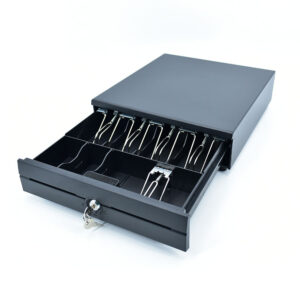
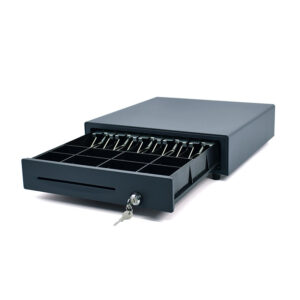
Match the solenoid to the port. The 405A and 410B are ordered with a 12 V or a 24 V solenoid, and the specification says it has to match the port it plugs into. The 8360, 8250, 8220 and 8330 list 12 V/1 A at the drawer; the 8370 lists DC 24 V/1 A. The terminals list their RJ11 ports without publishing a voltage, so if the drawer is going into a terminal rather than a printer, ask before ordering rather than after. How the kick-out signal works.
The second drawer question is furniture, not electronics. A drawer 420 mm deep under a console 450 mm deep leaves 30 mm, and a cable tray or a modesty panel takes all of it. The 350A is 350×380×92 mm and is the only one of the three that clears a shallow desk; the 405A and the 410B are 420 mm deep with eight coin slots and two media slots. A till that ends up with its drawer on top of the counter has lost 400 mm of the surface the counter was bought for.
Holding the screen up
A tablet needs a stand because it has no stand. That is the whole of the mounting argument, and it is why the accessory aisle for a consumer tablet is full of cases with folding covers and why a POS terminal arrives with a base in the box. The difference that matters commercially is the standard: a POS body has a VESA pattern, and a tablet case does not.
VESA against a case
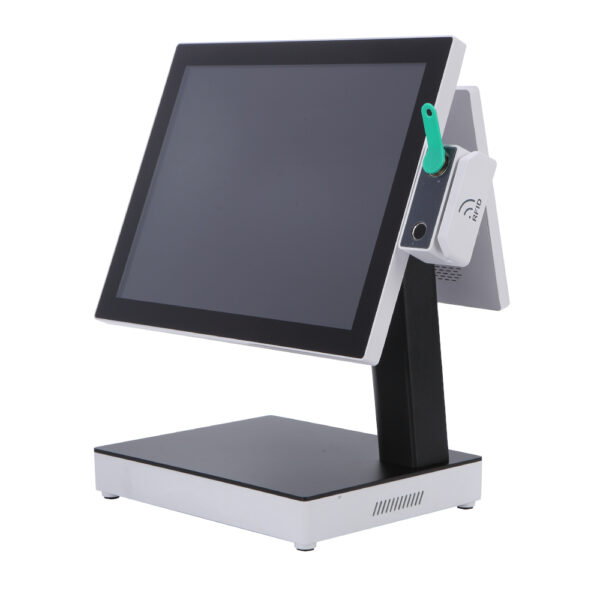
The DCA-152W is the clearest example, because it is the only terminal here whose stand is the point. The body is 360×380×210 mm and 5.10 kg, the panel is 15 or 15.6 inches at 1024×768 or 1366×768, and the stand folds: one height for a cashier who is sitting, another for the same cashier standing, without a screwdriver. It carries VESA 75×75 and 100×100 on the single-display build, six USB ports, two RS232, a VGA or VGA and HDMI output, and an optional RJ11 for a drawer.
The DCA-1701 is the fixed version of the same idea: a 17-inch 5:4 panel at 1280×1024 on a metal base, 300 cd/m², a capacitive layer rated for 35 million touches at a pencil hardness of 3H, and a 75×75 VESA pattern for a wall bracket. It is a monitor, not a computer: it takes VGA and USB for the touch layer and needs something behind it to run the software.
What goes behind it is the DCA-M100, and this is the arrangement we recommend to anybody who has already bought a tablet and found the checkout does not move as much as they thought. A fanless box 170×125×50 mm and 2 kg, two HDMI 1.4 ports and a DisplayPort, two gigabit LAN ports, four USB and two RS232, specified from −20 to 60 degrees with a watchdog and auto power-on. It sits on a shelf edge or screws to the back of a cabinet, and the till becomes a screen, a box and a drawer cable.
DCA-152W15.6″ Windows terminal on a folding stand, 360×380×210 mm, 5.10 kg, VESA 75 or 100. J1900 to i5, 6×USB, 2×COM, RJ11 option, VGA or VGA and HDMI.Specifications →
DCA-M100Fanless mini PC, 170×125×50 mm, 2 kg. Intel N100, 2×HDMI 1.4 + 1×DP 1.2, 2×Gigabit LAN, 4×USB, 2×RS232, −20 to 60 °C, watchdog and auto power on.Specifications →
DCA-170117″ at 1280×1024, 5:4, 300 cd/m², capacitive touch on a metal base. VESA 75×75, pencil hardness 3H, 35 million touches. A monitor, not a computer — it needs a host.Specifications →
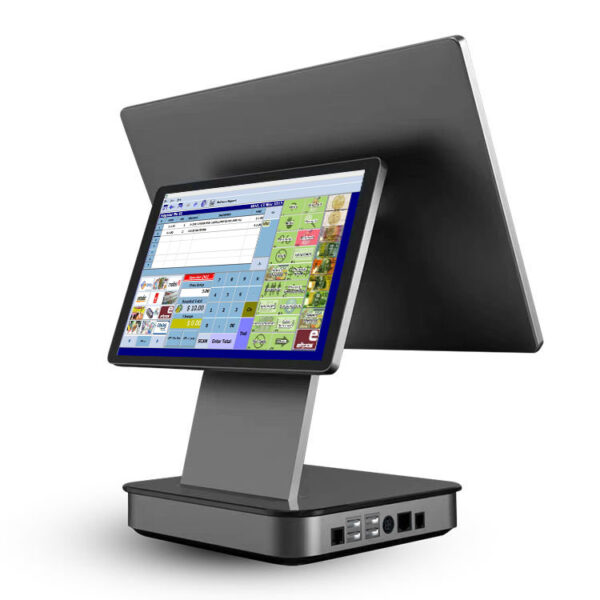
The second screen is the other half of mounting, and it is the one place where a tablet genuinely improves a POS counter: a slate on a bracket, showing the shop’s own content between transactions, is a customer display that a till’s own hardware cannot match. What a till can drive is narrower. The CD7A is 7 inches at 1024×600, the CD10H is 10.1 inches at 1280×800, and the PD220V-II is a two-line tube holding forty characters. None of them is a computer; all three are driven by a cable.
And that is the catch, because driving them needs a video output that most tablet-shaped terminals do not have. The NB11 has no HDMI and no VGA, and neither does the 156A or the Q3A. A rear panel is the alternative — a factory build rather than an accessory — on the Q3S at 11.3 inches, the KSA at 15.6, 14 or 11.6 inches, the 156AD at 10.1 and the 155A at 15.6 or 12.1. A pole display on an external screen needs an HDMI port, which means a Windows KSA board, a 152W, or an M100 beside it.
POS-CD7A7″ IPS at 1024×600, 430 cd/m², 16:9. VGA or HDMI, 12 V/3 A, plastic case, non-touch by default. The smallest full-graphics display that fits on a counter.Specifications →
POS-CD10H10.1″ IPS at 1280×800, 430 cd/m², 16.7 million colours. HDMI only, with 350° horizontal and 60° vertical adjustment on a 1.5 m cable.Specifications →
PD220V-IIVFD, 20 columns × 2 lines, 5×7 matrix, 500–1000 cd/m², 355° rotation and 15.5–41.5 cm height. Ten command sets including CD5220 and EPSON POS D101. USB.Specifications →
Brackets, panels and the industrial range: touch screen monitors · industrial mini PCs · all-in-one panel PCs · what a customer display can be driven by
Four builds, and the number that picks one
These are not packages and there is no price next to them. They are the four shapes that come out of the sections above, written so a shop can check its own plan against one of them and see which parts it is missing.
| Build | Body | Printer | Card | Bill of parts |
|---|---|---|---|---|
| Counter till, under 30 tickets a day | DCA-NB11, standard build, 700 g, battery | 80 mm inside, 60 mm roll | A paired reader, or a phone | 4 — body, drawer, 2D scanner, paired reader |
| Counter till that must not stop | DCA-POS116A, 2.35 kg, cabled | 80 mm inside with an auto cutter | A certified reader on the counter | 5 — the four above, plus a pole display |
| Roaming checkout | DCA-H80, Pro build, 800 g | 58 mm inside, 40 mm roll | DCA-H50 takes the chip; the H80 takes the order | 4 — two handhelds, a drawer at the dock, a spare cell |
| Two stations, one drawer | DCA-POS116A or NB11 Pro | 80 mm inside, second printer on LAN | A reader at each position | 8 — two bodies, two scanners, two readers, one drawer, one screen |
Parts counted as devices on the desk, not as cables. A rear panel counts as a part on the build where it is ordered; a VESA bracket does not.
The number that picks between the first two rows is payments per day, and the number that picks between the second and the fourth is how many people are at the counter at eleven o’clock. Below about thirty payments a day the tablet-shaped body with a battery wins, because the till can leave the counter and the counter is not busy enough to miss it. Above that, the cabled body wins, because a battery that has to last a shift is a battery that is being charged during the shift.
There is a third number worth writing down before any of this is ordered: how many of those payments are card, and whether the tip is on the card. A shop where the answer is “all of them, and yes” has already decided that a certified reader is part of the till rather than an accessory, and that decision removes every consumer tablet from the shortlist by itself.
If the shop is being fitted out from scratch, the order that works is: count payments per day, decide whether the till moves, then pick the body that has the ports for those two answers. Shops that pick the tablet first spend the rest of the fit-out buying the parts a terminal would have included.
What we do not make
Half of a good purchasing decision is knowing what is out of scope. This is the list we would rather a buyer read before sending an enquiry than after.
- iPads, Android tablets and tablet cases. We build terminals, not slates. Nothing on this page runs iPadOS, and the bodies that look like tablets are terminals with the printer and the port block inside. If the plan is a fleet of consumer tablets, the hardware question is a case and a stand, and we are the wrong supplier for both.
- POS software, apps and payment applications. We do not sell software at all. Whether a package reflows to a portrait screen, whether it addresses a second display, whether its minimum Android version is 10 or 7 — those are questions for the software supplier, and they should be answered before the hardware is ordered.
- Card acquiring and merchant accounts. The H50 and the M30 carry certified readers. The merchant account, the rates and the settlement belong to a payment provider, and the device has to be on that provider’s list.
- Docks and hubs for consumer tablets. A USB-C hub is a commodity bought anywhere. What we make is the body that has the connectors built in, which is a different product at a different price.
- Wi-Fi, cabling and network design. A till that drops off a wireless network is a network problem, not a hardware problem, and a wired port is the reason some of these terminals have one.
- A tablet-sized kiosk. Our kiosks are 21.5 to 32-inch ordering units, wall-mounted at around 13 kg, built to take an order and print a ticket. That is the wrong shape for a ten-second check-in, and a shop that wants self check-in is better served by a small tablet on a stand than by a kiosk enclosure.
The collection these parts come from, arranged by counter position rather than by shop type, is the POS system range. For the same devices ordered by what the shop sells, start at POS for a small business counter, cafe POS hardware, salon POS hardware or grocery POS by station.
Tablet POS hardware: six questions we get asked
Can your receipt printers pair with an iPad?
The 58 mm POS-5890U lists USB and Bluetooth and its driver list includes iOS and Android, and the POS-8008 label printer is USB and Bluetooth as well. So the printing half of the question is yes. What does not change is the drawer: it opens from the printer’s RJ11 port, not from the tablet, so the drawer is cabled to the printer and the software cannot see whether it opened. That is the arrangement most tablet tills run, and it is why they log a button press instead of a drawer state.
Is a tablet POS cheaper than a terminal?
Per device, usually. Per till, it depends on how many parts you count. A tablet till is a tablet, a case or stand, a printer, a certified reader, a hub if anything needs a wired port, and a charger for each of those. A terminal till is a terminal and a drawer. At thirty payments a day the tablet’s flexibility is worth the parts; at two hundred, the parts are what fails, and there are four more of them to fail.
Do I need the Pro build of the NB11?
Three conditions, and any one of them is enough. The drawer has to plug into the terminal rather than the printer. The till needs a wired network. Or the Type-C port has to stay free while the unit charges. The Pro build adds RJ11, RJ12, RJ45 and four USB-A and moves charging to a separate DC jack; the standard build lists two SIM slots and one Type-C, which the charger and any peripheral have to share.
Can a terminal drive two screens?
Not the tablet-shaped ones. The NB11, the 156A and the Q3A publish no video output at all, so a second screen on those has to be a rear panel ordered at the factory. The rear panels are 11.3 inches on the Q3S, 15.6, 14 or 11.6 on the KSA, 10.1 on the 156AD and 15.6 or 12.1 on the 155A. An external display on a pole — the CD7A or the CD10H — needs HDMI or VGA, which means a Windows board or a mini PC beside it.
Which size for a restaurant?
Three different jobs. An 8-inch handheld at 800×1280 for the table, because it is held in one hand and the other hand is carrying something. An 11-inch terminal at the counter, because it holds an open ticket list and a 30-line receipt preview. A 15.6-inch screen where two people work the same counter, because two panes side by side stop being optional once both of them are reading.
Will Android 7.1 still run a POS app in 2026?
Only the app can answer that. The POS116A lists Android 7.1 or 8.1, the H62 8.1 or 11, the NB11 12 with 13 on the Pro, the H80 12 or 13, the H50 11 and the 155A 11 or higher. A growing share of payment SDKs now require Android 10 or later, and that single line removes models from a shortlist before screen size or port count is discussed. Ask the software supplier for the minimum version first, then filter.
Tell us the queue, not the spec sheet
Four numbers decide most of the bill of parts, and none of them is on a datasheet.
- Payments per day, and how many of them are card
- Whether the till moves during the day, and how far
- Whether a cash drawer is opened, and how often the no-sale button is pressed
- What the POS app needs: minimum Android version, portrait or landscape, second display or not

