2.8 lines a ticket, and four exceptions
A liquor store POS system is not throughput-limited: there is almost nothing to scan. It is limited by the exception — a curved bottle barcode, an age check, a case that is not the same SKU as the bottle, a receipt that has to be found again.
A liquor store sells 2.8 lines at a time. That single number changes which hardware matters: the scanner is not the bottleneck, because there is almost nothing to scan, and the printer is not the bottleneck, because a three-line receipt is short. The bottleneck is the exception — the bottle whose label has worn through, the customer who needs an age check, the case that has to be priced differently from the single, the return with no receipt.
Exceptions are where a liquor store’s queue actually forms, and they are the part of the hardware decision that most quotes ignore. A POS built for a grocery basket optimises scan speed. A POS built for this trade optimises the four things that go wrong: a curved barcode that will not read, a date of birth that has to be checked, a case that is not the same SKU as the bottle, and a receipt that has to be found three weeks later.
There is also a layout argument. Liquor retail is high value in small volume, which means the counter has to see the aisle, the drawer holds more cash than the transaction count suggests, and the stockroom count is 1,500 to 3,000 SKUs that nobody wants to walk twice. Those are three different devices, and they are not the same one.
This page is the hardware half of that problem. We build the terminals, printers, drawers, scanners and handhelds; we do not sell the age-verification software, the card processing or the installation, and the page is explicit about which decision belongs to which supplier.
Few lines, high value·The terminal·The worst barcode in retail·Case and single·Age as a hardware event·Returns and reprints·Shrink and the sightline·Counting 2,000 SKUs·Shelf labels·Cash at high value·Three builds·Questions
Few lines, high value, and the forty seconds nobody counts
A liquor store ticket is short and slow. Two bottles, a case of beer, sometimes a bag of ice. The scanning takes four seconds; the rest of the forty is the tender, the bag, the age check and the conversation. That is why a store optimised for scan speed buys the wrong thing: at 2.8 lines there is nothing to speed up.
What there is to speed up is the exception rate. In a store where 25 per cent of baskets include spirits and 40 per cent include beer, the age-check share of tickets is high, and an age check is not a scan — it is a look at a card, a date arithmetic in the cashier’s head, and a keypress. In a store that also sells lottery and tobacco, the exception share goes higher still.
The arithmetic of the queue therefore looks different from a grocery’s. At 350 tickets a day the store is not throughput-limited at all; it is exception-limited. A single register with a fast exception path will beat two registers with a slow one, because the second register does not remove the ID check — it duplicates it.
What the forty seconds are made of
The breakdown below is a three-line basket with one bottle of spirits. It is not a benchmark; it is the shape of the problem, and the shape is what decides whether the counter needs a second device or a better one.
| Step | Seconds | Can hardware shorten it? | What shortens it |
|---|---|---|---|
| Scan two bottles and a case | 4–6 | Slightly | A 2D imager that reads a curved label first time, not on the third pass |
| Age check on the spirits | 6–12 | Yes, substantially | Scanning the ID’s PDF417 instead of reading a date by eye |
| Tender | 18–25 | No | The payment terminal, which is not the till |
| Bag or box | 5–8 | No | Counter depth; a 40 cm counter cannot hold a case and a bag |
| Receipt | 2–4 | Yes | A printer at the counter, not on a shelf behind it |
Times are for a single-bottle spirits basket at an urban store. The age check is the only step where hardware changes the outcome materially.
The terminal, chosen by footprint and by who is standing behind it
A liquor store is usually one person behind one counter. That changes two specifications that a multi-staff shop never thinks about. The screen has to be legible from a step back, because the cashier is also watching the aisle, and the drawer has to be reachable without stepping away from the customer, because there is nobody to cover. Both point to a terminal rather than a tablet, and both are decided by geometry rather than by processor.
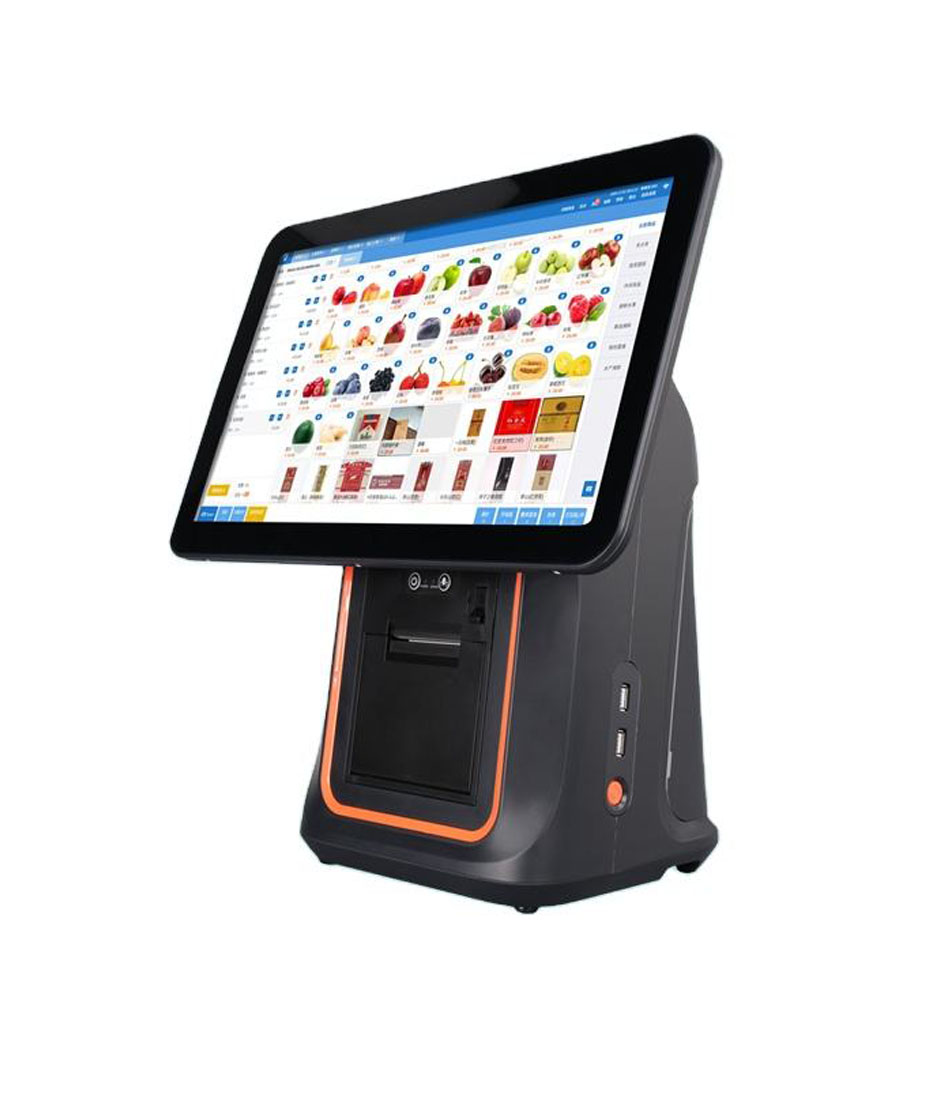
Counter depth is the constraint. The DCA-156A is 210 mm deep and 350 mm tall, which leaves the bag shelf and the customer’s hand on a 50 cm counter. The DCA-POS116A is 297 mm deep because the printer is in the base, and only 292 mm wide, which is the better shape for a 40 cm counter where the width is what has to be given up. The DCA-KSA puts the printer inside a 15.6-inch body and needs the most depth of the three, in exchange for removing the separate printer entirely.
What all three share is the thing this trade actually asks for: a port for the drawer, a port for a scale if the store weighs ice or bulk, and a printer path that does not need a second power socket. The differences are where the printer lives and how much counter the shape consumes, and those two numbers decide the choice more often than the screen does.
| Terminal | Footprint | Printer | Fits | Gives up |
|---|---|---|---|---|
| DCA-156A | 363×350×210 mm, 3.18 kg | Separate, on the counter or below | A 50 cm counter with a bag shelf | The printer’s own depth and one power socket |
| DCA-POS116A | 292×100×297 mm, 2.35 kg | Inside the base, 80 mm | A 40 cm counter where width is the problem | Screen area, and about one second per receipt |
| DCA-KSA | 15.6″ with the mechanism inside | Built in, 58 or 80 mm | A 50 cm counter with no room for a second box | One second per receipt and a mechanism that is not swappable |
Depth is measured front to back at the base. Add 20 mm for a stand, and add the drawer’s travel if it opens toward the cashier.
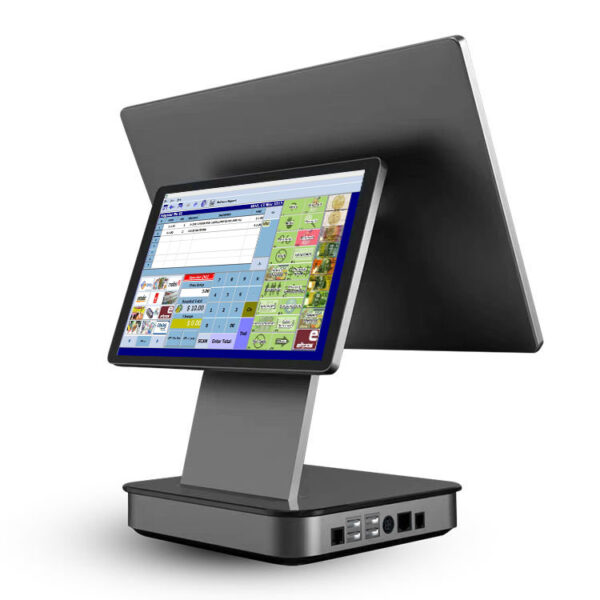 DCA-156A15.6-inch Android terminal, aluminium housing, 210 mm deep, 3.18 kg, RJ11 for the drawer and RJ12 for a scale.Specifications →
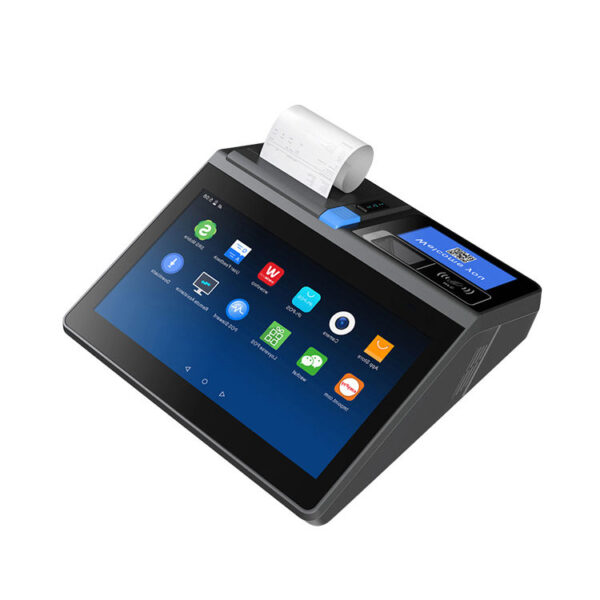 DCA-POS116A11.6-inch all-in-one, 292 mm wide and 297 mm deep with the printer in the base. The narrow-counter shape.Specifications →
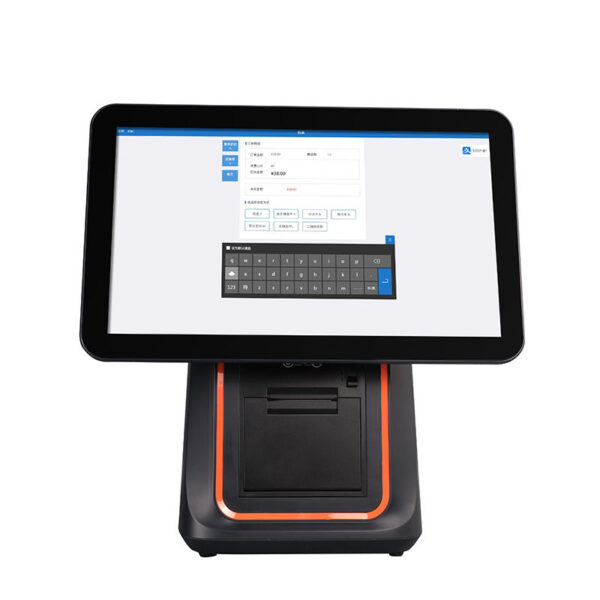 DCA-KSA15.6-inch with a 58 or 80 mm printer inside the body, driven over LPT: one power lead and no printer cable at the counter.Specifications →
The barcode on a bottle is the worst barcode in retail
Consider what a barcode has to survive on a spirits bottle. It is printed on a label that wraps around a cylinder, so the bars are curved and the apparent bar width changes with the angle. It is often covered by a tax stamp, a neck tag or a security sticker. It is frequently wet, because the bottle has just come out of a cooler. And on a 750 ml bottle it is close to the widest part of the curve, which is exactly where the reflection from a ceiling light lands.
A laser scanner with a single line and a fixed depth of field reads that barcode when the bottle is presented square and still. Presented at 30 degrees, with a wet label and a specular highlight, it reads nothing, and the cashier tries again — which is the third pass that shows up in the queue.
A 2D imager with a wide field of view reads the label as an image rather than as a line, which is why the specification to look for is not scan speed but field of view and resolution together. The POS-8280A is 640 × 480 at 4 mil with a 45° × 35° field and 360° roll, which is the combination that reads a curved label at an angle without being squared up first.
| Bottle | What the barcode does | Posture that reads it | Reader |
|---|---|---|---|
| 750 ml spirits | Curved, often under a tax stamp | Presented at an angle, label up | 2D imager, wide field |
| 1.75 L spirits | Curved over a large radius, heavy | Set down on the counter | Fixed presentation reader |
| Six-pack or case | On the carton side, may face away | Held or turned by hand | Handheld 2D, or a second pass |
| Wine, foil capsule | Label low on the body, glossy paper | Angled, highlight on the label | 2D imager, 4 mil, no laser line |
| Single can | Small, high on the can, curved tightly | Passed over a window | Presentation reader, close range |
The pattern: a fixed reader handles what is set down, a handheld handles what has to be turned. A store with both postures needs both, or one device and a longer queue.
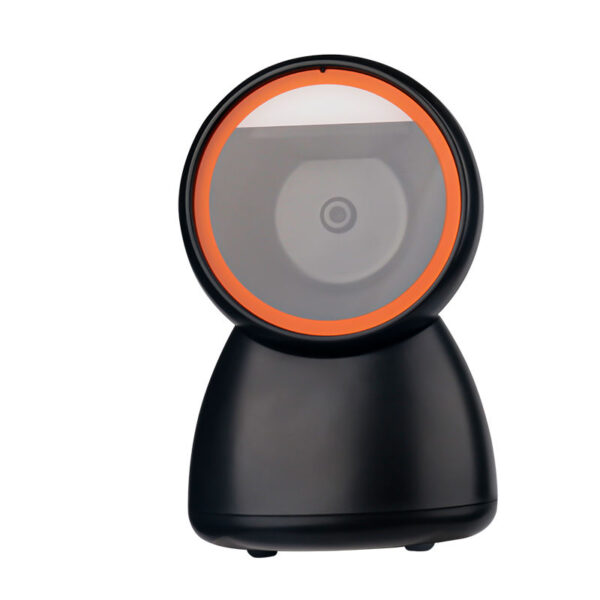 POS-8280A640×480 CMOS, 4 mil, 45°×35° field of view, 360° roll. Reads a curved label at an angle; the counter reader.Specifications →
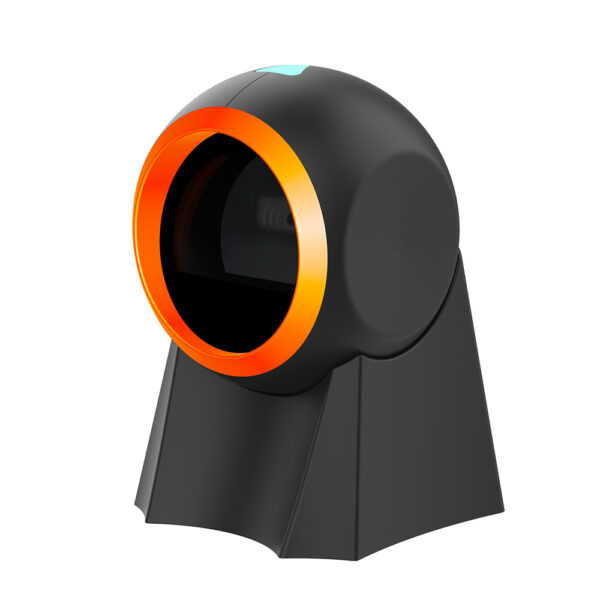 POS-8800FPresentation scanner with a 15° to 65° adjustable tilt, auto-sensing and auto-sleep. For the counter a customer also uses.Specifications →
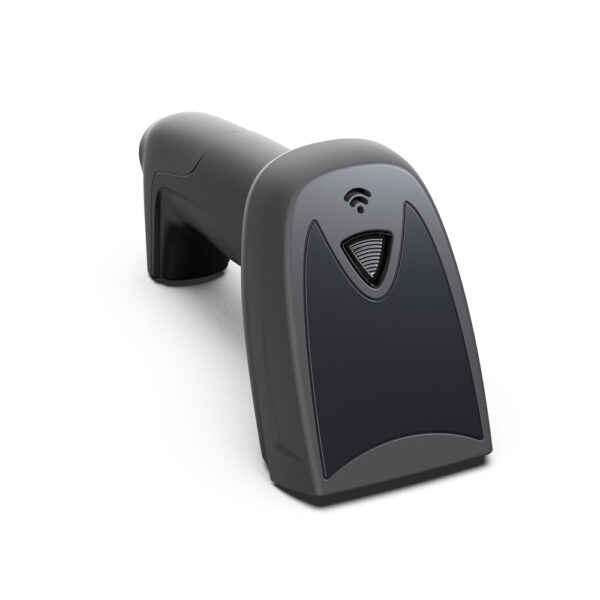 POS-1800A2D wired handheld: the reader that turns the bottle, reaches the carton and reads the case that is still on the floor.Specifications →
Case and single: two prices, two postures, one SKU family
Liquor retail is organised around a break: the single and the case are different prices for the same product, and often different SKUs with different barcodes. A case is scanned on its carton, which is large, matte and usually facing the wrong way. A single is scanned on its label, which is small, curved and glossy. The two postures are 40 cm apart in the transaction and they want different readers.
The failure that costs money is not a misread; it is a correct read of the wrong unit. A case carton whose barcode scans as the single price is a 10 per cent margin loss on that line, repeated every time, and it is invisible in the sales report because the quantity is right. The hardware fix is procedural as much as optical: keep a handheld for the case, keep the presentation reader for the single, and make the software ask which unit when the SKU has both.
The second posture problem is physical. A case of 24 bottles weighs 12 to 18 kg, and it is not lifted onto a counter that is 40 cm deep. It is turned on the floor, at knee height, or on a low shelf beside the till. That is a handheld with a reasonable depth of field, or a presentation reader mounted low — and it is the reason a counter-only scanner configuration fails in this trade even though the basket is small.
Ask the software supplier one question before choosing readers: does the product record carry both a single and a case barcode, and does the till choose between them by barcode or by keypress? If it is by keypress, the cashier is the price book, and no scanner will fix that.
An age check is a hardware event
Every alcoholic sale in every regulated market requires the seller to be satisfied about age. How the store gets there is a hardware decision, because the fastest check is not a look at a date of birth; it is a scan of the barcode on the back of an ID. A driver’s licence in the United States and a provincial card in Canada carry a PDF417 two-dimensional barcode that encodes the date of birth, the expiry and the name. A 1D laser scanner cannot read it. A 2D imager can.
That is the whole argument for a 2D reader at an off-licence counter, and it is worth stating separately from the bottle barcode argument because the two are often confused. A store can get away with a 1D reader for cans and a manual glance at an ID; it cannot get away with one if the policy is to scan IDs, and scanning is what turns a twelve-second check into a two-second one.
The second half of the age check is the screen the customer sees. An age-restricted item that rings up without a prompt is a compliance gap, and a prompt that appears only on the cashier’s screen is a conversation. The customer-facing display — a 2×20 VFD, a 7-inch panel, or a rear screen built into the terminal — is where the line item and the total appear while the ID is being checked, and it is the reason a display is worth its centimetres in this trade even though the basket is three lines.
| Check method | Time | Reader needed | What it leaves behind |
|---|---|---|---|
| Date read by eye | 8–12 s | None | Nothing — the decision is the cashier’s memory |
| ID barcode scan (PDF417) | 2–3 s | 2D imager with 4 mil resolution | A DOB and an expiry in the transaction log |
| Card swipe or NFC loyalty | 3–5 s | MSR or NFC on the terminal | A member record, not proof of age |
| Manager override | 20 s or more | None | An audit entry that names a person |
The scan is not a legal opinion; it is evidence. Whether the software stores the result, and for how long, is a question for the software supplier and the licensing authority.
Returns, reprints, and the receipt that has to be found
A liquor store has an unusually high return rate for its basket size, because a gift is bought for the wrong person and a case is bought for an event that changed. Return policy is a licensing and a store decision, but the hardware consequence is simple: a receipt that cannot be reprinted is a return that cannot be processed, and a return that cannot be processed is a customer who does not come back.
Reprinting is a printer specification, not a software one, and it splits three ways. A printer with a stored logo reprints a receipt that looks like a receipt rather than a plain text dump. A cutter rated for 1.5 million cuts survives the reprint volume. And a printer on the counter, rather than on a shelf behind the cashier, means the reprint is handed over without a walk.
The alternative to a receipt is a lookup by card, which needs the payment terminal and a software feature, and neither is ours. What is worth saying is that the two paths should not both be needed: a store that cannot look up by card has to keep paper, and a store that keeps paper needs a printer that can reprint at the counter, not at the office.
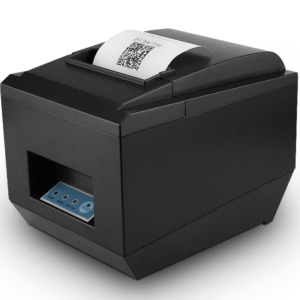 POS-825080 mm at 260 mm/s with a 576-dot head and a full or partial cutter. The default counter printer for this trade.Specifications →
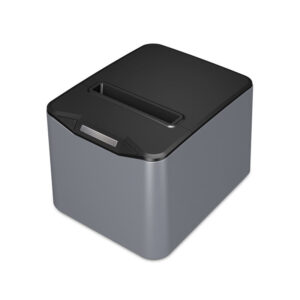 POS-83701.5 million cuts, a stored logo, and native 1D barcode printing — a reprint that looks like the original, and a return slip that can be scanned.Specifications →
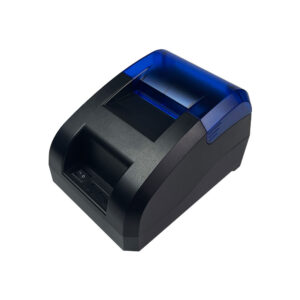 POS-5890U58 mm at 70 mm/s, no cutter. For the second counter or the tasting bar, not for a receipt that has to be reprinted.Specifications →
Shrink, and where the counter has to stand
Bottles are the most stolen item per square metre in retail, and the counter’s position is part of the defence. A till at the door sees everyone enter and nobody leave; a till at the back sees the aisle and the exit. Most liquor stores settle on a position that covers the aisle, and that decision constrains the hardware: a terminal that needs a 35 cm stand does not fit a counter that was built as a check-out shelf, and a screen that faces the wall gives the cashier a blind side.
The hardware contribution to shrink is modest and real. A drawer with a status switch records the case being opened between tickets, which is the only electronic trace of a no-sale. A terminal that logs every void and every price override gives the owner a report rather than a suspicion. A customer-facing display showing the item being scanned removes the “that was on offer” conversation at the end of the transaction.
What hardware cannot do is watch the aisle. Cameras, mirrors and layout are a different budget, and a store that buys a bigger screen expecting it to reduce shrink has bought the wrong thing. The honest statement is that the till’s job is to record, and the recording is only as good as the switch on the drawer and the prompt on the screen.
Counting two thousand SKUs, once a month
A liquor store carries 1,500 to 3,000 SKUs, most of them slow-moving, all of them high value. A monthly count is 6 to 10 hours of walking with a clipboard, and it is the task where a handheld pays for itself fastest, because the count is a barcode scan and a quantity, repeated two thousand times.
The device for that job is not the till. It is a handheld with a screen big enough to show twenty lines, a scanner that reads a dusty label, and a battery that lasts a shift. The DCA-H62 class is the size for a hand that is also holding a bottle; the DCA-H80 class is the size that can also print a shelf label when the count disagrees with the label.
There is a second count that matters more than the monthly one: the delivery. A case arriving with the wrong vintage, or six bottles short, is discovered at the counter or not at all. A handheld at the back door, with the purchase order on screen and a scanner, converts a signature into a check — and it is the same device that does the monthly count, which is the argument for buying one device that does both rather than two that each do one.
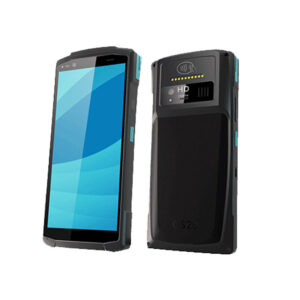 DCA-H20PDA-format handheld for the stock count and the delivery check-in: the device that lives in the stockroom, not at the till.Specifications →
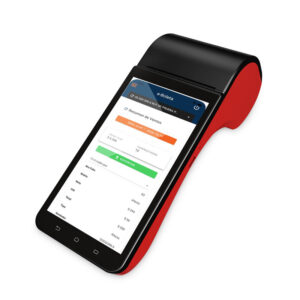 DCA-H626-inch handheld, one-handed with a bottle in the other. The count device and the aisle price checker.Specifications →
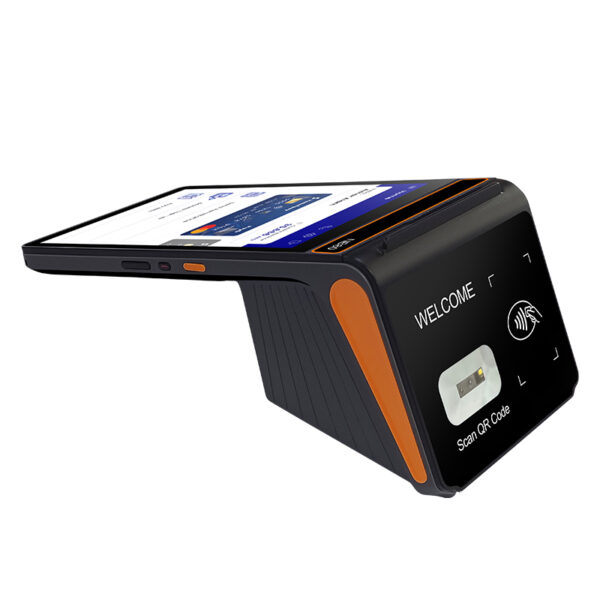 DCA-H808-inch 800×1280 with a removable 6,400 mAh battery and a printer option: the count device that can also print a label or take a payment.Specifications →
Shelf labels, price changes, and the 4-inch class
Liquor retail runs on shelf talkers: a price, a shelf position, a promotion, sometimes a rating card. A store with 2,000 SKUs changes a few hundred labels a month, and the labels are printed in batches at the office and carried to the shelf, which is why the printer that matters is the one in the back office, not the one at the till.
The specification that matters for a batch job is registration, not speed. A label printer that drifts by a millimetre puts the price through the perforation on the fiftieth label of a run, and nobody notices until the shelf is being changed. The POS-9250 carries four sensors — gap, black mark, cover opening and paper exit — which is the set that keeps the fiftieth label where the first one was. It takes stock to 104 mm and prints 100 mm, which covers a shelf talker comfortably; the POS-9220 takes the full 110 mm and adds paper return, so a mis-printed label is reprinted onto the same label rather than the next one.
The third job is the bottle itself: a security tag, a gift tag, a batch label on a house pour. Those are small labels, often on curved surfaces, and they are the reason a store keeps a compact label printer near the counter rather than only in the office. It is a small line in the budget and a large line in the argument about where the label printer lives.
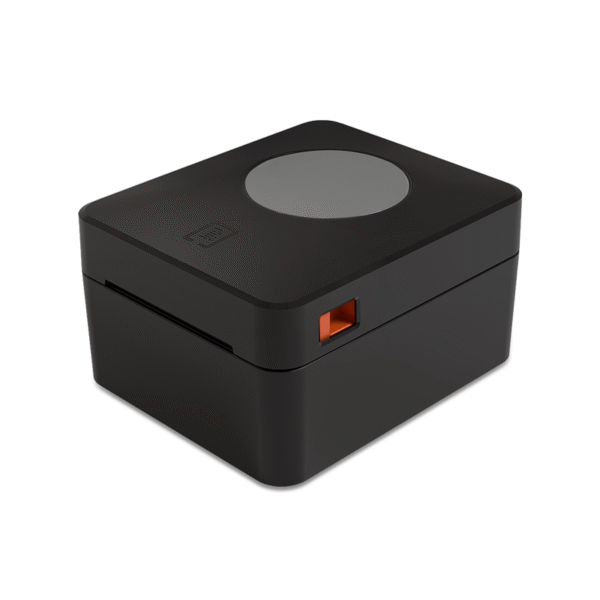 POS-9250Four sensors — gap, black mark, cover and paper exit. Takes stock to 104 mm, prints 100 mm: shelf talkers without drift.Specifications →
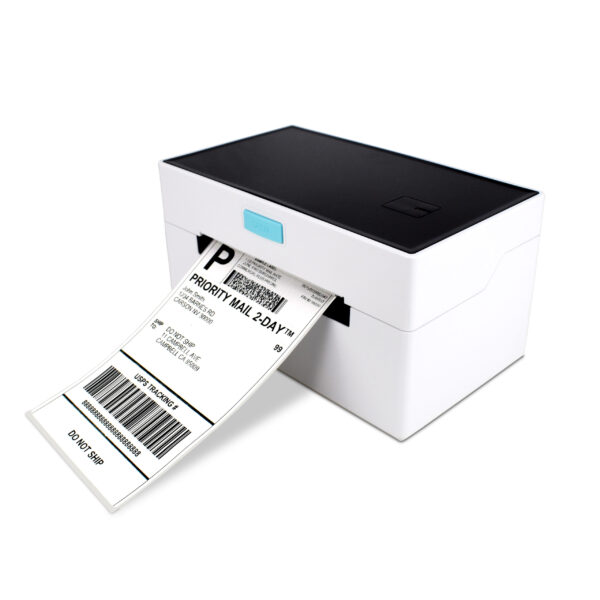 POS-9220110 mm with paper return: a mis-printed label is reprinted onto the same label instead of consuming the next one.Specifications →
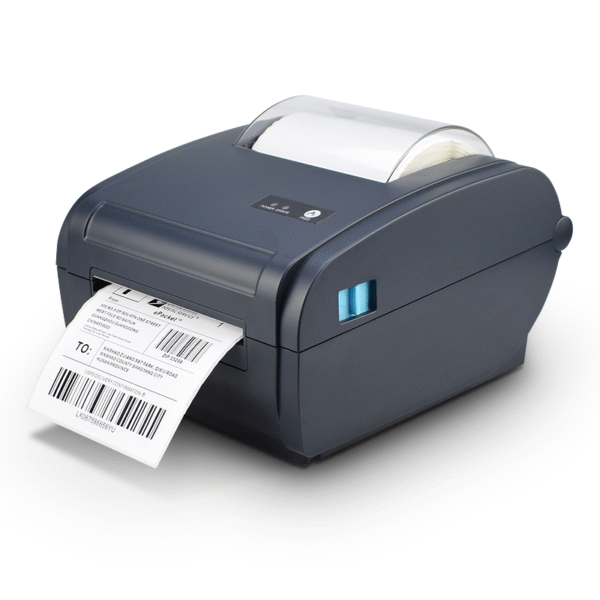 POS-9210Barcode label printer for shelf edge and case marking, where the barcode has to be printed at the size the scanner expects.Specifications →
Cash at high value, in a drawer that has to reconcile
A liquor store holds more cash per transaction than its ticket count suggests, and the drawer is where that shows. The 410 mm platform with eight adjustable coin slots exists for a count that has to reconcile to the cent at the end of the day, and for notes that arrive in larger denominations than a convenience store sees.
Two placement rules follow. The drawer goes under the counter at the cashier’s position, not at the end where the customer stands, because a drawer that opens toward a customer is an invitation. And it goes set back from the counter edge, because a bottle set down above it will eventually be knocked over and the slide is the part that rusts.
The electrical detail is the one that gets missed: most printers in this range supply 12 V on the RJ11 drawer port, and the POS-8370 supplies 24 V at 1 A. A 24 V pulse into a 12 V drawer works for a while and then leaves the solenoid stuck, which in a store that keeps cash on site is a security problem rather than a maintenance one. Match the drawer to the printer before the order, not after the first stuck drawer.
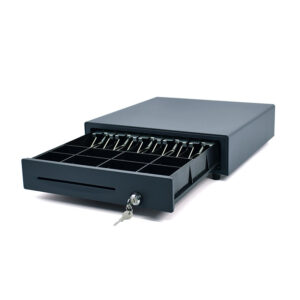 POS-410B410×420×100 mm, eight adjustable coin slots, three-position lock, status switch, one million operations.Specifications →
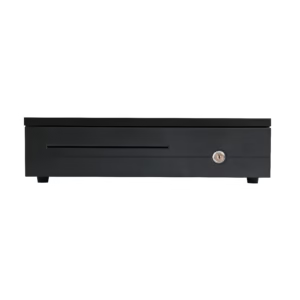 POS-405A405×420×100 mm: the standard platform in a 5 mm narrower cabinet for a counter that was cut to the old size.Specifications →
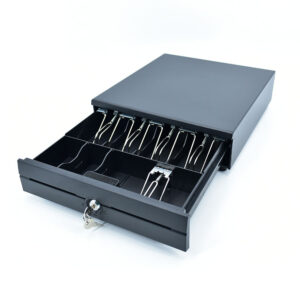 POS-350A350×380×92 mm. For the shallow counter or the satellite till at the tasting bar.Specifications →
Three builds, by exception rate
The variable that sorts liquor stores is not size but exception rate: how many baskets need an age check, a case price, or a reprint. The three builds below differ mainly in how many of those exceptions the counter can absorb without a second person.
| Build | Counter | Terminal | Reading | Printing | For |
|---|---|---|---|---|---|
| Neighbourhood store, 350 tickets | 40 cm deep, one lane | DCA-POS116A, 11.6″ with the printer inside | POS-8280A on the counter | Built in, 80 mm | A store where the counter is short and the queue is not the problem |
| Urban store, 700 tickets, high spirits mix | 50 cm, one lane plus a case shelf | DCA-156A, 15.6″ | POS-8280A plus a POS-1800A handheld for cases | POS-8250 at the counter | Age checks in a quarter of baskets, cases in a fifth |
| Large-format, 1,200 tickets, lottery and tobacco | Two lanes, 50 cm | DCA-KSA with the printer inside on lane one, DCA-156A on lane two | Two presentation readers plus two handhelds | POS-8370 for reprints and return slips | Exceptions on both lanes, and a reprint that has to look like the original |
Every build assumes a 410 mm drawer with a status switch. A store that counts cash nightly should not buy a drawer without one.
What we do not sell, and the decisions that come first
We build the terminals, printers, drawers, scanners, displays and handhelds on this page. We do not sell the age-verification software, the payment terminal, the card processing or the installation. In this trade the age-verification decision is a compliance one, and it lives with the software supplier and the licensing authority — what the hardware contributes is the reader that can scan an ID and the display the customer can see.
Four questions belong to the software supplier before any hardware is ordered. Does the product record carry a case barcode as well as a single? Does the till scan IDs or type dates? Does it print to a named printer, which matters the day a second printer is added? And can it reprint a receipt from a transaction number, a card, or neither? The answers decide the reader count, the printer count and whether the store needs a second screen.
What is ours is the part that fails in year two: the scanner window that gets scratched by bottles, the drawer slide that takes a spill, the printer that has to be re-registered after a power cut, and the handheld battery that no longer holds a shift. In a store with 2,000 SKUs and three staff, those failures are not maintenance items; they are the difference between counting stock on a Monday and counting it twice.
The two neighbouring formats are on the convenience store page, which shares the counter geometry with four times the ticket count, and the bar page, which is the on-premise side of the same product. For how the parts fit together start at the POS system overview; for the five lines a quote is made of, see what a POS system costs. Stores that also run a deli or a scale will want the grocery page.
Do I need a 2D scanner for a liquor store?
For the bottles, a 2D imager reads a curved, wet or angled label far more reliably than a laser line. For age checks, a 2D imager is the only reader that can scan the PDF417 barcode on a driver’s licence — a 1D scanner cannot. If the store policy is to scan IDs, the reader choice is already made.
Can one scanner handle both singles and cases?
A presentation reader handles what is set down; a case is usually turned by hand at knee height or on a low shelf, which is a handheld posture. A store that sells cases should plan for a handheld as well, or accept a second pass at the counter for every case.
How do I stop a case scanning at the single price?
It is a software question first: the product record needs both barcodes and the till has to choose by scan, not by keypress. If the software can do that, a handheld for cases plus a presentation reader for singles keeps the two postures separate, which is what stops the wrong unit being rung up.
Is a 58 mm printer enough for a receipt?
For a three-line basket, yes, and it uses less paper. For a receipt that has to be reprinted for a return, no: 32 characters a line splits the item from the price, and a reprint that looks different from the original is an argument at the counter. Take 80 mm for the main lane.
How many label printers does a store this size need?
One in the back office for the monthly shelf-label batch, and often a compact one at the counter for bottle tags and batch labels. The office printer wants four sensors and registration; the counter printer wants a small footprint. They are rarely the same model.
Does the drawer voltage really matter?
Yes. Most printers in this range send 12 V on the RJ11 drawer port and the POS-8370 sends 24 V at 1 A. A 24 V pulse into a 12 V drawer will weld the solenoid over time and leave the drawer unable to lock — which in a store holding cash is a security failure, not a nuisance.
Send the exception count, not the model number
The build follows from four numbers: tickets a day, the share that need an age check, the share that include a case, and how often a receipt has to be reprinted. With those we can size the readers, the printers and the second screen.
- Tickets a day, and how many include spirits
- Whether IDs are scanned or dates are typed
- Whether cases are sold from the floor or the counter
- Whether returns are processed on a receipt or a card lookup