There is no correct ranking of handheld POS specifications in the abstract. There is a correct ranking for a station. A scanner that is right for a stockroom is wrong at a fresh-food counter, and the battery that matters on the shop floor matters less than weight to someone holding the device for two hours. Here is how six parameters reorder themselves across three retail stations.
The six parameters worth ranking
A handheld terminal has perhaps forty lines on its specification sheet. Six of them change the experience of using it, and the other thirty-four decide the price. The six are the scan engine, the screen, the battery and how it is replaced, the wireless behaviour, the ingress rating, and the weight.
| Parameter | In practice | Why it matters |
|---|---|---|
| Scan engine | 1D laser, 2D imager, or a 2D imager with a wide window | Decides what can be read, at what distance, in what light |
| Screen | 4 to 6 inches, 300 to 500 nits, capacitive | Decides whether the item list is readable in a lit shop |
| Battery | 3,000 to 6,000 mAh, sealed or field-replaceable | Decides whether the device finishes a shift |
| Wireless | 2.4 and 5 GHz, roaming threshold, 802.11k/v support | Decides whether the order reaches the server from the far aisle |
| Ingress and drop | IP54 to IP67, 1.0 to 1.8 m drop | Decides the annual replacement rate |
| Weight | 350 to 600 g with the battery | Decides whether staff put it down and stop using it |
Station one: a till with a queue
At a fixed till the device sits in a cradle or on a stand. Weight and battery are almost irrelevant, because the unit is powered and supported. The ranking inverts towards whatever shortens the transaction.
| Rank | Parameter | Target | If it is wrong |
|---|---|---|---|
| 1 | Scan engine | 2D imager with aimer, 5 to 30 cm depth | Staff type barcodes by hand at peak, and every manual entry is a price error |
| 2 | Screen | 5.5 inch or larger, 400 nits or more | The item list becomes unreadable at the counter by the window |
| 3 | Wireless | 5 GHz with a fixed access point nearby | Queue stalls when the connection drops and re-associates |
| 4 | Battery | Sealed is acceptable, 8 hours | A device that must charge mid-shift removes a till |
| 5 | Ingress and drop | IP54, 1.2 m | One drop from the counter ends the unit, and counters are waist height |
| 6 | Weight | Anything under 550 g | Nobody notices in a cradle |
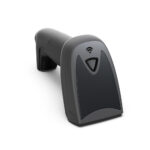
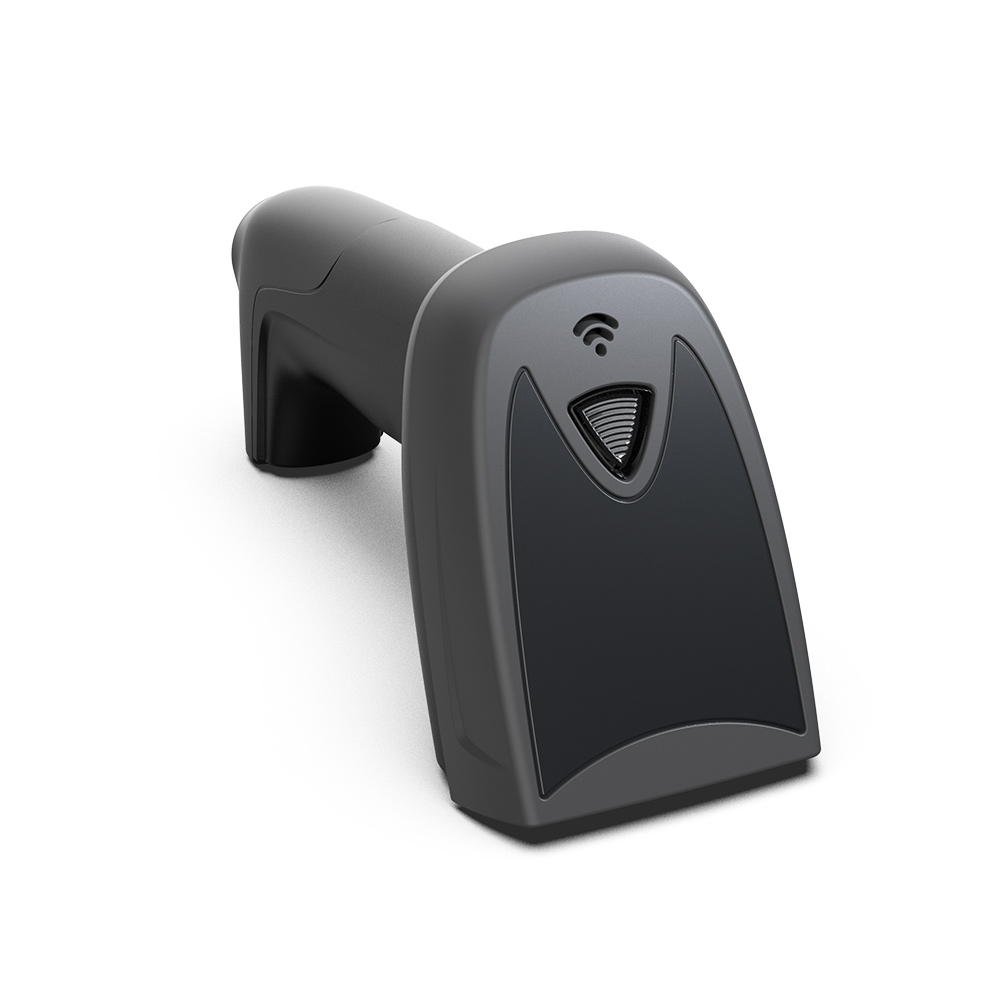
The scan engine comes first because of what a queue does to people. When a barcode will not read on the second attempt, staff stop trying and type the number. That is faster in the moment and produces a wrong price perhaps once every fifty items, which is invisible until a customer notices and then becomes a conversation about trust. A 2D imager with an aimer and a fill light reads a creased label at 30 cm without anyone thinking about it, and the manual entry habit never forms.
Station two: shelf counting and stocktake
Counting is a different activity: long duration, high repetition, low transaction value. Nobody is watching, the device is held constantly, and the work happens after closing or before opening, often in poor light.
| Rank | Parameter | Target | If it is wrong |
|---|---|---|---|
| 1 | Battery | Field-replaceable, 8 or more hours of continuous scanning | A dead device at aisle 14 means the count stops or gets estimated |
| 2 | Scan engine | 2D imager, fast repeat, no aimer needed | Slow re-trigger means one scan per two seconds instead of four |
| 3 | Weight | Under 450 g with the battery | Arm fatigue after ninety minutes changes how thoroughly shelves get counted |
| 4 | Screen | 4 to 5 inch is enough | A large screen adds weight for no gain |
| 5 | Wireless | Roaming across the whole floor, or offline queueing | Dead zones produce a count that silently stops updating |
| 6 | Ingress and drop | IP54, 1.2 m | Devices get set down on shelves and knocked off |
This is the station where the cheapest device is often the correct one, provided it has a real scan engine and a swappable battery. Screen size, camera, speaker and cellular radios are cost with no benefit here. Buyers who specify their floor devices to the same standard as their till devices usually pay twice and get a heavier device that staff leave in the office.
Station three: fresh food, weighing and labels
A fresh counter is the most demanding station and the one most often specified wrong. The device has to talk to a scale, print a label, and survive a wet environment. The scan engine drops to third place behind connectivity and sealing.
| Rank | Parameter | Target | If it is wrong |
|---|---|---|---|
| 1 | Connectivity to the scale | RS232, USB or Bluetooth link to the bench scale, supported by the POS software | Staff read the weight off the scale and type it, and the label is wrong |
| 2 | Ingress | IP65 or better, sealed seams, no exposed pogo pins | Steam and washdown kill the unit inside a year |
| 3 | Scan engine | 2D imager, reads curved and wet labels | Laser engines cannot read a curved film label on a bag of produce |
| 4 | Battery | Replaceable, or a sealed unit with a cradle charge | A full shift at a wet counter with the screen at high brightness |
| 5 | Screen | Bright enough for a tiled interior, gloves-friendly touch | Capacitive screens ignore gloved fingers unless sensitivity is raised |
| 6 | Weight | Under 500 g | Held in one hand while the other hand handles product |
The scale link is the item that decides whether the deployment works, and it is the one buyers forget to check with their software vendor. A handheld with no serial port and no supported Bluetooth profile cannot read a bench scale, no matter how good its scanner is. Ask the software vendor which scale models and which connection types are supported before choosing the terminal, not after.
Where the three stations disagree
No single device is optimal for all three. The useful exercise is to see where the rankings conflict, because those conflicts are where a second device type pays for itself.
| Parameter | Till wants | Stocktake wants | Fresh counter wants | One device? |
|---|---|---|---|---|
| Scan engine | 2D with aimer | 2D, fast repeat | 2D, curved and wet | Yes, a 2D imager covers all three |
| Screen | 5.5 inch or larger | 4 to 5 inch | Bright, glove-friendly | Mostly, at a weight cost |
| Battery | Sealed is fine | Replaceable | Replaceable or cradled | Only if replaceable |
| Weight | Irrelevant | Under 450 g | Under 500 g | Yes, if the screen stays at 5 inch |
| Scale link | Not needed | Not needed | Required | No, unless the software and the port both support it |
| Ingress | IP54 | IP54 | IP65 | Only by paying for the highest rating, which is usually worth it |
Read that table as a purchasing instruction. If the shop has no fresh counter, the requirements collapse to a 5-inch 2D handheld with a replaceable battery at around 450 g, and there is no reason to pay for IP65 or a wide-window scanner. If there is a fresh counter, that one station drives the specification for the whole fleet, because running two device types means two spare-part inventories and two training documents.
Fifteen minutes that settle most of it
A specification sheet can be argued with. A device in your hand cannot. Four tests, fifteen minutes, and you will know more than a page of comparisons tells you.
- Scan ten labels from your own shelves, including the worst one you can find. Count how many needed a second attempt. One in ten is acceptable; three in ten means staff will start typing.
- Hold it at arm’s length for two minutes and time it. If your forearm notices after two minutes, the device is too heavy for a stocktake, whatever the sheet says.
- Walk to the furthest corner of the shop with the device awake and an item list open. If the list stops updating before you get there, the access point layout is the problem and a better terminal will not fix it.
- Drop it from waist height onto the floor you actually have. Not onto carpet in a showroom, and not from 30 cm. This one test decides more of the annual cost than any other, and it takes four seconds.
Three specification mistakes that are common and expensive
- Buying a laser scanner because the shelf labels are 1D. A year later the shop adds loyalty codes on phone screens and a laser engine cannot read them at all. The price difference at purchase is small and the replacement cost is a whole fleet.
- Specifying a 6-inch screen on a device that gets carried. The screen is the largest single contributor to weight and to power draw, and the staff who carry it for two hours will tell you which they would rather lose.
- Ignoring the roaming threshold because the showroom has one access point. In a stockroom with steel shelving, a device that holds on to a distant access point until the signal is unusable will queue orders that never arrive. Ask whether the threshold is configurable and at what value it ships.
FAQ
Is a rugged handheld worth the price for an indoor shop?
For a shop with a stockroom and a tiled floor, the drop rating earns its cost within the first year. The ingress rating only matters if there is water, which is the fresh counter and not the shelf. Buy the drop rating, question the ingress rating.
Can a handheld replace a fixed till completely?
For card and mobile payments, often. For cash, no: a drawer, a note count and a secure place to keep the float all want a fixed position. Most shops that try end up with a handheld for the floor and one fixed terminal for the end of day.
How long should a handheld last?
Three to five years for the hardware, with one battery replacement in that time. The limit is usually the operating system version rather than the mechanism, because retail software stops supporting older Android builds long before the device wears out.
Where to go next
Rank the six parameters for the station, not for the shop. The conflicts in the table above are the cases where a second device type pays for itself.
1D laser versus 2D imager scan engines Using a handheld terminal for stocktake Handheld POS terminals by weight, battery and scan engine · the four POS form factors · 1D laser against 2D imager, defined · handheld scanners built for one-hand operation