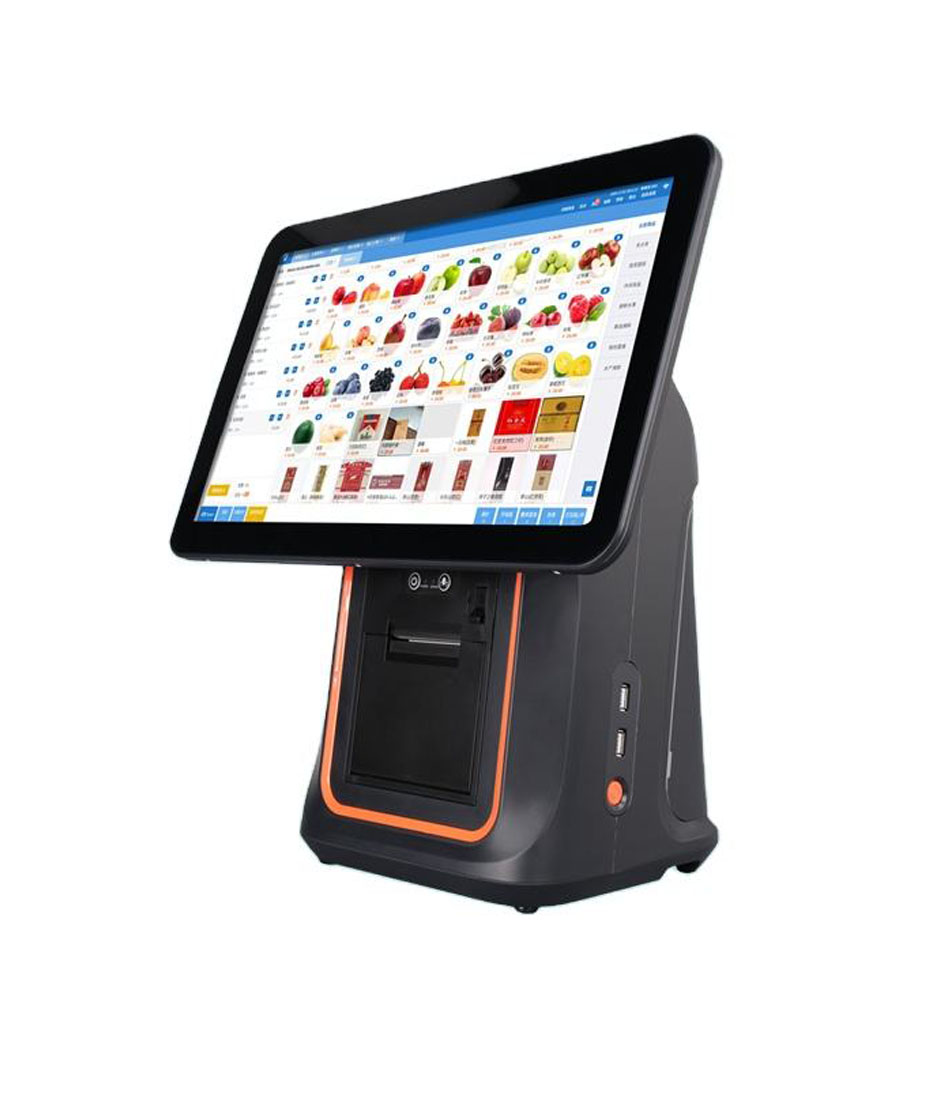
Built for nine hundred tickets a day
A convenience store POS system is a counter, a scanner and a printer, in that order. The terminal is the part that has to fit around the other three, and the three counts that decide it are tickets a day, seconds a ticket and centimetres of counter.
A convenience store does not buy a point of sale system. It buys a way to move nine hundred baskets past one square metre of counter without building a queue, and the machine that does it is chosen by three counts: tickets per day, seconds per ticket, and centimetres of counter.
Those three numbers decide almost every specification that follows, and they are not the numbers most quotes are built on. A quote is usually built on screen size, because screen size is the visible part, and on processor, because processor is the part that can be compared across brands. Neither one moves a queue. What moves a queue is how many motions a cashier makes per item, how long the printer takes to hand back the receipt, and whether the drawer opens under a counter that is only 40 cm deep.
The convenience store is also the hardest retail format to specify for, because it combines the highest transaction count in retail with the smallest average basket. A supermarket can absorb four seconds of hardware per ticket inside a two-minute transaction. A c-store cannot: its whole ticket is thirty-five seconds, and five of those seconds are the scanner and the printer.
This page is written from the hardware side of that problem. We build the terminals, printers, drawers, scanners and displays; we do not sell the software, the card processing or the installation, and the page says which line is whose. Everything here is a count that can be checked against a counter drawing and a day of sales data, which is the only way the specification gets decided.
The queue maths·400 mm of counter·Two scan channels·The second screen·Paper at 900 receipts·The drawer·Hot food·The floor·Self-checkout·Three builds·Questions
The till is a queue machine, and the queue is decided in the tail
Start with the arithmetic nobody puts in a catalogue. A store doing nine hundred tickets a day at thirty-five seconds each spends 8.75 cashier-hours at the till. Of those thirty-five seconds, roughly five belong to the hardware: 2.4 items scanned, a receipt printed, a drawer kicked. The other thirty belong to the transaction itself — the customer finding a card, the cashier counting change, the bag being filled.
On an average day that five seconds looks like a rounding error. It is 14 per cent of the ticket, and fourteen per cent of a labour hour that is already paid for. The number that matters is not the average, though. It is the tail: the hour between 07:30 and 08:30 when a c-store does 120 to 140 tickets, because that is the hour when the coffee urn, the bus stop and the shift change arrive together.
At 140 tickets an hour, one lane is one ticket every 25.7 seconds. A cashier cannot beat that for long, which means the lane is at saturation and any extra second per ticket converts directly into bodies standing in the aisle. Five seconds of hardware becomes eight and a half minutes of queue in that single hour. That is the difference between a store that needs a second lane and a store that does not.
What the five seconds are made of
The five seconds are not evenly split, and they do not respond to the same fixes. Scanning responds to the number of motions per item; printing responds to paper width and mechanism speed; the drawer responds to depth under the counter. Each is bought separately, which is why a quote can be cheap in one column and slow in the next.
| Tickets a day | Items a ticket | Hardware seconds | Hardware time a day | Peak hour, one lane |
|---|---|---|---|---|
| 600 | 2.2 | 4.2 | 42 min | Comfortable — one lane clears the morning |
| 900 | 2.4 | 4.8 | 72 min | Tight — queue forms around 08:00 |
| 1,200 | 2.6 | 5.4 | 108 min | Saturated — second lane or a handheld |
Hardware seconds = scan (1.5 s per item with a presentation scanner) + receipt (0.6 s print, 1.5 s tear and hand over) + drawer (0.4 s). Not included: tender, bagging, age checks.
The table is deliberately unflattering, because it shows where the return is. Going from a handheld scanner to a presentation scanner saves about 1.2 seconds per item, which at 2.4 items is 2.9 seconds a ticket, which at 1,200 tickets is 58 minutes a day. Going from a 100 mm/s printer to a 260 mm/s printer saves about 0.9 seconds a ticket, which is 18 minutes. Both are bigger than the difference between two processors, and both cost less.
There is one more count that changes the shape of the answer: the share of baskets that need an age check. Tobacco, alcohol, vape and lottery are behind the counter in most c-stores, and each one adds a turn, a reach and an ID check to a ticket that was already thirty-five seconds. A store where 40 per cent of baskets include a gated item is not doing 900 easy tickets; it is doing 360 hard ones and 540 easy ones, and the hardware that helps is the one that shortens the reach, not the one that enlarges the screen.
Four hundred millimetres of counter, and what fits on it
Convenience store counters are shallower than people remember. A fitted checkout in a small-format store is commonly 400 to 500 mm deep, because the counter is also the bagging surface, the lottery display and the base of the cigarette wall. Into that depth go a terminal, a printer, a drawer, a customer’s hand, and a bag that has to stay open while the next item arrives.
Depth is where most configurations fail, and it fails silently: everything is bought, everything works on a bench, and then the printer has to sit sideways because the paper exit faces the wall. The specification to collect before quoting is therefore not the counter length but the depth, and the height of the front panel below it, because the drawer has to come out of that panel.
Three ways to buy the same metre
A terminal with an external printer is the cheapest bill of materials and the most expensive counter. The printer is a separate box roughly 19 cm deep with a paper path that needs clearance above it, plus its own adapter and its own USB cable — the cable that most often fails in service, because it is the one that gets pulled when the counter is cleaned.
An all-in-one with the mechanism inside the housing removes the box, the adapter and the cable in one decision. The DCA-KSA is that machine: a 15.6-inch Android terminal with a 58 or 80 mm printer built into the body, driven over LPT rather than USB. LPT matters more than it sounds — it is a raw parallel channel, so the print data goes to the mechanism without a USB stack or a driver negotiation in between, which is what most Android print SDKs expect for an integrated printer.
The third way is to shrink the terminal. The DCA-POS116A is 292 × 100 × 297 mm and 2.35 kg with an 11.6-inch screen and a printer inside, which is a machine that fits a 40 cm counter with room left for a bag. What it gives up is screen area, and screen area is the thing a c-store uses least: the cashier looks at the customer, the scanner and the drawer, and at the screen only when something is wrong.
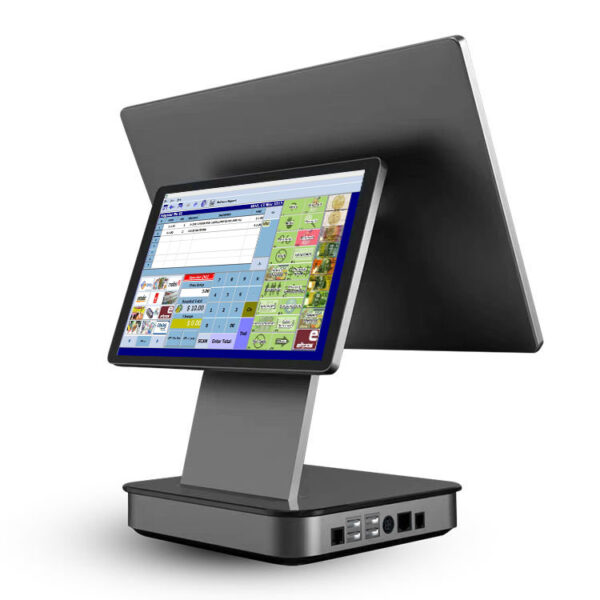 DCA-156A15.6-inch Android terminal, aluminium housing, 363×350×210 mm, 3.18 kg, one RJ11 for the drawer and one RJ12 for a scale.Specifications →
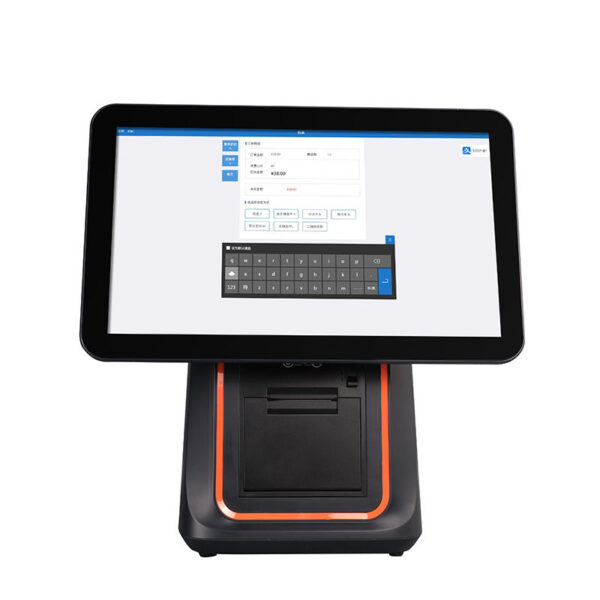 DCA-KSA15.6-inch terminal with a 58 or 80 mm printer inside the housing: one power lead, no printer cable, and 19 cm of counter given back.Specifications →
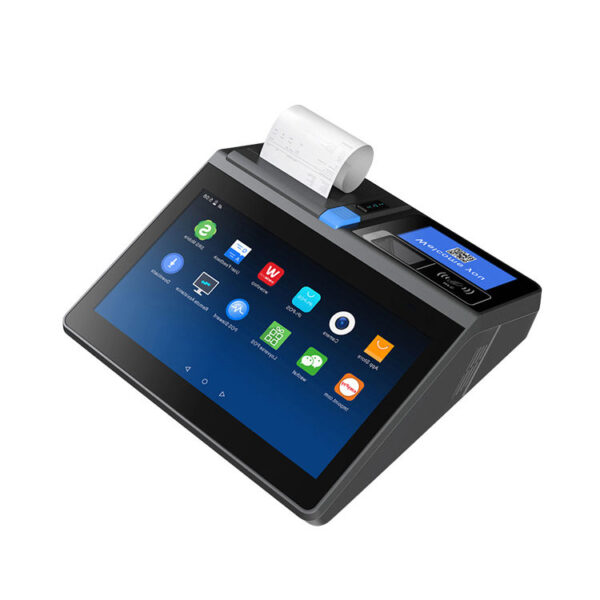 DCA-POS116A11.6-inch all-in-one, 292×100×297 mm, 2.35 kg, printer inside. The fit for a 40 cm counter with a bag on it.Specifications →
The measurement that decides this section is not the counter. It is the distance from the front edge of the counter to the wall behind it, minus the front panel thickness. A drawer needs that distance in depth plus its own travel, and a printer needs its paper exit to face a direction a hand can reach. Two numbers, both measurable in a minute, and both usually missing from the request for a quote.
Two scan channels, because one scanner serves one posture
A c-store basket is 2.2 to 2.6 items, and the items are not alike. A drink and a packet of crisps are single-handed, barcode up, and pass over a window in a second. A carton of cigarettes is behind the cashier, so the cashier turns, takes it off the rack, and has to bring it back to a window that is facing the wrong way. A six-pack is on the floor, not the counter. These are three different scan postures in the same thirty-five-second ticket.
This is why the useful question is not which scanner, but how many scan postures the lane serves. A single handheld at the till serves one — aim and trigger — and forces every other posture to imitate it. A presentation scanner on the counter serves the counter posture well and the cigarette wall badly. The configuration that works in a small-format store is two channels: a fixed presentation reader facing the customer’s side of the counter, and a handheld on the cashier’s side for the wall, the floor and the cooler.
The motion count
A handheld adds one motion per item that a presentation scanner removes: aim and press. At 2.4 items that is 2.4 motions, about 1.2 seconds, per ticket. It does not sound like much until it is multiplied by the peak hour, where it is the difference between a queue that recovers between customers and one that never does.
The trade is that a presentation reader is a fixed asset on a surface that is already short of surface. The POS-8280A is 640 × 480 CMOS with a 4 mil resolution and a 45° × 35° field of view, which is the specification that lets an item be presented at an angle instead of being squared up to a laser line. It reads phone screens as well, which matters the day the store starts taking a digital loyalty code at the till rather than typing a phone number.
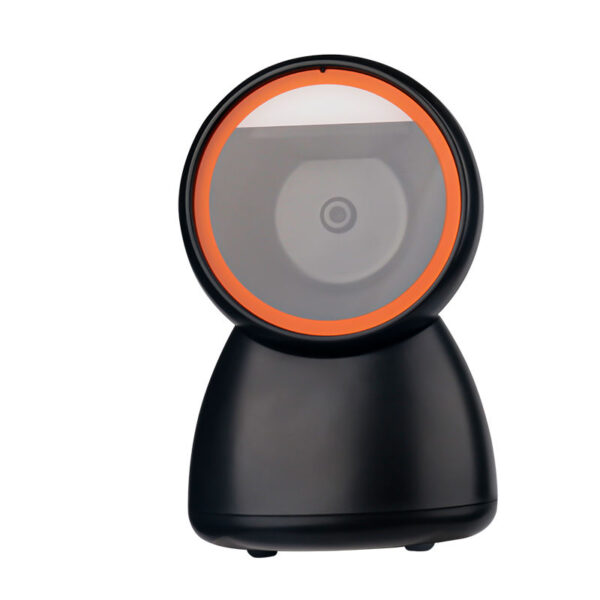 POS-8280AWired desktop 2D imager: 640×480 sensor, 4 mil, 45°×35° field of view, 360° roll. The counter channel.Specifications →
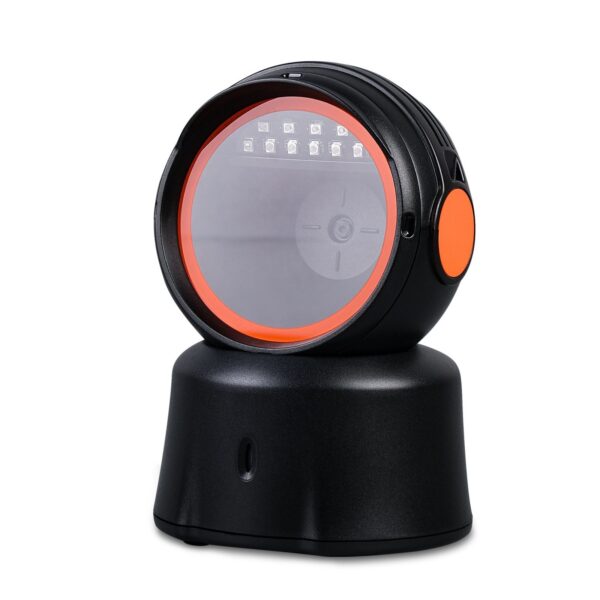 POS-8230Hands-free omni-directional reader standing on the counter. Items pass over the window; the cashier’s hands never leave the bag.Specifications →
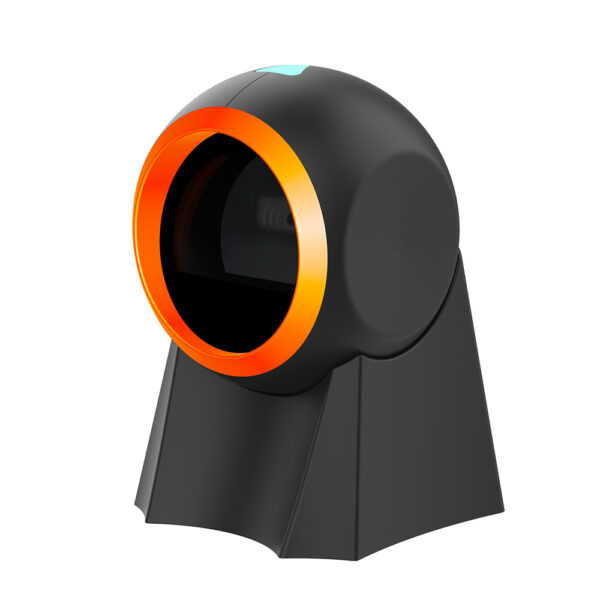 POS-8800FPresentation scanner with an adjustable tilt from 15° to 65°, auto-sensing and auto-sleep. The price-checker channel.Specifications →
| Reader | Motions per item | Best posture | Fails at |
|---|---|---|---|
| Handheld, trigger | Pick up, aim, press, put down | Cigarette wall, floor stock, cooler | Counter items — four motions for a can |
| Presentation, fixed | Pass over the window | Counter, bagging area, a phone held up by the customer | Anything not brought to it |
| Hands-free omni | Pass over, no trigger | Two-handed bagging at peak | Items presented below the window |
| Two channels | One motion, whichever side | The whole ticket | Needs two ports and two cables — plan them |
Motion counts are per item and assume the barcode is reachable. A bottle whose label wraps around the curve is its own problem, covered on the liquor store page.
The second screen is a compliance device, not a courtesy
In a c-store the customer-facing display has a job that a restaurant’s does not. It shows the running total while an age-gated item is being scanned, which is the thirty seconds in which a customer is most likely to put something back. It also shows the price of the item the cashier just scanned, which in a store with 1,800 SKUs and weekly promotions is the most common source of disputes at the till.
There are three technologies, and they are not comparable on price because they do not do the same job. A 2×20 VFD shows twenty characters on two lines: a total and a word. A 7-inch LCD shows an itemised line. A 10.1-inch HDMI panel shows anything the host can render, including a logo and a promotion, with no driver and no vendor protocol — but it needs an HDMI output, and that is an architectural decision, not an accessory.
This is the part most quotes get wrong. An Android all-in-one with an 11 or 15.6-inch screen generally has no spare HDMI output; it has USB and RJ45. So a full second screen on an Android terminal is either a model with a rear panel built in — the DCA-156AD carries a 10.1-inch 1280 × 800 non-touch second display — or a Windows mini PC driving an HDMI panel. A 7-inch USB display or a VFD works with either, because both are driven by the software rather than by the display pipeline.
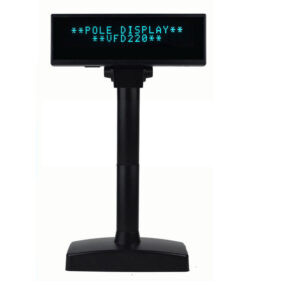 VFD220Two lines of twenty characters, self-lit, readable across a bright counter. RS232, USB, and unusually Bluetooth and Wi-Fi.Specifications →
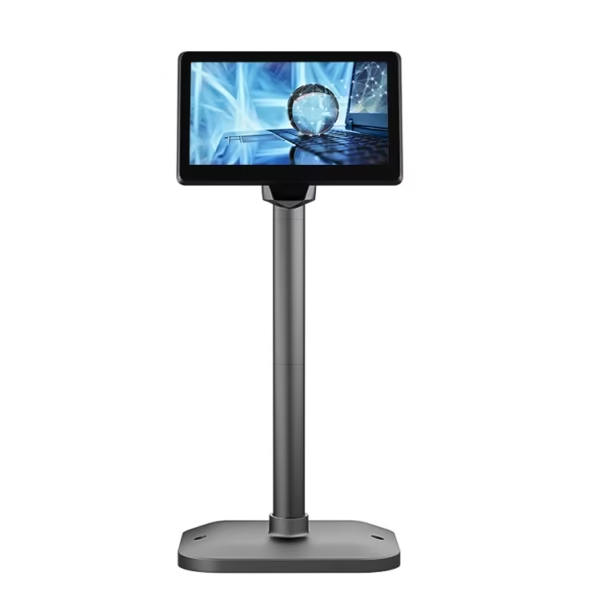 POS-CD7A7-inch 1024×600 IPS at 430 cd/m², about 170 ppi. One itemised line where a full monitor will not fit.Specifications →
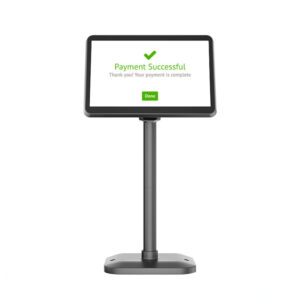 POS-CD10H10.1-inch 1280×800 IPS with HDMI input and a 350° horizontal, 60° vertical pole. Needs an HDMI source, not a driver.Specifications →
| Display | Shows | Driven by | Works with |
|---|---|---|---|
| 2×20 VFD | Total and one word | Serial, USB, Bluetooth | Every terminal and every POS package |
| 7-inch LCD | One itemised line | VGA or HDMI | Needs an output, usually from a mini PC |
| 10.1-inch HDMI | Full screen, logo, promotion | HDMI, no driver | Windows host, or a terminal with a rear panel |
| Rear panel, 156AD | Full screen | The terminal’s own second output | One carton, one power lead |
Paper at nine hundred receipts a day
Paper is the only consumable in a c-store that scales directly with tickets, and it is the line a hardware quote never includes. The arithmetic is simple enough to do on the back of a roll: a standard 80 mm roll holds 80 m of stock and prints 72 mm wide; a c-store receipt with a header, 2.4 lines, a total and a payment line runs about 150 mm; so one roll is a little over 530 receipts.
At 900 tickets a day that is 1.7 rolls a day, about 620 rolls a year, and at a typical roll price of forty cents it is around $250 a year in paper alone. At 1,200 tickets it is 823 rolls and $330. Neither number is large enough to change a purchase decision, and both are large enough to be worth mentioning before the buyer discovers them, because a printer that jams every two hundred receipts turns a $250 line into a $250 line plus a cashier’s time.
Width, speed, and the built-in trade
An 80 mm receipt prints 48 characters a line at 72 mm printable width. A 58 mm receipt prints 48 mm, about 32 characters, which is why an item name and a price stop fitting on one line and the receipt gets longer in the vertical direction while getting narrower. For a c-store that prints two or three items, 58 mm is enough and uses less paper and less power. For a store that prints a lottery slip, a fuel receipt and a basket on the same roll, 80 mm is the only one that reads as a receipt.
Speed is the specification that is quoted least and felt most. At 260 mm/s an 80 mm printer hands back a 150 mm receipt in 0.58 seconds. The printer inside the DCA-KSA runs at 100 mm/s on 80 mm paper and 85 mm/s on 58 mm, because it shares the terminal’s 12 V supply and has no room for a larger mechanism. That is 1.5 seconds instead of 0.58 — one second a ticket, fifteen minutes a day at 900 tickets. The built-in printer buys back a cable, an adapter and 19 cm of counter, and it pays for them at one second per ticket. That is the trade, stated plainly: a good one in a store with a shallow counter, a poor one in a store with a peak hour of 140 tickets.
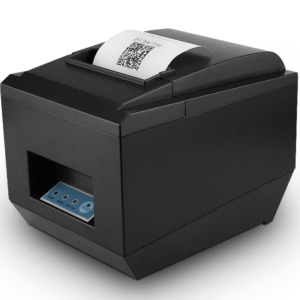 POS-825080 mm thermal at 260 mm/s, 576-dot head, full or partial cutter, USB, serial, parallel, Ethernet and wireless.Specifications →
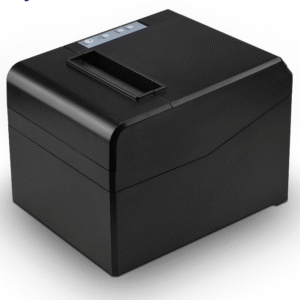 POS-8330The same 260 mm/s engine on a chassis that fixes to a wall, for the counter with depth for a terminal and a hand but not a printer.Specifications →
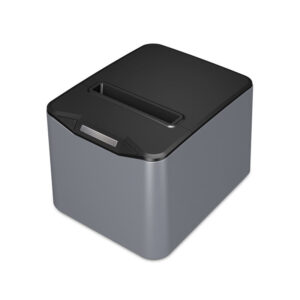 POS-83701.5 million cuts, a stored logo that prints without being sent, and native 1D barcode printing for coupons and vouchers.Specifications →
The drawer is a depth problem wearing a width label
Cash drawers are sold by width — 410 mm, 405 mm, 350 mm — and width is the dimension that matters least in a small store, because a fitted counter is cut to the drawer, not the other way round. What decides whether a drawer works is depth, because the drawer sits under the counter and behind it there is a carcass, a front panel and a cashier’s knees.
The POS-350A is 350 × 380 × 92 mm without feet, against 405 × 420 × 100 on the standard platform. That is 4 cm less depth, which in a shallow counter is the difference between a drawer that closes flush and one that leaves the front panel proud. On a 40 cm service counter it is often the only one that fits at all.
Two details get missed on the order. The first is the drawer pulse: most of our printers put 12 V on the RJ11 drawer port, and the POS-8370 puts 24 V at 1 A. A 24 V pulse into a 12 V drawer is not a compatibility question, it is a solenoid that will eventually stick. The second is the status switch: a drawer that reports open or closed lets the software log a no-sale, which in a c-store is the only record of the case being opened between tickets.
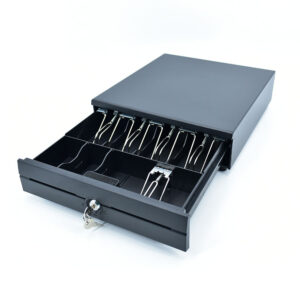 POS-350A350×380×92 mm. The compact drawer for a 40 cm counter: 4 cm less depth than the standard platform.Specifications →
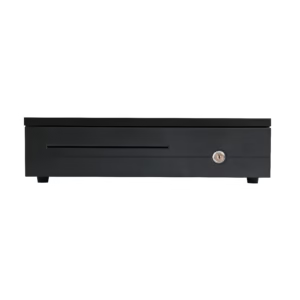 POS-405A405×420×100 mm: the standard platform in a 5 mm narrower cabinet, for a cut-out that was made to the old size.Specifications →
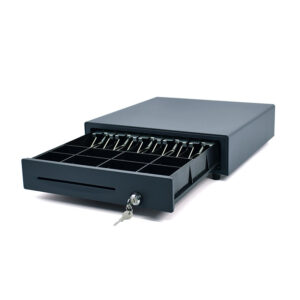 POS-410B410×420×100 mm, thick-gauge steel, ball-bearing slide, three-position lock, 4/5/6/8 bill sections, eight coin slots, one million operations.Specifications →
Hot food, and the label that has to survive a steam cabinet
The reason a c-store cares about labels is margin. Coffee, roller-grill and chilled grab-and-go carry the store’s best margin, and every one of them needs a label that says what it is, when it was made and when it stops being sellable. A receipt printer cannot do that job: the stock is adhesive, the label has a die-cut gap or a black mark that the mechanism has to find, and a label that drifts by a millimetre puts the barcode through the perforation.
Label drift is the failure mode worth understanding, because it is silent. A printer with one sensor finds the gap most of the time; the first label is centred, the tenth is a millimetre low, and by the end of the roll the use-by time has walked off the bottom edge. Nothing errors. The POS-9250 carries four sensors — gap, black mark, cover opening and paper exit — which is the specification that keeps the hundredth label where the first one was.
The 9250’s name is a family name, not a paper width: it takes stock up to 104 mm and prints 100 mm of it. If the job needs a full 110 mm, the POS-9220 is the model that takes it, and it adds a paper-return function: after printing, the mechanism pulls the leading edge back to the head, so a reprint lands on the same label instead of eating another one. In a store that reprints price changes all day, that is the feature that pays for itself.
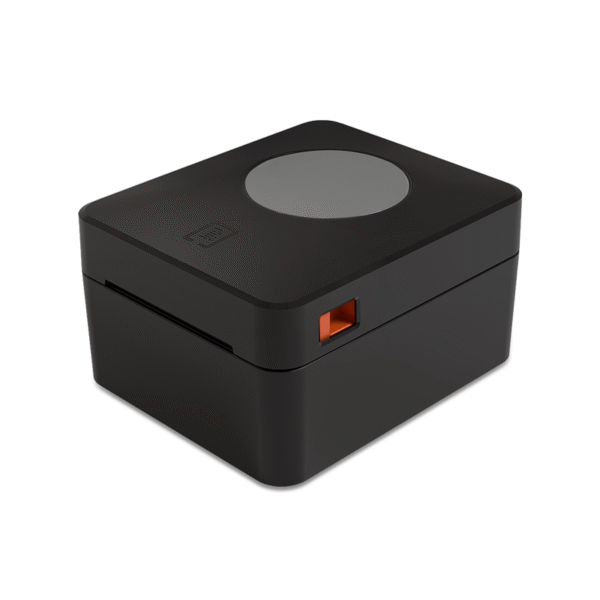 POS-92504-inch class label printer taking stock to 104 mm and printing 100 mm. Four sensors: gap, black mark, cover and paper exit.Specifications →
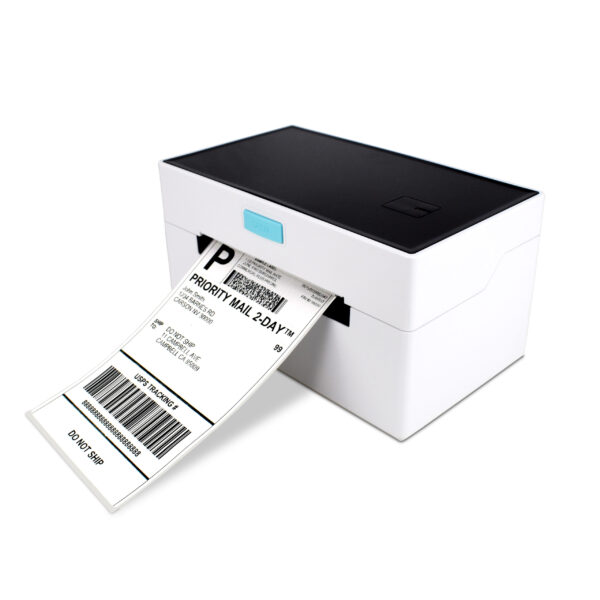 POS-9220The 110 mm model, with paper return: the stock is pulled back to the head after each job so a reprint does not consume a label.Specifications →
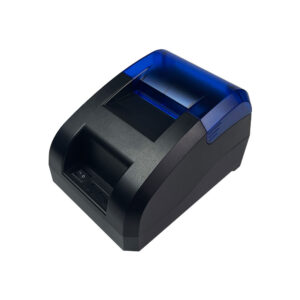 POS-5890U58 mm at 203 dpi and 70 mm/s, USB and Bluetooth, no cutter. The coffee-window printer, not the till printer.Specifications →
The floor: line busting, shelf checks and the delivery
Every c-store eventually meets a queue it cannot build a lane for. The counter is fixed, the aisle is 1.2 m wide, and at 08:15 there are six people holding coffee. The hardware answer is not a second lane; it is a device that can take a payment anywhere in the store, which is a different specification: battery, radio, and a printer small enough to carry.
The DCA-H80 is the size at which a handheld becomes a workstation. At 8 inches and 800 × 1280 the screen holds a product grid without scrolling, the battery is a removable 6,400 mAh pack, and the Android 13 configuration carries RJ11, RJ12, LAN and two USB-A ports — which is what lets it drive a drawer and a scale when it is dropped into a stand and used as a till. The same device does the shelf price check, the cooler count and the delivery check-in, and those three tasks are where a c-store actually loses hours, because each one currently means walking back to the counter.
The counter keeps its own terminal. A handheld is not a replacement for a lane; it is the thing that stops the lane from being the only place work can happen. Plan the radio coverage before the device count, because a handheld that drops its session at the back of the store is worse than no handheld: the cashier has already told the customer the total.
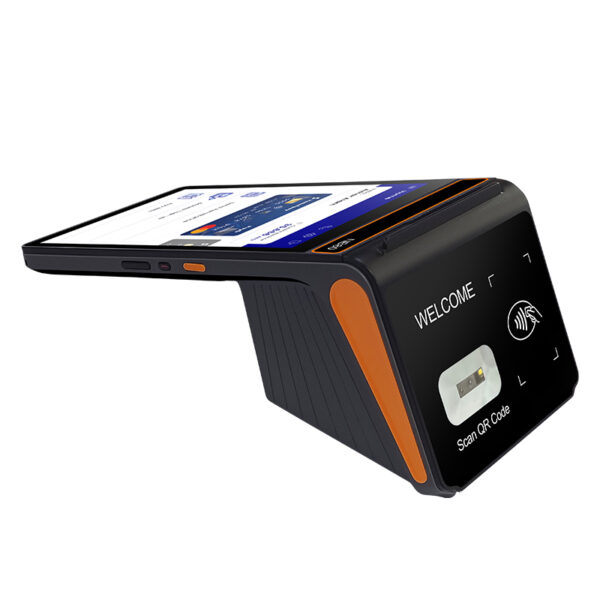 DCA-H808-inch 800×1280, 800 g, removable 6,400 mAh battery, 2D scanner, NFC, 58 or 80 mm printer option, RJ11/RJ12/LAN on the Android 13 build.Specifications →
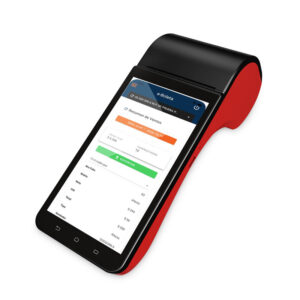 DCA-H62The 6-inch class handheld: the device for the aisle, the cooler and the delivery door rather than for a stand.Specifications →
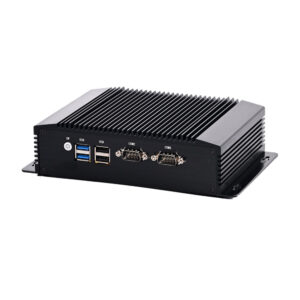 DCA-M100Fanless mini PC for a store running its own Windows software: the host that can drive an HDMI second screen and a 10.1-inch panel.Specifications →
Self-checkout, and the basket size where it pays
Self-checkout is sold as a labour saving and it is really a basket filter. A self-service lane moves a three-item basket in about 40 seconds and a 25-item basket in four minutes, and the second one poisons the lane for everybody behind it. The stores where it works are the ones with a high count of small baskets and an attendant who is already standing there — which describes a c-store at 07:30 better than it describes most formats.
The hardware constraint is footprint. A self-service kiosk needs 60 to 80 cm of frontage, a bagging shelf, and a lane a customer can enter with a basket without crossing the queue for the staffed till. In a store with four metres of frontage that is a real trade: one kiosk is one lane removed and one lane added, and the arithmetic only works when more than 30 per cent of baskets are small.
What the kiosk does not solve is the age-gated item, and in a c-store that is most of the margin. A self-checkout lane has to stop, call the attendant and verify, which converts a 40-second transaction into a 90-second one. Either the store accepts that, or it keeps gated items at the staffed till — which is the configuration most small-format operators end up with after a year.
| Lane | Throughput | Footprint | Staffing |
|---|---|---|---|
| Staffed till, two channels | 90–120 tickets an hour | 1.2 m of counter | One cashier |
| Self-checkout kiosk | 60–80 baskets an hour, small baskets only | 60–80 cm plus bagging | One attendant per three or four lanes |
| Handheld line busting | 20–30 tickets an hour, anywhere in the store | None | Uses the cashier already on shift |
Throughput is per lane and assumes the payment terminal is on the lane, not carried to the customer.
Three builds, by ticket count
The three builds below are not packages we sell as a unit; they are the configurations that come out of the counting above, written down so the quotation can be argued with line by line. Every line is a decision that can be reversed, and the reversal has a cost that is stated.
| Build | Counter | Terminal | Printing | Reading | For |
|---|---|---|---|---|---|
| Small format, 600 tickets | 40–45 cm deep | DCA-POS116A, 11.6″ with the printer inside | Built in, 80 mm at 100 mm/s | POS-8280A on the counter | A store where the counter is the constraint and the peak is under 80 tickets an hour |
| Standard, 900 tickets | 45–50 cm | DCA-156A, 15.6″ | POS-8250 at 260 mm/s on a shelf under the counter | POS-8280A plus a POS-1800A handheld | The default build: a separate printer so the mechanism can be swapped in five minutes |
| High volume, 1,200+ tickets | 50 cm, or a second lane | DCA-KSA, 15.6″ with the printer inside | Built in, plus a POS-8370 for coupons | POS-8230 hands-free plus a handheld | Peak-hour stores where the counter is deep enough to give up 19 cm |
All three assume one drawer. A second drawer is a second till, and a second till is a second cash count at close.
The reversal costs are worth stating before the order. A separate printer can be swapped in five minutes and needs 19 cm of counter; a built-in printer cannot be swapped in five minutes and gives that 19 cm back. A 15.6-inch screen is easier to read and needs a deeper counter than an 11.6-inch one. A hands-free reader is faster at peak and useless for the cigarette wall. None of these is a preference; each is a count.
What we do not sell, and what that costs you
We build the terminals, receipt printers, label printers, drawers, scanners, customer displays and mini PCs on this page. We do not sell the POS software, the card processing, the payment terminal or the installation labour. Those are three separate suppliers in most stores, and the reason to name them is that a hardware quote which does not mention them reads as a complete price when it is one line of five.
The software decision comes first, and it constrains the hardware more than the hardware constrains it. A store running an Android POS package needs a terminal with the right Android version and the right printer interface; a store running a Windows package needs a mini PC or a Windows terminal, and the second screen question changes with it. Ask the software supplier two questions before choosing hardware: which printer interface the package expects (LPT, USB or a network queue), and whether it drives a second display over HDMI or through a vendor protocol.
What is on our side of the line is the part that fails in year two: cables, mechanisms, drawer slides, scanner windows and the power supply in a hot back office. A c-store runs its hardware 8,760 hours a year, three to four times a restaurant’s duty cycle, and the specification that survives that is boring: an aluminium housing instead of ABS, a printer with a 50 km head rating, a drawer with a million-operation slide, and a spare roll of paper in the cabinet.
Two pages sit either side of this one: the POS system overview for how the parts fit together, and what a POS system costs for the five lines a quote is made of. If the counter is also a food counter, the café page covers the label and modifier side; if the store runs a deli scale, the grocery page covers the three ways a scale connects. The two neighbouring formats are on the bar page and the liquor store page.
Do I need a 15.6-inch screen in a convenience store?
Only if the software puts more than a product grid on it. At the till the cashier looks at the customer, the scanner and the drawer; the screen matters when the software shows a planogram, a promotion list or an age prompt with detail. An 11.6-inch all-in-one with a printer inside is the better fit for a 40 cm counter, which is the more common constraint.
Built-in printer or a separate one?
Built-in buys back 19 cm of counter, one adapter and the USB cable that fails most often. It costs about one second per receipt, and the mechanism cannot be swapped in five minutes. A store under 900 tickets a day should take the built-in; a store at 1,200 should keep the printer separate and keep a spare.
Can one scanner serve the counter and the cigarette wall?
Not well. A fixed presentation reader serves the counter and fails at the wall behind the cashier; a handheld serves the wall and adds two motions to every counter item. The configuration that works is one presentation reader facing the customer plus one handheld on the cashier’s side, which is two USB ports and two cables planned at the counter rather than added later.
How many rolls of paper will we use in a year?
At 900 tickets and 150 mm a receipt, an 80 m roll is about 530 receipts, so 1.7 rolls a day and roughly 620 a year. At 1,200 tickets it is about 820. Add 10 per cent for reprints and end-of-roll waste, and buy by the case: the per-roll difference is larger than the printer margin.
Is a 58 mm printer enough?
For a coffee window, a queue ticket or a two-item basket, yes: 48 mm of printable width is 32 characters, which holds a total and a payment line. For a receipt with a lottery slip, a fuel line and a basket on the same roll, no: the item name wraps and the receipt becomes a strip that customers fold twice and lose.
Our counter is only 40 cm deep. What changes?
The drawer and the paper path. Take the 350 mm drawer at 380 mm deep instead of the 420 mm platform, mount the printer on the wall if the counter cannot give up 19 cm, and check that the paper exit faces a hand. A terminal with 210 mm of depth plus a stand is already most of the depth; a separate printer beside it is the line that does not fit.
Send the counter drawing, not the model number
The specification is decided by three numbers: counter depth, front panel height and tickets a day. With those we can say which of the three builds fits, and which line of the quote is a reversal.
- Counter depth and front panel height, in millimetres
- Tickets a day, and the busiest hour
- Whether the software expects LPT, USB or a network printer
- Whether a second screen has to show line items or only a total