
Three of the five lines are ours
Three of the five lines in a POS bill are hardware, and we quote them. The other two are install labour and fees, and those are the ones that decide the three-year total. Here is the count that comes before the price.
A POS system does not have a price. It has a multiplication: the number of stations, times what sits on each one, plus two lines that no hardware supplier quotes. Every “how much” question is really three counts, and the counts are what this page is about.
The five lines in a real bill are these: the station, the parts that hang off it, the second screen, the install, and what it costs to keep paper in it. We quote the first three. The fourth belongs to whoever racks the switch and loads the menu; the fifth is split between a software publisher, a payment provider and a paper merchant. A comparison that leaves those two out is not a cheaper quote, it is a shorter one.
So there is no price list here, and that is deliberate. A list price for “a POS system” would be a lie of omission: a body with the receipt mechanism inside and the same body without it are different products at different prices, and the difference is most of what a buyer needs to know. What can be written down is the count that precedes the quote — what is inside a body and therefore not on the desk, how many cartons a station becomes once freight is charged by volume, how much paper one year of receipts actually is, and the four places where the cheaper part is the more expensive decision.
We build the three lines we do quote: all-in-one terminals from 11 to 15.6 inches, 58 and 80 mm receipt printers, cash drawers in three widths, 2D scanners, pole and VFD displays, and fanless mini PCs. We do not sell software, card processing or installation labour, and this page says which line is whose rather than leaving it to the last paragraph.
The five lines·The station·Parts outside·The second screen·The install·Paper·The three nobody quotes·Three builds·Cheap parts·What we sell
Five lines, and the one everybody quotes
A request for a quote on “a POS system” usually comes back as a price for a station, sometimes with a printer, and rarely with a drawer. That is line one and part of line two. The station is the visible half of the bill because it is the part with a screen on it, and it is the half that a catalogue can show you.
The other four lines are where the three-year total is decided, and two of them are not hardware at all. A quote that omits a drawer and a quote that includes one are not 10 per cent apart; they are different scopes at a similar headline number. The two quotes then get compared as if the difference were margin, and the buyer negotiates over the wrong variable.
What the five lines are
Each line is counted differently, and each one is quoted by a different party. Two of the five are not ours at all, which is the reason to write them out here.
| Line | What it covers | Counted in | Quoted by | What moves it |
|---|---|---|---|---|
| 1. The station | Body, panel, board, ports, and whatever is built in | Per station | Hardware supplier | Screen size, and what is inside the housing |
| 2. The parts outside | Drawer, scanner, a printer if it is not inside, display, cables | Per station, or per till | Hardware supplier | How much of the station is integrated |
| 3. The second screen | Rear panel, pole display, or a whole second station | Per till | Hardware supplier, plus a software seat | Who has to read it, and whether it turns |
| 4. The install | Network, cabling, configuration, menu data, training | One-off, by the day | Integrator or reseller | Station count, and how clean the data is |
| 5. Running it | Paper, software seats, card fees, spares | Per month | Three different companies | Receipts a day, and turnover |
Five lines, four suppliers. The hardware supplier quotes lines one to three and is paid once; the other two keep being paid. That asymmetry is why a hardware discount of a few per cent rarely changes a three-year total, and why a payment rate of a quarter of a point sometimes does.
Two quotes for the same shop
Take a shop with one counter, a cash drawer and a card machine. Quote A is one all-in-one body with a receipt mechanism inside, no drawer, no scanner, delivery included. Quote B is the same body, a drawer, a 2D scanner, a 10-inch display on a pole, three boxes of paper and two days of installation. Quote B is not a more expensive version of A. It is A plus the three parts and the labour that A assumed somebody else would buy.
Six questions turn one quote into the other. Ask all six of both suppliers, in writing, and the two numbers become comparable in about ten minutes.
- Is the printer inside the body, or a separate unit? Inside is one carton, one power lead and one data path. Separate is a printer, its adapter, its cable and its own place on the counter.
- Is a drawer in the number, and does it have a micro switch? A drawer without a switch cannot report that it opened, so the software logs a button press rather than a drawer state.
- Is a scanner in the number, and is it 1D or 2D? A 1D laser will not read a phone screen, a QR menu, or a GS1 DataMatrix on a carton.
- Is a customer display in the number, and what drives it? A rear panel is ordered with the body; a pole display needs a video output or a USB host on the body that drives it.
- Does the software licence count a display as a station? Some packages license by device and some by till. A second screen that costs a seat changes line three from a panel to a panel plus a subscription.
- Is installation with menu loading included? Two days of an integrator is a real number, and it is usually the largest single line in a small install.
Once those six are answered, two quotes for the same shop usually land within a few per cent of each other, and the decision stops being about money and becomes about ports, warranty length and whether the printer is where the receipt is handed over. Those are answerable from a specification sheet. The headline number is not.
Line one: the station, and what is inside it
The body is the only line on the bill where money buys structure rather than parts. Panels are panels; what separates a 700 gram terminal from a 6.5 kilogram one is not the glass, it is whether the receipt mechanism, the scan engine, the NFC coil and the connector block are inside the housing or sitting beside it.
That is also why the same screen size appears at three different points in a range. An 11-inch body with a printer inside is not a more luxurious version of an 11-inch body without one — it is the product that lets a counter 600 mm wide print a receipt, and the one without it is the product that assumes a separate printer at 260 mm/s and an 83 mm roll.
Three tiers, and what each one leaves on the desk
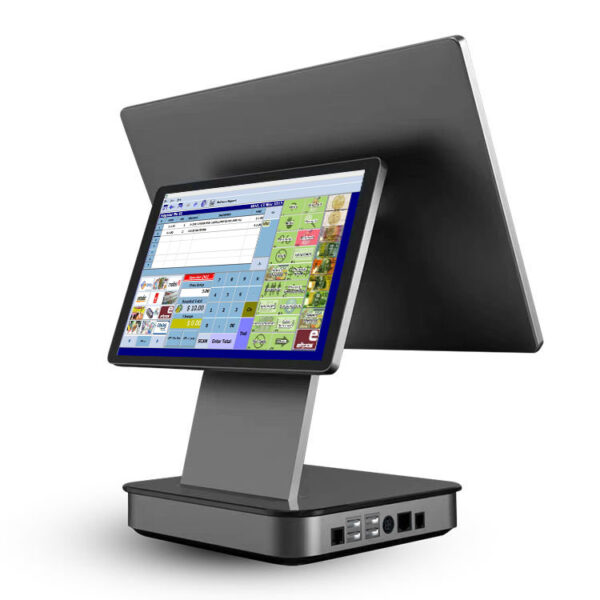
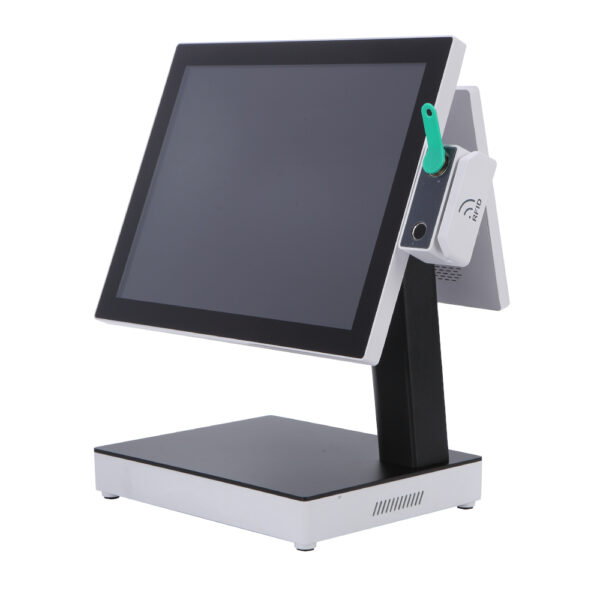
Glass only. The DCA-155A and the DCA-156A are 15.6-inch Android bodies with a panel, a board and a connector block. Neither has a printer, so both need one beside them; the 156A publishes one RJ11 for a drawer and one RJ12 for a scale, and the 155A publishes neither, so its drawer opens from the separate printer it needs anyway.
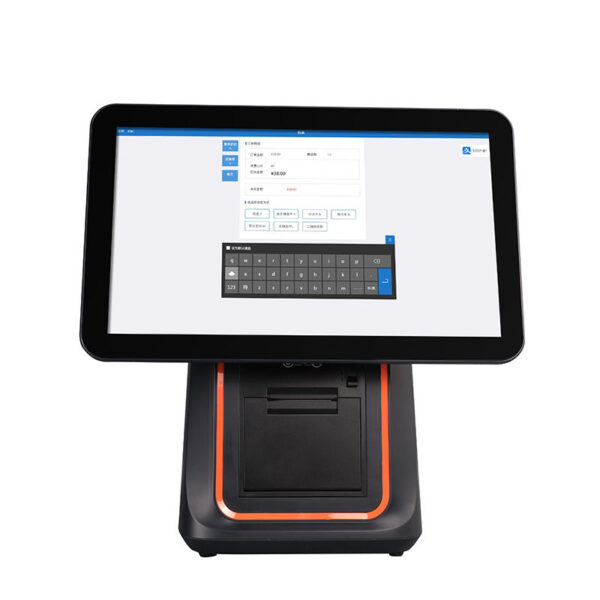
Glass and a mechanism. The DCA-KSA, the DCA-Q3S and the 15.6-inch Windows bodies put an 80 mm printer inside the housing, and the KSA’s adapter steps from 12 V/5 A to 12 V/7 A when the printer is fitted. That single change removes a printer, an adapter and a cable from the counter, and the body that holds one is 5.6 kg against 3.18 kg for the same screen without it.
Glass, a mechanism, a scan engine and a connector block. The DCA-NB11 carries all four in 700 g, and the DCA-POS116A at 11.6 inches carries a Seiko mechanism with an auto cutter, two RJ11 ports and an optional embedded scanner. This is the tier where the only thing left on the desk is a drawer cable, and it is the tier that costs the most per station and the least per part.
| Body | Screen | Inside the housing | Connectors on the body | Weight | Left on the desk |
|---|---|---|---|---|---|
| DCA-NB11 | 11″, 800×1280 | 80 or 58 mm printer, 1D/2D head, NFC | Type-C ×1 on the base; RJ11, RJ12, RJ45, USB-A ×4 on the Pro | 700 g | A drawer cable |
| DCA-POS116A | 11.6″, 1366×768 | 80 mm Seiko mechanism with auto cutter; scanner and NFC optional | USB ×5, RJ45, COM, RJ11 ×2 | 2.35 kg | A drawer cable, and a scanner if not ordered |
| DCA-KSA | 15.6″, 1366×768 | 80 or 58 mm printer on the printer build; rear panel optional | COM, or HDMI on the J4125 board | 5.6 kg | A drawer on the printer’s port, a scanner |
| DCA-156A | 15.6″, 1366×768 | Nothing but the board | USB ×4, RJ45, RJ11, RJ12 | 3.18 kg | A printer, a scanner, a display |
| DCA-155A | 15.6″, 1366×768 or 1920×1080 | Nothing but the board; 2×20 VFD optional | 12 V DC in, and a power button | 6.5 kg | A printer, a scanner, a drawer |
Read the last column as a shopping list. Every line in it is a carton, a power lead, a warranty claim and an entry on the freight invoice, and every one of them is bought from somebody.
The price of a port
Ports are the cheapest thing on a body and the most expensive thing to leave out. The base NB11 lists two SIM slots and one Type-C, and that Type-C is shared between charging and any peripheral, with a 5 V/2 A adapter feeding it. The Pro build moves charging to a separate DC jack at 12 V/2 A and adds RJ11, RJ12, RJ45 and four USB-A ports.
Three of those four additions replace a box that would otherwise be on the counter. RJ45 removes a USB-Ethernet adapter. RJ11 removes the printer as a drawer relay. The four USB-A ports remove a hub. A USB-C hub is a commodity and does the same electrical job, but it shares the one port it is plugged into with the charger, and it is the part most likely to be unplugged by somebody tidying up.
The fourth addition is the one that cannot be bought anywhere: RJ12 for a scale. A shop that weighs what it sells — a deli, a bulk aisle, a coffee roaster — has a scale with a serial output and a software package that expects to read it through a COM port. A body with no serial port and no RJ12 turns that into a USB-serial adapter, a driver, and a support call the first time the adapter is unplugged.
DCA-NB1111″ at 800×1280, 700 g, Android 12 with 13 on the Pro. Printer, 1D/2D head and NFC inside; 80 or 58 mm paper on a 60 mm roll. The base shares one Type-C between charging and OTG; the Pro adds RJ11, RJ12, RJ45 and USB-A ×4.Specifications →
DCA-POS116A11.6″ at 1366×768, 2.35 kg, Seiko mechanism with an auto cutter at 200 mm/s. USB ×5, RJ45, COM, RJ11 ×2 — two drawers from one body. Android 7.1 or 8.1, so check the app’s minimum version first.Specifications →
DCA-155A15.6″ at 1366×768 or 1920×1080, 250 cd/m², RK3566 or RK3568, Android 11. 6.5 kg net, 8.0 kg gross, no printer and no drawer port — the simplest large screen, and the one that needs the most around it.Specifications →
The bodies this section is built on: POS terminals by category · the Android range · what an all-in-one actually integrates · the whole hardware range by station
Line two: everything that is not inside the body
Every part outside the body is a separate purchase, a separate power supply, a separate warranty claim and a separate line on the freight invoice. None of those four costs is large on its own. What makes them a line rather than a rounding error is that they are counted per station, and a shop with six lanes counts them six times.
The test we use is the plug count. Count the wall sockets one station needs: a body with the printer inside and a drawer on an RJ11 needs one. The same body plus a Bluetooth printer, a pole display and a scanner needs four, and those four sockets are an electrician’s line item that appears in nobody’s hardware quote.
Four cartons, and what freight does to them
Freight is charged on whichever is larger, actual weight or volume at a divisor — 1:6000 for air, which is one kilogram per six litres. That divisor is why a light product can be billed at three times its own weight, and why the box a terminal ships in is a cost line rather than packaging.
| Part | Carton | Gross weight | Volume at 1:6000 | Billed as |
|---|---|---|---|---|
| DCA-156A terminal | 43 × 45 × 29 cm | 3.18 kg | 9.35 kg | 9.35 kg — 2.9 times the device |
| DCA-KSA, dual screen, no printer | 34 × 45 × 48 cm | 7.7 kg | 12.24 kg | 12.24 kg — 1.6 times |
| DCA-155A terminal | 42.5 × 27.5 × 40.5 cm | 8.0 kg | 7.89 kg | 8.0 kg on actual weight |
| DCA-POS116A terminal | 37 × 38 × 20 cm | 5.20 kg | 4.69 kg | 5.20 kg on actual weight |
| POS-405A cash drawer | 40.5 × 45.5 × 13.9 cm | 5 kg | 4.27 kg | 5 kg — steel is dense |
| PD220V-II pole display | 28 × 23 × 8 cm | 1.1 kg | 0.86 kg | 1.1 kg |
Carton dimensions and gross weights as published on each product page. Volume weight is the carton in cubic centimetres divided by 6000, which is the air-freight convention; sea freight is charged per cubic metre instead, and changes the ranking rather than the argument.
The pattern is not that lighter is cheaper. The pattern is that the box decides, and a body with a screen has a large box relative to its mass. A 3.18 kg panel terminal is billed at 9.35 kg because its carton holds 56 litres of foam, while a 5 kg drawer is billed at 5 kg because it is a steel box in a cardboard box. Six lanes of the first product is 56 kg of chargeable freight; four stations’ worth of drawers in the same shipment is 20 kg.
The corollary is uncomfortable for a cheap quote. A station assembled from five small parts is five cartons, five chargeable weights and five chances for one box to arrive damaged. The body with the printer, the scanner and the ports inside is one carton. Where the parts are made by different manufacturers, they are also five separate warranty processes, and the one that fails first is the one you talk to most.
The drawer is a piece of furniture
The cash drawer is the one part whose dimensions are decided by furniture rather than electronics, and it is the part most often bought last and fitted worst. All three drawers in the range open on a 12 or 24 volt pulse over RJ11 or RJ12, all three have a three-position lock, and the difference between them is almost entirely what they occupy.
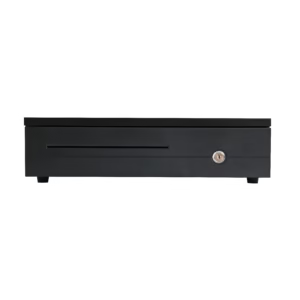
The POS-350A is 350×380×92 mm and 4 kg, and it is the only one of the three that clears a shallow console: a counter 450 mm deep leaves 70 mm behind it, which is enough for a cable but not a cable tray. The POS-405A and the POS-410B are 420 mm deep and 100 mm high, with a ball-bearing slide rated to a million openings and eight adjustable coin slots.
Depth is the number that gets missed. A drawer 420 mm deep under a counter 450 mm deep leaves 30 mm, and a modesty panel or a cable tray takes all of it, so the drawer ends up on top of the counter and 400 mm of the surface the counter was bought for has gone. That is a cost, it is just not on the hardware invoice.
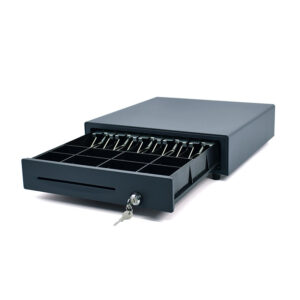
POS-405A405×420×100 mm, ball-bearing slide, MTBF 1,000,000 openings, eight adjustable coin slots and two media slots. A micro switch reports whether it is open, which is what a no-sale log needs. RJ11, RJ12, USB or RS232; 12 V or 24 V solenoid.Specifications →
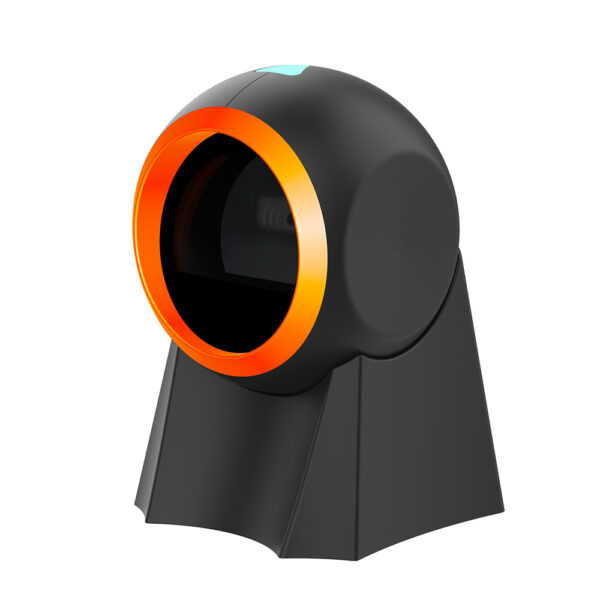
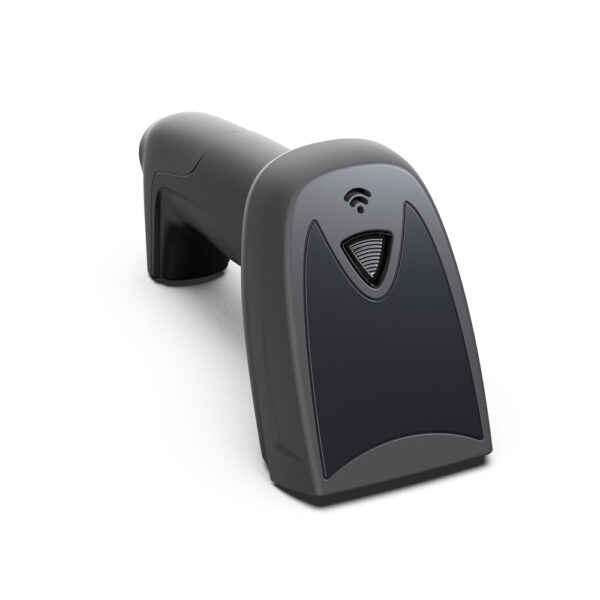
POS-8800FDesktop 2D presentation scanner, 308 g, USB, 0.9 W standby and 1.6 W at peak. Auto-sensing with no trigger, 35 cm/s on a 10 mil QR, reads a phone screen at 0–11 cm. One carton, no adapter.Specifications →
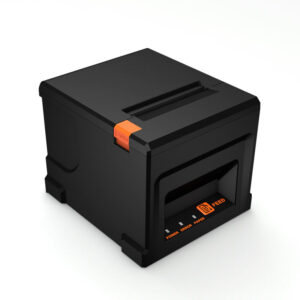
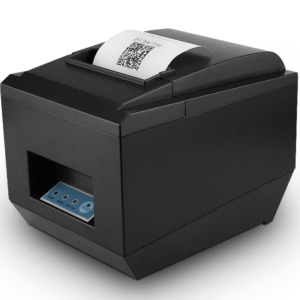
POS-836080 mm thermal printer at 220 mm/s, 576 dots a line, 72 mm print width, 80 mm roll. A 12 V/1 A drawer port, USB, LAN, Bluetooth optional. The separate printer a glass-only body needs beside it.Specifications →
The parts in this section, by interface: POS peripherals by category · how a drawer pulse works, and why the voltage has to match · what the USB interface decides on a scanner · what can drive a customer display
Line three: the second screen
The cheapest way to put a second position in front of a customer is not a second station. A station is a body, a board, an operating system, a software seat, a network port and a drawer cable; a screen is a panel and a cable. The gap between those two items is the largest single saving available in a small install, and it is the one most often missed because the second position is described as “another till” when what is actually needed is “a screen the customer can read”.
There are three ways to do it, and they are not interchangeable. A rear panel is a factory build of the same body, so it arrives as one carton with no cable and no adapter. A pole display is an accessory, so it arrives as a second carton with its own power supply. A second station is a second everything.
| Option | What it is | Cartons | Needs from the body | Software seat | When it is the right answer |
|---|---|---|---|---|---|
| Rear panel | A second panel built into the back of the same housing | None — the same box | Nothing; the option is ordered with the body | Sometimes counts as a display, sometimes as a till | The customer stands at the counter and reads a total |
| Pole display | A panel on an arm, on the counter, cabled to the body | One, plus an adapter | HDMI or VGA, or a USB host for a VFD | Rarely counts as a station | The counter is shared, or the arm has to swing |
| Second station | A whole body with its own board and printer | Two or more | A network port and a licence | Always | A second person takes payments, not just reads them |
The middle row is where most shops should start. The bottom row is what they usually buy, because “a second screen” sounds like a downgrade until somebody prices the licence.
The cable decides, and it is not the panel
Whether a pole display can be added at all is a question about the body, not about the display. The POS-CD7A takes VGA or HDMI, the POS-CD10H takes HDMI only, and the PD220V-II takes USB. Most of the compact all-in-one bodies publish no video output at all: the NB11 has no HDMI and no VGA, and neither has the 156A. On those bodies a graphics display on a pole is not an option at any price, and the two answers left are a rear panel ordered at the factory or a 40-character VFD on USB.
The VFD is the part of this that gets dismissed too early. Forty characters is two lines of twenty, and a line of twenty is enough for a total, a change due and a card-scheme message: it is not a screen for a menu, and it is not meant to be. It is 0.83 kg, it runs from 5 to 24 volts, it draws its power from a USB port that also carries the data, and it works on every body that has a USB host, which is every handheld and every compact terminal here.
Two screens on one transaction also change who does what. If the customer can read the line items, the cashier stops narrating them, which is worth roughly fifteen seconds a ticket; if the customer can see the tip prompt, the tip is confirmed by the person paying instead of the person serving. Neither of those is a hardware saving. Both are why the third option — a whole second station used as a display — is usually the most expensive way to solve a problem that was never about computing power.
POS-CD7A7″ IPS at 1024×600, 16:9, 430 cd/m², 25 ms, 12 V/3 A. VGA or HDMI, plastic case, non-touch by default. The smallest full-graphics panel that fits on a counter, and one more wall socket.Specifications →
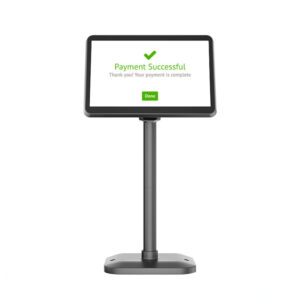
POS-CD10H10.1″ IPS at 1280×800, 430 cd/m², 16.7 million colours, 350° horizontal and 60° vertical on a 1.5 m cable. HDMI only, 12 V/3 A — so it needs a body with a video output.Specifications →
PD220V-IIVFD, 20 columns × 2 lines, 500–1000 cd/m², 0.83 kg, 355° rotation, 15.5–41.5 cm height. USB, so it works on a body with no video output at all; ten command sets including CD5220.Specifications →
Screens, brackets and the bodies that drive them: touch screen monitors · what a customer display can be driven by · dual-screen terminals, and when the second panel pays for itself
Line four: the install, which is labour
Installation is the line that a hardware quote either excludes or hides, and it is the one whose size surprises people. It is not lifting: a four-station shop is a morning of carrying boxes. It is the four things that have to be true before the first customer is served, and three of them are not hardware at all.
The network. One switch port per station plus two spare, fixed addresses for the printers, and a cable path that does not run along a floor where a trolley goes. A till that loses its printer because the printer’s address changed is not a hardware fault, and it will be logged as one.
The software. One image per body, the same image on all of them, and the minimum Android version verified against the app before the bodies are unpacked. This is the cheapest hour of the whole project when it happens before delivery and the most expensive one when it happens after.
The data. Menu, tax rules, modifiers, discount rules, staff accounts, receipt layout. This is where installs run over, and it is not a hardware hour: a hundred items imported from a spreadsheet is an afternoon, a hundred items typed from a paper menu is two days, and the difference is whether the shop has its list in a file.
The test. A sale in cash, a sale by card, a refund, a no-sale drawer opening, a reprinted receipt, and an end-of-day that reconciles. Six things, twenty minutes, and the only part of the install that proves the first three were done.
What makes the labour bill smaller
Most of the labour in a small install is spent waiting for information or walking back to a van. Five things remove most of it, and three of them cost nothing.
- A socket count before the boxes arrive. Two outlets per station is the minimum: body and printer if the printer is separate, plus one for a pole display, plus one for a switch. An electrician who arrives after the counters are fitted charges for the same work and takes longer doing it.
- A switch with spare ports. Four stations need six ports on day one, because a printer on LAN and a back-office machine are also on the switch, and the eighth port is cheaper than a second switch.
- The item list in a file. CSV or Excel, with prices, tax codes and modifiers in separate columns. This is the single largest variable in install time.
- Bodies imaged before delivery. Ask the reseller to load the app, set the printer to the shop’s paper width and configure the drawer pulse before the cartons are sealed. It takes minutes at a bench and an hour per station on site.
- The card terminal on site for the test. A payment device that arrives after the install is a return visit, and a return visit is priced like a visit.
Two days of an integrator is not sixteen hours of work. It is two days of access to a shop that is not trading yet. If the shop is already open, the same work happens between service and close, over more visits, at a higher price per hour — which is the real argument for fitting out before the first delivery rather than after the first week of trading.
One line of the install is genuinely hardware and belongs in the hardware quote: the spare. A single spare body on a shelf turns a failure into a swap rather than a wait for a courier, and it is the cheapest insurance in the project because the body is already in the order and the freight is already being paid. Shops that buy six stations and no spare are one failure away from a day of manual receipts.
Line five: paper, and the arithmetic of a roll
Paper is the only line on the bill that is paid every week forever, and it is the one nobody calculates before buying. The calculation is short, it needs three numbers, and it settles a question that is otherwise argued from habit: whether the 58 mm printer is cheaper than the 80 mm one.
The three numbers are the roll diameter, the paper thickness and the length of one receipt. Paper length on a roll is pi times the outer diameter squared minus the core diameter squared, divided by four times the thickness. With a 13 mm core and 0.07 mm stock, that gives 16.1 m on a 40 mm roll, 38.5 m on a 60 mm roll and 69.9 m on an 80 mm roll.
Rolls a year, and who changes them
A hundred-millimetre receipt is twenty-six lines at the 3.75 mm default line spacing, which is a short shop receipt with a header and a total. At 200 receipts a day and 300 trading days, that is 60,000 receipts and 6,000 m of paper — on every roll size, because the paper used depends on the receipts, not on the roll.
What changes is how often somebody stops. Sixty thousand receipts is 374 rolls of 40 mm, 156 rolls of 60 mm or 86 rolls of 80 mm. Over 300 trading days that is a roll every 0.8 days on the smallest, every 1.9 days on the middle one and every 3.5 days on the largest. The 80 mm printer is not better paper; it is fewer interruptions, and the interruptions land at the till while a customer is waiting.
| Receipts a day | Paper a year | Rolls of 16.1 m | Rolls of 38.5 m | Rolls of 69.9 m | Roll changes a week |
|---|---|---|---|---|---|
| 100 | 3,000 m | 187 | 78 | 43 | 3.6 / 1.5 / 0.8 |
| 200 | 6,000 m | 374 | 156 | 86 | 7.2 / 3.0 / 1.7 |
| 400 | 12,000 m | 747 | 312 | 172 | 14.4 / 6.0 / 3.3 |
300 trading days, 100 mm a receipt, 0.07 mm paper on a 13 mm core. A week is 52 of those days. Halve the receipt length and every number halves; double the trading days and every number rises by half.
The width costs more paper, not less
The intuition is that narrower paper is cheaper paper. It is not, because an 80 mm printer prints 48 characters on a line and a 58 mm printer prints 32, and a receipt that fits in one line at 48 characters takes one and a half lines at 32. Set the two against the paper width and the narrow roll does not win at all: 58 mm of paper at 1.5 times the length is 87 square millimetres for every 80 square millimetres the wide roll uses. The 58 mm printer consumes about nine per cent more paper for the same receipt.
What it consumes far more of is handling. The same nine per cent in area hides a factor of four in rolls, because a 40 mm roll holds a quarter of the paper an 80 mm roll does. A shop choosing 58 mm because the printer is smaller is choosing to change a roll nearly once a day, and to keep four times as many rolls in the cupboard.
Where 58 mm is the right answer is the handheld, and for a reason that has nothing to do with paper: a printer inside a 358 gram body has to fit in a 40 mm roll housing, and a receipt handed to a customer at a table is four lines long. The 58 mm format exists because it moves, not because it is cheap.
The mechanism outlives the software
None of the consumable arithmetic is about the print head, which is the part buyers worry about. A head rated at 100 km prints a million 100 mm receipts, which at 60,000 a year is more than sixteen years of trading; the 50 km head on the smaller printers is still eight years. A cutter rated at 1.5 million cuts is twenty-five years of one cut per receipt. The 80 mm printers in the range publish 100 km of print reliability, and the auto cutter on the 8370 publishes 1.5 million cuts.
What does wear out is the part that is not rated: the platen, the paper path, and the person who has to open the cover. Cleaning a thermal head is a two-minute job with an alcohol wipe, and it stops being done in the second month, which is why most head failures are dot dropouts from residue on the head rather than from hours of printing.
POS-837080 mm at 220 mm/s, 203 dpi, 72 mm print width, roll to 83 mm. TPH rated 100 km and the auto cutter 1.5 million cuts. Drawer port DC 24 V/1 A — match the solenoid before ordering.Specifications →
POS-5890U58 mm at 70 mm/s, USB and Bluetooth, no auto cutter, 50 km head, 1-year warranty. 48 mm print width, so 32 characters a line and a receipt one and a half times as long.Specifications →
POS-800880 mm portable label printer, USB and Bluetooth, ESC/POS, TSPL and CPCL, 70 mm/s, 30–72 mm paper, black-mark and label detection, 2000 mAh. Where the consumable is a label rather than a receipt.Specifications →
Printers by paper width and interface: POS peripherals by category · what a 48-character line means on a cafe ticket · and on a salon ticket, where it is the opposite · what a UK receipt has to carry
Three lines that are in nobody’s quote
Beyond the five there are three costs that no party in the hardware chain quotes, because none of them is hardware. They are not small, and two of them are larger than the hardware over the life of a till. A purchasing decision that ignores them is optimising the smallest part of the number.
Software, counted per station
A POS licence is either a subscription per station per month or a one-off licence plus annual maintenance. Either way it is priced by the station and it repeats. Three questions turn it into a number: whether a rear panel or a pole display counts as a station, whether a station can be moved from one body to another without a new licence, and what the annual maintenance covers when a version stops being supported.
The second question is the one that decides how a shop grows. If a licence is tied to a body, then replacing a failed body costs a licence; if it is tied to a user or a till, it does not. That single line in a contract is worth more than the difference between two bodies, and it is invisible in a hardware comparison.
The card fee, which is a share of turnover
Card processing is charged as a percentage of what the shop takes, so it is the only line on the list that grows when the shop does well. It is also the largest one for most shops, and it is decided by a contract that has nothing to do with the terminal.
The arithmetic is worth doing before comparing two hardware quotes. A quarter of a percentage point on 400,000 of card turnover is 1,000 a year and 3,000 across a three-year life. The rate is local and negotiated, and neither changes the shape: a fixed cost is paid once, a share of turnover is paid for as long as the shop trades. When the two hardware quotes differ by less than the spread between two processors, the processor is the decision.
There is one piece of hardware in this argument: the reader. A body with a certified reader inside it, like the DCA-H50, puts the payment device on the same screen as the total. A body without one adds a second device, a second contract and a second battery — and the fee is the same either way, because the fee follows the merchant account, not the terminal.
Spares, and how long the warranty actually is
Warranty length is printed on the specification sheet and it varies more than buyers expect: the POS-5890U lists one year, the DCA-Q3S lists two, the DCA-H62 lists two. Over a five-year life that difference is not a discount, it is a different number of paid repairs, and repairs are priced per event rather than per year.
The spare is the part of this that is worth planning. One spare body per shop, or one per ten stations, turns a failure into a swap that takes ten minutes. It also changes the failure conversation: a shop with a spare does not accept a two-week courier wait, because it does not have to. A spare costs one body; a day of manual receipts costs a day of trading, which is measured in a different unit.
Three builds, and the count that picks one
These are not packages and there is no price beside them. They are the three shapes that come out of the sections above, written so a shop can check its own plan against one of them and see which parts it is short of — and, in the fourth column, what the freight does when the parts are counted as cartons.
| Build | Stations | What ships | Bodies, billed as | The line that dominates |
|---|---|---|---|---|
| One counter, cash, under 100 tickets a day | 1 | A body with the printer inside, a drawer, a 2D scanner | 12.2 kg | The body, which is most of the cartons and most of the bill |
| Two counters and an office | 2 | Two bodies, two drawers, two scanners, a mini PC, a label printer | 18.7 kg | The second software seat, then the second body |
| Six lanes | 6 | Six bodies with printers inside, six drawers, six scanners, a mini PC, a switch | 56.1 kg | Install days and cabling, not the hardware |
Bodies billed at the chargeable weight of each carton, six lanes of the 156A at 9.35 kg each. Parts counted as devices, not as cables. A spare body, if there is one, is one more carton of the same weight.
The number that picks between the first two rows is people at the counter at eleven o’clock. One person and one queue is the first row; two people serving two queues needs two stations, and the second station is the second-largest line in that build because it is a body, a drawer, a scanner and a licence.
The number that picks between the second and the third is not stations, it is the network. Six lanes means six cable runs, a switch with spare ports, an address plan and a switch-on that happens outside trading hours. Past about four stations, the labour line is the same order of magnitude as the hardware, and it is the one line where buying better hardware reduces the bill: a body with an RJ45 port costs a cable run, a body with one Type-C port costs a cable run plus an adapter plus the support call when the adapter is unplugged.
Six lanes built from glass-only bodies is twelve cartons. Six bodies plus six printers, six adapters, six cables, and six more places for a paper path to jam. Six lanes built from bodies with the printer inside is six cartons and six cables to a drawer. That is the integration argument in a single sentence, and it is why per-station price is the wrong column to compare.
DCA-152W15.6″ Windows terminal on a folding stand, 360×380×210 mm, 5.10 kg, VESA 75 or 100. J1900 to i5, 6×USB, 2×COM, RJ11 option. The counter build where the software is Windows and the stand is part of the fit-out.Specifications →
DCA-H808″ at 800×1280, 800 g, 58 mm printer and a removable battery at 6400 mAh — 24.3 Wh, the same as the 11-inch NB11’s fixed cell. The station that leaves the counter without a cable.Specifications →
DCA-M100Fanless mini PC, 170×125×50 mm, 2 kg. Intel N100, 2×HDMI 1.4 and 1×DP 1.2, 2×Gigabit LAN, 4×USB, 2×RS232, −20 to 60 °C, watchdog and auto power on. The back office when there is no back office.Specifications →
The two ends of the range, and the software question: Android against Windows, and what a licence costs either way · the fanless mini PC range · a one-counter build, part by part
Four places where the cheaper part costs more
None of these is an argument for buying the most expensive option. Each one is a specific case where saving on a part moves a cost somewhere that is harder to see, and each one is answerable from a specification sheet before the order is placed.
The drawer without a switch
The POS-350A saves the micro switch and a little depth: 92 mm high against 100, 380 mm deep against 420. What it cannot do is tell the software that the drawer opened. A shop that logs no-sale openings is a shop that can answer the question “who opened the drawer at 21:40 and rang nothing up”; a shop without the switch can only answer it from a camera. The switch is not a feature for the drawer, it is the only evidence the till produces about cash.
There is a second half to that: the 405A and the 410B are rated to a million openings on a ball-bearing slide. A drawer that is used two hundred times a day reaches that number in about fourteen years, so the rating is not the argument either. The argument is the signal.
The printer without a cutter
The POS-5890U has no auto cutter, prints at 70 mm/s and takes 58 mm paper. On a market stall or in a handheld it is the right device: small, and a receipt torn by hand is normal there. At a counter serving 200 tickets a day it is a person tearing paper 200 times a day, and a torn edge at an angle is what a customer hands to an accountant.
The cutter matters for a second reason that has nothing to do with tidiness. A printer with a cutter can be run unattended — a self-order kiosk, a queue ticket, a kitchen ticket at the pass. A printer without one needs somebody standing at it, which means it cannot be the printer behind an unattended screen.
The body without a printer
The DCA-156A is 3.18 kg, has four USB ports, an RJ45, an RJ11 and an RJ12, and costs less per station than the same screen with a mechanism inside. It is the right body for a shop that already owns a 260 mm/s printer and prints to it over LAN, and it is the right body where the receipt is printed once for four lanes.
It is the wrong body where every station prints. Six lanes of the 156A means six printers, six adapters, six USB or LAN cables and six paper paths to load, against six cartons of a body with the mechanism inside. The saving per station is real; the six extra devices are also real, and they are the ones that jam at seven in the evening.
The older Android version
The version number on the sheet is a date, not a feature. A body on Android 7.1 or 8.1 will run today’s app; the question is whether it runs the app in three years, when a payment SDK raises its minimum to Android 10 and the software supplier ships an update that the body cannot install. The hardware is not what expires — a 100 km print head is sixteen years of paper — it is the software that stops being offered for it.
That is not a reason to refuse an older body. It is a reason to buy one with a support horizon that matches the plan: a body bought for a three-year lease on Android 8.1 is a reasonable purchase; the same body bought to last eight years is a decision to replace it early, and the replacement cost belongs in the comparison.
POS-350A350×380×92 mm, 4 kg, 3-position lock and no micro switch. The one that clears a 450 mm console with 70 mm to spare — and the one that cannot tell the software whether it opened.Specifications →
DCA-H625.5″ at 1280×720, 358 g, 58 mm printer at 90 mm/s, 5000 mAh, IP54. Android 8.1 or 11 — the older build is the one that will drop off a payment SDK’s list first, and the body will still work.Specifications →
DCA-156A15.6″ at 1366×768, 3.18 kg and no printer. USB ×4, RJ45, RJ11 and RJ12 on the base, so a drawer and a scale connect — but every receipt needs a separate unit, its adapter and its cable.Specifications →
The parts in this section, and the two questions behind them: the drawer signal and why the voltage has to match · the whole hardware range · fifteen questions to ask a hardware supplier
What we sell, and what we do not
Half of a cost decision is knowing which lines a supplier can actually quote. This is our list, written the way we would want it if we were buying.
- We sell the first three lines. Bodies from 5.5 to 15.6 inches, 58 and 80 mm receipt printers, label printers, cash drawers in three widths, 2D scanners, pole and VFD displays, fanless mini PCs and self-order kiosks. Those are quoted as a configuration, per station, with freight calculated on the cartons.
- We do not sell software. No POS application, no payment application, no licence. Whether an app reflows to a portrait screen, addresses a second display, or still supports Android 8.1 are questions for the software supplier, and they should be answered before the bodies are ordered.
- We do not sell card acquiring. The DCA-H50 and the DCA-M30 carry certified readers; the merchant account, the rate and the settlement belong to a provider, and the device has to be on that provider’s list. The rate is the number that decides the three-year total, and it is not ours to quote.
- We do not install. Network, cabling, configuration, menu data and training are an integrator’s work. We can pre-load an image and set a printer’s paper width at the bench, which removes time from the install, but the visit is not ours.
- We do not publish list prices. A body with a mechanism inside and the same body without it are different products, and both are configured with or without a scanner, a rear panel, a drawer port and a wider roll. A published number would be for one of those configurations and would be wrong for the other five.
The collection these parts come from, arranged by counter position rather than by shop type, is the POS system range. For the same devices ordered by what the shop sells, start at POS for a small business counter, cafe POS hardware, salon POS hardware, grocery POS by station or tablet POS and the port block.
POS system cost: six questions we get asked
How much does a POS system cost?
No single number means anything without three counts: how many stations, whether the receipt mechanism is inside each body, and whether each station has a drawer and a scanner. A single counter taking cash is three devices. Six lanes with cash and a scanner each is about twenty. That is a factor of six before software, before installation and before the first roll of paper, and it is why a figure quoted without those counts is a figure for somebody else’s shop. The shape of the answer is: stations times the body, plus stations times the parts that are not inside it, plus one second screen per till, plus one install, plus a monthly line for software and fees.
Why are two quotes for the same shop so different?
Because they are usually not for the same shop. Six questions make them comparable: is the printer inside the body, is a drawer in the number and does it have a micro switch, is a scanner in the number and is it 1D or 2D, is a customer display included and what drives it, does the software licence count a display as a station, and is installation with menu loading included. Answer those six for both quotes and the gap usually closes to a few per cent. What remains is a decision about ports and warranty length, which is answerable from the specifications.
Is a cheaper terminal a false economy?
Sometimes, and only in four specific places: a drawer with no micro switch, so no drawer state is logged; a printer with no cutter at a counter that prints two hundred tickets a day; a body with no printer where every station prints; and an Android version old enough that the software will drop it before the hardware wears out. Outside those four, a cheaper body is usually a smaller screen with fewer ports, which is a fair description of what a small counter needs. The mistake is not buying cheap, it is buying cheap where the saving moves a cost into labour.
Do I need a printer at every station?
Only where the receipt is handed over. A station that takes orders and sends them to a printer at the pass does not need its own mechanism, and a shop that emails receipts needs very few. What a station without a printer still needs is a way to open a drawer: either an RJ11 on the body or a drawer cabled to a printer that is cabled to that body. The cheapest arrangement is one printer per two or three stations plus a drawer port on each body; the most expensive is one printer per station bought after the fact.
What does it cost to run once the hardware is paid for?
Paper, software seats, card fees and spares. Paper is arithmetic: 200 receipts a day is 6,000 m a year, which is 86 rolls of 80 mm or 374 rolls of 58 mm. Software is a seat per station per month or a licence plus maintenance. Card fees are a share of turnover and are usually the largest of the four. Spares are one body on a shelf, which is cheaper than the day it replaces. Over three years the hardware is paid once and the other four keep being paid, which is the reason to spend the comparison on the running lines rather than the purchase price.
Can I add stations later without replacing everything?
Yes, if three things are true: the switch has spare ports, the software licence allows another station, and the body you buy now has the ports the next station will need. A spare switch port costs nothing at the time and a second switch later; an RJ45 on the body is the difference between a cable run and a cable run plus an adapter; and a body whose only connector is shared with its charger cannot charge and take a peripheral at once. Buying one size larger on the switch and one port more on the body is the cheapest form of future-proofing in the whole install.
Send the station count, not the budget
Six numbers turn a budget into a bill of parts, and none of them is a price.
- How many stations, and how many people serve at eleven o’clock
- Receipts a day, and whether a receipt is handed over at every station
- Cash, card, or both — and whether the drawer has to report that it opened
- The counter: depth in millimetres, and how many sockets are already on the wall
- Whether the item list exists as a file, and who loads it
- The software’s minimum Android version, and whether it counts a display as a station

