
Salon · desk, ticket, tip
A salon has no checkout queue. It has a desk the client never stands at, a receipt three lines long and forty-odd characters wide, and a tip that has to be agreed across two metres of floor. Five stations, and the specification that decides each one.
A salon does not have a checkout. It has a desk, and the client never stands at it. They arrive, they sit down two metres away, forty minutes pass, and then somebody has to take the money while the next client is already in the chair. That single fact rearranges more of the hardware than the software choice does.
Three things follow from it. The ticket is opened before the customer arrives, because the booking is what creates it. The screen the client is supposed to read has to physically point at a chair, and in most salons it points at a wall. And the receipt is three lines long but each line runs thirty to forty-eight characters, which is the opposite of a shop that scans twenty short items.
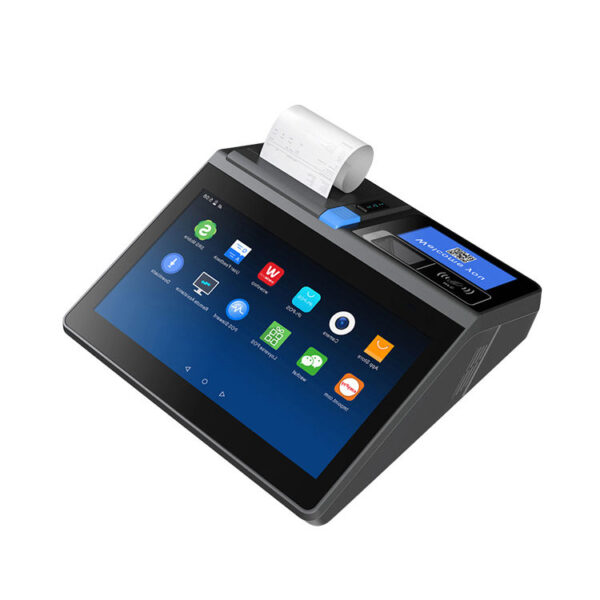
We build the hardware on that desk: all-in-one terminals from 11 to 15.6 inches, 80 mm and 58 mm receipt printers, cash drawers in three widths, customer displays on a pole, handhelds that take a card, and the panels for a second station. We do not build booking software, chairs, dryers or lamps. What follows is the desk arranged by what actually breaks, with the specification that decides each part.
Why a salon is different·The desk·The ticket·The tip screen·The chair·The back bar·Three builds·What we do not make
Three differences that move the hardware
A salon is not a small shop with appointments bolted on. Three structural differences decide what goes on the desk.
The ticket opens before the client arrives. In a shop, the transaction starts when the customer reaches the till. In a salon it starts with the booking, sits open for the length of the service, and closes at the end. That means the till is idle for forty minutes and then does a four-minute burst of work, and the burst is the only part hardware can speed up. It also means the desk staff are reading a list of open tickets all day, which is a screen size question rather than a scanner question.
The client never stands at the till. They sit at a station one to three metres away, and the desk is usually turned ninety degrees to the seating so the receptionist can see both the door and the room. A customer display that only faces forward is a display nobody reads. This is why the rotation numbers on a pole display — 350° horizontal and 60° vertical on the CD10H, 355° on the PD220V-II — matter more in a salon than the panel size does.
The line count is short and the line is long. A coffee shop prints twelve short modifier lines, each one four or five words. A salon prints one to four lines, and each one is a sentence: the service, the length, the product, sometimes the technician. At 12 dots per character an 80 mm printer fits 48 characters per line and a 58 mm printer fits 32, so a single 47-character colour description is the difference between one line and two. That calculation is in the ticket section, because it is the one place where the salon and the coffee shop reach opposite conclusions.
| Type of salon | Typical ticket | Lines per ticket | What decides the hardware |
|---|---|---|---|
| Nail bar, 4–8 stations | 25–60, service only | 1–2, names under 32 characters | The drawer and the tip screen at the desk; a handheld at the table |
| Hair, colour and styling | 45–180, service plus retail | 3–4, names up to 47 characters | An 80 mm printer, and a second screen the client can see |
| Spa and massage, 3–8 rooms | 60–200, often prepaid | 2, plus a package deduction | The customer display, because the balance is the dispute |
The type of salon does not change the software much. It changes the printer width, the drawer width and whether the customer display is worth buying at all.
One number worth measuring before anything else: how many clients pay in the last twenty minutes before closing. Salons cluster their checkouts in a way shops do not, and a desk that handles four payments in twenty minutes needs a different drawer and receipt printer than one that handles four in an hour.
Station 1 — the desk
A salon reception desk is usually a console 1.0 to 1.8 m wide and 400 to 450 mm deep, and it already holds a phone, a card terminal, a booking screen, a tip jar and somebody’s coffee. Everything the till adds is competing for a surface that is shallower than it looks. That makes footprint the first specification, ahead of processor and screen resolution.
One metre of desk, four things on it
There are three sensible shapes for that surface. Two are 292 mm and 363 mm wide; the third is 700 g in a bag, which is a different argument altogether.
The DCA-POS116A is the compact answer: 292 mm wide, 2.35 kg, an 11.6″ screen at 1366×768, and a Seiko mechanism with an auto cutter inside the housing at 200 mm/s. Putting the printer inside the terminal is worth 160 mm of desk on its own, because a separate 80 mm unit is 16 cm wide and needs its own cable and its own power brick. It also carries two RJ11 drawer ports, which is unusual and useful: one for the drawer under the desk, one for a second drawer at a second station.
The DCA-NB11 is the smallest thing that is still a till. Eleven inches at 800×1280, which is a portrait screen — the shape an appointment list actually wants — 700 g including a 3200 mAh battery, with the printer, a 1D/2D scanner and NFC already inside. The battery matters more than it sounds: a desk that loses power mid-service can still close a ticket, and a unit that can be lifted off the desk for a stock count is a unit that gets used for stock counts. The catch is in the port list. The standard NB11 lists two SIM slots and one Type-C, nothing else. The NB11 Pro adds one RJ11, one RJ12, one RJ45 and four USB-A. If the drawer is going to plug into the terminal rather than the printer, it has to be the Pro.
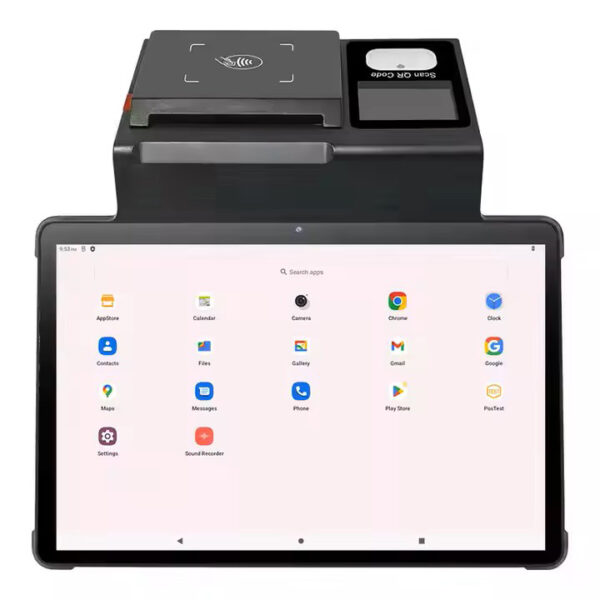
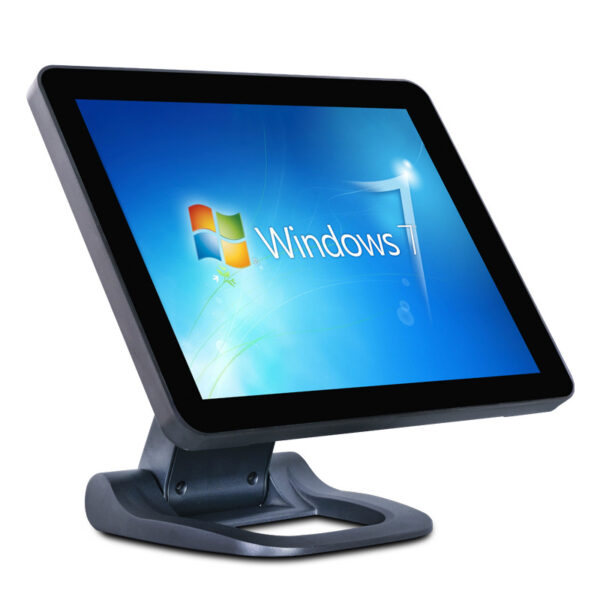
The DCA-156A is the conventional 15.6″ desk terminal, 363 mm wide, 3.18 kg, with four USB, one RJ45, one RJ12 for a scale and one RJ11 for a drawer. It has no video output at all, which decides the customer display question later on: the 156AD variant carries a 10.1″ 1280×800 rear panel instead, and that is the only way this terminal gets a customer-facing screen.
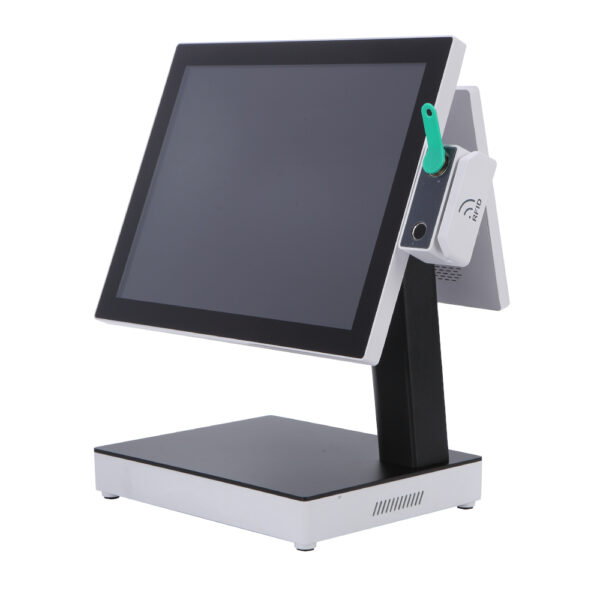
If the desk can take a wider screen, the 15.6″ class splits three ways on details that a spec sheet lists in the same order. The DCA-KSA puts the printer inside the same housing and offers a 15.6, 14 or 11.6″ rear panel, which is the only way to get a client screen without a cable. The DCA-Q3S is a Windows unit with an 11.3″ rear LCD as standard and an 80 mm mechanism inside, so a salon that needs Windows gets the client screen in the same box. The DCA-152W is the one with a folding stand — 360×380×210 mm, VESA 75 or 100 — for a desk that is used sitting down by one person and standing up by another.
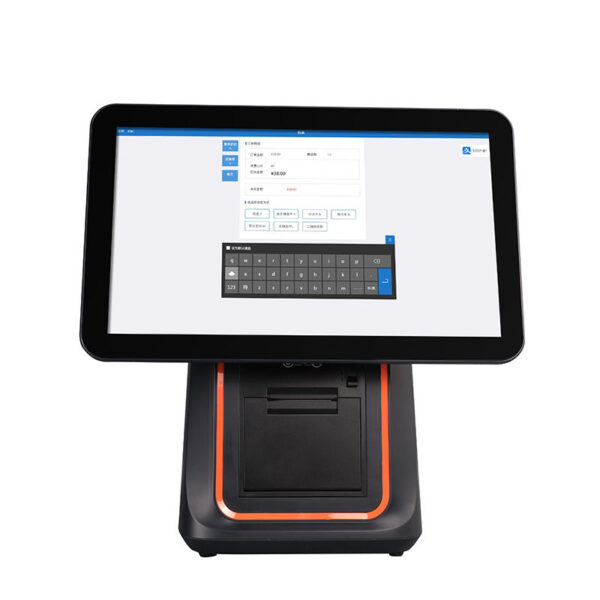
DCA-POS116A11.6″ at 1366×768, 292 mm wide, 2.35 kg. Seiko mechanism with auto cutter inside at 200 mm/s. 5×USB, 1×RJ45, 1×COM, 2×RJ11 — two drawers, one terminal.Specifications →
DCA-NB1111″ portrait at 800×1280, 700 g with a 3200 mAh battery, printer and 1D/2D head inside. Standard: SIM×2 and Type-C only. The Pro adds RJ11, RJ12, RJ45 and 4×USB-A.Specifications →
DCA-156A15.6″ at 1366×768, 363 mm wide, 3.18 kg. 4×USB, 1×RJ45, 1×RJ11 drawer, 1×RJ12 scale. No video output — the 156AD adds a 10.1″ rear panel instead.Specifications →
Every terminal in the range, including the Windows units: POS terminals by category · Android POS systems · Windows POS systems · what an all-in-one actually integrates
The client arrives before the money does
The first thing that happens at a salon desk is not a sale. It is an identification: which booking, which client, which package, and how much of it is left. That is a scan, and it is a scan of a phone screen nine times out of ten, because the membership card lives in an app or in a messaging thread.
This is where a shop’s scanner choice fails. A 1D laser reads a printed barcode by looking for a pattern of light and dark bars, and a phone screen has neither — it has pixels at a refresh rate, and under the desk lighting the contrast is often below what the laser needs. A 2D imager takes a picture and decodes it, which is why the entire 2D range reads a phone and the 1D units do not. The 1D laser versus 2D imager comparison has the physics; the practical version is that a nail bar running a loyalty app needs a 2D imager, and the cheapest 1D scanner on the market will not do it at any price.
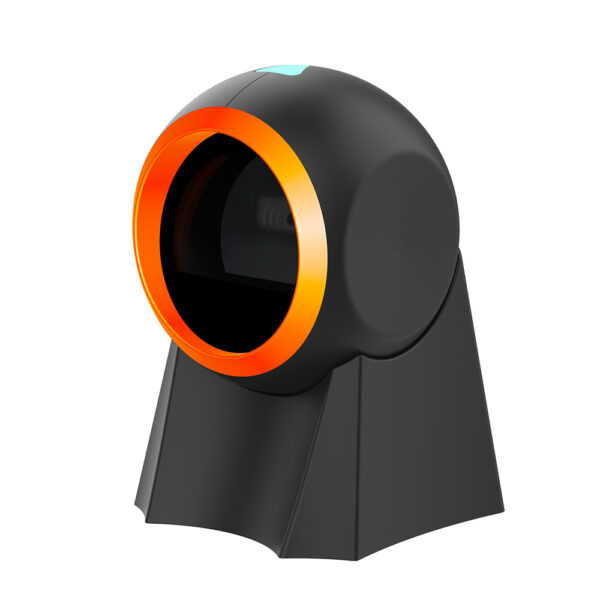
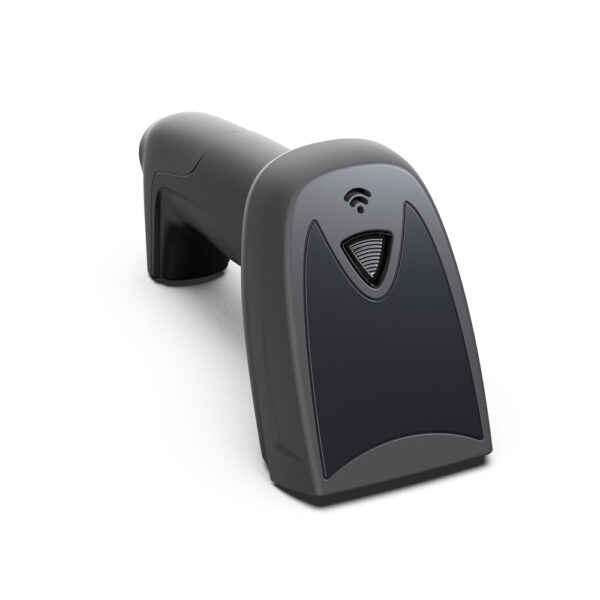
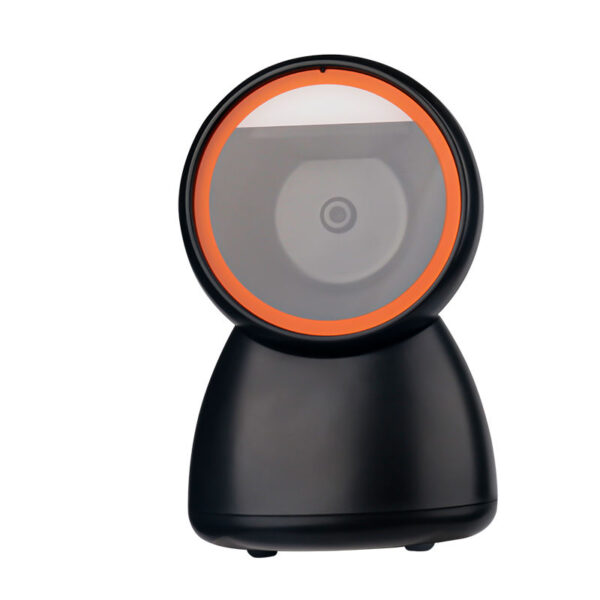
The second question is hands. A receptionist holding a client’s phone in one hand is not going to press a trigger with the other. That points at a presentation scanner with auto-sensing — the 8800F triggers on motion and reads at 35 cm/s on a 10 mil QR code, so the phone can be waved past it. The 1800A is the handheld alternative for retail product at the desk, 145 g with a manual trigger, reading a QR code from 1 to 20 cm. The 8280A is the wireless omni for a desk that also sells product — 2.4 GHz, 30 m of range, and 100,000 codes of offline storage if the network drops.
The drawer that fits under it
Salons keep cash for three reasons: cash tips, cash payments, and the float. All three go in a drawer, and the drawer is the one part of the till that has to fit the furniture rather than the other way round.
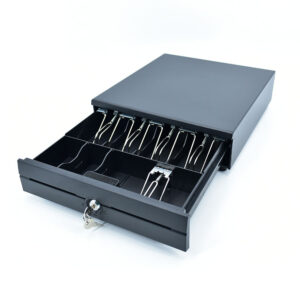
Three widths, and the depth is the number that decides: the two wider drawers are 420 mm deep, which leaves 30 mm under a 450 mm console. The 350A is 350×380×92 mm, the smallest of the three, with a 4 or 5 bill tray and 2, 5 or 8 coin slots. The 405A and 410B are 405×420×100 and 410×420×100, with 4 to 8 bill sections, 8 adjustable coin slots, two media slots and a ball-bearing slide. The depth is the number to check: a 420 mm drawer under a 450 mm console leaves 30 mm, and a console with a back panel or a cable tray has less than that. Salons that get this wrong end up with the drawer on top of the desk, eating 400 mm of the working surface they were trying to protect.
| Drawer | Footprint, W×D×H | Under a 450 mm console | Tray |
|---|---|---|---|
| POS-350A | 350×380×92 mm | 70 mm to spare — the only one that clears a shallow console | 4–5 bills, 2/5/8 coin, no media slot |
| POS-405A | 405×420×100 mm | 30 mm to spare, and a cable tray or a back panel takes all of it | 4–8 bills, 8 coin, two media slots |
| POS-410B | 410×420×100 mm | 30 mm to spare, with 5 mm more tray width than the 405A | 4–8 bills, 8 coin, two media slots |
Clearance is measured against a 450 mm deep console with the drawer pushed fully back. Measure the actual gap under the desk before ordering anything wider than 350 mm.
The 405A and 410B also carry a micro switch that reports whether the drawer is open, which is what a software package needs in order to log a no-sale opening. The 350A lists a three-position lock but no micro switch. If the salon’s accountant wants every drawer opening accounted for, that single line in the specification decides the model.
POS-350A350×380×92 mm, cold-rolled steel, 4 or 5 bill tray with wire clips, 2/5/8 coin slots. The only one that fits a narrow console. No media slot, no micro switch.Specifications →
POS-405A405×420×100 mm, 4–8 bill sections, 8 adjustable coin slots, two media slots. Micro switch reports drawer state, so no-sale openings can be logged. Solenoid 12 V or 24 V at order.Specifications →
POS-410B410×420×100 mm — the same tray as the 405A with 5 mm more width, which is what a shop needs when the insert comes from the old drawer. Ball-bearing slide, MTBF one million openings.Specifications →
The drawer port is not always 12 V. The 405A and 410B are ordered with a 12 V or a 24 V solenoid, and the specification says it has to match the printer’s drawer port. The 8360, 8250, 8220 and 8330 all list a 12 V/1 A drawer output. The 8370 lists DC 24 V/1 A on the same row — the only 80 mm unit in the range that does, and its 24 V adapter is not the reason: the 8360 runs the same 24 V adapter and still switches 12 V at the drawer. A 12 V drawer on an 8370 port either buzzes without opening or does not open at all, and it is the kind of fault that gets diagnosed as a broken drawer for a week. The kick-out signal explained.
Station 2 — the ticket
The receipt printer is the part of a salon till that gets the most attention and deserves the least. The reason is arithmetic: a salon ticket is short, the print takes under a second on any model in the range, and a growing share of clients ask for the receipt by email anyway. What the printer actually decides is whether the lines fit.
48 characters against 32
The width is fixed by the head, not the paper. An 80 mm printer has 576 dots across, and the standard 12×24 font uses 12 dots per character, so 48 characters per line at a printable width of 72 mm. A 58 mm printer has 384 dots, so 32 characters at 48 mm. Everything else follows from those two numbers.
Now measure the lines a salon actually prints. Each one below is a real service description, and the count is exact:
| Line as printed | Characters | 80 mm | 58 mm |
|---|---|---|---|
| Gel manicure, removal included | 30 | One line | One line |
| Men’s cut, skin fade, beard trim | 32 | One line | One line, on the limit |
| Wash, cut and blow dry, long hair | 33 | One line | Two lines |
| Balayage, shoulder length, 2 bowls | 34 | One line | Two lines |
| Full head highlights, 3/4 head, toner, blow dry | 47 | One line, 1 spare | Two lines |
| Gel manicure, removal included — A. Rivera | 41 | One line | Two lines |
Character counts include spaces and punctuation. 48 and 32 are the limits at 12×24 dots; a compressed font buys about a fifth more, at the cost of legibility on a thermal head that is already 203 dpi.
Two conclusions come out of that table, and they point in opposite directions depending on what kind of salon is buying.
For a nail bar, 58 mm is enough. Service names run 26 to 31 characters, a ticket is one or two of them, and the client is holding a receipt that says "Gel pedicure, gel removal" and a total. The 5890U does that at 70 mm/s with no cutter, which sounds like a compromise until you notice the print is 1.5 seconds instead of 0.5 and nobody is queueing behind it.
For a colour bar, 58 mm breaks on the first row that has a technique and a length in it, and it breaks again the moment the technician’s name is appended for the client’s copy. The 47-character line above fits an 80 mm printer with exactly one character to spare — that is not much headroom, and it is why the 80 mm units are the default for hair.
The row that catches people is the last one. A service that fits in 30 characters becomes 41 when the technician’s name goes on it — and in a salon the name goes on it, because the client’s copy is also the technician’s copy. A nail bar that has been happy on 58 mm for two years discovers the limit the week it starts printing stylist names, not the week it buys the printer.
What the printer does not decide
Print speed is not the constraint here, and it is worth saying so because it is the constraint everywhere else. A salon receipt is roughly 100 to 140 mm of paper: a header, three or four lines, the totals and a footer. At 70 mm/s that is 1.5 to 2.0 seconds; at 220 mm/s it is 0.45 to 0.65 seconds. The difference is one second inside a checkout that takes three to four minutes, and the client is not waiting for it — they are reaching for a card.
What does decide the model is the drawer port voltage, covered in the previous section, and the cutter. The 8370’s cutter is rated at 1.5 million cuts against 100 km of print head life on the same unit, so the head wears out before the cutter does. The 5890U has no cutter at all and is torn by hand, which for a salon receipt is acceptable: the paper goes into a handbag, not onto a spike in a kitchen.
One thing to plan for, though: the second printer. A salon that sells retail product usually ends up with a label printer for shelf and back-bar pricing, and two printers on one host is the most common cause of a job that disappears under load. Put one on USB and the other on LAN or Bluetooth. The 8360 and 8370 take LAN or Bluetooth as an option; the 8250, 8220 and 8330 take serial, parallel and Ethernet as well.
POS-836080 mm at 220 mm/s, 576 dots across, full or partial cut, 72 mm print width, 100 km head life. USB and LAN standard, Bluetooth optional. Drawer port 12 V/1 A.Specifications →
POS-837080 mm at 220 mm/s with a cutter rated 1.5 million cuts, 83 mm maximum roll, logo download. Drawer port DC 24 V/1 A — match the drawer solenoid to it.Specifications →
POS-5890U58 mm at 70 mm/s, 32 characters per line, 50 km head life, USB and Bluetooth. No cutter — torn by hand. The nail-bar unit, and the cheapest thing on the desk.Specifications →
The full width argument, including paper roll diameters: 80 mm versus 58 mm receipt printers · receipt printers by category · how a thermal head actually prints · why printers fail under load · what the receipt has to carry in the UK
Station 3 — the tip screen
The tip is the only part of a salon checkout where the client has to agree to a number they did not choose in advance. In a restaurant that conversation happens on a card terminal the customer is holding. In a salon it happens across a desk, with the receptionist reading a figure out loud, and the client saying yes because saying no is awkward. That is the failure this section is about, and it is a hardware failure before it is a software one.
40 characters is the whole display
The cheapest customer display in the range is a vacuum fluorescent tube: two lines of twenty characters, a 5×7 dot matrix per character, and a command set that predates graphics by two decades. It is genuinely good at its job — the PD220V-II runs at 500 to 1000 cd/m², brighter than any LCD on the same desk, and it is readable across a room. What it cannot do is show a layout.
Count the lines a tip confirmation needs. Service, tip, total: three. The tube has two. The workaround is to put the amount on one line and the total on the other, which is the only option available, and it means the client never sees the tip as a separate number from the total. On a 45.00 service with a 9.00 tip, the tube shows 45.00 and 54.00 and expects the client to do the subtraction.
That is fine for a barber chair where the tip is a banknote. It is not fine for a spa selling prepaid packages, where the number the client is agreeing to is a balance rather than a price.
Three ways to a screen the client can actually see
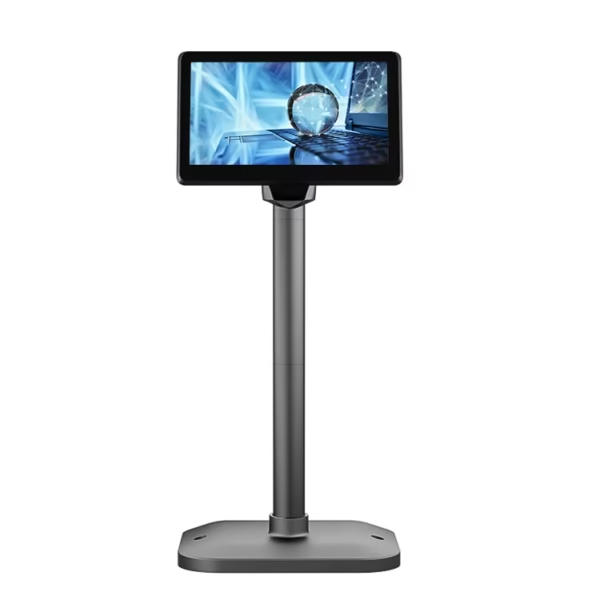
The second problem is aim. In a salon the desk is turned sideways to the seating, so a display that only faces the person at the keyboard faces the wrong person. This is where the pole hardware matters: the CD10H rotates 350° horizontally and 60° vertically on a 1.5 m cable, and the PD220V-II rotates 355° and adjusts from 15.5 to 41.5 cm in height. A 350° rotation is a full turn minus a stop — it is the difference between a display that can be turned toward a chair and one that has to be unbolted.
The third problem is the video port, and it is the one that catches buyers. The CD7A and CD10H are monitors: one takes VGA or HDMI, the other takes HDMI only. But the terminals do not all have a video output. The DCA-156A lists four USB, one RJ45, one RJ12 and one RJ11 — no HDMI, no VGA. Neither does the Q3A. So a salon that buys a 156A and an external customer display has bought two things that cannot be connected, and the fix is either a different terminal or a separate small computer.
| Route | What the client sees | What it needs | Use it when |
|---|---|---|---|
| 2×20 VFD PD220V-II on USB, VFD220 on RS232 |
Two lines, 40 characters, numbers and short labels. No layout, no buttons, no logo. | A free USB or COM port and a matching command set — the PD220V-II speaks ten of them. | Tickets are short and the tip is cash. The cheapest option that still shows a total. |
| Rear panel Q3S 11.3″, KSA 15.6/14/11.6″, 156AD 10.1″, 155A 15.6/12.1″ |
The full graphical screen, mirrored or extended. Non-touch in every variant. | The dual-screen build, ordered at the factory, plus software that addresses display 2. | There is no HDMI on the desk and the client sits close enough to read it. |
| External LCD CD7A 7″ VGA/HDMI, CD10H 10.1″ HDMI |
The full screen on a rotating pole, aimed at the chair rather than the desk. | One video output. Absent on the 156A and Q3A; a Windows KSA board or a mini PC has one. | The display has to point sideways at a station two metres away. |
The three routes are not interchangeable at the point of order. A rear panel is a factory build, not an accessory; an external LCD is a cable and a port; a VFD is a driver setting.
POS-CD7A7″ IPS at 1024×600, 430 cd/m², 25 ms, 16:9. VGA or HDMI, plastic case, non-touch by default, 12 V/3 A. The smallest full-graphics display on the desk.Specifications →
POS-CD10H10.1″ IPS at 1280×800, 430 cd/m², 16.7 million colours, 800:1. HDMI only, 350° horizontal and 60° vertical adjustment on a 1.5 m cable.Specifications →
PD220V-IIVFD, 20 columns × 2 lines, 5×7 matrix, 500–1000 cd/m², 355° rotation, 15.5–41.5 cm height. Ten command sets including CD5220 and EPSON POS D101. USB.Specifications →
Check the software before the panel. A rear panel and an external LCD both need the POS application to render a second window. Many salon booking packages treat the second screen as an optional module, and some map it to a fixed cashier-facing layout. A shop that orders a 10.1″ pole display and then discovers its software has no second-display output has bought a very good monitor for the back office. What a customer display can be driven by.
Station 4 — the chair
Some salons never check out at the desk. The client stays in the chair, the technician takes the card, and the receipt prints from the handset. That is one device instead of three, and it only works if the device survives the environment it lives in.
Wet hands decide it
A nail bar checkout happens over a table with a lamp, a bowl and a bottle of acetone on it. A colour bar checkout happens next to a wet basin. In both cases the person holding the terminal has wet hands, and often a glove on the other one. That is not a figure of speech in the specification: the DCA-H50 is listed as a capacitive panel that "can work with gloves and wet fingers", which is unusual enough in a handheld to be the reason to choose it.
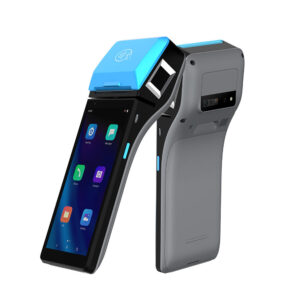
The same unit is 410 g, runs Android 11, carries a 58 mm printer, and is the only handheld in the range with EMV level 1 and 2, magnetic stripe with three tracks, contactless on 14443A and 14443B, and two PSAM slots. In a salon that combination means the payment is taken where the client is sitting, with a card they can see, and the tip is confirmed on a screen in their hand rather than across a desk. The operating range is −10 to 50 degrees, which covers a room where the dryers are running.
The H62 is the cheap one and it is not a lesser H50: 358 g, IP54, a 5000 mAh battery and a two-year warranty, at the cost of the card reader. It is the right unit for a barber or a market stall where the payment goes through a phone and the handheld only has to produce a receipt. The H80 is the one with a screen big enough for a service tree — eight inches at 800×1280 — and the Pro build adds RJ11, RJ12, LAN and two USB-A, so it can drive a drawer when it is docked.
DCA-H506″ at 1440×720, Android 11, 410 g. Capacitive panel rated for gloves and wet fingers, EMV L1&L2, three-track MSR, contactless, 2×PSAM, 58 mm printer. −10 to 50 °C.Specifications →
DCA-H625.5″ at 1280×720, Android 8.1 or 11, 358 g, IP54, 5000 mAh, 58 mm at 90 mm/s, two-year warranty. No card reader — the receipt-only unit.Specifications →
DCA-H808″ at 800×1280, Android 12 or 13, 6400 mAh removable, 58 or 80 mm paper. Pro build adds RJ11, RJ12, LAN and 2×USB-A, so it drives a drawer when docked.Specifications →
Every handheld, with printer and radio options: handheld POS terminals · mobile POS systems · using a handheld for stocktake
Two limits worth stating. A chair-side receipt is a 58 mm slip with a 32-character line, so it is a payment record and not a service record — the full ticket still prints at the desk if the client wants one. And no terminal or handheld we make publishes a chemical-resistance rating for its shell. A unit that lives next to acetone needs to live off the work surface, not to be rated for it. Wet fingers are in the specification; solvents are not.
Station 5 — the back bar
Almost every salon has a second place where work happens and only one place where a computer is. The back bar — the colour dispensary, the towel store, the small room where the stock is kept — is where a second person mixes, checks a formula or counts retail stock, and where the desk cannot see what is happening.
A second station costs one screen and one small box
The cheap way to add a station is not a second till. It is a monitor and a mini PC, both of which fit under a shelf. The DCA-1701 is a 17″ 5:4 panel at 1280×1024 with a capacitive touch layer on VGA and USB, a metal base and a 75×75 VESA pattern, rated for 35 million touches at a pencil hardness of 3H — the last number matters in a room where the screen gets tapped with a colour bowl in the other hand.
The DCA-M100 is 170×125×50 mm and 2 kg — small enough to sit on a shelf edge beside the monitor rather than on the counter. It runs an Intel N100, exposes two HDMI 1.4 ports and a DisplayPort, two gigabit Ethernet ports, four USB, and it is specified from −20 to 60 degrees with a watchdog and auto power-on. That last pair is what makes it usable in an unattended back room: a machine that powers itself back up after an outage does not need somebody to crawl under a shelf.
A pair of these takes less depth than a second all-in-one, because the box goes on the wall or the shelf edge rather than on the counter. The trade is that there is no printer at that station unless one is added — which is usually the point, since the back bar prints colour formulas rather than receipts.
The screen that gets wiped
The DCA-215C is the one product in the range with a published ingress rating: IP65 on the front face, a 21.5″ 1920×1080 panel, specified from −10 to 55 degrees and 10 to 90 % relative humidity, with a 552×339 mm face and a 537×326 mm cutout. It is a Windows panel PC — J1900, 4 GB, VGA, HDMI, three RS232 ports and an RS485 — so it can run a queue or status board on its own without a second box.
Read the rating exactly, though. IP65 applies to the front face. The rear of the unit has to breathe, so a 215C belongs in a wall cutout or on a bracket in front of a ventilated void, not flat against a tiled wall behind a basin. The temperature range is the other half of the argument: a back bar with steam and hot towels runs warmer than an office, and −10 to 55 covers it where a consumer tablet does not.
DCA-170117″ at 1280×1024, 5:4, 300 cd/m², capacitive touch on VGA + USB, pencil hardness 3H, 35 million touches. A monitor, not a computer — it needs a host.Specifications →
DCA-M100Fanless, 170×125×50 mm, 2 kg. Intel N100, 2×HDMI 1.4 + 1×DP 1.2, 2×Gigabit LAN, four USB, −20 to 60 °C, watchdog and auto power on.Specifications →
DCA-215C21.5″ at 1920×1080 panel PC, IP65 on the front face, −10 to 55 °C, 10–90 % RH. VGA, HDMI, 3×RS232 and RS485. Windows, J1900. Cutout 537×326 mm.Specifications →
Panels, brackets and the industrial range: all-in-one panel PCs · touch screen monitors · industrial mini PCs · why fanless matters on a shelf
Three builds, and the chair count that produces them
These are not packages. They are the three shapes that come out of the sections above, written so a salon can check its own plan against one of them.
| Build | Desk | Ticket | Client screen | Chair |
|---|---|---|---|---|
| Nail bar, 4 stations | DCA-POS116A, printer inside, 292 mm wide | 80 mm inside the terminal — wider than the ticket needs, but it is the mechanism the 116A ships with | PD220V-II on USB — two lines, total only | None. The desk takes every payment |
| Hair and colour, 6 chairs | DCA-Q3S, 11.3″ rear panel standard, 80 mm inside | Inside the terminal, plus a POS-8360 at the back bar for formulas | The 11.3″ rear panel — graphical, no cable, non-touch | DCA-H50 for deposits and retail at the station |
| Spa or multi-site | DCA-KSA on the J4125 Windows board — the only build with the HDMI option | 80 mm inside, with the 8370 on LAN as a second unit | POS-CD10H on HDMI, rotated 350° toward the seating | DCA-H80, Pro build, docked to a drawer |
The pattern: the nail bar puts everything in one box and buys the cheapest screen, the colour bar buys a rear panel instead of a pole, and the spa buys the HDMI board because a rotating pole display is the only way to show a balance to somebody sitting three metres away.
Reading it backwards from the chairs
Most salons know how many chairs they have before they know what hardware they need. That number is a better starting point than a budget, because it decides how many checkouts land in the same twenty minutes.
| Chairs | Checkouts at peak | Printer | Drawer | Bill of parts |
|---|---|---|---|---|
| 1–3 | 2–3 per hour, one desk | 58 mm inside a handheld, or 58 mm in the NB11, which takes both widths | POS-350A, 350 mm wide | 4 — terminal, drawer, client screen, 2D scanner |
| 4–8 | 6–10 per hour, bunched at closing | 80 mm inside the terminal | POS-405A, micro switch for no-sale logging | 5 — the same four, plus one handheld |
| 9–16 | 12–20 per hour, two people at the desk | 80 mm on LAN, second unit at the back bar | POS-410B, 410 mm, 8 coin slots | 8 — plus a second handheld, a pole display and a second station |
| 16 and over | 20 and up, or two desks | One per desk, both on LAN | POS-410B per desk, solenoids matched to each port | 13 — two desks of four, two handhelds, a second station and a back bar panel |
The parts count is the terminal, the drawer, the client screen and the membership scanner, plus whatever the row adds: one handheld at four chairs, a second handheld and a second station at nine. A second station counts as two parts, because it is a monitor and a mini PC. The back bar is a per-room decision rather than a per-chair one and is counted only in the last row, and the booking software is not ours to specify.
How the same parts are arranged where the counter is six stations rather than a desk: grocery POS by station · where the receipt is a work order rather than a record: cafe POS hardware · where the client stands at the till: POS for a small business counter · where the till leaves the desk: tablet POS hardware · what the desk costs, line by line: POS system cost
What we do not make
Half of a good purchasing decision is knowing what is out of scope, so this is the list we would rather a salon read before sending an enquiry than after.
- Booking, scheduling and commission software. We do not sell POS software at all. Whether a package supports an open-ticket list, a second display, a package balance or a technician commission report is a question for the software supplier, and it should be answered before the hardware is ordered.
- Chairs, wash units, dryers, lamps and steamers. Nothing on this page washes, dries, cures or steams. We build the desk and the things cabled to it.
- Card acquiring at the desk. The all-in-one terminals take an optional magnetic stripe reader; none of them carries an EMV reader. The one device here that can take a chip and contactless payment is the DCA-H50 handheld, which is why chair-side checkout is a hardware argument rather than a convenience.
- Ingress-rated terminals. The DCA-215C publishes IP65 on the front face and it is the only product in the range that publishes a rating at all. No terminal or handheld here is rated for splashing, which is why the drawer and the terminal live under the desk rather than beside the bowl.
- Thermal transfer label printers. Every label model we make is direct thermal. A shelf label that has to survive a window, a hairdryer or a month in sunlight needs a ribbon, and a ribbon printer is a different product.
- A check-in kiosk. Our kiosks are 21.5 to 32″ ordering units, wall-mounted at around 13 kg, built to take an order and print a ticket. That is the wrong shape and the wrong purpose for a ten-second check-in, and a salon that wants self check-in is better served by a small tablet on a stand than by a kiosk enclosure.
If the salon is being fitted out from scratch, the order that works is: count the chairs, measure the desk depth, then pick the drawer and the printer that fit it. Salons that pick the terminal first spend the rest of the fit-out finding out that the drawer does not go under the desk and the client display has nowhere to plug in. The POS system collection has the same parts arranged by position rather than by shop type, and types of POS systems covers the desk, handheld and kiosk forms side by side.
Salon POS hardware: six questions we get asked
Can a nail bar run on a 58 mm printer?
Usually yes. At 32 characters per line, a 58 mm printer holds "Gel manicure, removal included" at 30 characters and "Men’s cut, skin fade, beard trim" at exactly 32. It stops working the week the shop prints the technician’s name on the client’s copy, because the same 30-character service becomes 41. If stylist attribution is on the roadmap, buy 80 mm now; if the receipt is going to be emailed anyway, 58 mm is a defensible saving.
Does a salon need a customer display at all?
It needs one if the tip is confirmed across the desk, because that is the only moment the client is asked to agree to a number. It does not need one if every payment is taken on a handheld in the chair, where the screen in their hand is the confirmation. What it must not do is buy a two-line VFD and expect it to show a service, a tip and a total: that is three lines on a device with two, so the client sees the amount and the total and does the subtraction themselves.
Can the drawer plug into the terminal instead of the printer?
On some units. The POS116A has two RJ11 drawer ports, the 156A and the NB11 Pro have one each. The catch is the solenoid: the printers publish their drawer-port voltage — 12 V/1 A on the 8360, 8250, 8220 and 8330, and DC 24 V/1 A on the 8370 — while the terminals list the port without publishing a voltage. The drawers are ordered with a 12 V or a 24 V solenoid, so the solenoid has to match whichever port it actually plugs into. If the terminal’s figure is not published, ask before ordering rather than after.
Android or Windows for a salon?
Android, unless the booking software is Windows-only, or unless the desk needs an external display on HDMI. That second condition is the one people miss: the KSA exposes HDMI only on the J4125 Windows board, and the 156A and Q3A have no video output at all, so a rotating pole display pushes the whole desk onto Windows or onto a mini PC. The wider comparison is in Android POS terminal versus Windows POS system.
Does a salon need a barcode scanner?
Two jobs need one: retail product at the desk, and the membership code. The membership code is the harder of the two, because it lives on a phone screen and a 1D laser reads bars of ink, not pixels. A 2D imager takes a picture and decodes it, so the whole 2D range reads a phone and the 1D units do not — see 1D laser versus 2D imager. For a desk where the receptionist is holding the client’s phone, auto-sensing beats a trigger.
How many pieces does a four-chair salon need?
Five: a terminal with the printer inside, a 350 mm or 405 mm drawer under the desk, a client screen — either a VFD or a rear panel, depending on whether a tip breakdown has to be visible — a 2D scanner for the membership code, and one handheld for the chair. A sixth piece, the back bar screen, is worth adding when a second person works the room; it is a monitor and a mini PC rather than a second till.
Tell us the chair count and the desk depth
Those two numbers decide most of the bill of parts: whether the drawer goes under the desk or on it, whether the printer is 58 mm or 80 mm, and whether the client screen is a tube, a rear panel or a pole.
- Chairs or stations, and how many clients pay in the last hour
- Desk width and depth, and whether there is a modesty panel
- Whether tips go on the card, in cash, or both
- Which booking software, and whether it drives a second display

