Buying guide
Four chassis, all fanless. Choose on CPU class, how many displays and network ports the site needs, and whether the unit lives behind a screen or inside a cabinet.
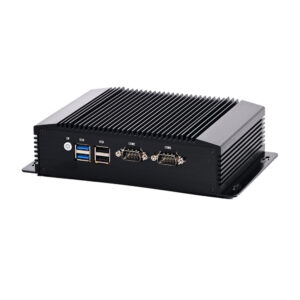
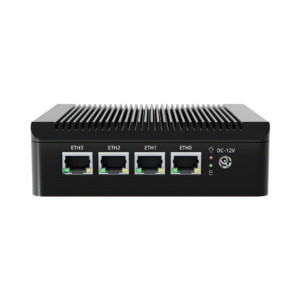
The DCA-M200 is the network box - an Intel J4125 with four 2.5G RJ45 ports - which is what a site wants when the mini PC also does duty as a router or firewall. The DCA-M400 covers 4th to 13th-gen Core with DDR3L, DDR4 or DDR5 options, for sites that run a local database and stay in service for years.
The DCA-M300 drives three independent screens from two HDMI and one DisplayPort, which is exactly what a kitchen display, a menu board and a till need from one box. The DCA-M100 is the small one at 170 x 125 x 50 mm with two gigabit ports, for a back office or a cabinet build.
All four are fanless aluminium chassis, so they can hang behind a monitor or sit inside a cabinet; confirm the VESA pattern you need at order, because it differs by chassis. Keep the vent faces clear: a fanless box in a closed drawer runs far hotter than one on a VESA plate, and heat is what shortens the SSD life.
| Model | Platform | Built for |
|---|---|---|
| DCA-M100 | Intel N100, 2 x RJ45 | back office, cabinet build |
| DCA-M200 | Intel J4125, 4 x 2.5G RJ45 | router, firewall, two-screen counter |
| DCA-M300 | Intel J6412, 2 x RS-232 | three displays, serial peripherals |
| DCA-M400 | 4th to 13th-gen Core, DDR3L / 4 / 5 | heavy local workload, long life cycle |
The chassis is fanless aluminium with no moving parts, which is what makes continuous operation practical. The SSD is the wear item, so size the drive for what the site writes: a local database or video logging needs more headroom than a signage player.
Either bare or with Windows installed. State the build at order time, and we will match the drivers for the serial and display outputs.
The DCA-M300 has two RS-232 ports. On the other models the count depends on the board, and we quote it per order, so list every serial device in the site before the specification is frozen.
Read nextWhat a POS system is made of
Send the display count, the serial devices and the mounting position, and we will pick the chassis. Kiosk builds using these boards are on the kiosk page.
This is a gallery to showcase images from your recent social posts
“A review from a customer who benefited from your product. Reviews can be a highly effective way of establishing credibility and increasing your company's reputation.”
Customer Name
“A review from a customer who benefited from your product. Reviews can be a highly effective way of establishing credibility and increasing your company's reputation.”
Customer Name

Premium POS Hardware Manufacturer Trusted by 3,000+ Customers | OEM/ODM Touch Screen Solutions Since 2013.
Furong Lantian Industrial Park, Xinqiao,Shajing Town,Shenzhen China.
Get the latest updates via email.Any time you may unsubscribe.