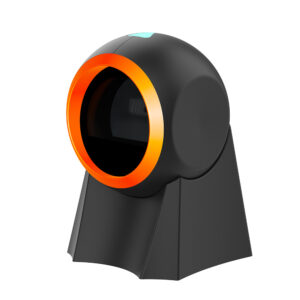
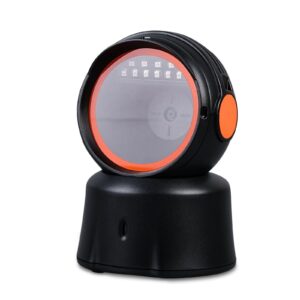
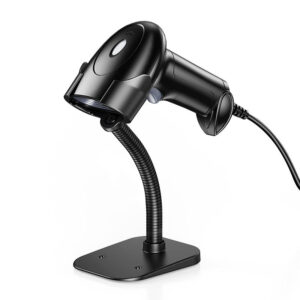
Nice appearance:
Small, lightweight, ergonomically designed, and comfortable in the hand.
Excellent durability: IP54 dustproof and waterproof, and can withstand the impact of falling to the concrete floor from a height of 1.5 meters.



If you want more information of our industry and products,please contact us.
Get to Know Us Now
There are two ways to equip a shop with scanners. Buy one good unit per lane and maintain it, or buy a scanner per lane plus two spares and treat them as consumables. The second approach is not careless — for a supermarket with twenty lanes, it is often the cheaper one, because a scanner at a lane is a low-stress device: it reads the same EAN-13 labels it has read for twenty years, and it is replaced when the cable frays rather than when the imager fails.
The POS-1670 is built for that arithmetic. At roughly 92–110 g with the cable it is one of the lightest handhelds in the range, it runs from USB at 150 mA with no separate supply, and it interfaces as either a keyboard or a serial device — the two things a supermarket POS application is likely to want.
A cashier holds a scanner for the whole shift, and the number of times it is lifted is enormous: several hundred times an hour on a busy lane. At 200 g that is a visible load by the end of a shift; at under 100 g it is close to nothing.
Two consequences follow, and both are operational:
The pistol grip at 150 × 70 × 95 mm is the standard shape for a reason: the index finger sits on the trigger, the thumb stabilises, and the wrist stays neutral rather than flexed.
This is the single most misunderstood part of buying a scanner, and getting it wrong is the most common reason a new scanner “does not work” on an existing till.
USB-KBW (keyboard wedge) makes the scanner pretend to be a keyboard. Scan a code and the host receives it as typed characters, followed by an Enter. No driver, no API, works with any application that has a text field with focus. It is the right choice when the POS software was never designed to talk to a scanner.
USB-COM (virtual serial) makes the scanner appear as a COM port. The application opens the port and reads data as a serial stream. This is the right choice when the software expects a serial scanner, or when you need to distinguish scanner input from keyboard input — for example a till where the cashier also types.
Why the distinction matters in practice:
The unit also offers a DB9 connection. It is not needed for most modern installs, but it is what keeps the model usable where an older POS controller or an industrial terminal has a serial port and nothing else.
The specification lists a CMOS image sensor with 300,000 pixels — imager hardware, not a laser. The published decode list, however, is weighted to retail 1D symbologies: UPC-A, UPC-E, EAN-8, EAN-13, Code 128, Code 39, Code 93, Interleaved 2 of 5, Matrix 2 of 5, Industrial 2 of 5 and Standard 2 of 5.
That combination is normal for a lane scanner: the hardware can capture an image, and the firmware is configured for the codes a supermarket actually uses. The practical instruction is straightforward: if the deployment needs QR, Data Matrix or PDF417, do not assume — confirm the 2D configuration with us, or specify a model whose published list includes the 2D set, such as the POS-1800A or POS-3230A.
The rest of the optical specification is honest about what it is: 4 mil minimum resolution at 90% PCS on Code 39, 31° × 26° field of view, print contrast floor of 25%, and a reading angle of 360° roll with ±50° pitch and skew. That is a normal imager envelope for a lane where the operator brings the item to the scanner.
The published decode speed is 25 cm/s. That is a deliberate presentation — the item is moved to the scanner and paused for a fraction of a second, which is exactly how scanning works at a supermarket lane where the cashier passes items over a fixed window anyway.
It is not the unit for a conveyor. If items move at 50–80 cm/s, the read rate drops and the operator starts missing codes, which is why line-scanning deployments specify a higher motion tolerance — the POS-1800A is rated at 75–80 cm/s for that reason.
Being clear about this saves a return: for a hand-held lane scanner the number is irrelevant; for anything that moves, it is the number that matters most.
DC 5 V at 150 mA working, which is inside a standard USB port’s budget — no power adapter, no extra cable run. That simplicity is part of the cost argument: one cable per lane, no power strip, no adapter to lose.
Two reading modes, manual and inductive (auto-sensing), with LED and buzzer feedback. At a noisy checkout the buzzer matters more than the LED — the cashier hears the confirmation without looking. Make sure the buzzer volume suits the site; in a quiet pharmacy the same volume is intrusive.
There is no IP rating published for this model, and it should not be specified for wet or dusty environments. It is a shop scanner: counter, lane, back office.
Almost certainly, in keyboard-wedge mode — it types the code as if from a keyboard, so any application with a text field accepts it. If the software expects a serial scanner, use USB-COM or the DB9 connection.
The hardware is a CMOS imager, but the published decode list is retail 1D. If QR or PDF417 is required, confirm the 2D configuration with us before ordering rather than assume.
No. It runs from the host’s USB port at 5 V / 150 mA.
Published decode speed is 25 cm/s — suited to presenting an item to the scanner, not to a moving conveyor.
It is a light shop scanner with no published IP rating. For dusty, wet or drop-prone environments the POS-1800A (IP42, 15 kV ESD, 1.5 m drop) is the right unit.
12 months minimum. OEM branding and packaging available for volume orders.
Next step: tell us how many lanes, whether the POS software expects keyboard or serial input, and whether QR is on the roadmap — we will confirm the configuration and quote factory-direct. Email sales@dcapos.com or contact us.
Related: POS peripherals · POS-1800A 2D scanner · POS-8280A desktop imager · POS systems

|
Communication mode
|
USB(USB-KBW,USB-COM),USB
|
|
Image sensor
|
CMOS
|
|
Pixel
|
300,000 pixels
|
|
Resolution
|
≥4mil/0.1mm(PCS90%,CODE 39)
|
|
Decoding speed
|
25CM/S
|
|
Reading mode
|
Manual reading and inductive reading
|
|
Prompting mode
|
LED indicator, buzzer
|
|
Viewing angle
|
31° * 26°
|
|
Reading angle
|
Test Conditions:CODE39,10mil/0.25mm,PCS90%
|
|
Roll: ±360°, Pitch:±50°, Skew: ±50°.
|
|
|
Print contrast
|
≥25%
|
|
Ambient light
|
Dark environment, indoor natural light,
|
|
Code reading system
|
1D:UPC-A,UPC-E,EAN-8,EAN-13,Code 128, Code 39,Code 93, Interleaved 2 of 5,Matrix 2 of 5,Industrial 2 of 5, Standard 2 of 5(IATA25)
,Codabar(NW-7),etc. 2D: QR Code, Micro QR Code, Data Matrix,PDF417,,etc. |
|
Weight
|
About 110g (excluding wires)
|
|
Appearance size
|
L150mm * W70mm * H95mm
|
|
Wire length
|
1.5 meters
|
|
Interface type
|
USB male, DB9 female
|
|
Operating voltage
|
DC 5V
|
|
Electric current
|
150mA(WORK)
|
First time specifying a handheld barcode scanner? Read why a laser cannot read a phone screen before you pick an engine, then what a POS system is made of to see where the scanner plugs in.