If you want more information of our industry and products,please contact us.
Get to Know Us Now
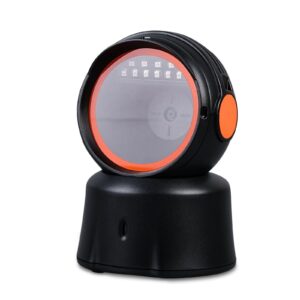
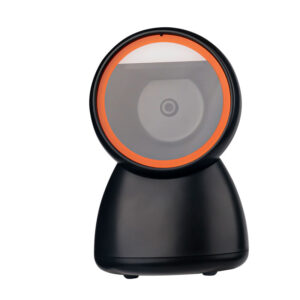
A handheld scanner is brought to the code. A desktop presentation scanner brings the code to it — the cashier passes the item over a window, and the scanner has whatever fraction of a second that pass takes to capture and decode. That changes which specification matters.
Resolution stops being the constraint, because retail labels are 10–13 mil and every scanner in this class reads them. The constraint becomes frame rate: how many images per second the sensor captures, and therefore what fraction of passes produce a usable frame.
The POS-7200 runs at 120 frames per second, which is high for this category. With a 44° × 34° field of view, it means a label passed over the window at ordinary speed is captured in several frames rather than one, so a single blurred frame does not become a failed scan.
Frame rate and motion tolerance are related but not the same. Motion tolerance is about how fast a code can move while still being decoded; frame rate is about how often the sensor looks. High frame rate is what makes an omnidirectional presentation scanner feel like it reads everything, because:
For a single low-traffic till, a 60 fps unit is fine. Above roughly 20 items a minute per lane, the difference starts showing up as re-scans, and re-scans are queue time.
The unit reads at 360° rotation with ±65° pitch and tilt, so orientation does not matter — the cashier can pass an item in any direction and the code reads regardless of which way it faces. That is the definition of a presentation scanner and the reason it replaces the “turn the pack round” motion at the till.
One feature is unusual and worth explaining: a key that switches the scanner to read 1D barcodes only. It sounds like a downgrade and is actually a fix for a real problem.
When a scanner decodes both 1D and 2D, a 2D-capable imager can lock onto a QR code, a Data Matrix mark or a printed logo that resembles a 2D pattern instead of the EAN barcode you wanted. In a shop where packaging carries QR codes for marketing next to the retail barcode, that produces wrong scans — the till receives a URL instead of a product code. Switching to 1D-only removes the ambiguity.
That is a configuration decision, not a permanent setting: use 1D-only in a grocery lane where the retail barcode is the only code that matters, and full 1D/2D where phone-screen payment or QR coupons are part of the workflow.
Three interfaces, and the choice determines how the POS software receives data.
Scan modes are continuous and auto-induction. On a checkout, auto-induction is the right setting: the scanner wakes when something enters the field of view. Continuous mode runs the illumination permanently, which shortens the LED’s life and picks up every label that passes — including the one on the next customer’s bag.
Precision is ≥ 4 mil, so the unit resolves codes down to 0.1 mm bars — well below anything a retail label uses. The published depth of field is 0–150 mm on a 13 mil UPC/EAN at 90% PCS, which describes a near-field presentation scanner: the item passes close to the window rather than being read at a distance.
That geometry is what you want at a counter, because near-field reading is immune to the ambient-light and depth problems that plague long-range reading. It is not the unit for reading a label on a pallet two metres away — that is a handheld’s job.
The decode list covers the full 1D set including UPC/EAN with supplements, Codabar, Code 11, Code 93, Interleaved 2 of 5, Industrial 2 of 5, Matrix 2 of 5, MSI-Plessey and the GS1 DataBar family, plus PDF417, Data Matrix and QR on the 2D side. GS1 DataBar matters for fresh produce and pharmacy, where the small stacked codes are the norm.
437 g in ABS+PC, 151 × 142 × 84 mm, on a 1.5 m cable. The mass is a feature on a counter: a presentation scanner is pushed and nudged all day, and 437 g with a rubber footed base stays where it was placed. A light unit walks across the counter by the end of a week.
Power is DC 5 V at 240 mA working, drawn from the host USB port — no separate adapter. Operating range is −20 °C to 60 °C at 5–95% non-condensing humidity, and it is rated for repeated 1.5 m drops onto concrete, which covers the counter-knock case.
There is no IP rating published for this model. It is a counter device: it handles dust and normal retail conditions, not a wash-down or a wet market.
It is designed as a presentation scanner and sits on a counter facing up. Confirm the mounting or stand requirement at quotation stage if the unit will be recessed into a counter top.
Yes, in full 1D/2D mode. Note that the 1D-only key must be off — in 1D-only mode screen codes will not read.
To stop it decoding marketing QR codes or logo patterns instead of the retail barcode. In a grocery lane that is a real source of wrong scans.
Yes — HID mode needs no driver, and the RS232 or USB-COM configuration suits a kiosk controller that reads a serial stream.
44° horizontal by 34° vertical, with 360° rotation. Depth of field is 0–150 mm on a 13 mil UPC/EAN code — a near-field presentation scanner.
12 months minimum. OEM branding, packaging and pre-set scan mode are available — ask at quotation stage.
Next step: tell us the lane throughput, the host interface (USB or serial) and whether QR is scanned at the same window — we will confirm the configuration and quote factory-direct. Email sales@dcapos.com or contact us.
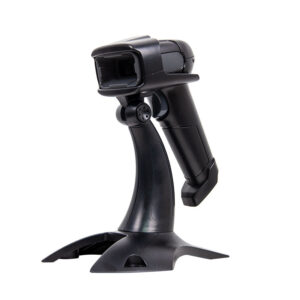
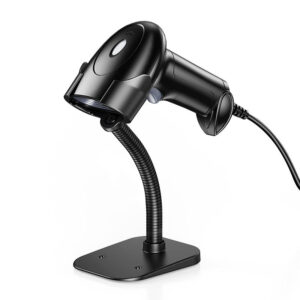
Related: POS-1670 handheld scanner · POS peripherals · POS-8800F desktop scanner · POS-8280A desktop imager · POS systems
|
Light Sources
|
Red LED (lighting)color temperature 650nm LED
|
|
Interface
|
USB-HID,USB-COM,RS232
|
|
Supported 1D
|
UPCEANCode(withful)Codabar,Code 1, ode 93, Symbologies: Code11, Interleaved2of 5, Idustrial 2 of 5, Matrix 2 of 5, MSI-Plessey,
GS1 DataBar, etc. |
|
2D
|
PDF417,Data Matrix, QR Code, etc.
|
|
Scan Mode
|
Continuous/Automatic Induction Scanning
|
|
Scan Speed
|
120 fps
|
|
Field of View
|
44° (H) * 34° (V)
|
|
CPU
|
32bit MIPS@1G Hz
|
|
Precision
|
≥4mil
|
|
Bit Depthoffield0-150mm@(13mil UPC/EAN 100%,PCS=90%) Field of View
|
Yaw 360°,Rotation 65,Pitch 65°
|
|
Press the key
|
can switch to read only onedimensional bar code by pressing the key
|
|
Indicator
|
LED,Speaking
|
|
Dimensions
|
151mm x 142mm x84mm
|
|
After-sales Service
|
Return and Replacement, Onsite Training and Inspection
|
|
Weight
|
437g
|
|
Material
|
ABS+PC
|
|
Cable Length
|
1.5M
|
|
Operating Temperatur
|
-20~60℃
|
|
Temperature
|
-30℃~70℃
|
|
Relative Humidity
|
5%~95%RH(Non-condensing)
|
|
Shock Resistance
|
Withstands multipletimes1.5 meters drops to concrete
|
|
Working Voltage
|
DC5V5%
|
|
Operating Current
|
Working current 240mA
|
|
Keyword
|
Android barcode scanner
|


First time specifying a desktop QR reader? Read why a laser cannot read a phone screen before you pick an engine, then what a POS system is made of to see where the scanner plugs in.