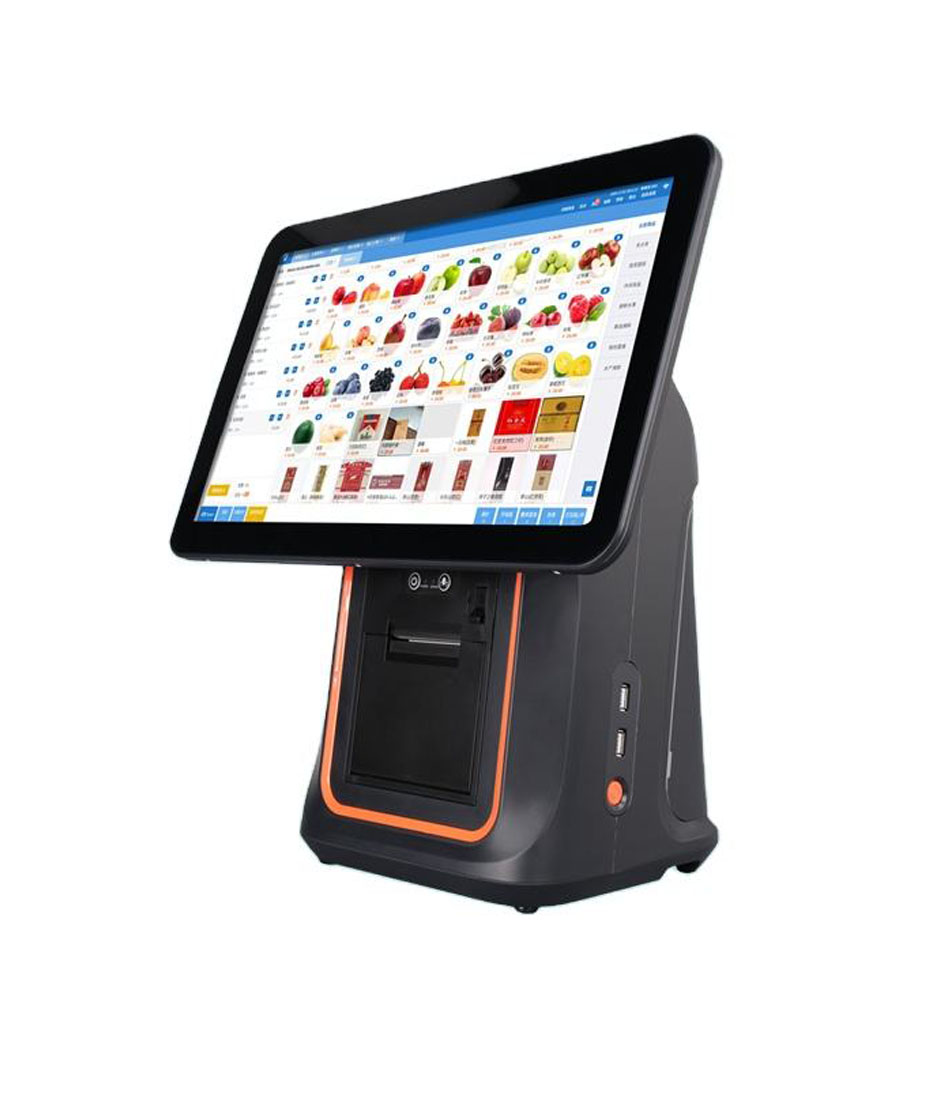
The counter is wet, and 40 cm deep
A bar POS system is a terminal that survives a wipe-down twice a night, a printer where the check is actually handed over, and a drawer set back from the rail. The tab software is somebody else’s line; this is the hardware that has to keep up with it.
A bar is specified like a restaurant and fails like a wet room. The counter is 40 cm deep, the ice well is at one end, the glasswasher is at the other, and everything on the rail gets splashed forty times a night. That is the environment the till lives in, and it decides more of the hardware than the menu does.
The second difference is arithmetic. A restaurant prints a receipt per table; a bar opens a tab and prints one check when it closes, which might be four hours and nineteen drinks later. So the printer is not the throughput constraint at a bar — the walk to the printer is. The device that matters is the one in the bartender’s hand, at the table, at the rail, at the service bar.
This page works from both ends: what liquid does to a terminal, and what a tab does to a shift. We build the terminals, printers, drawers, scanners and displays; we do not sell the tab software, the card processing or the installation. Where a decision belongs to the software supplier, the page says so rather than implying the hardware covers it.
The wet counter·40 cm of rail·A tab is not a sale·The 21:00 push·The screen nobody reads·Printing once an hour·Cash at one in the morning·The close·Table service·The cellar count·Three builds·Questions
The counter is wet, and the specification is where the water goes
No bartender sets out to spill on the till. The spills come from the glasswasher door, from a shaker being rinsed, from a bottle being upended too fast, and from condensation running down a glass that was set on the counter above the drawer. All of it arrives from above and from the rail side, which means the failure points are the ones facing up: a USB port on the top edge of a terminal, a power connector at the back of the base, a drawer front that takes the runoff.
IP ratings are quoted in this category and rarely help. A rating that describes dust and water jets against a test standard does not tell you what happens when a sticky liquid dries inside a port cover, or when the power brick is on the floor under the bar and the floor is washed every night. The practical specification is simpler: no upward-facing ports, a housing that can be wiped with a wet cloth without the liquid entering at a seam, and a power supply that is not on the floor.
The DCA-156A is the model we point to for this. The housing is an aluminium alloy body rather than moulded ABS, which matters for two reasons at a bar: it does not absorb a spill the way a textured plastic seam does, and it survives being wiped down twice a night with a cloth that is wetter than it should be. The screen is 15.6 inches at 250 nits — low for a sunlit patio and correct for a bar, where the light level after 9 p.m. is closer to a living room than to an office.
What actually fails, in order
The order is worth knowing because it decides where to spend. It is not the screen. It is the cable, then the drawer, then the printer’s paper path. A USB cable with a moulded strain relief that gets pulled every night when the bar is cleaned fails in about eighteen months; a drawer that takes runoff through the bill tray rusts the slide; a printer that sits at the rail ingests a splash and the paper path jams on the next print.
| Exposure | What fails | Time to failure | Fix |
|---|---|---|---|
| Wipe-down, twice a night | Moulded ABS seams, screen edge | 1–2 years | Aluminium housing, sealed front bezel |
| Splash from the rail | Top-facing USB and power ports | Immediate or seasonal | Ports on the rear face, cover, cable strain relief |
| Runoff onto the drawer | Drawer slide, bill tray | 1–2 years | Drawer set back from the rail, tray insert |
| Floor wash | Power brick, cable joint | Months | Brick on a shelf, not the floor |
| Condensation | Printer paper path | Weeks | Printer above the rail or wall-mounted |
Failure times are from service experience with wet-bar installations, not from a test standard. They assume a nightly clean-down and a rail-side position.
Forty centimetres of rail, and the depth nobody measures
A bar top is 60 to 75 cm deep for the customer and 30 to 45 cm for the bartender, because the ice well, the speed rail and the glass rack take the rest. A POS terminal with a conventional stand needs 25 to 35 cm of that working depth, most of it behind the screen where nobody looks, which leaves the bartender a strip barely wide enough for a glass and a hand.
There are three ways out, and they are not equivalent. The first is a foldable stand: the screen sits on an arm that folds down, so the terminal collapses into a shallow footprint when the rail is being used and stands up when a tab has to be closed. The DCA-152W is that machine, and on a service bar it is the difference between a terminal that is in the way and one that is not.
The second is to move the printer off the rail entirely. A wall-mounted 80 mm printer above the back bar keeps the paper path out of the splash zone and frees the counter, at the cost of a walk — which is only acceptable if the printer is on the bartender’s side of the bar, not the customer’s.
The third is to not put a terminal on the rail at all. A handheld in a holster on the bartender’s belt, with the terminal at the service end, means the rail holds glasses and nothing else. That configuration only works if the tab software can run on a 6 or 8-inch screen, which is a software question to settle before the hardware order, not after.
Whichever of the three is chosen, one rule holds at the rail: count the leads before the counter is drilled. A terminal, a printer, a drawer, a scanner and a card terminal is five leads, four adapters and a power strip, and at a bar the strip ends up on the floor under the ice well, which is the wettest place in the building. An all-in-one with the printer inside takes that to three leads; a terminal with an RJ11 drawer port takes it to two. The lead count is a specification, and it is the one nobody puts in the quote.
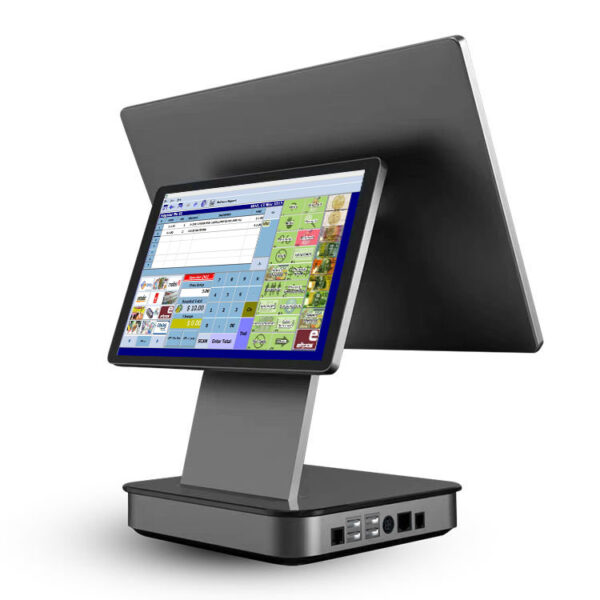 DCA-156A15.6-inch Android terminal in an aluminium housing, 363×350×210 mm, 3.18 kg. The wipe-down build.Specifications →
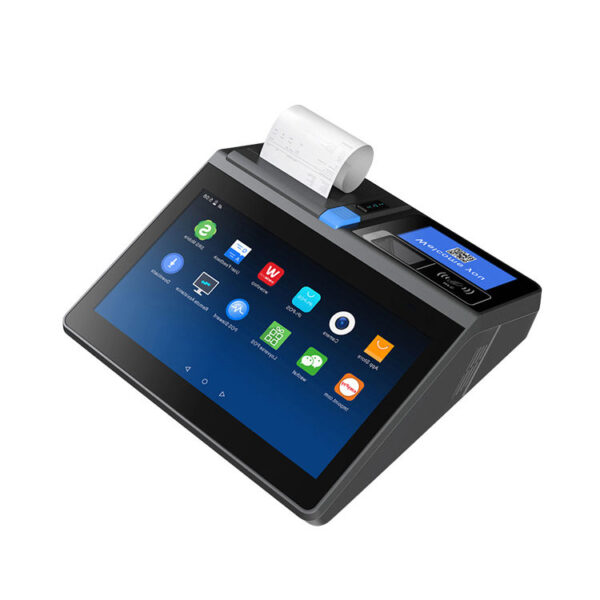 DCA-POS116A11.6-inch all-in-one with the printer inside, 292×100×297 mm, 2.35 kg. A small bar’s only box.Specifications →
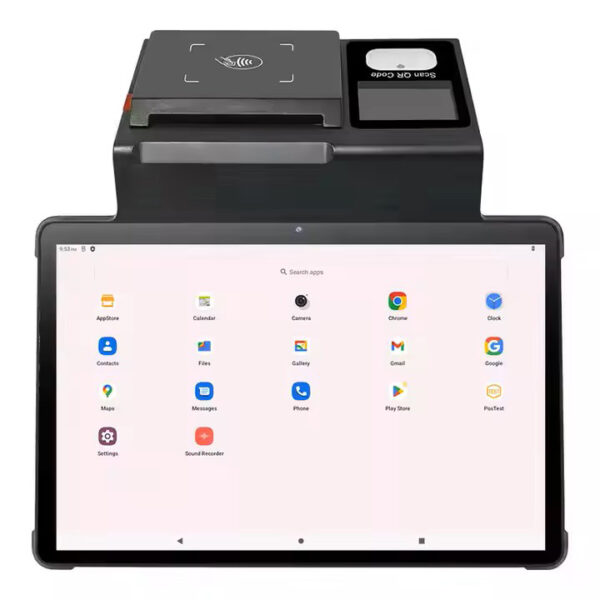 DCA-NB1111-inch 800×1280, Android 12, printer inside taking 80 or 58 mm stock on a 60 mm roll. The narrow-rail option.Specifications →
A tab is not a sale, and four stages need four devices
In a restaurant the unit of work is the table and the unit of payment is the check. In a bar the unit of work is the tab, which opens before anybody orders, accumulates across bartenders, moves between tables when a party relocates, splits when two couples decide to pay separately, and closes hours later with one card. Each of those four stages wants a different device, and a bar that buys for only the last stage ends up walking to the till for the other three.
Opening a tab is a name and a card, taken at the rail or at the table. Adding a round is four to nineteen taps on a screen that is probably not in front of the person doing it. Moving a tab happens when a party moves from the bar to a table, and it is the stage most often done by shouting across the room. Closing is the one stage that genuinely wants a printer.
That is the argument for a handheld with a printer, and it is also the argument for not over-specifying the fixed terminal. A 15.6-inch screen at the service bar is right for a venue with a dedicated cashier and wrong for a three-person bar where everyone works the rail.
| Tab stage | Frequency a shift | Device that fits | What goes wrong |
|---|---|---|---|
| Open | Every new party, 40–120 times | Handheld or rail terminal with a card reader | Card held as an authorisation, then the tab is opened without one |
| Add a round | Every round, 200–600 times | Handheld, or a screen the bartender can reach without moving | Queue at the one terminal during the 21:00 push |
| Move or merge | 5–20 times | Any device with the table map | Two tabs open for one party, reconciled at close |
| Close and tender | 40–120 times | Fixed terminal plus printer | Printer at the wrong end of the bar; the check is walked twice |
Counts are for a 120-seat venue doing 300 covers a night and assume one tab per two guests.
Nine o’clock, and where the twenty-four seconds go
The bar’s peak is not like a shop’s. Between 21:00 and 23:00 a busy venue does 500 to 700 rounds, and a round is not a ticket: it is four drinks, one screen entry and one payment. With four bartenders working, that is 150 rounds an hour each, or twenty-four seconds a round — and unlike a c-store, where the scanner is the constraint, at a bar the screen is.
Twenty-four seconds is enough to pour four beers and take a card. It is not enough to find a 300-item menu, add a modifier, send a docket to the service bar and come back. That is why the useful hardware measure at a bar is taps per round, not screen inches: a 15.6-inch screen with 48 quick keys beats an 8-inch grid that needs two screens to reach the same item, and a screen with a numeric keypad beats both for a venue whose staff know the codes.
The second constraint is where the round goes. A cocktail that needs the service bar is a docket, not a screen entry, and a docket that prints at the wrong end of the bar adds a six-metre walk to a twenty-four-second round. That is the arithmetic behind the second printer in the builds below: it is not redundancy, it is a distance.
| Round type | Time to make | Time on screen | Payment | Where it breaks |
|---|---|---|---|---|
| Four drafts | 40–60 s | 8–12 s | Card, 20–30 s | The card terminal is not on the bartender’s side |
| Two cocktails | 90–120 s | 15–25 s with modifiers | Card at close | The docket prints at the rail instead of the service bar |
| Bottle service | 30 s | 20 s — deposit, mixer, tab link | Card held open | The tab is opened without an authorisation |
| A round added to a tab | As above | 6–10 s | Nothing until close | Two bartenders add to the same tab on two devices |
Screen times assume a menu the bartender already knows. Add four seconds per item for a menu that has to be searched by name.
The screen nobody reads, and the one they do
Customer displays are specified for bars out of habit. A two-line VFD showing a total is a checkout fixture: it exists because a supermarket customer wants to watch the price of each item go by. In a bar the customer is not watching the till, and the total they care about is the one at the end of the night, printed on a check.
What the customer does look at is the card terminal, and that is a separate device with its own screen. So the useful question about a bar’s second display is not which technology but whether there is a moment when a customer-facing screen earns its space: a service bar with a queue, where the waiting customer can see the round being rung up; a bottle shop attached to a tasting room; a venue with table-side payment where the handheld screen is turned around.
Where a display is justified, the 7-inch class is the one that fits a rail: 1024 × 600 at 430 cd/m² is bright enough for a backlit bar and small enough to sit on a pole at the end of the counter without taking working depth. A 10.1-inch HDMI panel is a better answer for a bar that wants to show a menu or a promotion, but it needs an HDMI source, which on an Android terminal usually means a mini PC as well.
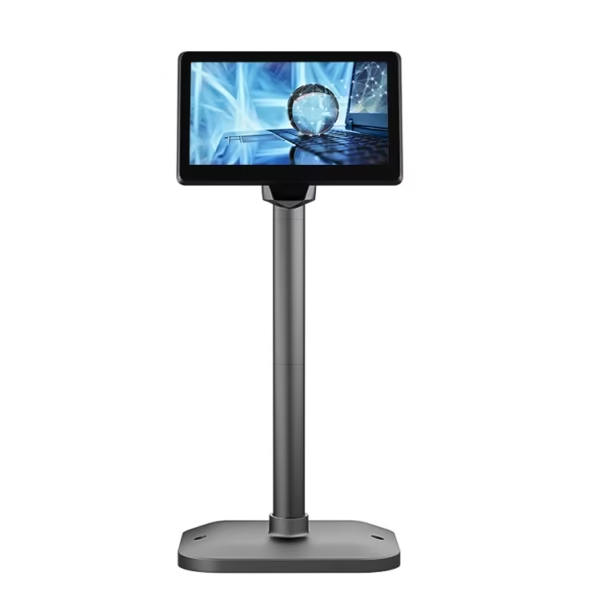 POS-CD7A7-inch 1024×600 at 430 cd/m², VGA or HDMI, 12 V/3 A. Fits a rail where a 10-inch will not.Specifications →
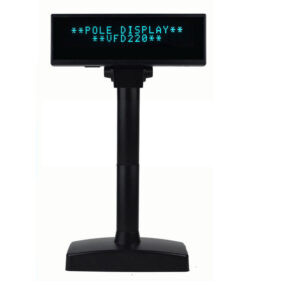 VFD22020×2 characters, self-lit, RS232, USB, Bluetooth and Wi-Fi. The total, and nothing else, for a service bar.Specifications →
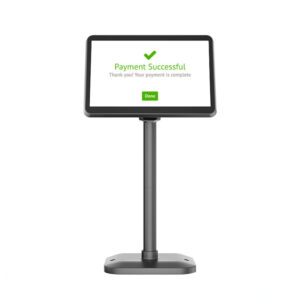 POS-CD10H10.1-inch 1280×800 IPS on a 350° pole, HDMI input. Menu or promotion, if there is an HDMI source.Specifications →
| Moment | Who is looking | What has to be on screen | Device |
|---|---|---|---|
| Waiting at the service bar | The guest, for 40 seconds | The round being rung and the running total | 2×20 VFD or a 7-inch panel turned outward |
| Closing a tab | The guest, once | Itemised rounds, the tip line | A printed check, not a display |
| Paying by card | The guest, for 20 seconds | Amount and the tip prompt | The card terminal, which is not ours |
| Reading a menu or a promotion | The guest, for minutes | A picture and a price | 10.1-inch HDMI panel, usually from a mini PC |
| Watching the pour | Nobody | Nothing | No screen — the space is worth more |
The last row is the honest one for most bars: a customer display earns its centimetres on a service bar with a queue, and rarely anywhere else.
Printing once an hour, not once a minute
Bar print volume is low and the consequences of a failure are high. A 120-seat venue might print 90 checks a night, most of them between 23:00 and 01:00, plus a Z report and a handful of duplicates. That is nothing for a mechanism rated at 260 mm/s, which is why buying print speed for a bar is usually a mistake: what matters is that the printer is where the check is needed and that a duplicate can be produced without a walk.
The check itself is short — six to twelve lines, 120 mm — so 58 mm is enough for the text and wrong for the layout most venues want, because a bar check usually carries a venue name, a table, a server, itemised rounds and a tip line. At 32 characters a line the item and the price stop sharing a line, and a check that should be one page becomes two.
The specification that earns its place at a bar is the cutter and the stored logo. A cutter rated for 1.5 million cuts is roughly fifteen years at 90 checks a night, and a stored logo prints without the POS software sending a bitmap with every job — which on a bar’s network, at 01:00, with the software sending to three printers, is the difference between a check in two seconds and one in six.
A bar that runs table service needs a printer wherever checks are handed over, not one printer at the rail. Two 80 mm units cost less than the labour of walking a check across a room 90 times a night, and they fail independently, which is the property that matters on a Saturday.
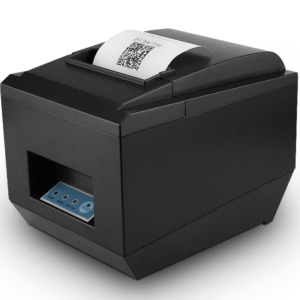 POS-825080 mm at 260 mm/s, 576-dot head, full or partial cutter, USB, serial, parallel, Ethernet and wireless.Specifications →
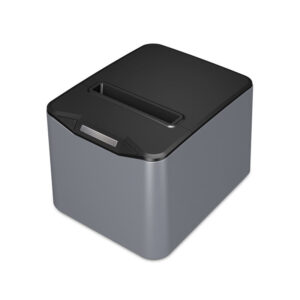 POS-8370Cutter rated for 1.5 million cuts, stored logo printing, native 1D barcode on the receipt path. The check printer.Specifications →
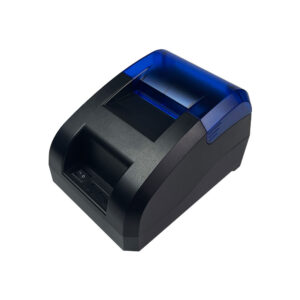 POS-5890U58 mm at 70 mm/s, no cutter, USB and Bluetooth. For a service bar printing short dockets, not checks.Specifications →
Cash at one in the morning
Bars are more cash-heavy than their card mix suggests, because tips arrive in cash and because the last hour of the night is when the card machine is slowest. A drawer that is 405 mm wide with eight coin slots exists for that: the coin count at close is the part that has to reconcile, and a tray with four slots and a loose note well turns a ten-minute count into twenty-five.
Position matters more than size. A drawer directly under the rail takes runoff from every glass set down above it, and its slide is the part that rusts first. Set it back 10 cm from the rail edge, or put it at the service end where the glasswasher is not. Depth is the second constraint: a drawer at 420 mm needs 420 mm of carcass plus travel, and a bar back-counter is often shallower than a retail counter because the kegs are behind it.
The electrical detail that catches people is the drawer pulse. Most of our printers put 12 V on the RJ11 drawer port; the POS-8370 puts 24 V at 1 A. A 24 V pulse into a 12 V drawer works, loudly, for a while, and then the solenoid sticks open — which at a bar means a drawer that cannot be locked on a busy night. Match the drawer to the printer, and if the drawer is driven from the terminal instead, check whether the terminal’s port is pulsed by the software or by the printer.
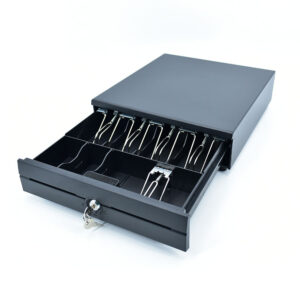 POS-350A350×380×92 mm. For the shallow back counter where a 420 mm drawer will not clear the carcass.Specifications →
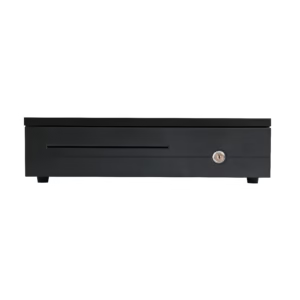 POS-405A405×420×100 mm: the standard platform, 5 mm narrower for a cut-out that was made to the old size.Specifications →
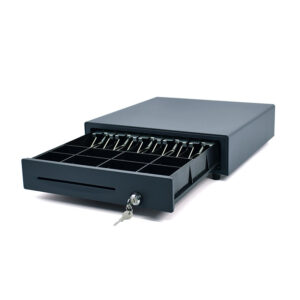 POS-410B410×420×100 mm with eight adjustable coin slots and a status switch, for a close that has to reconcile to the cent.Specifications →
The close, which is where the hardware gets audited
Everything a bar buys is judged at 02:30, when the Z report prints, the drawer comes out and the tips are paid. That is the only moment in the day when the hardware is checked rather than used, and it is the moment when a cheap decision shows up as an hour of somebody’s night.
A close is four artefacts: the Z report, the drawer count, the tip payout and the card batch. The printer produces the first and part of the third; the drawer produces the second; the card terminal produces the fourth and is not ours. If any of the first three is slow, the close runs long, and a bar that closes an hour late four nights a week loses more labour than the hardware difference between a good build and a cheap one.
Two small specifications feed directly into that hour. A drawer with eight coin slots and a removable till is counted outside the counter, in better light, instead of being counted in place. A printer with a cutter and a stored logo prints the Z report in one piece, at the right length, without the software sending a bitmap at the end of a shift when the network is at its worst. Neither is expensive; both are the difference between a close that takes twenty minutes and one that takes fifty.
The fourth artefact, the card batch, is the one that decides whether the drawer matters at all. A venue taking 70 per cent card still counts a full drawer every night, because the cash that came in is real and the tips are cash. That is the reason a bar keeps a 410 mm drawer with a full coin tray rather than a compact one: at a bar the drawer is not sized by the cash it holds, it is sized by the count it has to survive.
Table service, and the walk that costs the round
The difference between a bar that takes orders at the table and one that does not is not the software; it is whether the device can print. A handheld that can only enter an order means the bartender walks to the printer to tear the check, which is the same walk the handheld was bought to remove. An 8-inch handheld with a printer inside removes it, at the cost of 800 g in a holster.
Three sizes, three jobs. A 5.5 to 6-inch handheld is a device for taking orders and running cards at a table where the check is printed elsewhere. An 8-inch device is a workstation that can stand on a table, print a check and drive a drawer when it is docked. Anything larger stops being carried and starts being a terminal.
Battery is the specification that decides whether the device survives a shift. A 6,400 mAh removable pack in an 8-inch body runs a full service and swaps in seconds; a sealed battery in a 6-inch body runs out at 23:30 and takes the device off the floor for an hour. If the venue does table service, buy the removable pack and a spare, and treat the spare as part of the order rather than an afterthought.
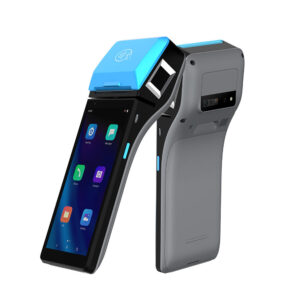 DCA-H50Handheld with EMV Level 1 and Level 2 certification — the only model in the range that carries both, which is what a table-side card payment needs.Specifications →
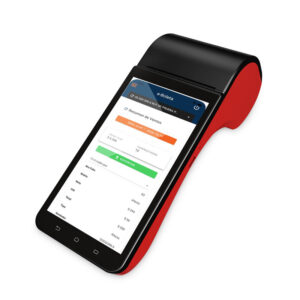 DCA-H62The 6-inch class handheld for order taking at the table, where the check is printed at the rail.Specifications →
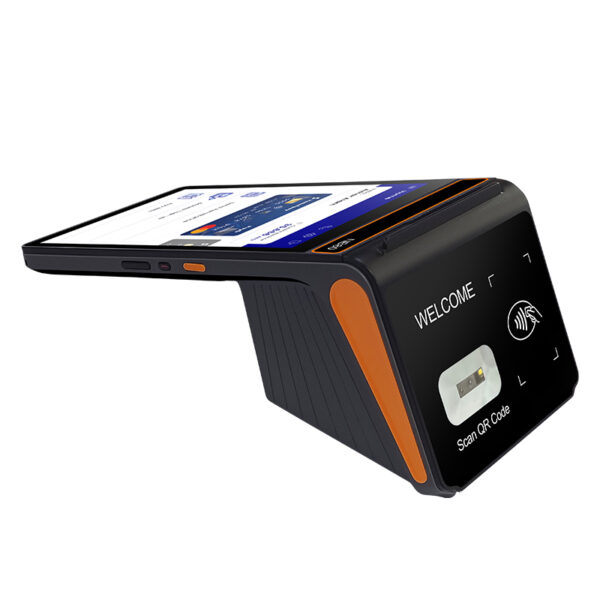 DCA-H808-inch 800×1280, 800 g, removable 6,400 mAh battery, 58 or 80 mm printer option. The one that prints at the table.Specifications →
The cellar count, and the back-bar count
Stock control in a bar is two counts, not one. The back bar is 80 to 200 bottles on open shelves; the cellar is kegs, cases and the overstock that nobody wants to walk down for. Both are counted weekly at best and monthly at worst, and the count is done with a clipboard because the till is at the other end of the building.
A handheld changes the count from a written list to a scanned one, but only if the barcode is on the bottle, which for spirits it usually is not at the unit level. That is why the useful device for a cellar is not a scanner but a terminal that can run a stock list and accept a typed quantity, with a screen big enough to see twenty lines without scrolling. It is unglamorous and it is the difference between a count that finishes at 02:00 and one that finishes at 03:30.
Labels belong to the back bar rather than the cellar: price tags on shelves, date labels on opened vermouth and syrups, batch labels on pre-mixed cocktails. A 4-inch label printer with four sensors is the specification that keeps a date label where it was placed, and a paper-return mechanism means a mis-printed batch label does not consume the next one.
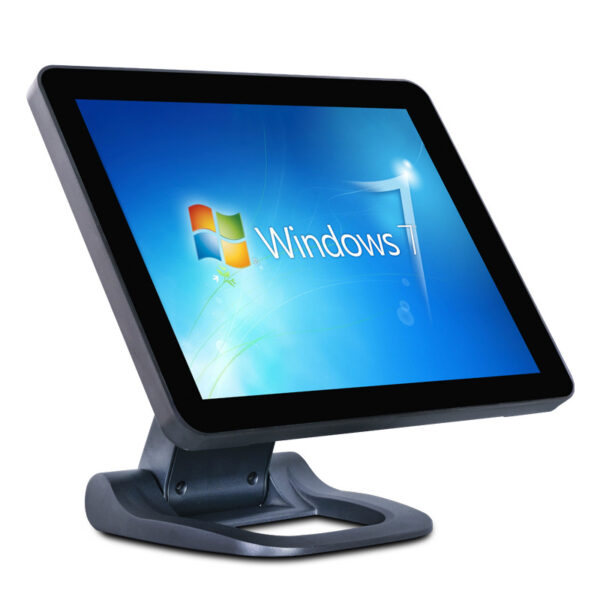 DCA-152WFoldable stand POS: the screen folds down against the counter, so a 40 cm rail keeps its working depth when the bar is busy.Specifications →
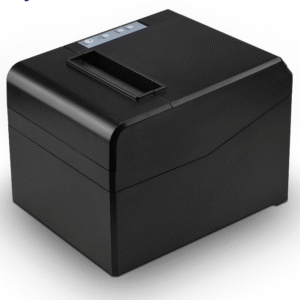 POS-833080 mm at 260 mm/s on a chassis that fixes to a wall or the back bar, lifting the paper path out of the splash zone.Specifications →
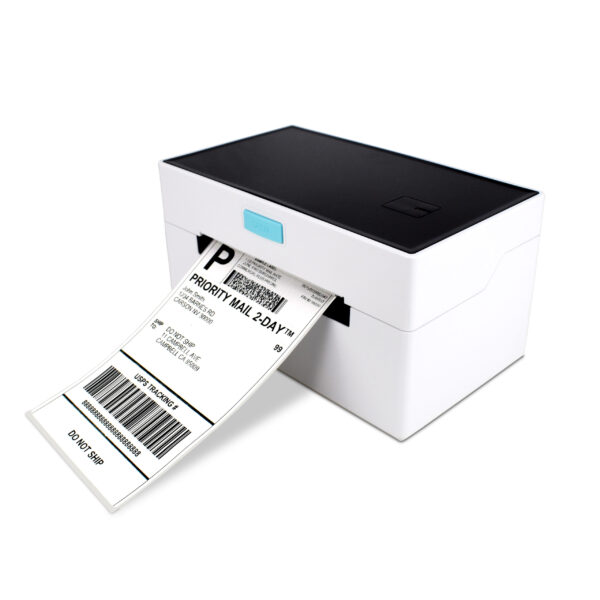 POS-9220110 mm label printer with paper return: date labels on opened bottles and batch labels on pre-mix, without wasting stock.Specifications →
Three bars, three builds
The builds below are shaped by two numbers: how many people work the rail at peak, and whether orders are taken at tables. Everything else follows, including whether there is a fixed terminal on the bar at all.
| Venue | Rail | Terminal | Printing | On the floor | For |
|---|---|---|---|---|---|
| Neighbourhood bar, 60 seats | One well, one bartender | DCA-156A at the service end | POS-8250 under the bar | None | Cash and card at the rail, tabs closed at the till |
| Cocktail bar, 40 seats, table service | One well, two on the floor | DCA-152W folded when busy | POS-8370 at the rail, POS-5890U at the service bar | Two DCA-H80 with printers | Checks printed where the guest is, not where the till is |
| High-volume, 200 seats, two wells | Two wells, four bartenders | DCA-KSA with the printer inside | Built in, plus a POS-8330 wall-mounted at the back bar | Four DCA-H62, one DCA-H50 for card at the table | Peak of 600 rounds an hour, no walk to a printer |
All three assume the drawer is set back from the rail and the power brick is on a shelf. A build that puts either on the floor is a service call in year two.
What we do not sell, and the questions to settle first
We build the terminals, printers, drawers, scanners, displays and handhelds on this page. The tab software, the card processing and the installation are other suppliers. At a bar the software question is unusually load-bearing, because a tab is a data structure the hardware has to keep up with: a package that cannot move a tab between tables will not be fixed by a better printer.
Four questions to put to the software supplier before the hardware order. Can it run a tab without an open card authorisation? Can it move a tab between tables and merge two tabs? Does it print to more than one printer, and does it address them by name or by port? Can it run on an 8-inch screen, or does it assume 15 inches? The answers decide whether the build above is a fixed terminal with handhelds or a set of handhelds with one terminal at the service end.
What is on our side is the part that fails in year two, and at a bar that part is mechanical: drawer slides, printer cutters, USB cables and the seals on a terminal that is wiped twice a night. An aluminium housing, a cutter rated for 1.5 million cuts, a drawer with a million-operation slide and a spare paper roll behind the bar cost less than one Saturday with a dead printer.
The format next door is on the convenience store page, which is the same counter problem with four times the ticket count; the liquor store page covers the retail side of the same product. For the parts that fit around any of them, start at the POS system overview, and for the five lines a quote is made of see what a POS system costs.
Do I need an IP-rated terminal behind a bar?
An IP rating describes a test, not a nightly clean-down. What matters is where the water goes: no upward-facing ports, a housing that can be wiped without liquid entering at a seam, and a power brick that is not on a floor which gets washed. An aluminium body and rear-facing ports do more for a wet bar than a rating printed on a spec sheet.
Can a bar run on handhelds only?
Yes, if the software runs on an 8-inch screen and there is a printer at the rail for the checks a handheld cannot print. What breaks first is the battery: a sealed pack in a 6-inch device runs out before close. If the venue takes orders at tables, buy a removable pack and a spare.
Where should the printer go?
Where the check is handed over, not where the till is. A wall-mounted 80 mm unit above the back bar keeps the paper path out of the splash zone; a second unit at the service bar removes the walk. One printer at the rail for a 120-seat room means every check is carried twice.
Why does my drawer stick open after a few months?
Two causes, both electrical. A 24 V drawer pulse into a 12 V drawer welds the solenoid over time — check whether the printer or the terminal supplies the pulse, and at what voltage. Or the drawer is under the rail and the slide has taken water; a drawer set back 10 cm from the rail edge lasts years longer.
Is a 58 mm printer enough for a bar?
For a service-bar docket or a short order slip, yes. For a guest check with a venue name, a table, a server, itemised rounds and a tip line, no: 32 characters a line splits the item from its price and the check becomes two pages that guests photograph instead of paying.
Our bar is on a sunny patio. Does screen brightness change the choice?
Yes. The 15.6-inch terminals in this range are 250 nits, which is right indoors and marginal in daylight. A patio bar should put the terminal in shade, or use a 350–430 nit panel such as the POS-CD10H class for the customer-facing side, and accept that the terminal itself is an indoor device.
Send the bar plan, not the model number
Two numbers decide the build: how many people work the rail at peak, and whether orders are taken at tables. With those, the printer count and the handheld count follow, and the quote can be checked line by line.
- Rail length and working depth, in centimetres
- Peak rounds an hour, and how many bartenders
- Whether checks are printed at the rail or at the table
- Whether tabs open with or without a card authorisation