Four machines run the same POS software at the same speed. A tower under the counter, a laptop left open on it, an all-in-one with the printer built in and a one-litre box bolted to the back of a monitor can all carry the same processor, memory and SSD.
So the sheet that decides is not the specification sheet. It is three things the sheet never lists: where the heat goes, where the cables go, and who carries the machine out when it fails. All three can be measured first.
Three differences, not four
The shapes themselves are documented elsewhere. This is the question underneath them: given that a counter needs a screen and a computer, should those be one object or two, and does the computer have to sit where the screen sits?
The three differences, side by side:
| Shape | Where the heat goes | Cables above the counter | Who carries it out |
|---|---|---|---|
| All-in-one with printer | Board and backlight share one shell | 3 | The whole terminal |
| Mini PC behind the panel | Board only, behind the panel | 2 | One box, in fifteen minutes |
| Desktop tower below | Board plus a fan pulling dust through | 2 | The box, cabinet opened |
| Laptop on the counter | Board under the keyboard | 4 | The machine, licence and all |
An all-in-one puts two heat sources in one shell
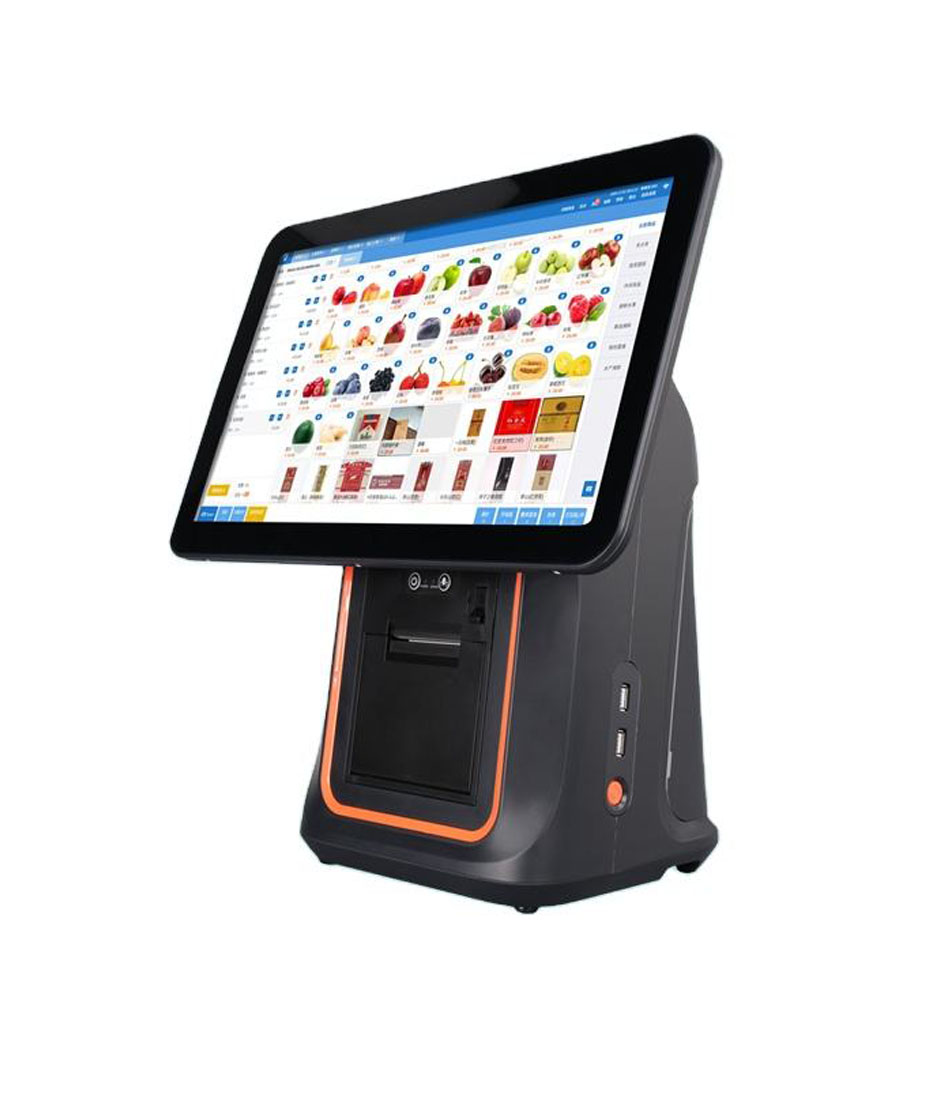
A 15.6-inch integrated terminal such as the DCA-KSA holds a processor board and a display assembly in one housing. The board dissipates 6 to 15 W depending on load; the backlight and its driver add 4 to 6 W, and that heat has nowhere to go but the panel it is lighting. Internal temperature runs 8 to 12 K above the same board in a separate box.
That offset is not cosmetic, because electrolytic capacitors age on a doubling rule: every 10 K of internal temperature roughly halves remaining life. A capacitor rated for eight years at 35 °C is a four-year capacitor at 45 °C. The part number does not change; only the calendar does.
The display is heated too, and it is the expensive half. LED backlights reach half brightness at 30,000 to 50,000 hours at a reference junction temperature; 10 K hotter roughly doubles the decay, so a 30,000-hour panel can half out at 15,000 — 3.4 years instead of 6.8.
The integrated shape is not the wrong answer
One box, one power lead, one warranty and no cable between screen and computer suits a low-load counter or a kitchen display. It is wrong only where the screen outlives the board and the purchase ties them together.
A tower is not slow, it is large
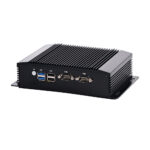
Nothing makes a desktop tower a worse computer. It is a worse object to install. A mid-tower is 40 to 45 litres; the DCA-M100 is 170 × 125 × 50 mm, or 1.06 litres — a factor of about forty, and the counter has to find room for it.
Under-counter cabinets are typically 40 cm deep and already hold a UPS, spare rolls and a cash bag. A tower wants 50 mm clear front and back, so it takes a third of the cabinet — and in a closed compartment its intake air is its own exhaust within an hour.
The second cost is idle power. A 400 W ATX supply carrying 60 W sits at 15 per cent of its rating, and 80 PLUS tests only 20, 50 and 100 per cent, so efficiency down there is usually below the badge. At 78 per cent the counter draws 77 W to do 60 W of work: 50 kWh of heat a year.
A tower is right when the machine must hold two 3.5-inch drives or five expansion cards. A till needs none of that.
The one real advantage of a mini PC
Separating computer from screen pays for exactly one reason: the halves have different lifetimes. A backlit panel reaches half brightness at 30,000 to 50,000 hours — 6.8 to 11.4 years at twelve hours a day. The board inside is obsolete in three, because the software moves on.
Buy them as one object and the shorter life sets the date for both. Buy them as two and the panel stays mounted through two or three computer generations: one screen and two boxes over eight years, against two or three complete terminals. The saving is the display, the bracket and the re-cabling.
Mounting makes it practical. VESA MIS-D defines two patterns, 75 × 75 and 100 × 100 mm, M4 screws, 10 mm maximum thread depth. A 170 × 125 mm face covers the 100 × 100 array, which is why this class of box disappears behind a touch monitor. Confirm the pattern and the arm’s load rating before ordering.
The price is one more adapter and one more video cable, both behind the panel and touched once.
A laptop is a hinge and a battery
The mechanical rating that decides a laptop’s life in an office is the hinge: 20,000 to 30,000 cycles. On a counter the lid opens once in the morning and closes once at night, so the hinge is never tested. The two parts that fail were designed for a bag.
The battery is the first. A lithium pack kept at full charge and 35 °C ages at 15 to 20 per cent a year and reaches 80 per cent health in 300 to 500 cycles — except that it is not cycling, it is sitting at 4.2 V, the worst state for calendar ageing. Swelling is the usual result.
The keyboard is the second. Syrup, milk and sanitiser each destroy a membrane keyboard in one event, and a laptop cannot be rinsed. A commercial terminal puts sealed glass over everything, one of the four numbers that separate the two classes of hardware.
There is a case where the laptop is right: one shop, one person, a stall that packs up at night, no second lane. Buying a commercial terminal for a market table is worse than using the laptop already there. The mistake is treating that machine as a fixed counter computer for three years.
Cable count is a red herring
By count, the mini PC loses. An integrated terminal needs three cables: power, network and the drawer lead. A box plus monitor plus printer needs eight: two power leads, HDMI, three USB, the drawer lead and the network. Anyone arguing on cable count alone should buy the all-in-one.
The number that matters is how many cables are above the counter. Connector life is published: USB-A and USB-B are rated for 1,500 mating cycles, RJ45 for about 750, HDMI for 10,000. Those figures assume a plug inserted and left alone. A cable on the counter is unplugged by a cloth or a customer’s bag far more often than its rating allows.
| Shape | Cables in total | Above the counter | What gets tugged |
|---|---|---|---|
| All-in-one with built-in printer | 3 — power, LAN, drawer | 3 | All three, at the back of the screen |
| Mini PC behind the panel | 8 — 2 power, HDMI, 3 USB, drawer, LAN | 2 — drawer and scanner | The two carrying the most traffic |
| Desktop tower below | 7 — power, HDMI, 3 USB, drawer, LAN | 2 — drawer and scanner | The same two, plus a kick risk |
| Laptop on the counter | 4 — power, USB printer, drawer, LAN | 4 | All of them, plus the lid |
Read it as a routing problem. The integrated terminal wins on count and loses on exposure: every cable ends within reach of whoever cleans the counter. The box behind the panel moves six of its eight out of reach, which is the only reason the extra cable is acceptable.
One battery, four answers
The same uninterruptible supply behaves differently depending on what is plugged in. A common 600 VA unit with one 12 V 9 Ah battery holds 108 Wh nominal, about 92 Wh delivered after inverter losses.
| Build | Draw at the counter | Runtime on 92 Wh | What that buys |
|---|---|---|---|
| All-in-one, 15.6-inch | 30 W | 3.0 hours | A lunch service with the network down |
| Mini PC plus touch monitor | 22 W | 4.2 hours | The same, plus a shift close |
| Desktop tower, 60 W load | 95 W at the wall | 58 minutes | The current sale and a Z report |
| Laptop, charging | 120 W peak | 46 minutes | Less than the tower, because it charges while it runs |
The useful question is not how long the shop keeps trading but how long the close takes: finish the open sale, open the drawer, print the Z report, shut down in order. That is twenty to thirty minutes, and every build above can do it. Capacity is not a differentiator until it is — and the gap between 58 minutes and 4.2 hours is the gap between a procedure and a panic.
Two things shift the arithmetic. A charging laptop draws more than an idle one, so its runtime is worse than a desktop on the same workload. And an integrated printer adds the head to the same supply: it pulls 2 A at 24 V while printing, so the receipt decides the rating, not the screen.
The number that decides is recovery time
Every build fails at a similar rate in three years and repairs very differently. An all-in-one must be unbolted, disconnected from printer, drawer, scanner and customer display, and replaced by a unit re-bound to all four. Two hours is optimistic with one spare; five to ten days if it goes back.
A mini PC is one box. Unplug power and HDMI, plug the spare into the same two sockets, and the screen, printer, drawer and scanner never move. With a prepared image or a PXE boot the swap is ten to fifteen minutes, done by whoever is on shift.
| Build | What moves during a repair | Realistic downtime | Spare needed |
|---|---|---|---|
| All-in-one | Screen, computer and every peripheral binding | 2 hours on site, 5–10 days if returned | A complete second terminal |
| Mini PC | One box and two plugs | 10–15 minutes | One bare box, same image |
| Desktop tower | The box only, but the cabinet is opened | 30–60 minutes | A box, plus someone who fits |
| Laptop | The machine, including the licence tie | Same day if a spare exists | A second laptop, ideally identical |
That is why chains with several lanes accept the extra cable: they are buying a fifteen-minute failure instead of a two-hour one on a trading day.
Where one box stops being enough
The boundary of a mini PC is interface count, not processor speed. Two screens run from almost anything; three independent digital outputs on one fanless chassis is a narrow category, because the alternative is two USB display adapters that push frame composition onto the CPU and stutter when the till is busy. The DCA-M300 is 2 × HDMI plus 1 × DisplayPort, all three active, on a J6412.
Serial is the other boundary. Scales, PLCs, legacy customer displays and PIN pads still speak RS232, and a USB-to-serial adapter is a driver dependency that changes COM number after a reboot. The DCA-M400 carries six DB9 ports, four switchable to RS422 or RS485, plus a terminal block adding six RS232 channels, on 9 to 36 V in.
Environment sets the third. A box rated −20 to +60 °C with no fan is a different device from a small desktop, and the difference is not the processor — it is that there is no intake to block. The fanless argument is made in full elsewhere.
A fourth case shares the chassis: the DCA-M200 puts four 2.5 GbE ports on a J4125, which makes it a router rather than a till.
Five questions that settle it
The first three usually decide it.
- How long will this screen stay mounted? More than five years and it should outlive one computer, which means two objects.
- How deep is the counter? Under 45 cm, nothing goes underneath: mount the box on the panel or buy the integrated terminal.
- How long must the close take on battery? Thirty minutes, any build works. Two hours of trading, only the low-power builds do.
- Who carries it out, and how far? Several lanes, a spare box and a prepared image turn half a day into fifteen minutes.
- How many screens and serial devices? More than two screens, or anything that only speaks RS232, means a box with the right ports rather than an adapter.
Frequently asked questions
Is a mini PC as fast as a desktop?
At the same processor, yes. What changes is sustained load: a fanless body has a lower thermal ceiling, so a 6 W-class part is chosen deliberately and a long export throttles where a tower would not. A till never reaches that ceiling.
Can a laptop replace a POS terminal permanently?
It runs the software, and it does in vans, markets and pop-ups. On a fixed counter the battery ages 15 to 20 per cent a year at 35 °C, the keyboard is not sealed, and the machine is replaced every three years — the same money with none of the mounting options.
Does a POS computer need a fan?
Only if it must dissipate more than a passive body can. A fan removes heat and also pumps dust through the fins until they block, and its bearing is the first part to fail. In a workshop, a bakery or an enclosure, no intake beats the last 10 per cent of peak performance.
Which is cheaper over eight years?
Count replacements, not purchase price. One all-in-one is cheaper than a box plus a monitor; two or three of them are not. Eight years is one panel and two boxes, or two to three complete terminals — and the second throws away a working display each time.
Does a mini PC need a special monitor?
It needs the right input and, to hang the box on it, a VESA pattern. 75 × 75 and 100 × 100 mm are the common ones, M4 screws, 10 mm maximum depth. A commercial touch panel has them; a consumer monitor often does not.
Where to go next
The industrial mini PC range starts at the 1.06-litre M100 and climbs through the four-port M200, the three-output M300 and the twelve-serial M400. If the counter is fixed and the budget is one object, the integrated terminal has its own page.
Two adjacent decisions matter before ordering: what a POS system is made of, and what happens when the internet drops — the second changes which build you want, because a machine that keeps selling offline needs local storage and a local receipt counter. In a vehicle the 12 V arithmetic applies instead. If the printer stopped, start with the four checks.
Send the counter depth, the screen count and a photograph of the cabinet through the contact form; we will say which shape fits, including when it is the one we sell less of.
Specifying the hardware? The hardware side is covered in the POS system, by counter position — where each part sits and which of them you can stop buying separately.