
UK and Ireland · VAT records
In the UK and Ireland an EPOS system is a package, and the document it produces is the part that has to outlive it. This is what that receipt requires of the hardware, from the £250 line to the five-cent rounding line.
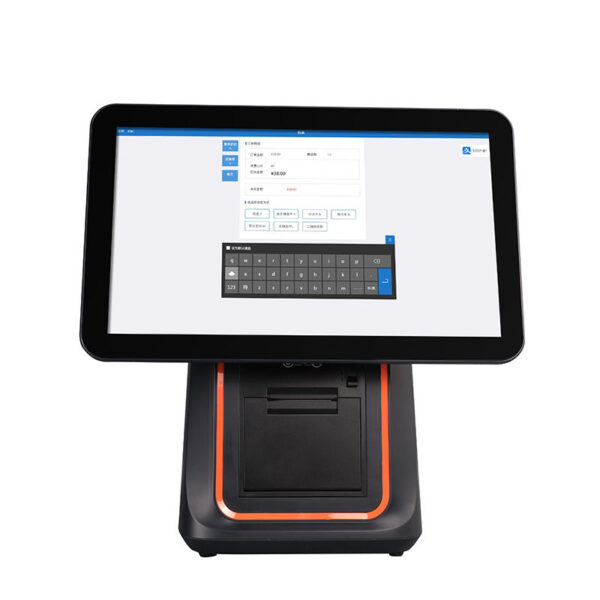
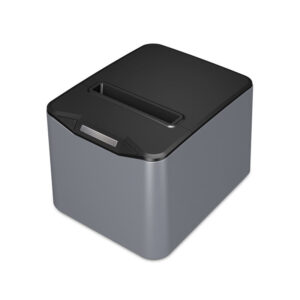
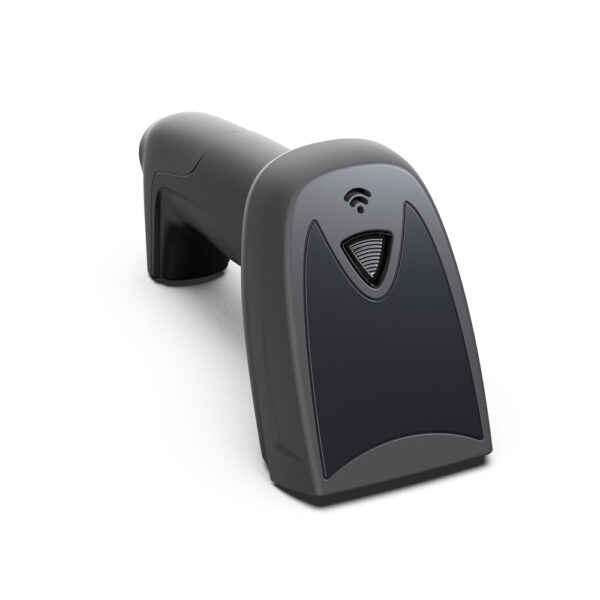
EPOS is the British and Irish word for the whole till, not for the box on the counter. That is not a vocabulary note. It puts a document inside the quote: the receipt, which in the UK and Ireland is a tax record before it is a receipt — and the paper it is printed on has to survive longer than the sale does.
The two acronyms name the same machine. A 15.6-inch terminal, an 80 mm printer, a steel drawer and a scanner are the same parts whether the catalogue heading says EPOS or POS. What differs is what the buyer expects the word to include, and the difference shows up in the one artifact the customer leaves with. A UK buyer asking for “an EPOS system” is usually asking for hardware, software, card processing and a support term as one package. A US buyer asking for “a POS system” is often asking about software alone. Neither notices the gap until the invoice is compared.
So this page takes the receipt seriously and works back from it. Two sizes of VAT document, the fields each one has to carry, six years of retention against a paper that fades, forty-eight characters against thirty-two, three VAT rates on one sale, and the five-cent rounding line that only Ireland needs. Every one of those is a hardware constraint disguised as paperwork: it decides the paper width, whether the drawer opens, whether the customer can check the arithmetic, and whether the copy filed at the end of the day is still legible when somebody asks for it.
We build the hardware in that sentence: all-in-one terminals from 11 to 15.6 inches, 80 and 58 mm receipt printers, cash drawers in three widths, 2D scanners, pole and VFD displays, and fanless mini PCs. We do not sell the till software, the card contract or the accountancy, and this page is careful about where the line falls — the tax rules are quoted from the regulations, and your accountant still decides how they apply to you.
The word·Two documents·Fields the till holds·Six years·48 vs 32 characters·Three rates·Five cent·Five documents·The counter·Four builds·When it is wrong·What we sell
What the word buys, and what it does not
Electronic point of sale. The adjective was doing real work in the 1980s, when the alternative was a mechanical register with a bell; every till sold today is electronic, so the “E” describes nothing. It survived because procurement documents, VAT guidance and job titles were written around it. A buyer who searches for one word and a supplier who only uses the other are invisible to each other, which is the commercial reason both words exist on this site. The definition itself, four layers and all, is on what an EPOS system is; this page is the hardware underneath it.
The scope is where they part. In British and Irish trade writing an EPOS system usually means the installed package: the terminal, the peripherals, the software licence, the card processing and a support contract, on one order. In North America the same phrase often means the application, with the hardware bought separately against a supported list. Both readings are legitimate, and a quote is where the difference turns into money.
The one hardware difference that is real
Very little changes at the machine. Three things do, and only one of them changes what the document can say.
The first is the mains lead. The UK uses the fused 13 A plug, so a terminal whose adapter is 110–240 V input still needs the right cord in the box; our 15.6-inch KSA is specified with a power cable “compatible with USA / EU / UK” and it is a line on the order, not a different machine. The second is the cash drawer’s note grips, which are covered in section nine because polymer notes changed the geometry. The third is the paper: UK and Irish tills default to 80 mm because that is the width at which a VAT invoice still reads as a table, and that is the argument the rest of this page is about.
What a UK quote has that the four layers do not explain
Hardware, operating system, application and payment link make up the machine. There is a fifth layer in the UK and Ireland that is not a layer at all: the record the machine produces. It is the one part of the system that outlives the terminal, is read by somebody who was not there, and has a retention period written into law. A till can be replaced in an afternoon; six years of invoices cannot.
That is the whole reason to read a hardware page through a receipt. Every physical choice on a counter — 80 mm or 58, a cutter or not, a drawer port on the printer or on the terminal, a 2×20 tube or a 10-inch panel — changes what that document can say.
Where EPOS and POS stop being interchangeable
Three phrases, three scopes, and the difference is what the buyer thinks they have bought.
| What the buyer says | What it usually includes | What it leaves out | The question that closes the gap |
|---|---|---|---|
| EPOS system (UK, IE) | Hardware, software, card processing, installation, support term | Who owns the licence, and what happens to it when the terminal is replaced | Is the licence transferable to a new serial number, and how long does that take? |
| POS system (US, CA) | Terminal and peripherals, sometimes the application | The card contract and its term | Is processing included, or is it a separate contract? |
| EPOS till | The counter unit and what is bolted to it | Software, payment, back office, the document | Does it ship with an OS image we can rebuild ourselves? |
| mPOS | A tablet or phone and a card reader | The drawer, the printer, the audit trail | Can it drive a 12 V drawer port at all, and does the receipt carry a VAT number? |
Read the last column as the agenda for the first meeting. Every row is a scope mismatch that surfaces during installation otherwise.
The mPOS row is the one that catches shops out. A tablet with a card reader is a legitimate EPOS for a market stall — the hardware side of that is on tablet POS — and it is not a legitimate EPOS for a shop that has to hand a VAT invoice to a trade customer, because the document it produces is a payment confirmation rather than a tax invoice. The hardware is not the problem; the missing drawer port and the missing printer are.
A receipt is a VAT document, in one of two sizes
A VAT-registered retailer is not obliged to hand out a VAT invoice with every sale, but has to provide one when a taxable customer asks for it. That is the rule in the UK regulations, and it is what turns the receipt into a document with a field list. Below a threshold the field list is short; above it, the full invoice applies.
The threshold is £250 including VAT for the supply. Under it, a retailer’s invoice needs the supplier’s name, address and VAT registration number, the time of supply, a description of what was sold, the total including VAT, and — for each rate charged — the gross amount and the rate. Above it, the full particulars apply: an invoice number, the customer’s name and address, quantity and unit price excluding VAT per line, the VAT amount, and the net, VAT and gross totals.
One sentence to take to a supplier: can this till print both documents, and can it print the second one again in year six? Everything else on this page follows from the answer.
The field list, side by side
Three documents get confused at a counter, and only the last two are VAT invoices. The middle column is what most UK shop receipts already are.
| Field | Plain retail slip | Simplified invoice, £250 or less | Full VAT invoice, over £250 |
|---|---|---|---|
| Supplier name | Yes | Required | Required |
| Supplier address | — | Required | Required |
| VAT registration number | — | Required | Required |
| Time of supply | Time stamp | Required | Required |
| Invoice number | — | Not required, normal practice | Required |
| Customer name | — | — | Required |
| Customer address | — | — | Required |
| Description of the goods | Yes | Required | Required |
| Quantity per line | — | — | Required |
| Unit price excluding VAT | — | — | Required |
| VAT rate per line | — | Per rate charged | Required |
| VAT amount | — | — | Required |
| Total including VAT | Yes | Required | Required |
| Total at each rate | — | Required | Required |
| Discounts and the rate they apply to | — | — | Required |
Drawn from the UK VAT Regulations 1995, regulations 16 and 16A, and the full particulars in regulations 13 and 14. The list is a floor, not a template; the rules change, and whether a particular sale falls either side of £250 is a question for your accountant.
Why the middle column is the one that matters
Most shop sales are under £250, so most receipts are simplified invoices — a document that needs the VAT number, the time of supply, a description, the total and the per-rate breakdown, and does not need the customer’s name. That is why a till that has never been asked for a trade invoice can still be non-compliant without anybody noticing: the fields it omits are the ones nobody asked for yet.
The three fields that are most often missing on an otherwise plausible receipt are the VAT number, the per-rate totals, and the time of supply in a form that survives a clock reset. Each of them is cheap to add and each of them is a software setting rather than a hardware capability — which is exactly why they get skipped when the hardware is ordered first.
What the second document costs on the counter
The full invoice is a table: quantity, unit price excluding VAT, rate, amount, and a subtotal per rate. A till roll has to hold five columns where an ordinary receipt holds two. That is a paper-width decision before it is a software one, and it is the subject of the fifth section.
It is also a decision that a shop makes once and lives with, because the same printer prints the queue ticket, the gift receipt and the trade invoice. A 58 mm printer can be perfect for two of those three and wrong for the one that has to be checked line by line by a customer holding a pen.
What the till has to hold, not just print
Printing a compliant receipt and being able to produce one later are different abilities, and a till can pass the first and fail the second. The first is a layout; the second is a database with the right fields in it and a number that never repeats.
Six things have to be written against each sale, not just rendered on the paper. If the software does not store them, no printer can recover them later.
| What is stored | Why the paper is not enough | What breaks without it |
|---|---|---|
| Time of supply, to the minute | A filed receipt has a date; a re-issued one needs the original tax point | The invoice falls into the wrong VAT period and the return is wrong, not just untidy |
| Rate and net amount per line | The per-rate totals are computed from the lines, not from the gross | A mixed basket cannot be split into 20, 5 and 0 per cent columns afterwards |
| Invoice number, unique and in sequence | A reinstall that restarts at 0001 issues a second invoice 004128 | Two different supplies share one number, which is the one thing an invoice cannot do |
| Customer block, typed or attached | A full invoice over £250 needs a name and address | The trade customer asks for a proper invoice and the till has no field for it |
| Tender split | Cash, card and account sales reconcile differently at close | The cash-up cannot be tied to the drawer count, and the difference gets blamed on staff |
| Link to the original sale | A credit note has to quote the invoice it cancels | A refund becomes an unexplained negative line with no document behind it |
None of this is a printer capability. It is the software’s contract with the hardware: the till has to be able to ask for the document again, years later.
The clock is a tax field
In a retail sale the time of supply is the date the goods are provided, and the receipt’s time stamp is that field. Which means the terminal’s real-time clock is not a convenience: a terminal that comes back from a power cut with a flat coin cell and boots to 1 January 1970 will print a day of invoices with the wrong tax point, and nothing about the paper will look wrong.
A till with no network time sync is a till whose invoices are only as accurate as its battery. Ask how the clock is set and what it does after a long power failure, and check the date on the first receipt after a weekend, not the first receipt after installation.
The queue is the other half of the clock
A till that keeps trading through an outage and syncs later is the right design. A till that stamps the sale at sync time is not: a two-hour outage at 23:30 moves that night’s turnover into the next day, and on the last day of a VAT period it moves it into the next return. The tax point has to be assigned on the terminal, at the moment of sale, and carried up with the transaction — the cloud copy is a queue, not the clock.
A retailer’s invoice has to be given when a taxable customer asks for one. If the shop cannot retrieve a sale from eight months ago, the answer at the counter becomes “we will post it” — and the document that arrives will not match the one the customer was given, because nobody can find that one either.
Reprint is not reissue
A second copy of a VAT invoice should be marked as a copy, because two identical documents with one number is an invitation to reclaim the same VAT twice. That is a software setting, and it is worth checking on a demonstration till rather than on the live one: print the same sale twice and see whether the paper says anything different the second time.
Six years is longer than the paper
A VAT-registered business has to keep its VAT records for at least six years from the date the record was issued, and ten if a One Stop Shop scheme is involved. HMRC’s own list of business records to keep puts bank statements, cash books, cheque stubs, paying-in slips and till rolls in the same sentence.
Now put a till roll in a shop window for a summer. Thermal paper does not carry ink; it carries a coating that darkens when the print head heats it, and the same reaction runs backwards in the presence of heat, light, friction and the plasticiser in a PVC wallet or a laminated pouch. A receipt that was perfectly legible on the day it was printed can be a grey rectangle by the time anybody wants to read it, and the failure is gradual enough that nobody notices which month it became unreadable.
The conclusion is not “buy better paper”, it is that the archive is the software’s job and the print is the day-one copy. A till whose only record is the roll is one heat source away from a gap in the file.
What the hardware contributes anyway
Three things, and none of them is a durability claim on the paper.
The first is resolution. A 203 dpi head printing 576 dots across 72 mm gives a character cell of 12×24 dots, and the strokes inside that cell are what fade first: a thin character loses contrast before a thick one. The second is speed against darkness. At 220 mm/s the head spends less time over each dot than at 70 mm/s, so the setting that prints a darker mark is also the setting that prints slower — a till that has been tuned for queue speed is usually the one whose receipts fade first. The third is the top-coated roll: coating weight is a property of the paper you buy, and it is the only variable on this list that a shop can change after installation.
The practical file
Most shops end up with the same split, and it is worth stating because it changes what the printer is for. The document of record is a PDF exported by the software, filed by date; the till roll is the copy the customer leaves with and the shop keeps for the day. That is why a 58 mm roll can be entirely adequate for a bakery and entirely inadequate for a trade counter: the width is about the copy the customer has to read, not about the archive nobody prints.
The end-of-day report is the exception. A Z report is the shop’s own summary of the day — gross takings, split by rate, split by tender — and it is the one document that is normally printed and normally kept on paper. It is also the cross-check that makes a six-year-old invoice findable, because it carries the date, the invoice number range and the total.
48 characters is a table; 32 is a list
The arithmetic is not a matter of opinion. A 203 dpi head resolves 8 dots per millimetre. An 80 mm printer with a 72 mm print width carries 576 dots across the page; the standard font in that head is 12×24 dots, which is 1.5 mm wide and 3 mm tall. 576 divided by 12 is 48 characters, and 48 times 1.5 mm is exactly 72 mm — the print width, to the millimetre.
A 58 mm printer carries 384 dots and prints 48 mm, so the same font gives 32 characters. The paper is two-thirds the width and the line is two-thirds the length, and the characters are the same physical size on both, which is why the narrow roll is not a smaller version of the wide one; it is a shorter version of the same line.
There is a way to buy characters back. Font B in the 8370’s specification is 9×17 dots — 1.1 mm wide, 2.1 mm tall — which puts 64 characters across 72 mm. That is 64 columns at 1.1 mm per character, and it is a real option for an invoice table: the fields all fit, the numbers line up, and the customer needs better eyes or a brighter light. It is a trade, not a free upgrade. The mechanism behind those dot counts is on what a thermal printer is.
Where the columns go
A full VAT invoice needs five things on every line: description, quantity, unit price excluding VAT, rate, and amount. At 48 characters a description of 18 characters still leaves 30 for four numeric columns, and the header row can label them. At 32 characters the same line cannot be split five ways: the description takes one line and the numbers take the next, which is a list, not a table.
The cost is paper and patience. Take a twelve-line trade invoice. At 48 characters each line is one row: twelve rows, plus a header, plus five totals, plus a footer, twenty lines. At 32 characters each item is two rows, so the same invoice is thirty-two lines. At the 3.75 mm line spacing in the 8370’s specification that is 75 mm against 120 mm — both fit on a roll, and neither is the problem. The problem is that on the narrow roll there is no column of unit prices to add up, so the customer with a pen cannot check the invoice, and the invoice goes back to the office to be reissued on A4.
| Paper | Print width | Dots | Font A, 12×24 | Font B, 9×17 | What it can lay out |
|---|---|---|---|---|---|
| 80 mm | 72 mm | 576 | 48 characters | 64 characters | Five columns plus a header row |
| 58 mm | 48 mm | 384 | 32 characters | 42 characters | Description, then one number line |
Dots per line from the 8360 and 8370 specification sheets; 203 dpi is 8 dots per millimetre, so 576 dots is 72 mm and 384 dots is 48 mm. Font B is listed on the 8370 sheet and not on the 8360 sheet, so the 64-column option is a printer-by-printer question rather than a paper one.
The width picks the drawer, not just the layout
There is a second, harder consequence. A cash drawer in this range opens on a 12 V or 24 V pulse delivered over an RJ11 or RJ12 port — the kick-out signal is worth reading before the order — and on a counter with an all-in-one terminal that port is on the printer. A 58 mm printer in the range is a USB and Bluetooth unit with no drawer port at all, which means the drawer has to be driven by the terminal instead — and a terminal without a drawer port cannot drive one.
So the choice between 80 and 58 mm is not only about how the invoice looks. On a counter with no separate drawer port, the narrow printer removes the drawer as well, and the shop discovers this when the drawer arrives and there is nowhere to plug it in.
Three printers, three answers
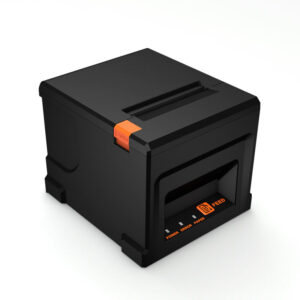
POS-836080 mm, 72 mm print width, 576 dots at 203 dpi, 220 mm/s, full or partial cutter, TPH rated 100 km. Drawer port at 12 V/1 A. 48 characters in Font A — the invoice table, on the default paper.Specifications →
POS-837080 mm, 220 mm/s, cutter rated 1.5 million cuts, line spacing 3.75 mm, Font B listed at 9×17 dots for 64 columns. Drawer port at 24 V/1 A — the opposite of the 8360, on the same connector.Specifications →
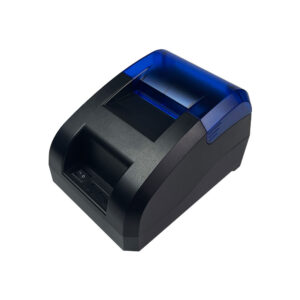
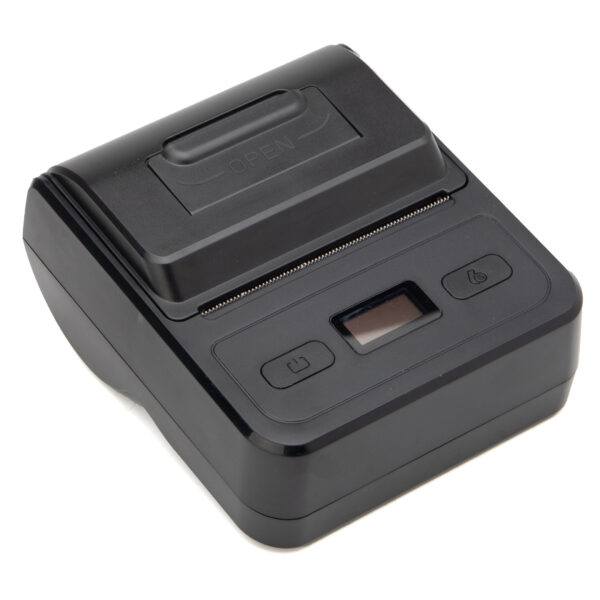
POS-5890U58 mm paper, 70 mm/s, no cutter and no drawer port, TPH rated 50 km. USB and Bluetooth. Right for a queue ticket or a market stall; it cannot open a drawer on its own.Specifications →
All three are thermal, all three speak ESC/POS, and they differ in the two things this section is about: what the line can hold, and whether the drawer has a port.
Three rates on one sale
A UK shop does not sell at one rate. Standard rate is 20 per cent, the reduced rate is 5 per cent, and zero-rated goods are 0 per cent, and a farm shop can hit all three in one basket: bread is zero-rated, a child’s car seat is reduced, olive oil is standard.
For a sale under £250 the simplified invoice needs the gross total at each rate and the rate itself. Over £250 the full invoice needs the net, the VAT and the gross, per rate. Either way the till has to keep the rate on the line and add up by rate at the end — a blended “VAT included” figure does not satisfy either document.
| Line | Rate | Net | VAT | Gross |
|---|---|---|---|---|
| Sourdough, 2 × £2.00 | 0% | 4.00 | 0.00 | 4.00 |
| Child car seats, 4 × £80.00 | 5% | 320.00 | 16.00 | 336.00 |
| Olive oil, 2 × £12.00 | 20% | 20.00 | 4.00 | 24.00 |
| Totals by rate | 0 / 5 / 20 | 344.00 | 20.00 | 364.00 |
A basket over £250 has to produce the full document, which means three rate lines and a customer name and address. A till that can only print one VAT total cannot produce it, however good the printer is.
The reduced rate is not a discount. It has its own column, its own total, and its own line on the return, and a till that files a 5 per cent item under standard rate produces a document that looks right and a return that is wrong. On a small basket the difference is pennies; over a quarter it is the kind of error that gets found in an inspection rather than in a cash-up.
The penny, and why it is not nothing
VAT can be calculated per line and rounded, or calculated on the invoice total and rounded once. The two methods give different answers on a mixed basket, usually by a penny, and both are defensible as long as the till always does the same one and the accountant knows which. What is not defensible is a till that does one thing at the counter and another in the end-of-day report, because the two documents then disagree about the same sale.
A penny per sale is about £3 a day at 300 sales, and roughly £1,100 a year — not a rounding problem but an unexplained variance in the cash-up, which is where it will be treated as a staffing problem rather than a settings problem.
Ireland’s five cent, and the line it needs
Ireland rounds cash transactions to the nearest five cent. The convention is voluntary, applies only when the bill is paid in cash, applies to the total rather than to individual prices, and leaves card payments untouched. One and two cent coins remain legal tender, and a customer can insist on exact change.
The detail that matters for a till is in the tax treatment: VAT is charged on the unrounded amount, and the rounding is a separate line. A till that folds the rounding into the total produces a Z report whose cash figure cannot be reconciled, because the drawer holds the rounded amount and the report holds the unrounded one.
| Bill total | Paid in cash | Rounding line | VAT on |
|---|---|---|---|
| €10.21 | €10.20 | −0.01 | €10.21 |
| €10.23 | €10.25 | +0.02 | €10.23 |
| €10.26 | €10.25 | −0.01 | €10.26 |
| €10.28 | €10.30 | +0.02 | €10.28 |
Rounding is on the bill total, after VAT, and only for cash. The four cases above are the whole rule: 1 and 2 down to zero, 3 and 4 up to five, 6 and 7 down to five, 8 and 9 up to ten.
What the till has to do that a UK till does not
Three settings, and each of them is a place where a till configured for the UK will quietly fail in Ireland.
The first is the rounding line itself: it has to print as its own line, after the gross and before the tender, so the customer can see the difference and the cashier can explain it. The second is the opt-out: a customer can ask for exact change, so the rounding must be selectable per transaction rather than a global switch. The third is the Z report, which needs a rounding total of its own — counted cash equals gross plus or minus rounding, and if that line is missing the day’s difference is small, which is worse than large, because a small difference at the end of the day is the one that gets blamed on the cashier.
The same question in the UK
There is no rounding convention for cash in the UK, so the rounding line is a column of zeros and the cash-up ties to the penny. That is worth knowing before a group buys one till configuration for shops on both sides of the Irish Sea: the difference is not cosmetic, and it lives in software rather than in the printer.
The five documents a day produces
A till is a document machine that happens to take money. Follow one day and the document list is short, and every item on it is a different requirement on the hardware.
| Document | When | What it has to carry | What the till must have stored |
|---|---|---|---|
| Opening float | Start of shift | Nothing printed; the count is entered per tender | Who counted it, when, and the figure the day will be reconciled against |
| Sale receipt | Every transaction | Simplified invoice under £250; full invoice on request or over the threshold | Tax point, lines with rate and net, tender, invoice number |
| Credit note | On a return or a correction | The original invoice number and date, the reason, and the amount credited excluding VAT | A link from the refund back to the sale it cancels |
| Z report | Close of business | Gross takings, split by rate and by tender, transaction count, rounding where it applies | A close that cannot be edited afterwards, and the number range it covers |
| Copy of a past invoice | On request, sometimes years later | The same fields as the original, marked as a copy | The archive, and a search that reaches it |
The last row is the one that decides whether an EPOS system is a record system or only a printing system. It is also the one row no printer can fix.
One of the five is printed at every sale, one at close, two on request, and the opening float not at all. Only the Z report is reliably kept on paper, which is why the paper choice matters most for the two documents that leave the shop: the receipt the customer takes and the Z the accountant reads.
The Z is the index
An end-of-day report is not a total, it is an index. It carries the date, the invoice number range, the split by rate and the split by tender, which is what makes a six-year-old invoice findable at all: the customer has a date, the date has a range, the range has a number. A shop that keeps only the Z reports can still answer “what was sold on 14 March” without keeping every receipt.
That is why the Z has to be printed rather than only stored, and why the report and the receipts have to agree about the same penny. A Z that rounds differently from the till produces a report that cannot be reconciled with its own receipts, and the first person to notice is usually an inspector rather than the owner.
The refund is the document people get wrong
A credit note is not a negative receipt. It has to identify the invoice it cancels, say why it was issued, and state the amount credited excluding VAT. A till that can refund a sale but cannot print the original invoice number is a till that produces a document which cannot be tied to anything — and the shop’s own copy of the original is the only thing that can fix it later.
The drawer, the reader and the second screen
Three things sit around the terminal, and each of them is decided by a document requirement rather than by a specification sheet.
The drawer, and the £20 note
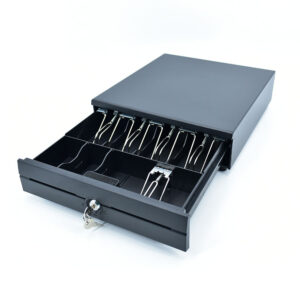
Polymer notes are smaller than the paper ones they replaced. A paper £20 was 149×80 mm; the polymer note is 139×73 mm. The ten millimetres that came off the length do not matter much, because notes lie with the long edge running back into the drawer; the seven millimetres that came off the short edge do, because that is the dimension a bill compartment has to hold.
A tray moulded to the width of a paper note is 80 mm at the slot. Put a 73 mm polymer note in it and the stack leans forward with nothing behind it, which is why the drawers in this range use metal wire grips rather than moulded slots: a spring clip presses whatever it is given. If a drawer is being specified for a UK shop, that is the question to ask, and it is a question about the tray rather than about the box — what a cash drawer is covers the rest of it.
The coin side is arithmetic. The UK has eight coins in circulation — 1p, 2p, 5p, 10p, 20p, 50p, £1, £2 — and a tray with eight adjustable coin slots fits them exactly. Ireland also runs eight — 1c, 2c, 5c, 10c, 20c, 50c, €1, €2 — so the same tray works on both sides of the Irish Sea, which is worth knowing before a group buys two drawer variants.
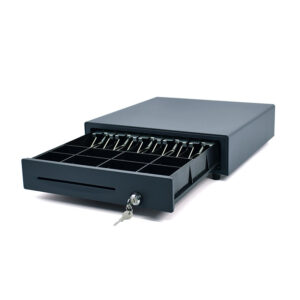
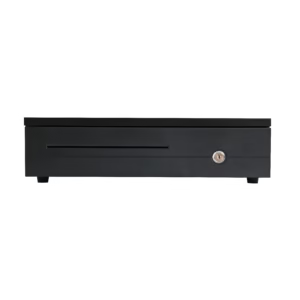
POS-405A405×420×100 mm, 4/5/6/8-bill tray with metal wire grips and eight adjustable coin slots, two media slots, 3-position lock, cash-status micro switch, MTBF one million operations. 12 V or 24 V solenoid, specified at order.Specifications →
POS-410B410×420×100 mm and the same eight-slot coin tray — 5 mm wider and the same depth, which is the two numbers that decide whether it fits a counter cut for a 405. Wire grips, 2 media slots, 12 V or 24 V.Specifications →
POS-350A350×380×92 mm and 4 kg, 4 or 5 bill compartments with wire clips, 2/5/8 coin slots, no media slot, RJ11 and RJ12 only. The small counter drawer, for a kiosk or a second station.Specifications →
All three are steel, all three have a three-position lock, and all three specify the solenoid voltage at order — 12 V or 24 V — because it has to match the port it is plugged into. A 24 V drawer on a 12 V port does not open; a 12 V drawer on a 24 V port opens once.
The reader, and the back of a driving licence
Age-restricted sales are the reason a 1D laser is no longer enough at a UK counter. A photocard driving licence carries a PDF417 two-dimensional code on the back, and a passport, a residence permit and a proof-of-age card carry their own. A 1D scanner reads the barcode on a bottle and nothing else; a 2D imager reads the licence, the QR code on a phone screen for a loyalty app, and the GS1-128 on a delivery carton.
That is a document argument as well: an age-verified sale is one a shop may have to defend later, and the till records the scan rather than the cashier’s judgement. It is the same category of evidence as the invoice.
POS-8800FWired 2D desktop reader on USB, 308 g, 110×99×150 mm, 1.6 W maximum. Reads PDF417 and QR as well as 1D, so the back of a driving licence and a phone screen both work at the glass.Specifications →
POS-1800AWired 2D handheld, 145 g, USB, 1.35 W maximum. The answer when the counter has no free surface, and the same 2D engine for licences, QR codes and GS1-128 cartons.Specifications →
POS-8280AWireless 2D omni, 2.4 GHz to 30 m, three working modes including a cache mode with 100,000 13-digit codes. For a stock count taken away from the till, and a scanner that can also sit in its cradle as a desk reader.Specifications →
The desktop unit is for items pushed across the glass; the handheld is for a counter with no free surface; the wireless omni carries a 100,000-code cache, which is what makes an aisle count possible without a network.
The second screen, and the video output problem
A 2×20 vacuum fluorescent display holds forty characters on two lines. That is enough for a running total and a tender, and it is not enough for a VAT breakdown: three rate bands plus a gross plus a rounding line is six numbers, and a customer who is checking an invoice needs to see them together.
A 10-inch LCD can show them, and it can show the shop’s own content between sales. What it cannot do is connect itself. A pole display takes HDMI or VGA, and most Android terminals in this range do not have a video output at all — the 15.6-inch 155A publishes a 12 V input and an RS-232 port and nothing else, so a pole screen has to be driven by something that does have one: the KSA with its HDMI option, the Windows 152W with VGA and HDMI, or a mini PC. A VFD, by contrast, runs on USB and works with everything.
This is the single most common mismatch we see on a counter plan: a customer display ordered with a terminal that has no way to drive it. Check the video output before the screen size.
PD220V-II2×20 vacuum fluorescent, 40 characters, 5×7 dot matrix, USB, 355° rotation and a 60° viewing angle. Runs from any till with a USB host — no video output needed, which is why it is the safe second screen.Specifications →
POS-CD7A7″ IPS at 1024×600, 430 cd/m², VGA or HDMI, 12 V/3 A, non-touch with a touch option. The smallest LCD that can show a rate breakdown instead of a total.Specifications →
POS-CD10H10.1″ IPS at 1280×800, 430 cd/m², HDMI with a 1.5 m cable, 350° horizontal and 60° vertical adjustment. Needs a video output on the till — KSA with the HDMI option, the Windows 152W, or a mini PC.Specifications →
Forty characters for a running total, or 1280×800 for a breakdown the customer can read — the choice is between a screen that works with any till and a screen that needs a video cable.
Four counters, and the port that picks them
The four builds below are not price tiers. They are four answers to one question: where does the drawer pulse come from, and what does the rest of the bill look like? That single port decides the terminal, the printer and the paper width together, and getting it wrong is the failure that shows up on the first day rather than in the first month.
| The counter | Terminal | Drawer opens on | Paper | Why this one |
|---|---|---|---|---|
| A corner shop, one station | POS116A, 11.6″ | The terminal: two RJ11 ports | 80 mm inside, auto cutter, 200 mm/s | Printer, scanner option and drawer control in one 2.35 kg body, and the second RJ11 leaves room for a drawer at a back counter |
| A trade counter, invoices all day | DCA-156A, 15.6″ | The printer: 8360 at 12 V/1 A | 80 mm, 576 dots, full or partial cut | Five invoice columns need 48 characters, and the 156A’s own RJ11 port does not publish a voltage — the printer’s does |
| A pharmacy with three rates | DCA-155A, 15.6″ | The printer: 8370 at 24 V/1 A | 80 mm, cutter rated 1.5 million cuts | The 155A has no drawer port and no video output, so everything routes through the printer; the second screen is a USB VFD |
| A market stall, card only | DCA-NB11, 11″ | Nothing to open | 80 or 58 mm inside, 60 mm roll | 700 g with the printer inside, and no steel box on a trestle table to be a security problem |
Voltages are from the printer specification sheets; the drawer is ordered at the voltage of the port it will use. A drawer ordered at 24 V for a 12 V port is the most common ordering error on this page, and it is invisible until the first sale.
Six terminals, one column each
DCA-KSA15.6″ at 1366×768, RK3568 or J4125, 80 mm or 58 mm printer inside, optional HDMI, optional 2×20 VFD on the back cover. The 80 mm build takes a 12 V/7 A adapter; 5.6 kg as a dual screen.Specifications →
DCA-POS116A11.6″ at 1366×768, 80 mm printer with an auto cutter at 200 mm/s, 2×RJ11, 5×USB, RJ45, NFC option, 2.35 kg. Two drawers from one terminal, which is unusual at this size.Specifications →
DCA-NB1111″ at 800×1280, 700 g, 80 or 58 mm printer inside on a 60 mm roll, 1D/2D head, NFC. No drawer port on the standard build; the Pro adds RJ11, RJ12 and RJ45.Specifications →
DCA-156A15.6″ at 1366×768, RK3566 or RK3568, Android 11, 4×USB, 1×RJ11 and 1×RJ12, 3.18 kg. Glass only — the printer is a separate box, so the invoice width is chosen independently.Specifications →
DCA-155A15.6″ at 1366×768 or 1920×1080, 6.5 kg, optional 2×20 VFD or 12.1″ second screen. No RJ11 and no video output: the drawer and any LCD have to hang off the printer.Specifications →
DCA-152W15/15.6″ Windows terminal on a folding stand, J1900 to i5, 6×USB, 2×COM, VGA plus HDMI, 1×RJ11 option, 5.1 kg, VESA 75/100. The build for Windows till software and a pole screen.Specifications →
Every one of these has been chosen for what leaves the body: a printer, a drawer port, a video output, or nothing at all.
The two-part check
Before an order, two sentences settle most of it. First: which port opens the drawer, and what voltage does it supply? Second: what is the widest document this till has to print, and does it fit in 48 characters? A counter plan that answers both has already chosen the terminal, the printer, the paper and the drawer.
The third sentence is the one people forget: who prints the invoice the customer keeps? If it is the till, the paper width is a customer-facing decision. If it is the software on A4, the till roll is only the shop’s working copy, and 58 mm may be entirely reasonable.
Where an EPOS system is the wrong purchase
Four situations, and in each of them the hardware is fine and the expectation is not.
- A shop that takes no cash. A drawer, a lock and a cash-up procedure are dead weight in a card-only business, and the steel box becomes a security liability rather than an asset. Keep the terminal, the printer and the software; take the drawer off the quote.
- A business that needs A4 invoices with a logo. A till roll is a working document, not a letterhead. If the invoice is going to a customer’s accounts department by email, the software produces it and the till prints the slip that goes in the bag.
- A shop that is not VAT-registered. Half of this page stops applying: there is no VAT number to print, no per-rate split, and no six-year VAT record. A simpler till and a 58 mm printer is a reasonable answer, and selling the wide one on document grounds would be overselling.
- A site that expects stock control from the till. An EPOS system records what was sold, not what is on a shelf. The two are related by a stock file somebody has to maintain, and a shop that buys a till expecting the shelf count to fix itself will end up exporting a CSV and doing it in a spreadsheet anyway.
There is a fifth, softer one. A shop with one counter, fewer than thirty sales a day and no trade customers does not need a document system; it needs a till that does not fail. The invoice argument on this page is real, and it is proportional to how often somebody asks for a proper invoice.
What we sell, and the three questions we cannot answer
We build hardware. That is the line, and it is worth being exact about it because an EPOS system is a package in the UK sense and no hardware supplier can deliver the whole of it.
What we make: all-in-one terminals from 11 to 15.6 inches in Android and Windows, 80 and 58 mm receipt printers, cash drawers in three widths, 2D scanners in desktop, handheld and wireless forms, pole and VFD customer displays, and fanless mini PCs. What we do not: the till software, the card acquiring contract, the installation labour, or the tax advice.
The three questions to put to the software vendor
They are all about the document, and none of them is on a feature list.
- Show me an invoice from two years ago, and print a copy. Not a report of what was sold — the document itself, with the same number and the same tax point, marked as a copy.
- Put three rates on one sale and show me the totals by rate. If the answer is a single VAT line, the software cannot produce a full invoice on a mixed basket.
- Set the rounding line and show me the Z report. In Ireland this is a requirement; in the UK it is a good test of whether the software has ever been configured for a market other than its home one.
Three pages go deeper on parts of this one: a POS system by counter position, what a system costs and which lines are whose, and the tablet version of the same argument. The sector pages take the same hardware into a shop: grocery, cafe, salon, small business, cloud. On the printer itself there are 80 mm against 58 mm and why receipt printers fail, and the questions we get asked most are on the FAQ.
A till that answers all three is a record system. A till that answers none of them still takes money, and it will still be taking money in five years — it just will not be able to prove what it took.
FAQ
Is an EPOS system the same as a POS system?
Yes. EPOS — electronic point of sale — is the term used in the UK and Ireland; POS is the North American term for the same terminal, printer, drawer and software. The hardware is identical. What differs is the scope people attach to the words: a UK EPOS system usually means the installed package including card processing and support, while a North American POS system is often the software alone.
Does a till receipt count as a VAT invoice?
It can. For a supply of £250 or less including VAT, a retailer’s invoice only needs the supplier’s name, address and VAT registration number, the time of supply, a description of the goods, the total including VAT, and the gross amount and rate for each rate charged. Above £250 the full particulars apply, including the customer’s name and address and the unit price excluding VAT per line. A receipt showing only items and a total is neither.
How long do I have to keep till rolls?
VAT records have to be kept for at least six years from the date they were issued, ten if a One Stop Shop scheme is involved, and HMRC’s list of business records includes till rolls. Which is a long time for a heat-sensitive coating: thermal paper fades with heat, light and the plasticiser in a PVC wallet, so the practical answer is to keep the software’s PDF archive as the record and treat the roll as the day-one copy.
Can a 58 mm printer issue a full VAT invoice?
It can, because every required field fits in 32 characters — the fields are short. What it loses is the column structure: description, quantity, unit price, rate and amount cannot share a line, so each item becomes two lines and the customer cannot check the arithmetic down a column. For occasional invoices it is fine; for a trade counter issuing them all day, 80 mm at 48 characters is the practical minimum.
Does an EPOS till need a separate card machine?
It needs a payment link, not necessarily a second box. Either the till runs payment software with a connected reader, or a standalone terminal talks to the acquirer and the till stores the authorisation code against the sale. The second is simpler to start and harder to reconcile at month end, because the transaction then exists in two systems with two references.
Why does an Irish till need a rounding line?
Because cash transactions in Ireland round to the nearest five cent, the rounding applies to the total rather than to individual prices, and VAT is charged on the unrounded amount. The rounding therefore has to be its own line on the receipt and its own total in the Z report — counted cash equals gross plus or minus rounding. A till that folds it into the total produces a daily difference small enough to be blamed on the cashier.
Send the counter, the width and the rates
Three lines are enough to specify the hardware: how many stations, which documents each one has to print, and whether the shop is in the UK or Ireland. The rest follows from the port that opens the drawer.
- Terminal with the printer inside, or a printer beside it
- 80 mm at 48 characters, with a drawer port whose voltage is published
- Drawer at 12 V or 24 V to match, with wire grips for polymer notes
- 2D imager if the counter checks licences, a VFD if it only shows a total

