A label printer is usually chosen on price per label, and then the labels are chosen again six months later because half of them went blank. The two technologies on the market are not competing on price at all: one has no consumable besides the label, and the other has a ribbon, and the difference that matters is how long the printed image survives the place the label is stuck.
This page is written from the direct thermal side, because that is what we manufacture — every label printer in our range is direct thermal. That makes the honest version of this article more useful than a sales one: there are environments where direct thermal is the wrong answer, and it is better to know which before the labels are ordered.
How each one puts an image on the paper
Direct thermal paper carries a coating of a leuco dye and a developer. Heat from the print head melts them together and the dye changes colour; nothing is added to the surface, which is why there is no ribbon, no toner and no fuser. The mechanism is the same one used in receipt printers, described in what is a thermal printer.
Thermal transfer melts wax or resin from a ribbon onto the label. The label does not need a coating at all — plain paper, polypropylene, polyester and polyimide all work — and the image is a layer of material on top of the surface rather than a chemical change inside it. That is the whole reason it survives things direct thermal does not.
| Specification | Direct thermal | Thermal transfer |
|---|---|---|
| Consumable | Label only | Label plus ribbon |
| Printer mechanism | Head against platen | Head, ribbon supply and take-up, extra motor |
| Media range | Coated thermal paper, thermal film | Paper, PP, PET, polyimide, textile |
| Typical indoor life | 6–12 months uncoated, 2–3 years top-coated | 3–10 years depending on ribbon |
| Direct sunlight | Weeks | Years with resin ribbon |
| Heat above 60 °C | Image develops or fades | Stable with the right ribbon |
| Solvents and oils | Poor | Good to excellent with resin |
| Abrasion | Moderate; top coat helps | High with resin |
| Cost per label | Lower | Higher: media plus ribbon |
The number that decides it is not on the datasheet
Ask what the label has to survive, not what the printer costs. A 3-year-old freezer label that went blank cost more than the ribbon would have.
Where direct thermal fails, specifically
Vague statements about durability are useless in a specification, so here is the failure list with the mechanism behind each one:
- Sunlight. Ultraviolet breaks down the dye. A shelf-edge label on a window display can lose contrast in three to four weeks; the same label inside an aisle lasts a year.
- Heat. Image formation begins well below the print temperature. A pallet label on a loading bay in summer, or a box stored near a heater, greys out before it is ever scanned.
- Plasticiser. PVC stretch film, PVC folders and some tapes migrate plasticiser into the coating and erase the image. A label wrapped in cling film can go blank in days, which is why stretch-wrapped pallets need the label applied after wrapping, or a TT label.
- Chemical contact. Alcohol-based sanitisers, cleaning sprays and oils attack the coating. A label on a chemical drum is the classic case where DT is the wrong answer.
- Abrasion. Rubbing across a rough cardboard edge removes the image rather than smearing it. Top-coated stock resists this much better than uncoated.
- Condensation. Freezer labels alternate between −18 °C and a humid loading dock. Water does not erase the image directly, but it lifts the label and dulls the print surface.
Every one of those has a direct thermal countermeasure — top coat, freezer-grade adhesive, applying after wrapping, keeping the label out of the sun — and none of them is as reliable as a resin ribbon on a synthetic face. The decision is therefore about how much of the label population sits in the bad zone.
Where direct thermal wins
Most retail and logistics labels never leave a controlled environment, and for those the extra ribbon is cost with no benefit:
- Shelf-edge and price labels replaced on a promotion cycle — the label is temporary by design.
- Picking and carton labels consumed within the same warehouse, at room temperature, within weeks.
- Waybills and courier labels, which are scanned within 24 hours and discarded at delivery.
- Product and batch labels on dry goods where the pack is opened before the print matters.
- Queue tickets, visitor badges and event wristbands printed and used the same day.
There is also a mechanical advantage that rarely gets mentioned: no ribbon means no ribbon wrinkles, no ribbon-out mid-run, no take-up motor, and a smaller, lighter mechanism. The portable units in the range — the POS-8007 at 350 g and the POS-5816 — exist because of that. A ribbon-based printer in the same form factor would need a second spool and a second motor.
What a ribbon actually costs per label
Ribbon is priced by length and width, and the useful question is how many labels one roll covers. The arithmetic is area against area: a 300 m ribbon at 104 mm width holds 31.2 m² of transfer film. A 104 x 150 mm waybill is 0.0156 m². That is 2,000 waybills per ribbon at perfect utilisation, and closer to 1,800 in practice because the first and last metre of a roll are not usable.
Smaller labels change the number in the opposite direction: 50 x 25 mm labels are 0.00125 m² each, so the same ribbon covers roughly 25,000 of them. Which means the ribbon cost per label is negligible at shelf-label sizes and material at waybill sizes — and it also means the argument “ribbon is expensive” is usually an argument about a specific label size, not about the technology.
Against that, direct thermal consumes more media per label for the same life, because the coated stock costs more than plain paper. The comparison only lands one way or the other when a specific label size, volume and life requirement are put into it — which is why a per-label price from a catalogue tells you nothing.
Thermal transfer, laser and the third option nobody prices
Laser printing is the other way to get a durable label, and it works by fusing toner at around 180–200 °C. It is a good answer for A4 sheets of labels in an office, and a poor one for a packing line: sheet-fed printers cannot take a roll, adhesive sheets curl in the fuser, and the per-label cost at low volume is dominated by the sheet you waste. If the workflow prints ten labels at a time from a desk, laser is fine. If it prints 400 from a bench, it is the wrong machine.
So the real three-way decision is: direct thermal for controlled environments and high volume; thermal transfer for durable or chemical-resistant labels; laser for low-volume sheet work in an office. Price per label only separates them after the environment has eliminated one or two.
The four questions that settle it
Specify in this order
How long must the print stay readable? Under 12 months in a controlled space: direct thermal. Over 3 years, or anywhere near sunlight: thermal transfer.
What is the maximum temperature? Above 60 °C at any point in the label’s life, including transport and storage, rules out standard direct thermal.
What touches the label? Solvents, oils, sanitiser or plasticiser film rule out direct thermal unless the label is laminated.
How many labels, at what size? Volume and size decide whether ribbon cost per label is material. At shelf-label sizes it usually is not; at waybill sizes it is.
If you stay with direct thermal, buy the top coat
Within direct thermal there is a large quality range and the difference is the top coat: a protective layer over the dye layer that resists abrasion, oils and plasticiser. Uncoated stock is the cheap option and behaves like the failure list above. Top-coated stock roughly doubles usable life indoors and is the difference between a label that survives a forklift brush and one that does not.
Top coat also adds caliper, which affects the mechanism: a coated 0.14 mm stock behaves differently from an uncoated 0.11 mm stock in the same printer. The die-cut and gap guide covers the caliper range and what happens outside it.
A test that takes an afternoon and settles arguments
Before committing a fleet to one technology, run four checks on ten labels each. They are crude and they rank media correctly:
- Heat. 24 hours at 50 °C in a domestic oven, then compare contrast against a control. Direct thermal greys; thermal transfer does not move.
- Light. A week on a south-facing windowsill is roughly a month of shop-window exposure. This is the test that fails most uncoated direct thermal stock.
- Rub. Fifty strokes with a thumb, or a rub with a dry cloth, over a printed barcode, then scan it. Grade the result rather than describing it.
- Chemical. A wipe with the sanitiser the site actually uses, not water. Alcohol-based products are the ones that matter.
Keep a control label in a drawer for each batch. When a customer reports fading six months later, the control tells you whether the media changed or the environment did — which is the difference between a credit note and a site visit.
Where to go next
If the label stock is the open question rather than the technology, label paper and die-cut sizes covers gap, liner and the sensing methods. For receipt paper, where none of this applies because the paper is consumed within minutes, thermal paper rolls covers caliper and roll geometry.
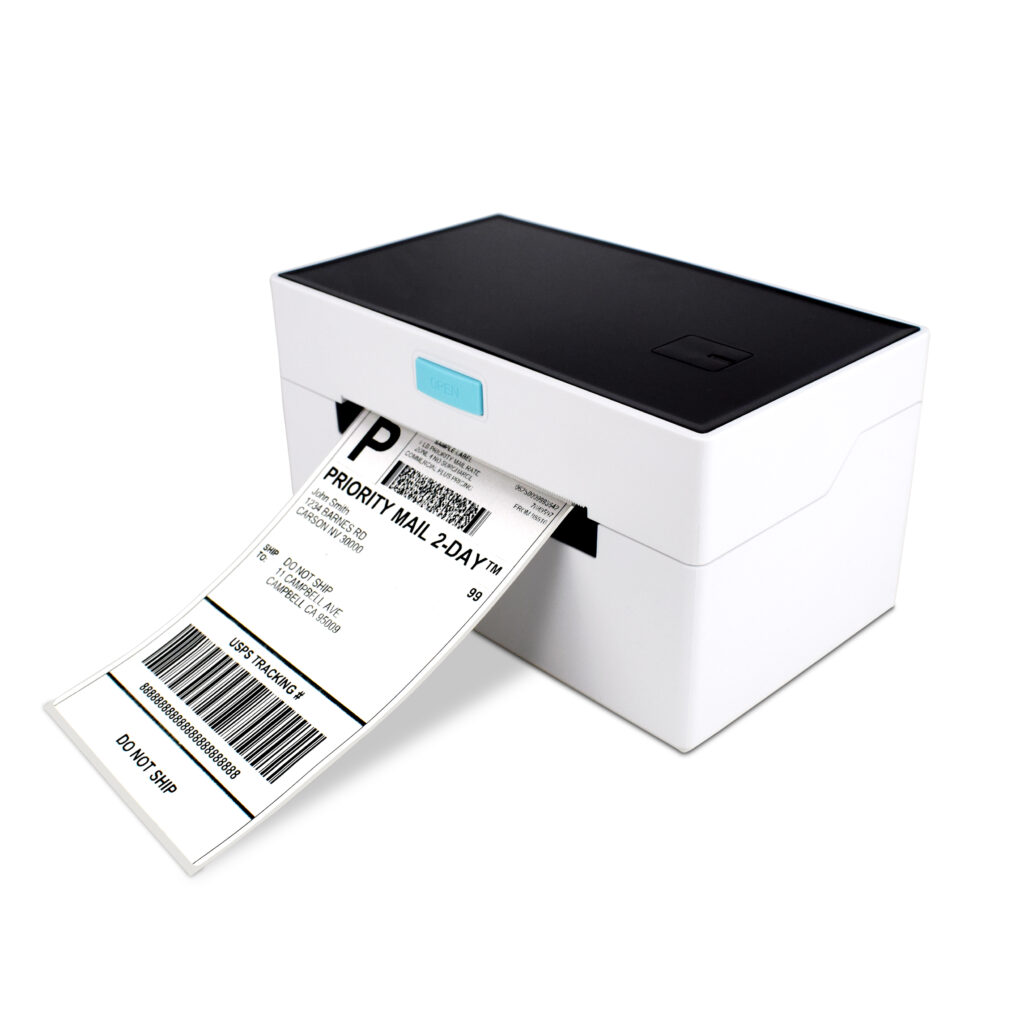
Our own range is direct thermal, in four formats: the POS-9250 for 4-inch bench work, the POS-9220 for waybills and product labels on one printer, and the portable 8007 and 5816 for field labelling. The thermal label printer range lists resolution, print width and roll limits per model.
Questions we get about the two technologies
Can I run ribbon in a direct thermal printer?
No. A direct thermal printer has no ribbon spindle, no take-up motor and no path for the film; the head prints directly onto the coating. The two mechanisms look similar from outside and share nothing inside except the platen.
Does thermal paper expire?
It degrades. Coated stock is normally good for two to three years in a cool, dark store; uncoated stock for about one. A roll that has been in a hot stockroom for four years prints grey no matter what the density setting is.
Is a laminated direct thermal label as good as thermal transfer?
For abrasion and plasticiser, close. For sunlight and sustained heat, no: the image is still a dye in the coating, and the laminate protects it from contact rather than from temperature. Laminating is a good fix for a chemical wipe, not a substitute for a resin ribbon.
Which one for freezer labels?
It depends on the condensing cycle. For stock that goes from −18 °C to a humid dock, a freezer-grade direct thermal label with a top coat often survives the trip, and a resin ribbon on synthetic stock survives longer. Test both on the actual carton before committing a season.
Why is the print on my thermal transfer label patchy?
Ribbon wrinkles, usually from a take-up tension that is wrong for the ribbon width, or a ribbon narrower than the label. Direct thermal has no equivalent failure, which is part of why it is easier to run at a pack bench staffed by people who are not printer technicians.
Tell us the environment
The question we can answer precisely is not “which technology is better” but “which of these two labels survives your freezer, your dock and your sanitiser”. Send the label size, the surface it goes on, and the worst temperature and chemical it meets, and we will tell you whether direct thermal covers it — and if it does not, say so.
Send the label and the environment, or see the thermal label printer range for the models we build.
Specifying the hardware? The hardware side is covered in The five lines on a POS bill — which of them are hardware and which are not.