A label roll is ordered with one number — “100 x 150” — and rejected for a reason that number cannot express. The printer does not measure labels; it measures the gap between them, and if that gap is too narrow, too dark, or missing because the stock is continuous rather than die-cut, the print walks across the roll. The first label is centred, the tenth is a millimetre off, and by the end of the roll half the barcode is on the liner.
This page covers the five numbers that define a label roll, the two sensing methods that read them, and the mechanical ceilings in our own range. It does not cover what the label is made of — coated or uncoated, and how long the image lasts — which is direct thermal versus thermal transfer.
Five numbers, and only one of them is the size
| Number | What it is | Typical value | What it decides |
|---|---|---|---|
| Width | Paper width, liner included | 20–110 mm | Whether the roll physically fits the mechanism |
| Gap | Liner exposed between die-cut labels | 2–3 mm | Whether the sensor can find each label |
| Liner | Carrier the label is cut from | 62–80 gsm glassine | Release force and sensor opacity |
| Core | Cardboard tube inside the roll | 25.4 or 40 mm ID | Whether the spindle fits; roll fit |
| Caliper | Total thickness, label plus liner | 0.10–0.20 mm | Head pressure and print darkness |
Print width is a sixth number, and it is the printer’s, not the roll’s. A 203 dpi, 104 mm mechanism prints 800 dots across; a 72 mm mechanism prints 576. If the label is wider than the print width, the roll still feeds and the outer strip stays blank — which is fine for a width that was chosen to fit a carton, and wrong for anything with content near the edge.
Die-cut versus continuous: the sensor decides which you can use
There are two ways to tell a printer where a label starts, and they are not interchangeable:
- Gap sensing (transmissive). An emitter under the paper and a receiver above it. The beam passes through the exposed liner between labels and is blocked by the label itself. This is the method for die-cut rolls, and it is why the gap has to exist: no gap, no edge, no registration.
- Black-mark sensing (reflective). The sensor looks for a printed bar on the reverse of continuous stock. Used for roll stock that is not die-cut — cable markers, continuous tags, some receipt-width stock.
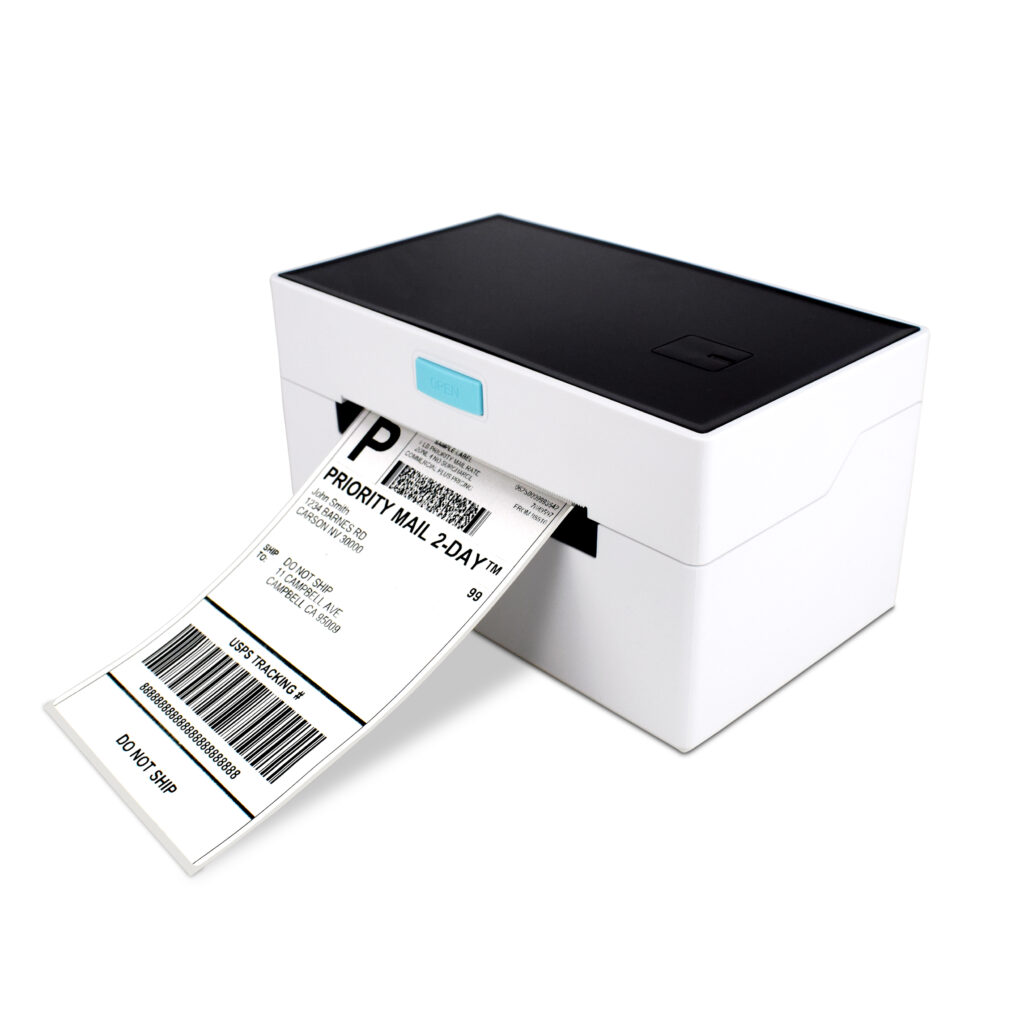
The POS-9250 carries both, plus a cover-opening sensor and a paper-exit sensor; the POS-9220 carries transmissive and reflective sensing; the portable POS-5816 carries gap and black-mark detection in a 350 g body. That combination is what separates a label printer from a receipt printer that happens to accept narrow paper: a receipt printer feeds continuously and only needs to know when the paper ran out.
The gap is a mechanical feature, not a printing one
If a supplier quotes “no gap, cut to length” for a die-cut job, the sensor has nothing to read. The printer will run in continuous mode and every label will drift by the error between the requested length and the actual feed.
What a gap that is too narrow actually does
A 2 mm gap on a 0.14 mm stock leaves the beam unobstructed for a very short distance, and at 100 mm/s the sensor sees a pulse rather than a window. The result is not a clean miss; it is a detection that happens a few tenths of a millimetre late, every time. At 0.5 mm of error per label, the two-hundredth label is 100 mm out of register — a full label height on a 100 x 150 waybill.
The same failure appears with a dark or metallised liner: the beam does not pass through, so the printer never sees the gap and falls back to feeding the nominal length. Translucent glassine is standard for this reason. If the stock has to be opaque, the job belongs on black-mark stock and a reflective sensor, not on a die-cut roll with a hopeful setting.
Width: the 104 and 100 numbers that trip first orders
The 4-inch class is named for its print width, not its paper width, and the two differ by a few millimetres on every model:
| Model | Max stock width | Print width | Resolution | Roll limit |
|---|---|---|---|---|
| POS-9250 | 104 mm | 100 mm | 203 dpi | Standard 4-inch roll |
| POS-9220 | 110 ± 0.5 mm | 104 mm (800 dots) | 203 dpi | 110 x 100 mm (W x D) |
| POS-8007 | 80 mm | 72 mm | 203 dpi | 50 mm OD |
| POS-5816 | 50 mm | 48 mm | 203 dpi | 50 mm OD, 0.06–0.20 mm |
So a 105 mm wide label on a 9250 physically fits and prints 100 mm of it. That is normally the right trade — a 104 x 150 mm courier waybill is designed to be printed inside its margin — but it is worth knowing before artwork is signed off, because the strip that stays blank is at one edge only, not split evenly.
The 9220 takes 110 mm stock and prints 104 mm, which covers the same 4-inch format with a little more tolerance for a slightly mis-slit roll. The portable units are the other end: 80 mm and 50 mm maximum stock, chosen so the device fits in a work bag. A full-size 4-inch roll does not fit either of them, and that is a design decision rather than a limitation to work around.
Common die-cut sizes, and what each one is for
| Label size | Layout on a 104 mm roll | Typical use | Printer class |
|---|---|---|---|
| 100 x 150 mm | One across | 4 x 6 courier waybill, pallet label | 9250 / 9220 |
| 100 x 100 mm | One across | Carton label, address block | 9250 / 9220 |
| 50 x 25 mm | Two across | Shelf-edge, price and promo labels | 9250 / 9220 |
| 40 x 30 mm | Two across | Product and barcode labels | 9250 / 9220 / 8007 |
| 30 x 20 mm | Three across | Cable markers, asset tags, samples | 8007 / 5816 |
| 58 x 40 mm | One across on 58 mm stock | Portable price marking, field tagging | 5816 |
Two-across and three-across layouts are the reason gap alignment matters more than label length: the sensor reads the gap on one lane, and if the die-cut is skewed across the web, the second lane is out of register even when the first is perfect. Check both edges on the first metre of a new roll, not just the centre.
Adhesive is a specification, not a default
The same face stock with three adhesives becomes three products, and the wrong one fails in a way that looks like a printer problem — a label that lifts at the corner and catches the head on the next pass:
- Permanent acrylic. The default. Bonds to cardboard, paper and most plastics; survives room temperature for the life of the carton.
- Freezer grade. For −18 °C and below. Standard adhesive turns brittle and lets go on a frozen carton; freezer grades stay tacky and are usually paired with a coated face for condensation.
- Removable. Low initial tack, clean lift. Used for price changes and promotional labels where the surface cannot be cleaned afterwards.
- High-tack. For low-energy surfaces — recycled board, dusty cartons, some shrink film — where standard acrylic lifts within a day.
Dust is the other half of the problem. A carton stored in a warehouse that also handles flour or cement presents a surface that no adhesive bonds to; the label lifts and the next label catches on it. If the site is dusty, specify high-tack and apply with a roller rather than by hand.
Caliper: the 0.20 mm ceiling
Label stock is thicker than receipt paper — 0.10 mm is light, 0.14 mm is typical, 0.20 mm is heavy — and the mechanism has a range. The 5816 quotes 0.06–0.20 mm and the 4-inch units are in the same band. Above it, the head cannot close fully on the platen: the print goes grey on one side, then the label lifts and wraps the platen.
Below it, thin stock prints darker but the die-cut edge is less rigid, so the liner can buckle in the feed and the sensor sees a false gap. The symptom is a printer that stops every few labels asking for paper that is loaded.
The two-minute test before a 500-label run
Before committing a production run to a new roll, print ten labels and check three things:
- Measure from the top of the first label to the top of the tenth with a steel rule. It should equal nine times the pitch (label length plus gap) within a millimetre. Anything more is a sensing problem, not a media problem.
- Peel one label and look at the liner. A clean, even release with no fibre tear means the liner is right for the die-cut; a jagged tear means the cut depth is wrong.
- Print a barcode at the leading edge and scan it. If the first bar is clipped, the registration is late and the gap needs widening or the sensor needs calibrating.
Those three checks catch most bad rolls before they reach the pack bench. They also distinguish a media fault from a printer fault, which is the difference between a credit note and a service call.
Where to go next
If the question is what the label is made of rather than how it is cut, direct thermal vs thermal transfer works through face stock, top coat and how long the image lasts in sunlight, freezers and chemical stores. For receipt paper, where the arithmetic is roll geometry rather than gaps, thermal paper rolls covers caliper and GSM.
For models, resolutions and roll limits, the thermal label printer range lists them per unit — the 9250 for 4-inch bench work, the 9220 for waybills and product labels on one printer, and the 8007 and 5816 for field work.
Questions we get about label stock
Can I print labels on a receipt printer?
Only on continuous stock with no gap and no die-cut, and the result is a receipt cut to length rather than a label. A receipt printer has no gap sensor, so it cannot find the start of a die-cut label; it feeds by length and any error accumulates. Narrow receipt-width label stock exists, but it is meant for label mechanisms with a gap sensor, such as the 5816.
What gap should I specify?
2–3 mm is standard, and 3 mm is the safer choice on older mechanisms and on translucent liners. Below 2 mm the sensor window gets short enough that detection timing becomes the limiting factor, especially at high print speed.
Does the liner thickness matter?
It matters twice: as release force, where too thin a liner tears on the die-cut, and as opacity, where a dark liner blocks the gap sensor. 62–80 gsm glassine is the normal range for retail and logistics work.
Why does my 4-inch label print only 100 mm wide?
Because 4-inch is the class name and the print head is 104 mm on the 9220 or 100 mm on the 9250. The media is wider than the head by design, so the outer strip stays blank. If artwork needs ink to the edge, the label width has to come down to the print width, not the stock width.
Can the same printer do waybills and shelf labels?
Yes if it handles both widths and both die-cuts, which is the reason the 9220 exists: 110 mm stock for waybills, narrower stock for product labels, one printer at the pack bench. The limit is the roll OD (110 x 100 mm), not the label size.
Tell us the label and the surface
Three details decide which stock and which printer we would quote: the label size with its gap, what the label is applied to, and the temperature it has to survive. Send those and we will tell you whether the job is a die-cut roll on a 4-inch unit, a black-mark roll, or a portable printer that fits in the pocket of the person applying it.
Send the label size and a photo of the surface, or see the label printer range for stock widths and sensing options.
Specifying the hardware? The hardware side is covered in The five lines on a POS bill — which of them are hardware and which are not.