Most food-truck POS advice is written for a shop with a wall socket in it: pick a terminal, plug it in, add a printer. A truck has no socket. It has a 12 V battery that also starts the engine, a steel box that attenuates the signal, and an alternator that does nothing for the eight hours it is parked.
That rewrites the three decisions in the title. Runtime is a watt-hour question, not an amp-hour one. 4G is an antenna and band question, not a data-plan question. And the printer decides whether the rest stays up — not because it uses the most energy, but because it is the largest load and the first thing to reset when the engine turns over.
12 V is a range, not a number
Every device in the truck is sold as “12 V”, and none of them sees 12 V. The bus has four states, and a device specced for exactly 12 V with a 10 per cent tolerance is outside its window in three of them.
| Bus state | At the terminals | What it does |
|---|---|---|
| At rest, charged | 12.6 – 12.8 V | The only state a specification sheet describes |
| Engine running | 13.8 – 14.4 V | A 12 V-only input sees 17 per cent over; cheap adapters run hot |
| Cranking | 9 – 10 V, 200 – 600 ms | Anything without a wide input browns out and resets |
| Below 11.8 V at rest | Discharged | Inverter alarms, printer motor stalls mid-line |
Check this on the quotation: the DCA-M400 takes 9 to 36 V through a screw terminal, while the DCA-M300 takes a 12 V / 3 A barrel. Both fanless; only one survives a crank.
Count the conversions, not the watts
A 12 V battery cannot feed a 24 V printer directly, so the question is how many times the power is converted on the way. The common build is a 12 V to 230 V inverter, then the printer’s own 24 V brick: 0.85 for the inverter times 0.88 for the brick is 0.75 overall. A 60 W printer therefore pulls 80 W from the battery, or 6.7 A. A DC-DC converter that goes 12 to 24 V at 0.93 needs 65 W and 5.4 A. A printer that runs on 12 V natively skips both.
| Chain | Efficiency | 60 W of printer at 12 V | Catch |
|---|---|---|---|
| 12 V → 230 V → 24 V | 75% | 80 W, 6.7 A | Inverter draws 0.5–1.5 A with nothing plugged in |
| 12 V → DC-DC 24 V | 93% | 65 W, 5.4 A | One box; fuse both sides |
| 12 V native printer | ~100% | 36 W, 3 A nameplate | 58 mm mechanism only |
| 12 V → USB-C 5 V | 88% | 11 W, 0.9 A | Charges the terminal, not a printer |
The inverter’s standby draw is the failure nobody attributes to the inverter. Half an amp to an amp and a half at 12 V, with nothing plugged in, is 6 to 18 W, or 150 to 430 Wh over a day. A truck parked from Saturday afternoon to Monday morning with the inverter left on comes back to a battery that will not crank, and the POS takes the blame.
The printer is the load, not the terminal
Nameplates make the printer look enormous: 24 V at 2.5 A is 60 W for an 80 mm mechanism, against 10 W for charging an 8-inch terminal. Peak current follows the same ratio, which is why the printer decides the fuse and the cable gauge.
| Device | Nameplate | At 12 V | Peak or continuous |
|---|---|---|---|
| POS-8250 80 mm | 24 V / 2.5 A (60 W) | 5.4 A via DC-DC | Peak, under a second per receipt |
| POS-5890A 58 mm | 12 V / 3 A (36 W) | 3 A | Peak, no cutter |
| DCA-H80 | 5 V / 2 A charge (10 W) | 0.9 A | Continuous while charging |
| LTE router | 12 V / 1 A (12 W) | 1 A | Continuous, 24 hours |
| DCA-M400 | 9–36 V in, 12 V / 5 A advised | 5 A maximum | Continuous, usually far less |
Energy is a different story, and the printer loses it. The POS-5811 is specified at 120 receipts from a 7.4 V 2,000 mAh pack — 14.8 Wh, so 0.12 Wh per 58 mm receipt, everything included. Three hundred receipts is 37 Wh; a terminal with the screen on is 60 Wh across ten hours, and an always-on router at 12 W is 120 Wh.
Runtime is watt-hours, not amp-hours
A 100 Ah battery is 1,200 Wh on paper, and the usable fraction depends on the chemistry: about half for flooded lead-acid, a little more for AGM, and 80 per cent for LiFePO4. The POS chain above — terminal, receipts and router — is roughly 220 Wh for a ten-hour day. That is about a third of a usable lead-acid pack, which surprises people who expected the till to be the load. A 12 V compressor fridge averaging 45 W across the same day is 450 Wh, twice the till.
| Battery | Nameplate | Usable | Ten-hour days, POS only |
|---|---|---|---|
| 100 Ah flooded | 1,200 Wh | 600 Wh (50%) | 2.7 |
| 100 Ah AGM | 1,200 Wh | 660 Wh (55%) | 3.0 |
| 100 Ah LiFePO4 | 1,200 Wh | 960 Wh (80%) | 4.3 |
| 2 × 100 Ah flooded | 2,400 Wh | 1,200 Wh | 5.4 |
The alternator does less than the arithmetic suggests. Acceptance tapers as the battery fills, so a half-hour drive on a 60 A alternator returns 10 to 20 Ah — 120 to 240 Wh — not 30 Ah. Plan the fridge and the lights on the drive, and the till on what is left.
The receipt that stops when the engine starts
The crank dip is the most under-diagnosed fault in a mobile build, because it looks like software. A cashier starts the engine to move the truck, the bus drops to 9 V for a third of a second, a 12 V-only printer resets, and the receipt comes out blank for its last 40 mm or does not come out at all. The app sees a failed job and re-sends it, so the customer gets two receipts and the shift report shows one.
There are two fixes and they cost different amounts. The cheap one is a wide-input supply: a 9 to 36 V device or a DC-DC converter with under-voltage lockout rides through the dip. The correct one is separating the circuits — a house battery that the starter never touches, charged by the alternator through a split-charge relay. On a truck that already has a leisure battery for the fridge, this is usually the state of things and the printer is simply wired to the wrong side.
4G: the box is the problem, not the data
Volume is never the constraint. A trading day of 320 sales is about 1 MB if the software batches, so a 1 GB monthly plan covers a year of normal use and the expiry date is what actually stops the till. What fails is the radio path: a steel body costs 20 to 30 dB, which is four to five bars, and a coated window adds more. A terminal that shows two bars outside the truck will show none inside it.
| What fails | Symptom | Fix |
|---|---|---|
| Signal through steel | Bars outside, none inside | Roof antenna with a ground plane, cable under 3 m |
| Band mismatch | Attaches, then no data | Order the EU or the NA variant, not whichever is in stock |
| Cell congestion | Fine at 7 a.m., dead at lunch | Offline mode and a local queue |
| Carrier NAT | Remote support cannot reach in | Outbound-only support through a relay |
| SIM expiry or cap | Works, then stops mid-shift | Prepaid with auto top-up, checked monthly |
Band variant is what buyers get wrong, because it stays invisible until the truck reaches another continent. The DCA-H80 ships in two sets — European on LTE B1/2/3/5/7/8/20/40, American on B2/3/4/5/7/17/40 — and only the American unit carries B4 and B17.
Congestion is the failure that only appears at work. At a festival, fifty thousand people share one sector: the link that is fast at seven in the morning is unusable at one, exactly across the lunch service. That is not a hardware fault and no antenna fixes it — it is why the local queue in offline mode matters more on a truck than in a shop.
Heat and cold, and what each one does
A closed truck box in summer reaches 55 to 65 °C, which is above the charging window of every lithium pack here. Discharge runs to 60 °C; charge stops at 45 °C. A terminal left charging on a counter at noon is outside its specification, and a pack rated 400 cycles to 80 per cent at 25 °C may see half that at 45 °C. Charge overnight, in the cab, not on the pass.
Paper and cold are the quieter limits. Thermal coatings develop an image around 70 °C, so a receipt left on a dashboard blackens in an afternoon; below about 5 °C the same head energy gives a visibly lighter print, which is a density setting rather than a failing printer. Lead-acid suffers more than lithium in the cold — at −18 °C a flooded battery delivers roughly half its rated amp-hours.
One box or three
Two builds, and the choice is about cables, not features.
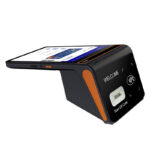
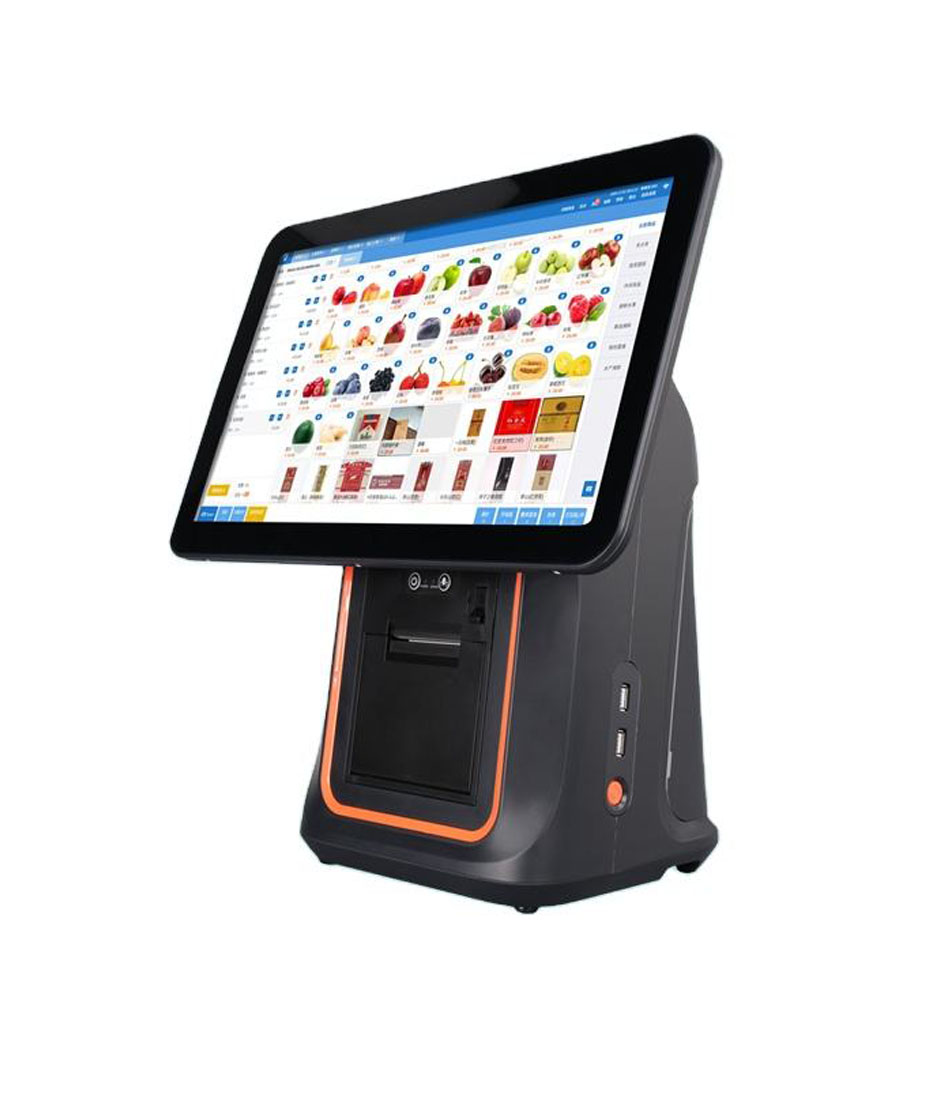
- One box — an 8-inch terminal with the printer inside it. The DCA-H80 carries a 3.8 V 6,400 mAh pack (24.3 Wh) that is removable, a 58 or 80 mm mechanism, 4G, and RJ11, RJ12, LAN and two USB-A ports on the Android 13 build. One power lead, one device to secure. The mechanism takes a 40 mm roll either way, against 83 mm on a counter printer, so paper changes land more often and the printer cannot be upgraded later.
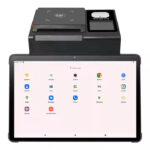
- Three boxes — a wide-input mini PC, a counter printer and a router. The DCA-M400 runs from 9 to 36 V, the POS-8250 gives 80 mm paper at 260 mm/s, and each part can be replaced on its own. Three power leads, three fuses, and three things to strap down.
In a truck, cable count is failure count: a barrel connector that survives a shop counter walks out of its socket at 200 km. Short menu, one box; 80 mm paper and a kitchen copy, three boxes and a loom.
A test you can run on a Tuesday
None of this needs an instrument beyond a multimeter, and all of it belongs before a first service rather than during one.
- Measure the battery at rest before the shift. 12.6 V is full, 12.2 V is half, 11.8 V is time to charge.
- Print twenty receipts with everything running and measure at the printer’s DC plug, not at the battery. More than a volt of drop means the cable is too thin or too long.
- Print a forty-line receipt and crank the engine halfway through. If it finishes, the bus is sound.
- Leave a loaded roll on the counter for an hour in the sun. If it curls or darkens, the storage is wrong.
- Note the signal outside the truck, then inside, in dBm. A 20 dB difference is a steel box, not a carrier.
- Trade for an hour with the engine off and the fridge cycling. Watch for a screen dim or a printer stall.
- Switch the battery with the POS on. If the till restarts, it has no pack of its own and every battery swap costs a minute of trade.
What to specify
Five lines on the purchase order
The printer’s input voltage — 24 V with a brick, 12 V native, or 9–36 V wide input. This decides whether an inverter is in the build at all.
The terminal’s tolerance — 12 V ± 10 per cent, or 9–36 V. Only the second survives cranking without a converter.
Usable watt-hours — chemistry and depth of discharge, not the amp-hour figure on the label.
The LTE band set — the country the truck will trade in, written on the order. Band variants are not interchangeable after delivery.
The antenna — roof-mounted, with a ground plane and under three metres of cable. A stub inside a steel box is a 3 dB loss before the cable starts.
Frequently asked questions
Can I run the POS from the cigarette lighter?
It is the weakest link in the build. That socket is fused at 10 to 15 A, held by a spring contact, and usually shared with a phone charger and a fan. A 24 V printer through an inverter pulls about 7 A on its own, with a surge at start-up. Run a dedicated fused circuit from the house battery instead, and keep the socket for the phone.
How long can I trade with the engine off?
The POS chain is about 220 Wh per ten hours, so a 100 Ah lead-acid pack covers two to three days of till alone. The fridge is the number that decides the day: at 45 W average it is 450 Wh, twice the till. Size the pack for the fridge and the lights, then check that what is left covers the POS.
Do I need 4G, or is Wi-Fi enough?
Wi-Fi in a truck is a hotspot, and a hotspot needs 4G. The real question is the antenna, not the radio: a router inside a steel box loses 20 to 30 dB, which is the difference between a usable link and a queue. A roof antenna and a short cable recover most of it.
Will a normal 80 mm printer run on 12 V?
Not directly. The POS-8250 is a 24 V / 2.5 A device and needs a 12 to 24 V converter or an inverter. The 12 V native option in this range is the POS-5890A, a 58 mm mechanism at 12 V / 3 A — which also means a narrower receipt and 32 characters per line.
Can a tablet replace the terminal?
It can replace the screen and nothing else. There is no drawer port and no printer port, so both become Bluetooth devices with their own batteries, and the tablet has no pack rated for a counter in the sun. For a market stall open two days a week that is a fair trade; for a truck trading six days it is three more things to charge.
Where to go next
The device-level version of this argument — what empties a handheld battery, and what roaming does to a queue — is in handheld terminals for restaurants, and the stocktake guide covers the case where the handheld never prints at all. If the printer is powered and silent rather than reset, start with the four checks; if the choice is 58 or 80 mm paper, the width comparison has the numbers. The handheld range covers 4G, removable packs and built-in printers — send the truck layout and the country through the contact form.
Specifying the hardware? The hardware side is covered in the POS system, by counter position — where each part sits and which of them you can stop buying separately.