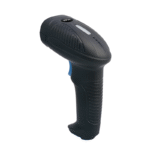
“Reads nothing” is four faults wearing one description. The window lights and there is no beep: power or cable. It beeps with no characters: mode or focus. Characters arrive wrong: keyboard layout. Characters arrive with gaps: timing. Only the first is hardware, and it is the least likely of the four.
The beep is the scanner reporting a successful decode — optics, sensor and decoder all working. What failed is the last thirty centimetres, between the USB connector and the field the cashier is watching. Replacing the unit replaces the only part of the chain that was working.
Four faults behind one complaint
| What you see | What the scanner is doing | Most likely cause | Confirm in a minute |
|---|---|---|---|
| No light, no beep | Nothing: it never enumerated | Cable, port or the 5 V supply | Try another port; a wired unit draws about 150 mA at 5 V |
| Light, beep, no text | Decoded and transmitted | Interface mode, focus or input method | Scan one code into Notepad |
| Text, but wrong characters | Decoded and sent as key codes | Keyboard layout, or Caps Lock | Compare the string with the printed label |
| Text with gaps | Sent faster than the host accepted | Inter-character delay | Raise the delay to 10 ms and rescan |
The Notepad test that splits the fault in two
Open Notepad, click in it so the caret is visible, and scan. That single action is worth more than any diagnostic utility shipped with a POS system, because Notepad adds nothing of its own: it does not validate a format, does not add or strip a suffix, needs no driver, and cannot move focus away from itself. If the characters land, the scanner and cable are working and the argument is with the POS application. If nothing lands, the argument is with the scanner or the host.
The same test recovers codes that appear to have vanished. A HID scanner types into whatever control holds focus, so a dialog that takes focus mid-scan sends the characters somewhere harmless. Click into any text field and scan again, then look at the corners of the screen: the missing code is often in a search box nobody was watching.
| Notepad result | What it rules out | Where to look next |
|---|---|---|
| Characters appear, correct | Scanner, cable, enumeration | Focus handling, field validation, suffix |
| Characters appear, wrong | Everything except interpretation | Layout, Caps Lock, input method |
| Characters appear with gaps | Everything except timing | Character delay, host load |
| Nothing appears | Nothing | Cable, port, power, then the unit itself |
What the host actually receives in HID mode
A USB HID keyboard report is eight bytes. The first is a modifier bitmap — left and right Shift, Ctrl, Alt and GUI, one bit each. The second is reserved. The remaining six hold key codes, which is why one report carries at most six characters. A 13-digit EAN plus a carriage return is fourteen characters, so even the fastest scanner needs three reports.
Two consequences follow. HID has no baud rate to tune: its ceiling is the host keyboard stack, not the wire, which is why two scanners with identical decode rates can feel different on the same till. And each character arrives as a key-down and a key-up, so an application that debounces on key-up, or that fires a lookup on every keystroke, will drop characters under a fast scanner. That is the mechanism behind the most frustrating report in this area: it works in Notepad, and not in our software.
Caps Lock is the other half of it. The scanner sends Shift plus a key code and the host applies its own Caps Lock state on top, so with Caps Lock on an alphanumeric code arrives with every letter inverted. Most scanners have a compensation setting and ship with it disabled, because the setting cannot know what the host is doing.
The keyboard layout trap
Every scanner is configured for a keyboard layout, and the POS-1800A lists fourteen. In a catalogue that reads like an export feature; it is a requirement, because the scanner sends key positions and the host decides which character sits at each position. The same symbol therefore produces different text on different hosts.
| Character | US | UK | German | French |
|---|---|---|---|---|
| @ | Shift + 2 | Shift + apostrophe | AltGr + Q | AltGr + 0 |
| Double quote | Shift + apostrophe | Shift + 2 | Shift + 2 | Shift + 3 |
| # | Shift + 3 | Shift + 3 gives the pound sign | Its own key | AltGr + 3 |
| Y and Z | As printed | As printed | Swapped | Z sits where W is |
| Digit row | Unshifted | Unshifted | Unshifted | Needs Shift |
The French column is the one that ends support calls. On an AZERTY host the unshifted digit row produces ampersand, e-acute, double quote and five more punctuation marks; the digits themselves need Shift. A unit configured for US sends 1 through 0 unshifted, the host translates them into punctuation, and a 13-digit barcode arrives as a line of symbols. Fix it on the scanner: changing the host layout breaks typing for everyone who uses the keyboard and will be reverted.
Chinese input methods produce a milder version. With an IME active, HID characters enter the composition buffer instead of the field, and an application reading key codes rather than committed text sees nothing. Switching to an English input method fixes it, which is why the workaround circulates as folklore rather than being configured once per terminal.
Characters that arrive wrong
A wrong string of the right length is almost always a suffix or a symbology setting. The suffix is what follows the code: carriage return by default, which submits a form; Tab when the application moves between fields; nothing when a listener reads the raw stream. A doubled suffix submits twice and looks like a software defect.
GS1-128 is the harder case. Its structure depends on FNC1, a function character with no ASCII equivalent, so in keyboard mode the scanner must map it to the group separator at code 0x1D or drop it. Dropped, the boundary between application identifiers disappears and two fields merge: the batch number following a GTIN is read as part of the GTIN. Code 39 Full ASCII fails the same way: lowercase letters are built from plus, dollar, slash and percent combinations, so with only standard Code 39 enabled a nine-character code arrives as six.
Characters arrive incomplete: the timing problem
A host that cannot keep up does not report an error. It accepts the first characters, misses one in the middle, and delivers the rest, leaving a code of the right length and the wrong value. The fix is the inter-character delay, which is per character and therefore multiplies by code length:
| Inter-character delay | Time for a 14-character code | Where it is needed |
|---|---|---|
| 0 ms (default) | About 15 ms | Modern POS on a local machine |
| 5 ms | 70 ms | Most Windows POS software |
| 10 ms | 140 ms | Browser-based POS, remote desktop |
| 20 ms | 280 ms | Older ERP clients, Android WebView |
| 50 ms | 700 ms | Last resort; the cashier starts to notice |
Set it by the longest code the site actually scans. Fourteen characters at 20 ms costs 280 ms, which nobody notices; a 40-character GS1 label at the same setting costs 800 ms, which the queue notices, and the operator blames the scanner.
Serial has its own arithmetic. At 9600 baud with 8N1 framing every byte costs ten bits, so a 2,000-character stocktake file takes 2.08 seconds; at 115,200 it takes 0.17. Neither is a scanner fault, and both are reported as one.
COM mode: more reliable, with three faults of its own
USB CDC presents the scanner as a virtual serial port. The application reads a byte stream instead of receiving keystrokes, which removes the class of faults above at once: layout, Caps Lock, input method and focus stop mattering, and there is no six-character ceiling.
Three specific problems replace them. A driver: HID needs none on any current Windows, while CDC may need a virtual COM port driver on some versions, and the POS-8280A documentation says so. A port number: a device without a unique serial number is bound to the USB path where it was first seen, so moving the cable creates COM5 while the application still opens COM3 — a scanner that worked yesterday is silent today, with nothing changed on the scanner. And framing: a serial reader waits for a terminator, so a unit configured with no suffix sends a perfect code the application never completes.
| Mode | What the host sees | Layout and focus | Driver | Best for |
|---|---|---|---|---|
| USB HID | A keyboard | Both apply | None | One POS application, simple install |
| USB CDC (virtual COM) | A serial port | Neither applies | Sometimes, on Windows | Applications that already read a port |
| HID-POS | A vendor HID device | Neither applies | None | High-throughput lanes |
| RS232 | A hardware serial port | Neither applies | None | Long runs, legacy controllers |
HID-POS is the option buyers never ask for. It reports scan data through a vendor-defined usage page instead of the keyboard page, so the data bypasses the keyboard stack entirely: no layout, no focus, no six-character limit. The catch is that the application must implement the reader. Where the POS vendor supports it, it is the most robust of the four, and the POS-8280A offers it alongside HID and CDC.
Radios: three different things called wireless
A 2.4 GHz scanner with a dongle is a wired scanner with a radio in the middle. The dongle enumerates as a HID keyboard, so every fault above applies unchanged, plus one: the pairing is fixed at the factory, and a lost dongle retires the scanner. Nothing about the unit is wrong; it has no host.
Bluetooth HID pairs as a keyboard and behaves identically, with pairing and reconnection added on top. Bluetooth SPP emulates a serial port instead, which is the mode an Android application needs a permission for and iOS effectively does not offer. The application decides which one it can read, and the Android scanner guide covers the USB side.
The fourth state is not a radio at all. A batch unit in storage mode decodes into memory instead of transmitting, which is correct for stocktaking and indistinguishable from a dead scanner at the till. The POS-2210A manual states it plainly: a unit stuck in cache mode looks broken. Before replacing anything, scan one code and check whether the stored count went up.
Android and Linux add layers that are settings rather than faults. On Android a HID scanner is a physical keyboard, so the on-screen keyboard may open over the field the operator needs, and the input method may claim the characters first. On Linux, HID needs no driver, while CDC needs the cdc_acm module and the operator in the dialout group.
Five checks before you replace it
- Scan into Notepad on the same host. That separates scanner from application in one action.
- Scan into Notepad on a second host. If it fails there too, stop looking at software.
- Move to a port on the machine itself, not a passive hub. Four ports sharing 500 mA is enough to make a 150 mA scanner misbehave.
- Scan the configuration barcodes for mode, layout and suffix. Many units print current settings on a test sheet, and that sheet is the ground truth — not the purchase order.
- Check Caps Lock, then the input method, then the host layout. Each changes the characters without changing anything the scanner does.
If all five pass, the open question is which mode the application expects. Ask the POS vendor before buying the second scanner.
How we would specify the interface
Three rules cover most sites. A single POS application with a text field gets HID: no driver, works first time, provided the application manages focus, which is a question for the vendor. An application that already reads a serial port gets CDC or RS232, which removes layout and focus from the support burden permanently. A lane scanning more than roughly 1,200 items an hour gets HID-POS where the software supports it.
The range reflects those three answers rather than one best model. The POS-1670 is one connector presenting as either a keyboard or a serial device, which makes it the unit to specify when the software choice is not final. The POS-1800A carries fourteen layouts in a sealed body. The POS-7200 offers HID, COM and RS232 at 120 frames per second, the POS-8280A adds HID-POS, and the POS-2210A and POS-3230A cover the wireless cases at 100,000 lux. Interface mode per model is in the barcode scanner range.
If the interface is settled and the fault is not, send the model, the mode printed on the test sheet and one screenshot of what the application received. Those three answer the question faster than any description of the scanner.
Questions we get about scanners that read nothing
Why does my scanner beep but nothing appears?
The beep confirms a decode, not a delivery. The code went as keystrokes into whichever field held focus; if that was not the field the cashier was watching, the characters are elsewhere. Scan into Notepad, then look for the dialog that took it.
Do USB barcode scanners need drivers?
In HID mode, no — on Windows, Linux, Android and macOS. In CDC mode, sometimes: some Windows versions need a virtual COM port driver, and the port number can change when the cable moves.
Why does my scanner type the wrong characters?
A keyboard layout mismatch, usually. The scanner sends key positions and the host translates them, so a US-configured unit on a UK or French host produces different symbols from the same barcode. Caps Lock gives a narrower version, affecting letters only.
What is the difference between HID and COM mode?
HID presents the scanner as a keyboard and delivers keystrokes to the focused control. COM presents it as a serial port and delivers bytes to an application that opens the port. HID needs no driver; COM needs one, and is immune to layout, focus and input methods.
Why does the scanner miss characters on a remote desktop?
Every keystroke becomes a separate input event across the session, and a fast scanner outruns the channel. Raise the inter-character delay to 10 or 20 ms; fourteen characters at 20 ms costs 280 ms, invisible to the operator.
Where to go next
The rest of the fault tree sits either side of this article. If the scanner beeps on some labels and not others, the question is the engine rather than the interface — 1D laser against 2D imager explains which symbols each cannot see, and what a barcode scanner is covers resolution and depth of field.
Specifying the hardware? The hardware side is covered in The five lines on a POS bill — which of them are hardware and which are not.