
Meeting Room, Reception and Signage Hardware for Corporate Sites
One BOM revision across every floor and every site, with the presentation the brand guide asks for. DcaPOS supplies room displays, reception kiosks, signage players and canteen terminals for corporate rollouts.
The real problem is standardisation
A single office is easy. Twenty offices, three countries and a facilities team that changes every year is the actual requirement, and it changes what you should buy.
One revision, many sites
If floor 3 gets a different panel revision from floor 9, every spare-parts list and every firmware baseline splits in two. A fixed BOM revision with serialised cartons is what makes a multi-site rollout maintainable.
Presentation in front of clients
Reception and meeting rooms are where hardware is seen by customers. Bezel width, housing colour, logo placement and the boot screen are brand decisions; a stock black box with a vendor splash screen reads as unfinished.
Nobody wants to maintain a player
Signage in a lobby or a canteen should not need a login. A fanless player that auto-starts, reconnects and reboots itself is less work than a smart display with a proprietary OS and a cloud account.
Cable and mount discipline
A wall-mounted screen with a visible power brick and a dangling HDMI cable is the most common complaint after a corporate fit-out. VESA patterns, service clearance and a recessed cable route should be specified before the wall is closed.
Station by station
This is the split we quote for a head-office fit-out and for a multi-site standardisation programme.
| Station | What we specify | Why |
|---|---|---|
| Meeting and board rooms | 65 to 86-inch interactive panel, or 32-inch touch monitor in small rooms | Room booking, whiteboarding and video conferencing on one surface. |
| Reception | Floor-standing kiosk, 23.8 to 32-inch | Visitor sign-in and wayfinding without adding reception staff. |
| Lobby and canteen signage | 43 to 55-inch commercial panel with a fanless Windows player | Content managed centrally; a failed unit is a swap, not a project. |
| Canteen and staff shop | 15.6-inch Android terminal with built-in printer | Subsidised meals and staff purchases without a full till. |
| Comms room and back office | Fanless mini PC, four-port 2.5 GbE option | Runs signage, monitoring and print services without a noisy desktop. |
Hardware we build for this sector
Every unit below is a current production model with its own specification page. Housing, memory, screen size and interfaces are configured per order.
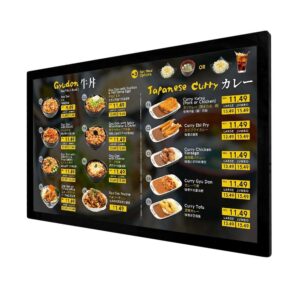
Digital Menu Board
Commercial signage panel for lobbies, canteens and notice areas.
View specifications →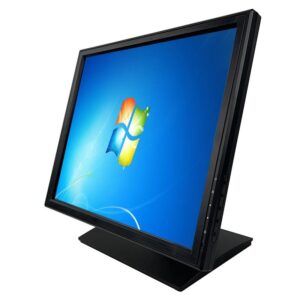
Touch Screen LCD POS Monitor DCA-1701
Touch monitor for small meeting rooms and collaboration spaces.
View specifications →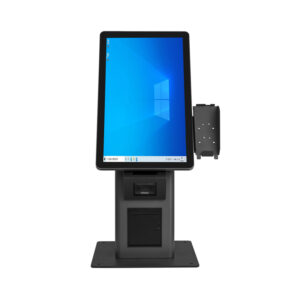
Self Service Kiosk H Series
Dual-screen reception kiosk for visitor sign-in and wayfinding.
View specifications →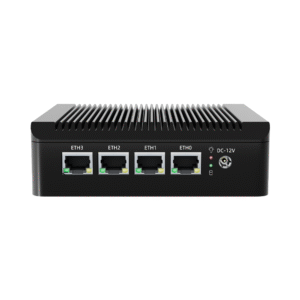
Industrial Mini PC DCA-M200
Fanless player with four 2.5 GbE ports for signage and network tasks.
View specifications →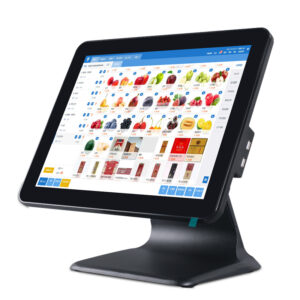
Android POS System DCA-155A
15.6-inch canteen terminal, RK3566 or RK3568, rear display option.
View specifications →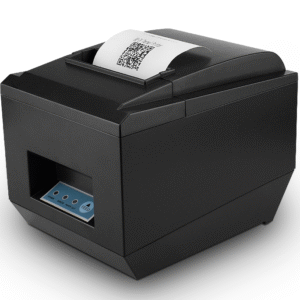
80mm Receipt Printer POS-8250
Fast 80 mm printer for canteen and staff-shop receipts.
View specifications →More models for this sector
The other 12 models we build for corporate, filed by hardware family. All are in current production, and housing, memory, screen size and interfaces are set per order.
Browse the full range: KDS / AIO PC, Touch Monitor · all POS hardware
What we customise
Corporate rollouts are procurement projects. The hardware has to arrive documented as well as working.
Brand-matched presentation
Housing colour, logo etching, boot animation and wallpaper set to the corporate identity guide, with a physical sample for sign-off.
Image and lockdown
Standard OS image per site, kiosk mode, whitelisted applications and disabled ports so a shared device cannot be reconfigured by a visitor.
Multi-site logistics
Serialised cartons per floor or site, consolidated delivery, and a spares kit held centrally rather than per office.
Documentation
Specification sheets, certification copies and asset lists formatted for facilities management and procurement records.
Frequently asked questions
The questions buyers ask before they place a first order.
Can the display run our room-booking application?
Yes, if the application runs on Windows or Android. The panel itself is a display and touch controller; the application runs on the OPS module or the player behind it. Send us the app and the OS it targets and we will confirm the module rather than guessing.
Is a smart display or a panel plus player the better choice?
For a handful of screens, a smart display is simpler. Beyond about ten screens, a panel plus a standard player is easier to manage: the player is replaceable on its own, the CMS is yours, and you are not tied to one vendor’s cloud account for the life of the building.
How do you handle a rollout across several countries?
We ship from Shenzhen with the plug type and certification set for the destination market, and we hold one BOM revision across the programme. Consignments can be consolidated to a central warehouse or shipped direct per site with per-site packing lists.
Can the hardware carry our logo and colour?
Housing colour, logo etching and the boot animation are all customisable on volume orders, and we send a physical sample for sign-off before production. We will tell you at quotation if a requested finish needs a different substrate or a longer lead time.
What warranty and spares terms do you offer?
Warranty terms are set per contract and typically run 12 to 24 months depending on the programme. Spare parts are committed for the product lifecycle rather than the warranty window, and a spares kit sized to the number of rooms can be held on site or centrally.
Standardising hardware across sites?
Send the room schedule, the brand guide and the countries involved. We will return a single-BOM proposal.
Send your requirements
