QuickBooks Desktop Point of Sale was discontinued on 3 October 2023, and the software still runs. What stopped on that date was everything around it: card payments, gift cards, mobile sync, store exchange, live support, and the hardware programme that had tested printers against the software. Three years later the question people still type into a search box is which receipt printer is compatible with QuickBooks POS, and there are now two different answers depending on whether they mean the old desktop product or the online one.
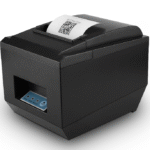
We build the printers and drawers that end up on these counters: 80 mm thermal mechanisms at 250 mm/s with an RJ11 port on the back, and 410 mm drawers with the coil wound for the voltage that port supplies. The plant is 8,700 m² in Shenzhen, five assembly lines, and the same ESC/POS command set has been shipping out of it since the first receipt printer went to Japan in 2014. The printer referred to throughout is the POS-8360.
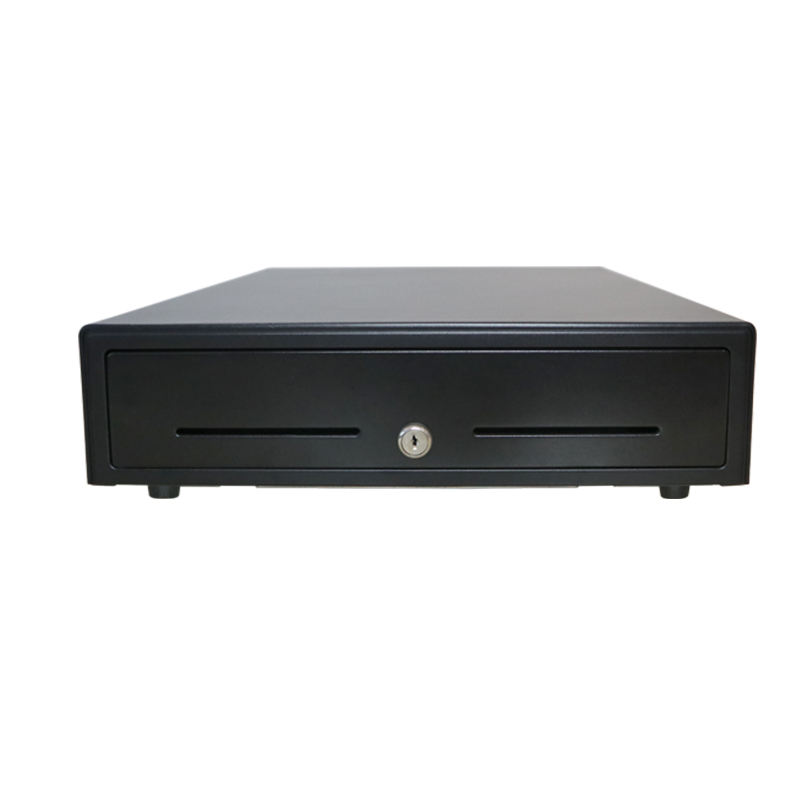
What follows is the list as Intuit last published it, what the word compatible used to mean inside that software, what physically survives a move to a new system, and why the drawer is the one peripheral Intuit itself says will follow you. The drawer half is the POS-410B.
Support ended on 3 October 2023, and the hardware list did not change with it
QuickBooks Desktop Point of Sale 19.0 was the last version. Intuit’s notice lists what went with it: QuickBooks Point of Sale Payments, the Gift Card Service, Mobile Sync, Intuit Store Exchange, the Webgility e-commerce integration, the Vendor Lookup Service, and support plans including phone, email and chat. The application itself keeps working on the machine it is installed on, without security patches.
That combination is what makes the hardware question awkward. A shop can still ring a cash sale on the old system in 2026, so the printer still has a job. The same shop cannot take a card on it, so a second system is already on the counter or about to be. The printer has to work for the system that is leaving and, ideally, for the one that is arriving.
Intuit’s supported list has exactly one receipt printer on it
The hardware page is still online, split into two tables that are easy to confuse. Supported means Intuit tested it against the current release and would take a support call about it. Compatible means it worked in the past, is not covered by the replacement programme, and is not supported. The supported table is short enough to print.
| Peripheral | On Intuit’s supported list |
|---|---|
| Receipt printer | Star TSP100 ECO |
| Cash drawer | Star 13 x 13, Star 16 x 16, mPOP 2-in-1 |
| Barcode scanner | Zebra DS2208 wired, Zebra DS2278 wireless |
| Tag printer | Zebra ZD410 |
| PIN pad | Ingenico Tetra Lane 5000, Ingenico IPP350 |
| Pole display | Logic Controls LD-99, POSX XP8200 |
| Card swipe | Magtek 21040110 |
One receipt printer, and it is a Star. That is the whole answer to the search query, and it explains why the question keeps being asked: a shop that does not want a Star has no second officially supported option, only a compatible one.
Compatible is a different word, and it is the one that matters now
The compatible table is longer and more useful in 2026, because nothing on either table is being tested any more. It includes the Citizen CT-S300 and CT-S100, the Dell T200, the Epson TM88II, TM88III and TM88IV, the Star TSP600, and a laser printer, the HP LaserJet 4200, which was there for full-page forms rather than receipts.
The cash drawer column on that table is instructive. It lists MMF Val-u-Line, two APG models and the Star TSP100 ECO, and one APG entry carries a parenthetical: use with the Dell T200 printer. That is not a drawer limitation, it is a cable and voltage note. The drawer is a dumb device with a solenoid, and which printer it can hang off depends on the port, not on the brand printed on the front.
Why QuickBooks printed only on the listed models
QuickBooks Desktop Point of Sale shipped with a folder of drivers under its own program directory, and the Hardware Setup Wizard installed them. That is the mechanism behind the list: a printer worked because a driver for it was in that folder, and the receipt layout was tested against that driver. A printer outside the folder could sometimes be made to work, but the layout was not guaranteed and the support line would not take the call.
This is the part that a replacement bought in 2026 has to reproduce, and it is not reproduced by a model number. It is reproduced by the command set. If the new printer speaks ESC/POS and the old one did, the same cut, the same bold and the same drawer pulse are available; if it speaks a proprietary language and needs a vendor driver, the old software will not find it.
80 mm, USB, RJ11: the three numbers that replace a model number
For a QuickBooks counter the printer decision comes down to three specifications, and all three are visible on the back of the unit. Paper width: 80 mm is the retail standard and the width the QuickBooks receipt layout assumes. Interface: USB, because the software drives a Windows printer queue and does not know about network discovery. Drawer port: an RJ11 or RJ12 kick-out jack, because that is how the cash drawer opens.
The third one is the one that gets missed. A printer without a drawer port is still a printer, and a shop can spend a week wondering why the till does not open on a cash sale. The port supplies the coil voltage, and the printer decides the pulse width; the software only sends the command. That chain is the same on QuickBooks, Square and Clover, and it is laid out in the kick-out signal guide.
A 58 mm printer is not a smaller version of the same decision
It prints a narrower receipt, and on a QuickBooks layout that means wrapped lines and a cut that lands in the wrong place. The width comparison is in 80 mm versus 58 mm. The exception is the Star mPOP, which is 58 mm and was supported because Intuit tested the layout against it, not because the width stopped mattering.
What comes off the counter and goes onto the next system
Every QuickBooks POS installation is a Windows PC, a printer, a drawer, a scanner and usually a PIN pad. When the shop moves to a modern system, those five parts do not have the same fate, and the difference is the interface each one uses.
| Part | Interface | Survives the move? |
|---|---|---|
| Receipt printer | USB, ESC/POS, RJ11 kick | Yes, if the new POS has a driver |
| Cash drawer | RJ11 or RJ12 to the printer | Yes, it follows the printer |
| Barcode scanner | USB HID, keyboard output | Yes, almost always |
| PIN pad | Provisioned by Intuit | No |
| Pole display | Serial or USB, vendor driver | Rarely |
| Tag printer | USB, ZPL | Yes, if the new system prints tags |
The pattern is that the three parts with a published, boring interface survive, and the two with a vendor-specific one do not. It is the same pattern as the Clover range, where the device is locked to a processor but the drawer and the printer are not: the closer a part sits to the payment, the less portable it is.
The PIN pad is the one part that cannot be reused
Intuit is explicit about this. The Tetra Lane 5000 was configured for QuickBooks Desktop Point of Sale and QuickBooks Payments, and with QuickBooks Payments no longer available for Point of Sale, the PIN pad no longer works. The IPP350 on the supported list carries the same footnote: it has to be bought from Intuit or an Intuit solution provider and is compatible only with Intuit QuickBooks Payments.
A shop that keeps the old system running for cash therefore keeps two payment paths: the old PIN pad for nothing, because it is dead, and a new reader for cards. The PIN pad is the part to write off first, and the one to stop stocking.
QuickBooks Online is not a point of sale, and it will not drive a receipt printer
The other half of the search traffic is shops that have moved to QuickBooks Online and expect the thermal printer to follow. It does not. Intuit’s own support answers say that printing on an 80 mm thermal printer is unavailable in QuickBooks Online and point to third-party apps, and the system requirements recommend a laser or inkjet printer and state that dot-matrix printers are not supported.
What QuickBooks Online prints is a PDF form on Letter or A4 paper, through the browser’s print dialog. That is an invoice, not a receipt: it is the right output for a back-office document and the wrong one for a counter where the customer is waiting. A shop that wants a thermal receipt at the counter needs a point of sale in front of QuickBooks, not a printer driver behind it.
Intuit’s own migration answer: the drawer works, everything else is new
Intuit chose Shopify as its recommended path and published a migration FAQ with it. One question in that FAQ is the one this article is about, and the answer is unusually direct: the QuickBooks Point of Sale cash drawer works with Shopify POS, and customers will need to purchase all other hardware from Shopify.
Read that as a statement about interfaces rather than about brands. The drawer works because it is an RJ11 device that hangs off a printer, and any system with a printer that has a kick-out port can drive it. The printer in that sentence is the one being replaced, which is why a shop that buys an ESC/POS printer with a real drawer port now is buying the one part of the old counter that will still be useful in five years. The Shopify side of that build is in what the Shopify app cannot do.
What to stock for a QuickBooks counter in 2026
The counters still running QuickBooks POS are mostly small retail: hardware stores, farm supply, specialty food, a few pharmacies. They buy one printer at a time, they want it to work on the machine that is already there, and they do not want to hear that the platform was discontinued three years ago. The stock that answers them is narrow.
- 80 mm USB printers with ESC/POS and an RJ11 port, which covers the QuickBooks layout, the drawer, and most of the systems they will migrate to.
- 410 mm drawers with a 24 V coil as the default, and a 12 V variant on the shelf for the counters that end up on a printer with a 12 V port.
- USB HID scanners with a keyboard-wedge default, because DS2208-class behaviour is what the old software expects and what the new one will accept.
- No PIN pads. There is no replacement to sell into a discontinued payment programme, and the ones on the shelf cannot be activated.
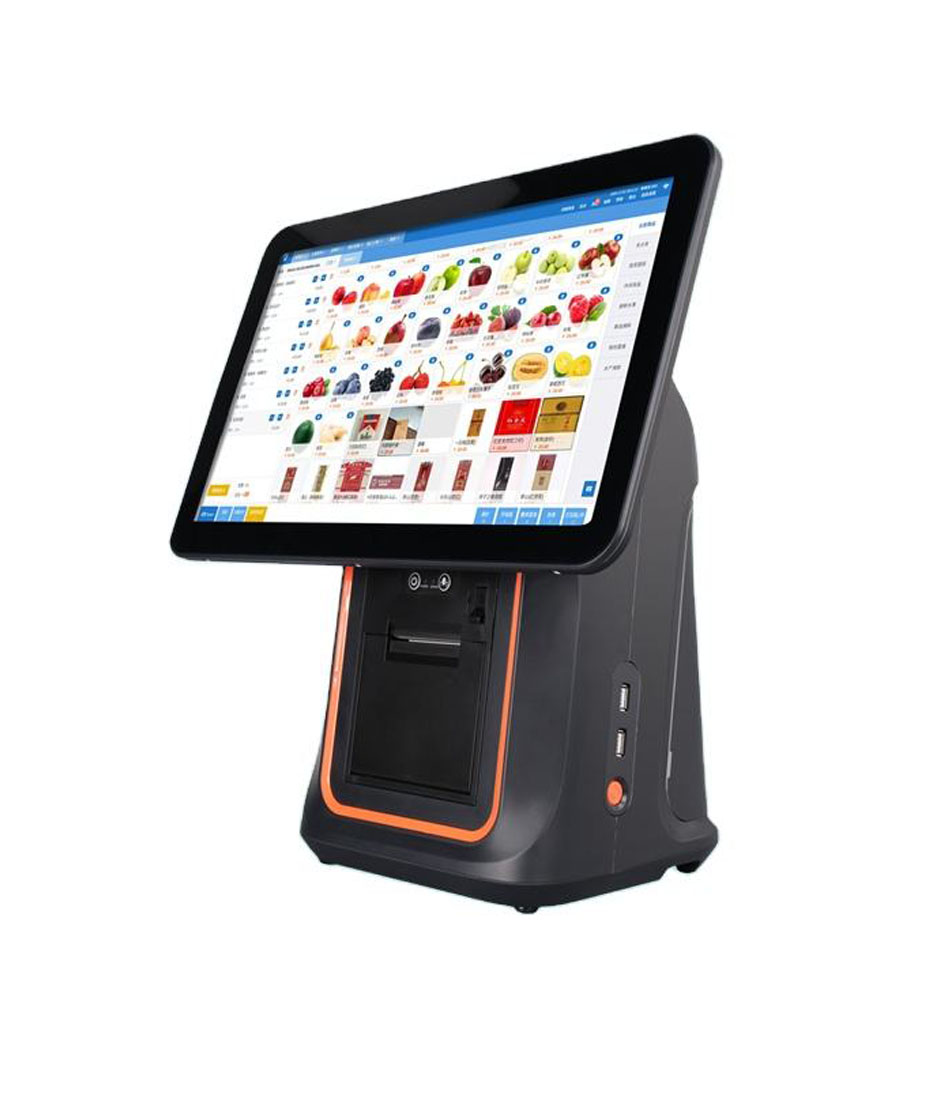
The terminal side, for a shop that is replacing the Windows PC as well, is in the POS terminal range. The dual-screen unit that most often replaces a QuickBooks counter is the DCA-156A, which has the RJ11 port on the base so the drawer does not have to move.
Questions before you buy
Which receipt printers work with QuickBooks Desktop Point of Sale?
Intuit’s supported list has one: the Star TSP100 ECO. The compatible list adds the Citizen CT-S300 and CT-S100, the Dell T200, the Epson TM88II, TM88III and TM88IV and the Star TSP600. Any ESC/POS 80 mm printer with a USB interface can usually be made to print, but the receipt layout and the drawer pulse are only guaranteed on the tested models.
Will my QuickBooks POS printer work with QuickBooks Online?
Not as a thermal receipt printer. QuickBooks Online prints PDF forms on Letter or A4 paper through the browser and does not support 80 mm thermal output; Intuit points to third-party apps for that. The printer is not broken, the software has no path to it.
Can I keep using QuickBooks POS after October 2023?
Yes. The application runs on the machine it is installed on, and cash sales still work. What stopped is card processing through QuickBooks Payments, gift cards, mobile sync, store exchange, the Webgility integration, the vendor lookup service and live support, and no further security patches are issued.
Does the QuickBooks cash drawer work with another POS?
Usually yes, and Intuit says so in its own migration FAQ: the QuickBooks Point of Sale cash drawer works with Shopify POS. The reason is that the drawer is printer-driven, so it follows whatever printer the new system uses, provided that printer has an RJ11 kick-out port.
Why does my receipt print but the drawer stays shut?
The drawer command is a separate byte sequence sent to the printer’s kick-out port, so a printer that prints correctly can still have a dead drawer circuit: the cable, the port or the coil. Four checks find it in order, and they are in the printer checklist.
Is the Star TSP100 still available in 2026?
The TSP100 family is still sold, in later revisions than the ECO that Intuit tested. What matters for a QuickBooks counter is that the replacement speaks ESC/POS, is 80 mm, has the RJ11 port, and installs as a Windows printer queue. A later revision of the same family meets all three.
Where to go next
The other two ecosystems with a published hardware list are covered in the four Square boxes and Clover’s drawer and scanner ports. If the counter is being rebuilt rather than repaired, the terminal that keeps the existing drawer is in the terminal range.
If you are supplying these counters and want one printer that covers the old software and the new one, send the paper width, the drawer voltage and the interface through the contact form. The specification is three lines long and it is the same three lines for every system on this page.
Specifying the hardware? The hardware side is covered in the POS system, by counter position — where each part sits and which of them you can stop buying separately.