Clover sells a cash drawer, a receipt printer and a barcode scanner, and Clover manufactures none of the three. The drawer and the printer on its accessory page are Star Micronics parts; the scanner is a Zebra DS9300 carrying a Clover part number. That is not a complaint about the brand. It is the reason the ports matter more than the badge: the box is the only part of the chain Clover designs, and the box decides which of the three you can attach at all.
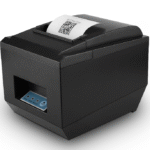
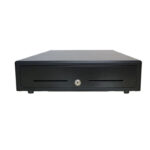
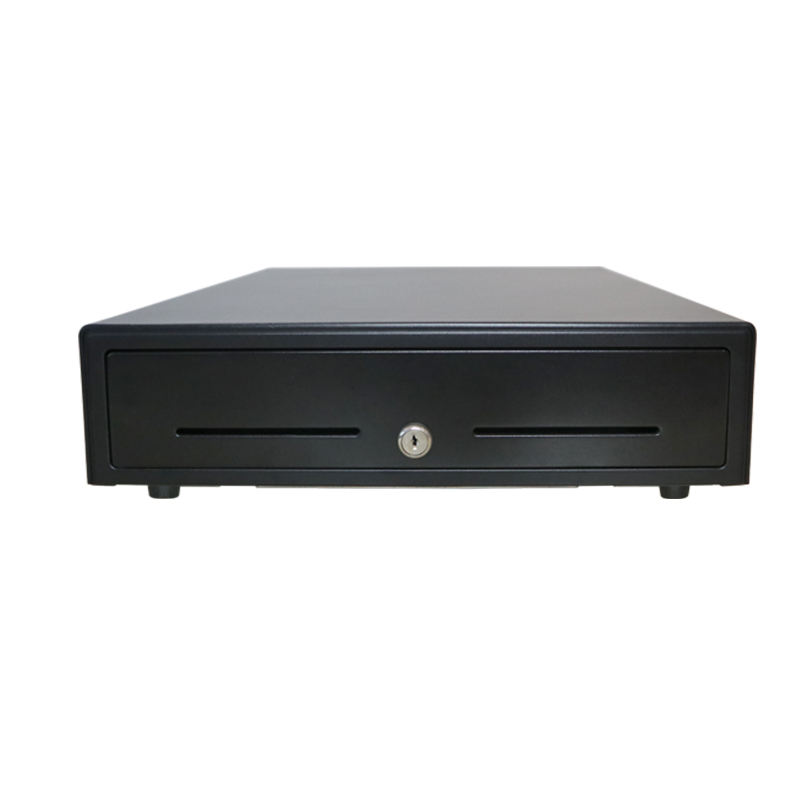
We make the other end of that chain in Shenzhen, in the same 8,700 m² plant where the terminals are assembled: 405 and 410 mm drawers with the coil wound for the voltage the printer supplies, and 80 mm thermal printers with an RJ11 kick-out port on the back plate. The drawer shell is 0.8 mm cold-rolled steel, the till is ABS, and the latch is rated to four million cycles rather than to a photograph. A drawer of that build is the POS-410B, and it does not know or care whether the pulse arrives from a Clover printer or any other.
Below: which Clover boxes have a drawer port at all, why the Mini and the Station reach the same drawer by two different electrical paths, what the scanner on Clover’s list really is, and how two USB-A ports on a Mini turn into a specification problem before the counter is even built. The printer that pairs with these counters is the POS-8360, 80 mm, 250 mm/s, with the drawer port on the same plate as the USB.
Three Clover boxes open a drawer, and two cannot
Clover’s range is usually described by screen size, which is the wrong axis for a shop that takes cash. The drawer port is the better filter, because it is the one thing that cannot be added later by an app. Sorted that way, the range splits three and two, and the split does not follow price.
| Box | Drawer port | Printer | USB-A |
|---|---|---|---|
| Mini 3 | 1 RJ12, on the body | Internal, 58 mm | 2 |
| Mini 2 | 1 RJ12, on the hub | Internal, 58 mm | 4 on the hub |
| Station Solo | 2 RJ12, on the hub | Sold with the bundle | 4 on the hub |
| Station 1 | Through the printer only | External, 80 mm | 4 |
| Flex 4 | None | Internal | None, USB-C only |
| Compact | None | Internal, 58 mm | None, USB-C OTG |
The right-hand column is there on purpose. A drawer port does not help if the two ports next to it are already spoken for, and on the smallest box in the range there are only two.
On the Mini the port is on the body; on the Station it is on the printer
The Mini 3 carries a single RJ12 on the device itself, beside two USB-A host ports, one USB-B device port and the Ethernet jack. The Mini 2 does the same job from its hub, which carries four USB ports and the RJ12. In both cases the drawer cable runs from the drawer to the Clover box and stops there, which means the printer is free to be a printer.
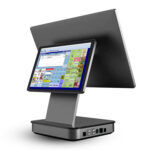
The Station 1 is the older arrangement and it inverts that. Its drawer cable runs to the receipt printer, the printer runs to the Station display, and the Station drives the printer which fires the drawer. The Station Solo returns to the Mini pattern and then doubles it: its hub carries two RJ12 ports, so a counter can run two drawers off one box without a splitter.
For a shop being quoted on a Clover system, this is the question worth asking before the quote: is the drawer going to the box or to the printer? The answer changes which cable is in the box, and a 6P6C cable that is wired for one path is not interchangeable with the other, even though both ends are the same plastic.
Clover’s own copy says the drawer must be plugged into a printer
The Clover cash drawer product description contains a sentence that reads like a contradiction once you have seen a Mini: the drawer is printer-driven, it says, so it must be plugged into a printer to pop for sales. The same company’s setup instructions for a Mini show the blue-tagged end of the drawer cable going into the port on the Mini hub marked with a dollar sign.
Both are true, and they describe two different electrical paths. On a Station the pulse is generated by the printer’s kick-out circuit and the drawer is a passive load on that port. On a Mini the device drives the port itself, which is why the port carries the cash icon instead of sitting on the printer. The drawer coil does not care which circuit fires it. The coil does care about the voltage and the pulse width, and those come from the port, not from the drawer.
The coil is ordered by voltage, not by brand
A 24 V coil on a 12 V port pulls weakly and eventually stops latching; a 12 V coil on a 24 V port runs hot and shortens the solenoid. Clover does not publish the port voltage in its device specifications, so the drawer has to be selected against the box on the counter rather than against the Clover name. The general test is in the pulse measurement.
The Clover drawer is 42 cm square, five bills, five coins
Clover’s own drawer is 16.54 inches on each side, which is 42 cm, and 4.3 inches tall: the standard 410-class shell that Star and most of the industry build in. The till has five fixed bill slots, five fixed coin slots and two media slots under the tray, and the whole thing weighs 7.3 kg empty. None of those numbers is unusual, and that is the point: it is a standard drawer with a cable and a label, not a proprietary one.
The practical consequence is that a Clover counter can be fitted with any 410 mm drawer whose coil matches the port, and a shop that already owns one does not have to buy Clover’s. What it does have to check is the insert. A five-bill, five-coin till is the US layout; a counter in a market with high-denomination notes and a coin-heavy float often needs a different split, and that is a tray change rather than a drawer change.
Flex and Compact have no drawer port, and that is a cash question
The Flex 4 has an internal printer, wireless charging, a USB-C port and nothing else. The Compact has an internal 58 mm printer, a physical keypad and a single USB-C OTG port. Neither has an RJ12, and neither can drive a drawer, which is why the usual advice to pair a Flex with a Mini is not about screen size. It is about the till.
A Flex is a good second position: table service, line busting, a market stall. It is a poor only position for a shop that takes cash, because the cash has nowhere to go that opens on a sale. That is the same constraint Square Terminal has, and it is worth saying plainly to a shop that is choosing between the two: the device with the printer in it is usually the device without the drawer port.
The scanner on Clover’s list is a Zebra, and that is good news
Clover’s accessory page lists one scanner, called Hands Free 2D Scanner, and the description under it is a Zebra DS9300 datasheet: presentation form factor, 2D imager, designed for counters where a bump or a spill is an ordinary event. It is a USB-A device and it presents as a keyboard, which is the only interface the Register app needs.
That makes the scanner the most portable part of a Clover counter. The register app accepts typed input in the same field a scanner writes to, so a scanner that is not on Clover’s list is untested rather than excluded, and the three settings that decide whether it works are the same three on every Android POS: HID mode, keyboard layout and the terminator character. They are laid out in the HID checklist.
The difference from Square is worth naming, because it is the reason this article exists. Square publishes a tested scanner list and the mechanism is the same keyboard emulation. Clover publishes one scanner and does not publish a list. In both cases the hardware decision is an interface decision, and in both cases the shop is told less than it needs to know about the port.
Two USB-A ports on a Mini 3 is the tightest budget in the range
On a Mini 3 the arithmetic is short. A USB receipt printer takes one port, a wired scanner takes the other, and the counter is full before anybody asks for a scale, a customer display or a second scanner for the stockroom. The Mini 2 hub has four ports and the Station Solo hub has four, so the constraint is specific to the newest and smallest box.
There are three ways out that do not involve buying a bigger device. Put the printer on Ethernet and leave both USB-A ports for peripherals. Use a Bluetooth scanner, which takes no port at all but needs charging. Or accept that the Mini is a one-lane, one-scanner counter and specify the Station for the lane that also weighs produce.
| Peripheral | Port it needs | Fits a Mini 3 with a USB printer? |
|---|---|---|
| Receipt printer, USB | 1 USB-A | Yes, one port left |
| Receipt printer, Ethernet | None | Yes, two ports left |
| Wired scanner | 1 USB-A | Only if the printer is on Ethernet |
| Bluetooth scanner | None, paired | Yes |
| Scale | 1 USB-A plus a driver | No |
| Customer display | 1 USB-A | No |
A Clover device cannot be re-provisioned, but its peripherals can
Clover hardware is provisioned to a processor and is not re-provisionable in the field, which is why a second-hand Mini is not a spare unit but a parts donor. That fact is usually told to merchants as a warning about lock-in, and it is a real one. For a reseller it has a second reading that is more useful.
The box is locked; the cable, the drawer, the printer and the scanner are not. When a merchant changes processor and the Clover box goes in the skip, the 410 mm drawer under the counter, the 80 mm printer beside it and the USB scanner on the stand all come back out and go onto the next system. The peripherals are the part of the installation with a second life, which is also the part worth stocking properly.
What to stock if you fit Clover counters
The pattern across the range is that Clover sells the payment surface and the software, and leaves the paper, the cash and the scanning to the same three or four manufacturers that supply everybody else. Stocking for that means buying the standard parts, not the branded ones, and being able to answer the port question for each box.
- 410 mm drawers with a selectable coil, so the same shell can be ordered at 12 V or 24 V against whichever port the counter ends up with.
- 80 mm printers with an RJ11 port for the lanes that need a drawer and a paper trail; the 58 mm internal printers on Mini and Compact cannot be replaced when the mechanism wears.
- USB HID scanners, presentation or handheld, that default to keyboard mode and do not need a driver disk that no longer exists.
- One spare 6P6C cable per site, wired for the path in use. It is the cheapest part in the installation and the one that fails first at the connector.
Questions before you buy
Can I use a non-Clover cash drawer with a Clover Mini?
Yes, if the coil matches the port. The Mini’s RJ12 is a standard drawer port, and any 410 mm drawer wound for that voltage will open on a sale. Clover’s own drawer is a Star-built 42 cm unit with a Clover label, so the branded part is not adding an electrical difference.
Does Clover Flex work with a cash drawer?
No. The Flex 4 has an internal printer and a USB-C port, and no RJ12. A shop that takes cash needs a Mini or a Station for the till, with the Flex as an additional position rather than the only one.
Which Clover devices have two cash drawer ports?
The Station Solo, whose hub carries two RJ12 ports. The Mini 3 and Mini 2 carry one each. The Station 1 has none on the box and reaches the drawer through its printer.
What barcode scanner does Clover sell?
One, marketed as the Hands Free 2D Scanner, which is a Zebra DS9300 in a Clover box. It is a USB-A keyboard-emulation device, so a replacement does not have to be bought from Clover; it has to be HID and it has to be set to the right keyboard layout.
Can I move my Clover peripherals to a different POS?
The drawer, the printer and the scanner, usually yes: they are standard interfaces. The Clover box itself, no, because it is provisioned to a processor. That asymmetry is the reason to buy the peripherals on their specifications rather than on the logo.
Why does my Clover drawer click but not open?
A click with no travel is the solenoid firing against a locked drawer. Check the key position first, then the cable: the drawer end and the printer end are both 6P6C and it is possible to plug the wrong end into the port. The voltage and pulse checks are in the measurement guide.
Where to go next
The same port arithmetic for the other two ecosystems is in the four Square boxes and what the Shopify app cannot do. If the counter already has a drawer that will not open, the electrical chain is in the printer-driven drawer guide, and it applies to Clover without a single change. The other ecosystem that has already been discontinued, and which printer outlives it, is in the QuickBooks printer list.
If you are fitting several Clover counters and want the peripheral half specified rather than guessed, send the box, the lane count and the drawer width through the contact form. The answer is a port, a voltage and a part number, and it is cheaper than re-ordering a drawer that fits the counter and not the printer.
Specifying the hardware? The hardware side is covered in Android barcode scanners — what USB-HID versus USB-COM changes.