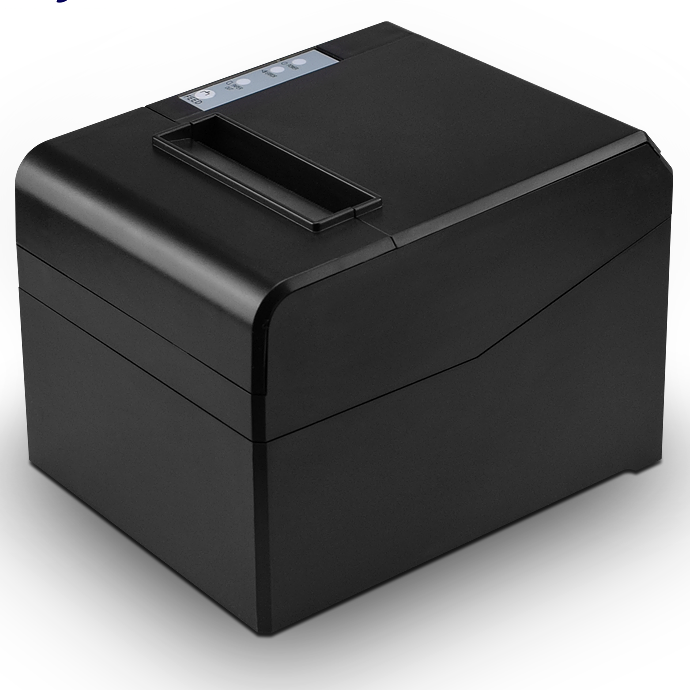
Two thermal printers, same 203 dpi printhead, same ESC/POS command set, same 24 V supply. The only line that differs on the datasheet is the roll width. Yet the receipt that comes out changes in four ways that decide whether a counter works: how much fits on a line, how long the queue takes, whether there is a cutter at all, and what the paper costs per metre.
We build both widths, and the decision almost never comes down to which printer is better. It comes down to what the receipt has to carry. The 80 mm range is here if you want to see the mechanism differences side by side.
What the width actually changes
An 80 mm printer takes a 79.5 mm ±0.5 mm roll and prints across 72 mm of it. A 58 mm printer takes a 57 mm roll and prints across 48 mm. At 203 dpi — eight dots per millimetre — that is 576 dots per line against 384. In the printer’s default font that works out to roughly 48 characters against roughly 32.
Sixteen characters is the entire argument. Take a line that reads 2 x Chicken Rice Set — 46.00. It fits on 80 mm and wraps on 58 mm. Once one line wraps, the receipt grows a second line per item, and a twelve-item bill becomes twenty-four lines. The customer reads a longer slip, and the printer spends longer on each sale.
Start from the receipt, not the printer
Write down what has to appear on the slip before choosing a mechanism. In most markets the list is longer than buyers expect:
- One line per item with the modifier attached, not on a second line
- Tax registration number and the tax breakdown by rate
- A payment QR at a module size that still scans from forty centimetres
- Total, change due, and the loyalty identifier
- A footer with the store address and a returns window
A 25 mm QR at a scannable module size takes a quarter of the printable width. On a 48 mm printable area that leaves 23 mm for the amount beside it, which is why 58 mm receipts commonly push the QR onto its own block or print it at a size that fails when a customer tries to pay from a phone at arm’s length.
If the answer is “the QR has to scan first time, every time”, the width is already decided.
Speed is a duty number, not a headline
A 300 mm receipt is a typical restaurant bill. At 260 mm/s — the rating on the POS-8330 — the head is moving for about 1.2 seconds. At 220 mm/s, the rating on the POS-8360 and the POS-8370, it is about 1.4 seconds.
Two tenths of a second does not sound like much until it is multiplied by a lunch rush. The number that matters is not the peak figure but whether the printer holds it: a mechanism rated at 260 mm/s that drops to 180 mm/s when the head is warm is slower in service than one rated at 220 mm/s that holds 220. Ask for the duty cycle and the paper specification the figure was measured on, because print speed is quoted at a given density and darkness, and a darker setting always costs speed.
On 58 mm portables the question is different again. A Bluetooth unit like the POS-5811 is judged on a shift, not a queue: how many receipts on one charge, and whether the radio stays paired after the rider walks out of range.
The cutter changes the workflow, not the look
A tear bar is a steel edge. It costs nothing, never jams, and produces a ragged edge that a customer has to pull at an angle. An auto cutter adds a motor and a blade, and on a fixed counter it is not optional.
Two cut modes matter. A partial cut leaves a small hinge of paper so the slip stays attached until someone takes it — correct for a counter where the cashier tears it off. A full cut drops the slip clear — correct for kitchen tickets that get collected. The POS-8370 supports both, which is why it is the model we point at when a site cannot decide between reception and pass use.
The blade is also the part that wears. Treat cutter life as a cycle count and compare it against tickets per day, not against years. For a sense of what a commercial duty rating looks like on a moving part, our POS-410A cash drawer is rated past 1,000,000 open-and-close cycles at 0.3 seconds each. A cutter in a busy restaurant sees a similar order of magnitude in three to four years.
Interfaces decide more than width does
Width is visible on the shop floor. Interface problems are the ones that generate support calls.
- USB only is fine for a single till running one software package. The POS-8360 ships in USB, USB+LAN and USB+Bluetooth versions.
- LAN matters when several terminals share one printer, or when the printer sits on a network segment the POS box cannot reach with a cable. The POS-8220 carries USB, RS232 and LAN.
- RS232 still matters because legacy POS software addresses a COM port directly, and no amount of USB adapter reliability fixes a driver that expects a real serial port.
- The POS-8250 adds a cash-drawer drive port, which removes one cable and one failure point from the counter.
Where 58 mm is the right answer
58 mm is not a cheap version of 80 mm. It is a different job: a slip that one person hands to another. Delivery riders, queue tickets, field service, market stalls, and any counter where the printer has to be carried rather than plugged in. The POS-5890A prints from Android or iOS over USB or Bluetooth, which is the whole requirement for a rider bag.
What 58 mm is not for: itemised invoices with tax breakdowns, or any receipt carrying a payment QR that has to work first time.
Side by side
| Specification | 58 mm | 80 mm |
|---|---|---|
| Roll width | 57 mm | 79.5 mm ±0.5 mm |
| Printable width | 48 mm | 72 mm |
| Dots per line at 203 dpi | 384 | 576 |
| Characters per line, default font | ~32 | ~48 |
| Typical speed | 60–90 mm/s portable | 220–260 mm/s desktop |
| Auto cutter | Rare | Standard on desktop models |
| Typical interface | USB + Bluetooth | USB, LAN, RS232 |
| Correct use | Slip handed person to person | Itemised bill at a fixed counter |
Roll diameter is the spec nobody writes down
An 80 mm roll at the common 80 mm diameter holds roughly 80 metres of paper. A 58 mm roll of the same diameter holds considerably more, because the core takes up a smaller share of the cross-section. In practice that means an 80 mm printer in a busy restaurant gets a roll change every one to two days, and a 58 mm printer in the same traffic can go a week.
This matters at the moment of failure, not on the datasheet. A roll runs out during the lunch rush, the cashier does not notice until a customer is waiting, and the queue stalls for ninety seconds while a new roll goes in. The mitigation is not a bigger roll — it is a counter routine where the paper level is checked at open, plus a printer whose paper compartment opens in one movement so the change is quick when it does happen.
If the site runs multiple counters on one paper contract, standardising on a single width keeps the consumable SKU count down. Mixed estates end up with the wrong rolls in the wrong cupboard, which is a small problem that repeats daily.
Sites that weigh paper cost per transaction more heavily than speed tend to land on 80 mm anyway, because the labour saved at the counter is larger than the consumable difference. Our retail hardware notes cover how that arithmetic works out across a checkout lane, and the food and beverage setup covers a pass where two printers serve one kitchen.
If you are buying for a brand rather than a shop
Roll width is the decision that locks the most downstream cost. It fixes the mechanism, the housing tooling, the paper specification you have to keep in stock, and the spare-parts list for the life of the product. Changing width later means a new enclosure, not a firmware update.
That is the reason the width question is worth settling before industrial design starts, and the reason we ask it first when a distributor brings us a private-label programme.
Questions we get from buyers
Can a 58 mm printer produce a scannable payment QR?
Yes, at a reduced module size, and it will scan if the customer holds the phone steady at the right distance. The failure mode is not that it never works — it is that it fails often enough that staff stop trying and key the payment in manually. Test the QR on the actual paper stock at the actual counter before committing.
Does 80 mm paper cost more per receipt?
The roll costs more per metre, but the receipt uses fewer lines because each line holds more. For a twelve-item bill the paper cost per transaction lands close enough that the difference is usually decided by the mechanism price, not the consumable.
Can the receipt printer open the cash drawer?
Yes, through the drawer kick-out port — a short 12 V or 24 V pulse on an RJ11/RJ12 connector. The drawer has no intelligence of its own, so the voltage has to match. We cover that wiring in detail in the cash drawer kick-out guide.