A store doing nine hundred tickets a day does not lose its margin at the till. It loses it at the back door, between the bell and the signature, because that is the only point in the day when a person who does not work for you moves stock through your building and writes down what moved.
That window is under ten minutes, it happens while the counter has a queue, and it is usually handled by the person who was on the till thirty seconds earlier.
DSD is a stocking visit, not a delivery
Most replenishment arrives from a distribution centre: a truck leaves pallets at 4 a.m., your own staff break them down, and nobody from the supplier sets foot on the floor. Direct store delivery is the opposite arrangement. The driver brings the cases, fills the rack or the cooler himself, pulls the out-of-date stock, and leaves an invoice.
Four categories run this way: soft drinks because the bottler owns the cooler, bread and dairy because shelf life is shorter than a distribution cycle, snacks because the vendor wants the rack, and beer because distribution is licensed and regional, so the brewery cannot sell to you directly.
So receiving here is not a counting job. The question is whether the quantity he put on the shelf, the quantity on the invoice and the quantity in your inventory records are the same number. Those three numbers, two systems, and the only place they meet is the signature.
The nine minutes, itemised
Timed across a week, a conventional check-in breaks down like this, for one vehicle with about twelve cases — a typical bread or dairy run.
| Step | Who does it | Minutes | Where it fails |
|---|---|---|---|
| Invoice handed over | Driver | 1.5 | Handwritten lines, tablet with no charge |
| Count cases at the door | Clerk | 3.0 | Cases right, singles wrong |
| Scan or key the lines | Clerk | 2.0 | Case barcode not in the item file |
| Date check on short-life lines | Clerk | 1.0 | Date code is not in the barcode |
| Sign and file | Driver | 0.5 | Signature closes the dispute |
| Shelf fill and stale pull | Driver | 6 to 15 | Blocks the aisle, not counted above |
Seven vehicles a day at nine minutes is sixty-three minutes of clerk time, before the shelf fill is counted, and the shelf fill happens in the narrowest part of the store. The clerk’s nine minutes are the part you can redesign.
Look at the third line: two minutes for twelve cases is ten seconds a case, which means nobody is scanning. They are typing from the invoice, or trusting it. The reason is below, and it is not a training problem.
Why the case barcode will not scan
Your item file holds twelve-digit UPC or thirteen-digit EAN numbers, because that is what is printed on the single unit a customer buys. The case does not carry that number. It carries ITF-14: fourteen digits, of which the first is a packaging indicator and the last is a check digit recomputed over the whole fourteen, with the same item reference in the middle.
| Property | Single unit | Case |
|---|---|---|
| Symbology | UPC-A or EAN-13 | ITF-14 (Interleaved 2 of 5) |
| Digits | 12 or 13 | 14 |
| First digit | Number system | Packaging indicator, 0 to 8 fixed quantity |
| Checksum | Over 12 or 13 digits | Recomputed over the 14 |
| In your item file | Yes | Usually not |
Scan a case into a POS that only knows the unit and one of three things happens. The reader beeps and the till says item not found, which is the honest outcome. The reader beeps and the till adds one unit, because the first thirteen digits happened to match. Or the reader does not beep at all, because ITF-14 is a low-density symbology with wide bars, and a camera-based device aimed at a creased carton at forty centimetres hunts for focus while the driver waits.
An indicator of zero to eight means a fixed quantity, so a twelve-pack and a twenty-four-pack of the same product carry different digits. A nine means variable measure: a weighed box of produce, a deli tray.
This is also why the driver’s own handheld reads the case fine. His device is not better than yours. It is pointed at his item file, which has every case number he ships, mapped to the quantities he ships them in. Yours has the shelf.
One case scan, twenty-four units
| Method | Setup | What the clerk does | Where it breaks |
|---|---|---|---|
| Case-barcode map | One record per case number | One scan per case | New case size arrives unmapped |
| Scan the unit | None | One scan plus a quantity | Twelve scans per case at best |
| Case as its own SKU | One item per case | One scan per case | Two stock records for one product |
The map works if it is scoped. Build it for the thirty to fifty lines that arrive in cases more than twice a week — drinks, beer, milk, bread, top snacks — and leave the rest at invoice-level count.
The third method looks tidy and is not. A case SKU holds stock in two units, so counting twelve loose and one unopened case has to be converted back before it can be compared, and every conversion is a place to be wrong. Keep one stock unit.
The date code is not in the barcode
Nothing printed in the barcode on a milk bottle tells you when it expires. The lot and the date are human-readable characters, laser-etched or inkjet-printed next to the barcode, and no scanner reads them. So short-life receiving is manual, and it is the slowest line in the check-in.
The fix is to stop treating every line the same. Five categories need a date at receiving: milk, bread, sandwiches, yoghurt and prepared food. Everything else does not, and asking for it teaches the clerk to skip the field that matters. Where the date is captured, capture it as a rule rather than a note: a minimum remaining shelf life per category, so the device can refuse rather than the clerk having to remember.
How the field is entered decides whether the rule survives a busy morning. A five-and-a-half-inch screen with a numeric keypad works, gloved hands included, because the digits are large and there are only four of them. A form with eight fields does not, and a form that requires a stylus is a form that gets filled in at the end of the shift from memory.
What the back door does to Wi-Fi
The access point is above the counter, where the till is. The delivery door is twenty-five metres away, through a steel fire door and past a wall of cooler compressors. Signal that measures -55 dBm at the counter measures -78 at the door, and below about -75 the first submit starts timing out.
Two things help. The first is an offline queue on the receiving device: the check-in is written locally with a timestamp and pushed when the device is back in range, so a dead spot costs a sync rather than a delivery. The second is to prefer 2.4 GHz at the door. Five gigahertz is faster and shorter, and a metal back door is exactly that obstacle.
Test it before choosing a device: stand where the driver parks, open the Wi-Fi settings on the device and read the number. Anything below -70 dBm is a queue requirement, not a device fault. The same measurement decides whether an offline mode matters for the till itself, which is a separate question with a separate answer.
Daylight, gloves and a door-side screen
A doorway in daylight measures ten thousand to a hundred thousand lux against three hundred inside. A five-hundred-nit panel that looks bright on the counter is unreadable there, so the clerk turns to shade the screen, which turns a two-minute task into four. Specify seven hundred nits or stand inside the frame.
Gloves are the second constraint. A capacitive panel ignores a five-millimetre winter glove unless the firmware has a high-sensitivity mode, and a cold-room run has the same problem with a different cause. A scan key that works through a glove solves more than any screen setting, and it is one reason a purpose-built handheld still beats a phone at this door.
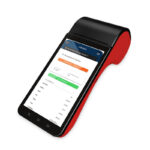
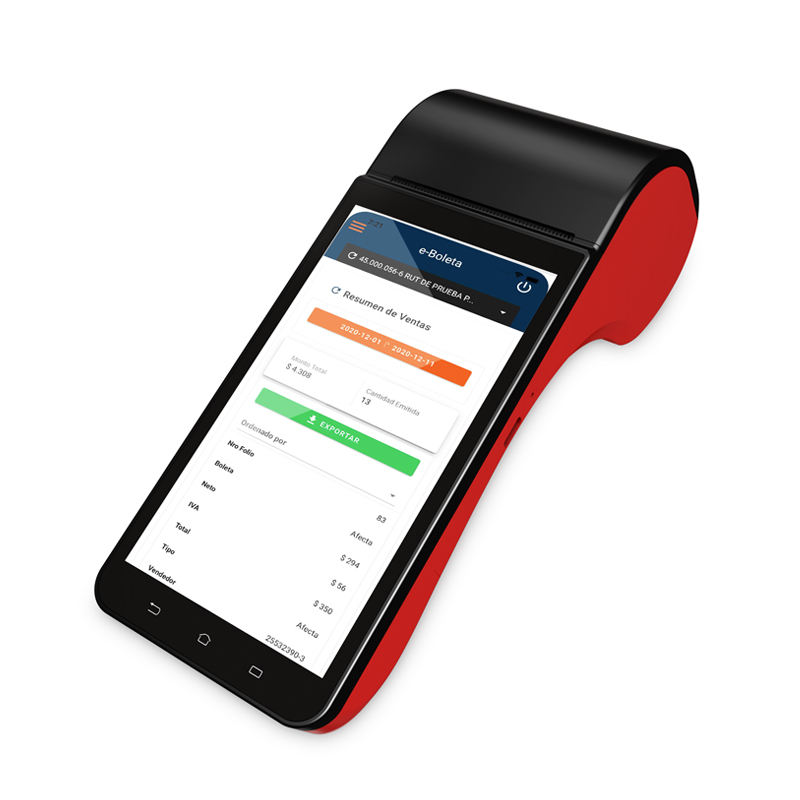
Sealing matters less than buyers expect. Rain blowing into a doorway and a wet floor are splash, not jets, so IP54 covers the device carried between door and cooler; IP65 is for an area that gets hosed down. The size difference is real: the H61 is 51.7 mm thick with a 58 mm printer inside, the H62 is 358 g with a 5 MP camera instead of a 1D head.
The one specification that decides this door
Not the screen size. Whether the device decodes a 1D case barcode in under a second at forty centimetres, in daylight, with the case held at an angle. Test it with a real carton, not a printed sample on flat paper — a creased corrugate surface is the actual target.
Signing is when the dispute closes
Signing an invoice is not an acknowledgement that the goods arrived. It is an acknowledgement of the figures on the page, and after it the supplier’s terms decide how long you have to disagree. In most contracts that window is measured in hours, not weeks, which means the shortage found at the monthly count is not a claim. It is a cost.
Three pieces of evidence make a claim survive. A photograph of the cases as stacked, taken before anything moves, with enough of the delivery in frame to count. A scan record with a timestamp, the only part a supplier cannot argue with, because the process created it rather than a person. And a note on the signature line in the form his clerk recognises: twelve received against fourteen invoiced, short two.
What does not work is refusing to sign. The driver is not authorised to resolve it, the stock is already on your floor, and a refusal converts a two-case dispute into an argument about the whole delivery. Sign, annotate, photograph, then claim. A 58 mm printer in the kit can print the annotated short list for him to sign on the spot, legible at the claim desk where a handwritten note is not.
Stale pickup is a negative receipt
Bread, milk and sandwiches leave in the vendor’s hands, the way they arrived. He takes six out-of-date items, writes a credit and drives on. If that movement is not recorded, the inventory keeps six items that no longer exist, and the gap surfaces at the count as unexplained loss in the thinnest-margin categories.
| Document | Direction | What it changes | What it must not touch |
|---|---|---|---|
| Delivery invoice | Stock in | Quantity and cost on hand | Sales |
| Stale credit | Stock out | Quantity on hand, at cost | Sales, margin percent |
| Customer return | Stock in | On hand plus refund | Supplier claim |
The distinction that matters is between a stale credit and a customer return. Both reduce stock, both produce a document, only one belongs in the sales report. Book a vendor credit as a return and the day’s sales are understated while the shrink line looks clean, which is a report that is wrong in two directions and reconciles to nothing.
What to measure in the first month
Three numbers, all available from the first four weeks, and none of them require new hardware.
- Minutes per vehicle. Clock the bell and the signature. Nine is normal, five is achievable, and the gap is almost always the case-scan step.
- Shortage value. Claimed short value against invoiced value, per supplier. Under one per cent is noise, over two per cent for four consecutive weeks is a conversation.
- Out-of-stock on DSD lines. Counted at the rack, twice a week. It catches the opposite failure: a delivery that was signed correct and never reached the shelf.
Put money on it and the case for changing the process stops being an argument. A store invoicing eighteen thousand a week, with direct delivery at forty per cent of it, carries seven thousand two hundred of DSD stock. A one-and-a-half per cent shortage rate is a hundred and eight a week, which is five thousand six hundred a year, which is more than the receiving device. The labour is the larger number: sixty-three minutes a day, six days a week, is over six hours of clerk time.
Frequently asked questions
Can the delivery driver use our scanner?
Yes, and it is often fastest, provided the device is set to the keyboard layout his workflow expects. A scanner in HID mode types into whatever field has focus, so a US-layout device and a French-layout driver produce digits in the wrong order on the number row. Characters that arrive wrong or incomplete are an interface fault, covered in the four faults behind a scanner that reads nothing.
Is a phone camera good enough for receiving?
For a few lines a day, yes. At twelve cases a vehicle they change: a phone decodes a 1D case barcode through autofocus, which needs a steadier hold, and its screen loses daylight readability before the camera loses the code. The 1D head against a 2D imager comparison decides which side of that line a store sits on.
Should receiving live in the POS or in a separate app?
In the POS, because the point is one stock record. A separate app that exports at night creates a second ledger with a one-day lag, and the first result is a count that disagrees with both. The receiving screen needs four things: a case-scan field, a quantity, a date for five categories, and a queue for when the network is gone.
What if the vendor will not scan anything?
Then the delivery stays invoice-level and the work moves to the exception. Photograph the stack, check the case count line by line, and record only the lines that differ. That costs two minutes more per vehicle and still catches what matters, because delivery errors cluster in the lines with the most cases.
Where to go next
The counter side of the same store — the queue, the forty centimetres, the two scan channels — is in the convenience store POS system guide. The receiving device and the stock-count device are often the same handheld, and that choice is set out in the handheld stocktake guide.
If the case barcode will not read at all, start with what a scanner actually does before replacing hardware. For a fixed receiving bench rather than a carried device, a wired 2D handheld is cheaper and does not need a charge routine. The full range is in handheld terminals and barcode scanners.
Send a photograph of the delivery door, the distance to the access point and one sample case through the contact form; we will say which device survives that doorway, including when the answer is a cheaper one than the one we would prefer to sell.
Specifying the hardware? The hardware side is covered in Android barcode scanners — what USB-HID versus USB-COM changes.