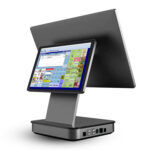
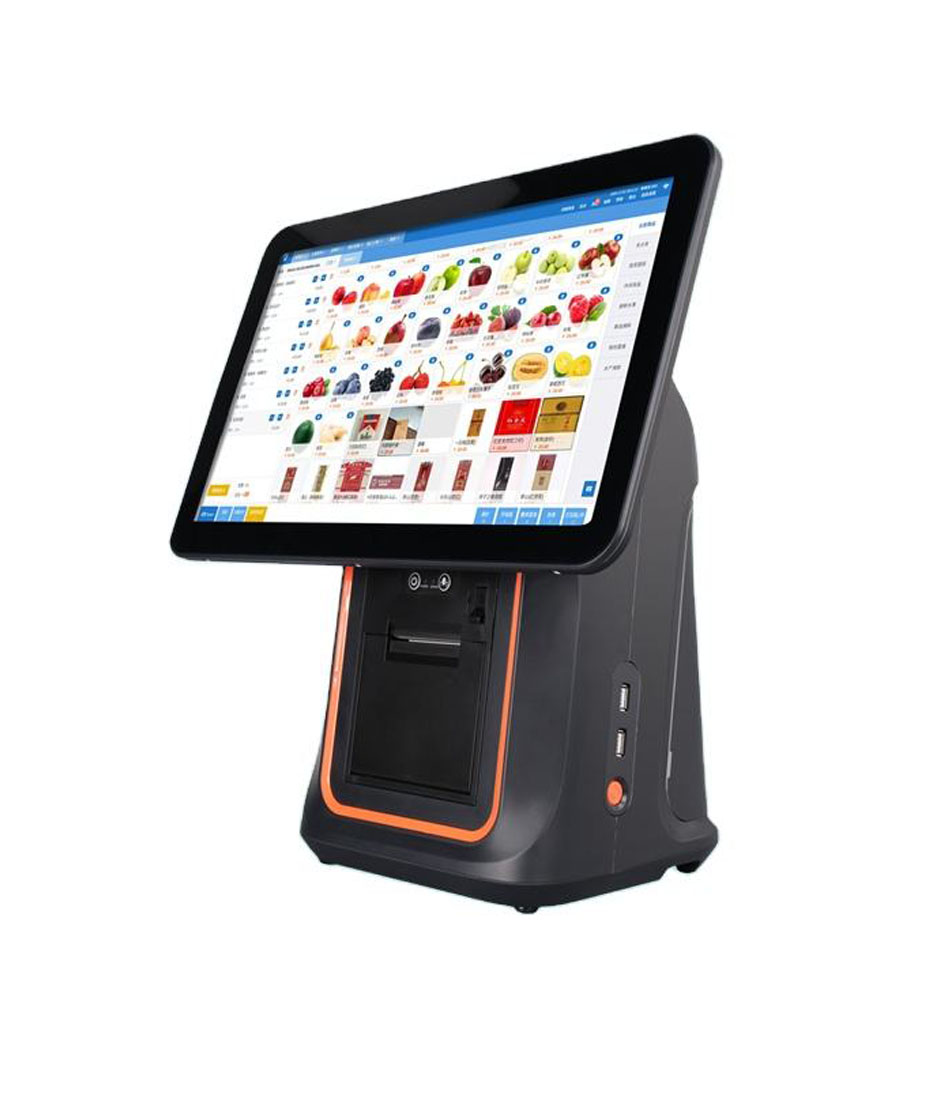
A POS terminal datasheet is roughly nine lines of constraint and forty lines of reassurance. The nine lines decide what the device can do; the other forty describe a category rather than a product. This is a reading guide for the nine.
“Supports multiple payment methods”, “advanced security” and “user-friendly interface” are not specifications. They are category descriptions, and every terminal in the market claims them. The lines that separate one unit from another are duller and much more useful.
Line 1: the SoC model is a version ceiling, not a speed rating
Most POS terminals run a quad-core Cortex-A53 at around 2.0 GHz. That core design is old and entirely adequate: a POS application is a form, a database and a print driver, and none of those need a fast processor. What the SoC number actually tells you is which Android versions the vendor can plausibly support, because the operating system image is built against the chip vendor’s board support package.
So the useful question is not “how fast is the CPU” but “which Android version ships, is there a commitment to the next one, and when was the last security patch”. A terminal shipping Android 11 in 2026 with no stated update path is a device with three years of useful life at most, regardless of its clock speed.
A bad answer sounds like this
“It supports Android 11 and above.” That is a statement about the software the vendor installed, not a commitment to anything. Ask for the patch date of the last image and the Android version of the next one, in writing.
Line 2: RAM, storage, and the write path underneath both
2 GB RAM and 16 GB of storage is the entry configuration and it is also the configuration that produces the most support calls. After the operating system, the POS application and the payment SDK, free storage on a 16 GB unit is typically 3 to 5 GB, and free memory under load is often a few hundred megabytes.
The storage type matters as much as the size. eMMC is sold in TLC and pSLC grades, and pSLC endures far more write cycles. A POS writes constantly — transaction log, catalogue, print spool — and a cheap TLC part in a device that is never switched off is where the “slow at month two” stories come from.
The practical floor for a restaurant terminal in 2026 is 4 GB of RAM and 32 GB of storage, with the catalogue held in memory rather than re-read from disk on every category switch.
Line 3: the panel, and the one calculation worth doing
Panel lines list size, resolution, brightness and touch type. Three of those four can be checked against a number instead of an adjective.
Millimetres per pixel is panel width in millimetres divided by horizontal resolution. It tells you how large a button physically is, which is the only thing that decides whether a cashier can hit it without looking. An 88-pixel button on a 15.6-inch 1366-wide panel is about 22 mm; on an 11.6-inch panel, the same 88 pixels is 16.6 mm; on a 10.1-inch panel, 15 mm. For damp hands under time pressure, 18 mm is the working floor.
Brightness is the second checkable number. A 250 cd/m² panel is fine in a dim room and washes out under downlights or beside a window; 400 cd/m² and above is the specification for a counter with either. “Capacitive touch” is not a specification on its own — ask for the controller and the report rate, because a slow controller presents as missed taps that look like a software fault.
The fourth item, bonding, is usually omitted. A fully laminated panel has no air gap between glass and display, so it does not fog, does not collect dust behind the glass, and reflects less. An air-gap panel is cheaper and shows a visible halo under a downlight.
Line 4: the printer, if there is one
| Printer line | Common values | What it decides |
|---|---|---|
| Paper width | 58 mm or 80 mm | 32 or 48 characters per line at Font A |
| Resolution | 203 dpi, sometimes 300 dpi | Legibility of small type and graphics |
| Speed | 150–260 mm/s | Almost nothing for one ticket; nothing at all for a queue |
| Cutter | None, partial, full | Whether a ticket tears cleanly from the roll |
| Paper-end sensor | Present or absent | Whether the last ticket prints blank |
| Head life | Rarely printed | Usually quoted in kilometres or pulses — ask |
The two omissions worth chasing are the paper-end sensor and the head life. A printer without a paper-end sensor produces a long blank ticket and no warning, which staff interpret as a software failure. Head life is the number that predicts when the printer gets replaced, and it is quoted in kilometres of paper in the service manual even when it is absent from the datasheet.
Line 5: ports, counted against the peripherals you own
A port list is only meaningful when it is matched to a bill of materials. Count the peripherals first, then look for the ports.
| Peripheral | Needs | Falls back to |
|---|---|---|
| Receipt printer | USB, LAN, or RS-232 | Bluetooth, with pairing per device |
| Cash drawer | RJ11 pulse, 12 V or 24 V | A trigger box, or a printer that drives it |
| Barcode scanner | USB HID | USB virtual COM with a driver |
| Customer display | HDMI | USB with a vendor driver |
| Scale or legacy controller | RS-232 | USB-serial, if the kernel carries the driver |
| Card reader | USB, or integrated | Nothing — card-present needs a certified reader |
Two details hide inside a port count. “4 x USB” does not say how many are host ports and how many are OTG, and it does not say whether they are powered. And an RS-232 port on an Android terminal is usually a USB-serial bridge behind the connector, which means the kernel has to carry that bridge’s driver — a fact that appears nowhere on the datasheet and decides whether your scale works.
Line 6: power, which is two specifications in one
The adapter line gives voltage and current, and the drawer line gives 12 V or 24 V. They have to agree: a 24 V drawer on a 12 V printer does not open, and a 12 V drawer on a 24 V printer opens once and then does not.
The other half of the power line is certification. An adapter without CE or UL marking saves a few dollars per unit and closes the EU or North American market permanently, because the certificate is issued against the whole product, not just the adapter. If the datasheet lists certifications, check whether the adapter model is named in them.
Line 7: environment, which is where installations fail
Operating temperature, storage temperature, humidity, ingress protection and drop height. Three of these are worth checking against the actual position: a terminal within two metres of an oven sees 35 to 45 °C, a counter gets wiped with a wet cloth, and a device on a drawer gets knocked.
IP54 means dust-protected and splash-resistant, which is the right level for a restaurant. IP65 and above usually means sealed ports, which means charging through a cradle and no USB peripherals — a trade that is wrong for a counter and right for a wet room.
Line 8: certifications, and what they do not cover
CE and FCC are about electromagnetic compatibility and safety. RoHS is about materials. None of them says anything about reliability, print quality, or whether the device will still be supported in three years.
Payment certifications are different, and they are specific: a claim like “EMV certified” or “PCI-approved” should come with a scheme reference and the exact model it applies to. A terminal that carries a certified reader module is not the same product as one that does not, and the certificate does not transfer when the reader changes.
Line 9: warranty, defined in writing
“Three-year warranty” is a headline. What matters is what counts as the unit: is the panel covered, is the battery, is the print head, and who pays freight for a return from another continent. A warranty that excludes the panel and the print head excludes the two parts that fail.
Ask also for the spare-parts availability period. A terminal with a five-year parts commitment is a different purchase from one with an eighteen-month one, and the price difference is usually small compared with replacing a fleet early.
The five facts that are never on a datasheet
| Fact | Why it is omitted | The question to ask |
|---|---|---|
| USB-serial kernel drivers | It is firmware, not a feature | Do you ship CP210x and CH340 support? |
| USB permission behaviour | It is an OS default | How many dialogs after ten reconnects? |
| Secondary display support | It belongs to the app | Does the app mirror or extend? |
| Security patch cadence | It is a commitment, not a spec | When is the next image, and which version? |
| Print service behaviour | It is an app design choice | Is printing a foreground service? |
None of those five can be answered by reading. They are answered by testing a unit with your own application and your own peripherals, which is why a two-week trial with the real configuration is worth more than any comparison table — including this one.
One page to take to a supplier
| Datasheet line | Ask for | Bad answer |
|---|---|---|
| SoC / OS | Android version, next version, last patch date | “Supports up to Android 14” |
| Memory | RAM, storage, eMMC grade | “Expandable via SD card” |
| Panel | mm/px, cd/m², bonding method | “High-definition display” |
| Printer | Width, dpi, cutter, paper-end sensor, head life | “Fast printing” |
| Ports | Host vs OTG, powered or not, RS-232 type | “Multiple ports” |
| Power | Adapter rating, drawer voltage, certification | “Wide voltage input” |
| Environment | Operating range, IP, drop height | “Industrial grade” |
| Warranty | What is excluded, parts period, freight | “Three years” |
FAQ
What specifications matter most on a POS terminal?
Panel millimetres per pixel, memory and storage size, the number of host USB ports, and the Android version with its patch date. Those four decide whether the device works in service. CPU clock speed decides almost nothing.
Is 2 GB of RAM enough for an Android POS?
For a single app on a small catalogue it runs, and it runs close to the low-memory killer. Once a payment SDK and a print service are loaded alongside the POS app, 4 GB is the realistic floor.
Does “industrial grade” mean anything?
Only if it is followed by numbers — an operating temperature range, an IP rating, a drop height. Without those three, it is a category description.
Where to go next
The datasheet gets you to a shortlist. The trial gets you to a decision, and the trial only works if the peripherals are real. Start here:
Android POS terminals Windows POS terminals DCA-155A, 15-inch Android DCA-Q3A, 15.6-inch Android 15 questions for a hardware supplier how quality control works in a POS factory · the footprint cost of an all-in-one · what the touch panel decides · Android against Windows at the counter
Specifying the hardware? The hardware side is covered in The POS system, by counter position — where each part sits and which of them you can stop buying separately.