Almost every retailer has tried stocktake on a phone. It works well enough to be tempting: the app is free, everyone has a device, and the first count goes fine. Then someone has to scan eight hundred shelf labels in a back room with poor lighting, and the arithmetic changes.
A till scans one code per transaction at thirty centimetres in good light. A stocktake scans continuously for hours, at close range, at awkward angles, across damaged labels, in a cold room with no signal. Those are different hardware requirements disguised as the same task.
Two scanning jobs that look alike
| Specification | Till scanning | Stocktake scanning |
|---|---|---|
| Volume | 1 scan per transaction | 800–2,000 scans per shift |
| Distance | 20–40 cm, presentation window | 5–15 cm, close and angled |
| Condition | New label, flat surface | Faded, creased, curved, partly covered |
| Environment | Lit counter | Dim back room, cold room, stockroom |
| Failure cost | One slow transaction | A count that has to be redone |
The last row is the one that justifies the hardware. A miscount is not a small error — it means the reorder is wrong for a month.
Optics: close range and damaged labels
A 2D imager reads a label at close range without the operator having to find an alignment, which is why it is the right engine for shelf work. Curved cans, shrink-wrapped multipacks and labels behind a plastic strip all produce glare and distortion that a laser sweep handles badly.
Resolution matters more than range here. Shelf labels are printed small, and a faded label in a dim aisle is the worst case — that is a sensor and illumination question, not a software one. The same imager class used in our POS-1800A reads 1D and 2D at any orientation, which removes the “rotate the item until it beeps” habit that slows a count down.
Battery is a shift-length specification
A phone running a stock app keeps the screen on, the camera open and the radio transmitting. Under continuous scanning that is two to three hours, and a stocktake runs longer than that.
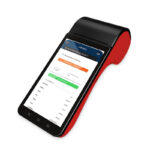
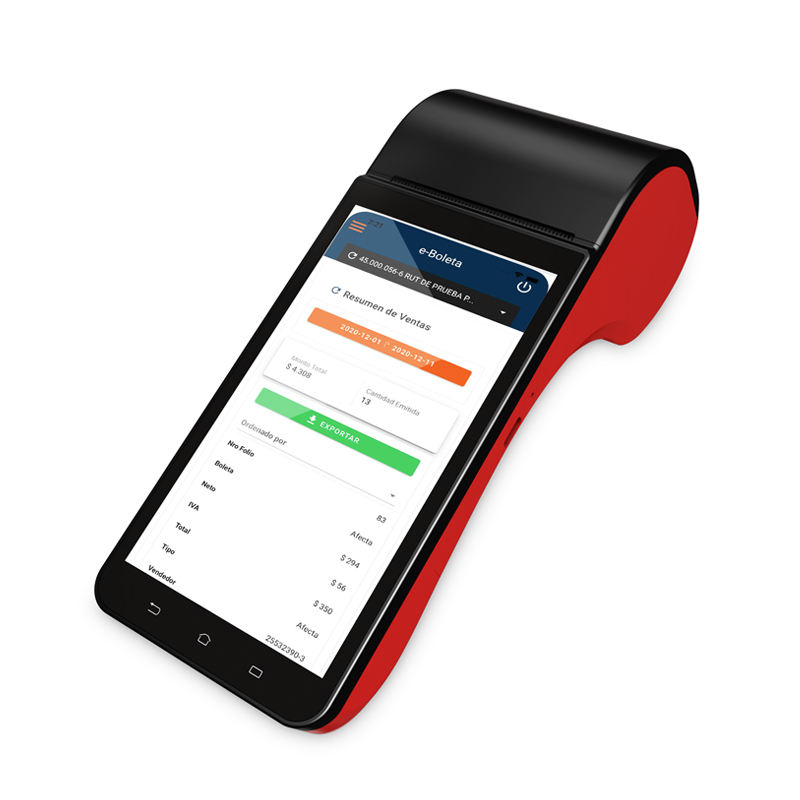
A purpose-built handheld is specified differently: the DCA-H62 carries a 5000 mAh battery with a 30-day standby rating, and the scan engine is a dedicated module rather than a camera shared with the operating system. That is the difference between a device that finishes a count and one that goes back on the charger at 60 percent.
Two practical notes. Battery figures are quoted at a duty cycle, so ask what that cycle is. And a device with a swappable battery plus a charging cradle is worth more than a slightly larger fixed battery, because a spare pack removes charging from the schedule entirely.
Dead spots and batch mode
Back rooms, cold rooms, basements and steel racking all kill Wi-Fi. When the app loses the server, a phone-based system usually stops accepting scans or silently drops them, and the operator finds out at the end of the aisle.
A handheld with local storage and batch upload keeps counting through the dead spot and syncs when the radio reconnects. Cellular fallback covers the sites where the Wi-Fi is simply not there — the DCA-H62 and DCA-H30 both carry 4G/3G alongside dual-band Wi-Fi, and the H30 adds VPN support, which is what makes a cellular link acceptable to an IT department.
Ruggedness, honestly
A stocktake device gets dropped, set down on concrete, and knocked off a shelf. Drop ratings should be read as “tested to”, not “immune”, but they are a real differentiator: a 2 m drop rating is a different product class from an unrated consumer device, and it is the specification that decides whether a fleet survives a year.
Weight matters just as much and gets less attention. A device held for four hours should be light enough that the operator does not rest it on the shelf between scans, because that is where labels get missed.
When the printer belongs on the device
For pure stocktake, a printer on the handheld is dead weight. It stops being dead weight the moment the same device has to produce something the customer or the driver takes away:
- Markdown and clearance labels printed at the shelf, not queued at a back-office printer
- Delivery notes and proof of delivery at the door
- Price checks and quotes on the shop floor, where walking to a till is the alternative
Both the DCA-H30 and the DCA-H62 integrate a thermal printer into a 5.5- to 6-inch body, which keeps one device in the operator’s hand instead of two.
Android version is a fleet decision
A handheld is usually bought in tens or hundreds and kept for five years. The Android version it ships with sets the window for security patches and for the app you can run. The DCA-H30 ships on Android 10 with a 6-inch display and a Qualcomm octa-core A53 at 1.8 GHz; the DCA-M30 ships on Android 14.
For a fleet, buy on the newer platform where the budget allows, and ask the vendor how long they will supply that image — a device that is mechanically fine but stuck on an unpatched OS becomes a compliance problem long before it becomes a hardware problem.
Comparison
| Specification | DCA-H30 | DCA-H62 | DCA-M30 |
|---|---|---|---|
| Display | 6 inch | 5.5 inch HD IPS | 5.0 inch TFT IPS |
| Processor | Qualcomm octa-core A53 1.8 GHz | ARM Cortex-A7 quad-core 1.5 GHz | Quad-core A53 2.0 GHz |
| OS | Android 10 (Safedroid) | Android 8.1 / 11 | Android 14 |
| Network | 4G/3G/2G, dual-band Wi-Fi, BT, VPN | 4G/3G, Wi-Fi, BT | 4G, GPS/BeiDou/GLONASS |
| Battery | Shift-rated | 5000 mAh, 30-day standby | Shift-rated |
| Built-in printer | Yes | Yes | — |
| NFC | Yes | Yes | — |
| Best for | Retail floor, delivery, mobile payment | Long shifts, field use | Payment terminal with location services |
What the operator does between scans
A stocktake is not a scanning task with gaps — it is a walking and reaching task with scans attached. The ergonomics decide how many labels get scanned correctly per hour, and they are settled by accessories rather than by the device.
- A holster or a wrist strap. Without one, the device gets set down on a shelf every time the operator needs both hands, and it is left behind roughly once a week.
- One-handed scanning. The trigger has to fall under the index finger with the device held in the palm, because the other hand is moving stock.
- Glove compatibility. Cold-room and warehouse work happens in gloves. A capacitive screen that needs bare skin fails there, and so does a button that needs a fingertip.
- Screen legibility in a dim aisle. A bright panel is not a luxury when the alternative is walking to a light switch.
None of these appear on a handset datasheet and all of them show up in count accuracy. The retail retail hardware notes cover the accessory set we ship with handheld fleets, and our handheld feature checklist goes through the device-side specifications in the same order.
Running a fleet rather than buying a device
One handheld is a purchase. Two hundred is an operations problem, and three things decide whether it stays manageable:
- Staging. Devices should arrive with the OS image, the application, the Wi-Fi profile and the scanner configuration already applied, so a store manager unboxes and uses one rather than configuring it.
- Management. An MDM agent that can push an app update and read battery health remotely turns a site visit into a remote action. Confirm the agent is supported on the specific Android build before ordering, not after.
- Spares and RMA. A pool of five percent spares per hundred devices keeps a store running while a unit is repaired. Without it, one failed device means one store counting by hand.
The same discipline applies to restaurant handhelds, which live a harder life — our restaurant handheld guide covers the drop-and-spill case separately.
Display size, network bands and printer options for each model are listed in the handheld POS terminal range, which separates devices with a built-in printer from payment-only units.
What we would specify for a 200-store rollout
A 2D imager as the baseline, not an option. A battery that covers a full shift with a spare pack rather than a bigger fixed one. Batch mode and cellular fallback, because no retailer actually has full Wi-Fi coverage in the back room. Android 11 or later. And a drop rating that is stated in metres on the datasheet, because that is the number that predicts whether the fleet is still whole in year two.
Questions from retail operations teams
Can we just use rugged phone cases with our existing app?
For a small store with a short count, sometimes. The limits are the scan engine and the battery: a phone camera cannot match a dedicated imager at close range on a damaged label, and continuous scanning drains a phone faster than a purpose-built device.
Do we need 4G on every device?
Only if the site has genuine dead spots or no Wi-Fi in storage areas. Otherwise dual-band Wi-Fi with batch mode covers it, and you avoid a data plan per device.
How many spare batteries per ten devices?
Two or three. Enough to cover a pack that fails mid-shift without holding a full rotation in stock.