A cash drawer is a steel box that holds a removable cash tray, with a solenoid-driven latch that opens on an electrical pulse from the POS. It has no power supply, no processor and no cable of its own beyond the one that carries that pulse. Everything it does — opening against a recorded sale, reporting whether it is open, locking outside trading hours — comes from the box it is wired to.
That is why the drawer is the cheapest item on a POS quote and the one that causes the most installation calls. It has no settings to check and no software to configure, so when it does not open there is nothing to adjust: either the pulse arrived at the right voltage, or it did not.
The parts, and which one fails
A drawer is six parts. Knowing which is which turns a vague “the drawer is broken” into a two-minute diagnosis.
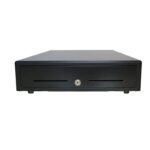
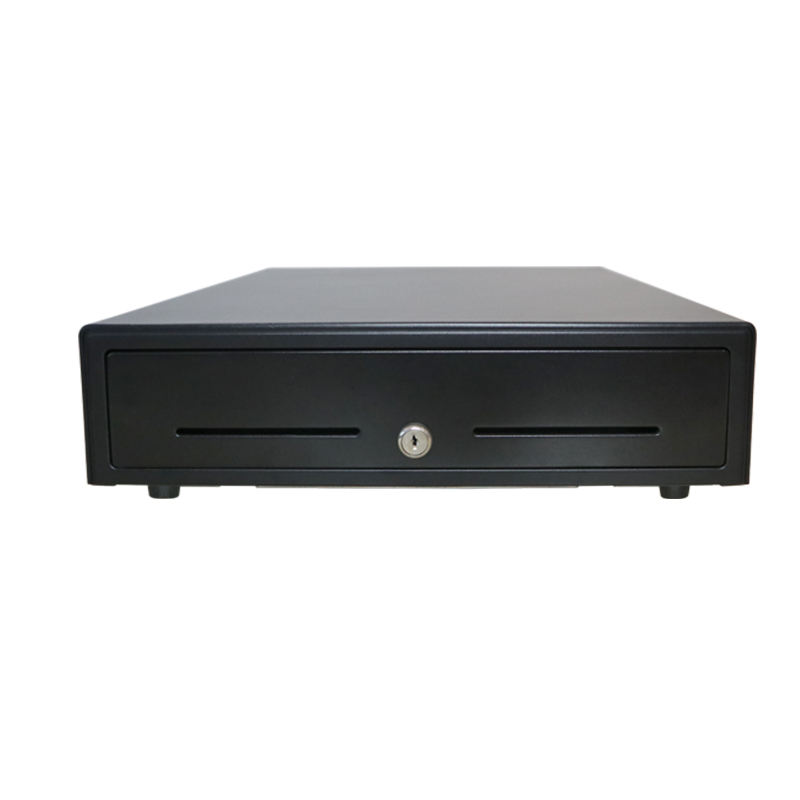
- Body. Cold rolled steel and SECC, 0.8 to 1 mm gauge. It is the security perimeter, not a safe: it stops a hand, not a bar.
- Till insert. Shatter-resistant plastic with metal wire note grips, removable so a full till can be swapped for an empty one at a shift change.
- Slide. Ball-bearing slides on the full-size drawers, rollers on cheap ones. This is what decides whether the drawer still closes flush in year three.
- Three-position lock. Locked, electronic (opens only on a pulse) and manual (opens on the key alone). The third position is how the float is counted — and how shortages start.
- Solenoid. The only actuator. A 12 V or 24 V coil that pulls the latch for as long as the pulse lasts.
- Micro switch. Reports open or closed to the POS. Optional on smaller drawers, standard on the 410 platform, and the part that makes “no sale with the drawer open” enforceable.
Why there is no power supply
A drawer that plugged into the mains would need its own trigger logic, its own isolation and its own certification — and would be a second thing to switch on at the counter. Wiring it to the printer instead means the pulse rides on the print job: the same ESC/POS command that ends the receipt fires the drawer, so a sale that printed is a sale that opened the till.
The consequence is that the drawer inherits the printer’s voltage. In our own 80 mm range the POS-8250 supplies 12 V / 1 A on its drawer port and the POS-8370 supplies 24 V / 1 A, on the same RJ11 connector. The drawer has to be ordered to match, and the connector shape tells you nothing — this is the single most common installation failure in the category.
Four sizes, and the counter they need
Drawers are sized by width, and the width is set by how many note compartments the currency needs. Two platforms cover almost every counter:
| Model | Dimensions (W × D × H) | Till layout | Interface |
|---|---|---|---|
| POS-350A | 350 × 380 × 92 mm | 4 or 5 bill / 2, 5 or 8 coin | RJ11 / RJ12 only |
| POS-405A | 405 × 420 × 100 mm | 4, 5, 6 or 8 bill / 8 coin | RJ11/12, USB, RS-232, DC jack |
| POS-410A | 410 × 420 × 100 mm | 4, 5, 6 or 8 bill / 8 coin | RJ11/12, USB, RS-232, DC jack |
| POS-410B | 410 × 420 × 100 mm | 4, 5, 6 or 8 bill / 8 coin | RJ11/12, USB, RS-232, DC jack |
The 350A is the compact one: 55 mm narrower, 40 mm shallower, 8 mm lower, 4 kg, and the only one in the range with no media slot. It exists for fitted counters and till pods where the 410 platform will not fit, and it is the drawer to specify when there is no cheque or signed voucher to file. The other three carry two media slots and the full five-way interface set.
Depth is the number that gets missed. A 420 mm drawer needs 420 mm of counter plus its travel when open — in practice about 800 mm of front counter. A counter built 350 mm deep will take the terminal and refuse the drawer, and that is a joinery problem, not a specification one.
Bill and coin layouts: choose by currency, not by price
The till insert is available with 4, 5, 6 or 8 note compartments and 2, 5 or 8 coin sections, with metal wire grips holding the notes flat. The 410 platform standardises on 8 adjustable coin slots, which covers most currencies; the 350A offers 4 or 5 bill sections with 2, 5 or 8 coin sections.
The rule is the number of circulating note denominations, not the maximum available. An eight-compartment till in a market with five notes leaves three compartments empty and encourages staff to fold notes into the wrong one, which is worse than a five-compartment till used properly.
Media slots are the second layout decision. Two slots on the 405 and 410 platforms take a signed card slip, a cheque or a delivery note that must not be mixed with the float. In a fully electronic workflow they go unused; in a market that still retains signed slips they are the difference between a tidy drawer and a pile of paper under the till.
Three ways to open it
All three end at the same solenoid; what differs is where the pulse comes from, and therefore what fails when it does not arrive.
- From the printer. The standard arrangement. The drawer port fires on the ESC/POS kick-out command, so the drawer opens as part of printing. No software support is needed beyond the print job, and it keeps working if the POS application crashes mid-sale.
- From the terminal. A DC jack, USB or RS-232 connection, used when there is no printer with a drawer port — a terminal that prints through a network printer, for example. It requires the application to send a separate open command, and it stops working when the application does.
- By key. The manual position on the lock, for float setup and cash-up. Not a fallback: every opening in this mode is unattributed, which is exactly what an audit trail is meant to prevent.
Pin-out, not just voltage
RJ11 and RJ12 connectors are physically identical across vendors and not always wired the same way. A drawer that opens the moment it is plugged in, or never opens on a known-good printer, is usually a pin-out mismatch rather than a dead solenoid. Confirm the pin assignment with the drawer supplier before the printer is installed, not after.
What actually fails
Four failures account for almost every service call, and three of them are installation errors rather than wear:
- Burned solenoid. A 12 V drawer on a 24 V port. It fires once, loudly, and then never again. This is why the voltage belongs on the purchase order, not in an email.
- No pulse at all. The printer has no drawer port, the port is disabled in the printer configuration, or the cable is in the wrong socket. Check with the printer’s self-test kick command before opening the drawer.
- Slide stiffness. Roller slides in a flour-heavy kitchen or a coastal site seize within a year; ball-bearing slides do not. The symptom is a drawer that opens halfway and needs a pull.
- Micro switch unread. The switch works and the software never reads it, so the feature that was paid for does nothing. Confirm the POS supports drawer status before ordering the option.
What belongs on the purchase order
Six lines decide whether the drawer installs cleanly. They take a minute to write and save the return freight:
- Width and depth available under the counter, measured, not estimated.
- The printer model and its drawer port voltage — 12 V or 24 V.
- Number of note denominations in circulation, and the coin count.
- Whether signed slips or cheques have to be retained (this decides the media slots).
- Whether the software reads drawer status (this decides the micro switch).
- Colour, if the counter finish is specified — custom powder coat adds lead time.
Where a drawer does not belong
Two cases. A card-only site: the drawer is dead weight and a locked steel box is a liability rather than an asset, so take it off the quote. And any site treating the drawer as a safe: cash above the float should leave the drawer during the shift, because a point-of-sale drawer is a working till, not a drop safe, and the insurance terms usually say so.
FAQ
Does a cash drawer need a power supply?
No. It is powered by the pulse that opens it — 12 V or 24 V from the printer’s drawer port, or from a terminal’s drawer output. There is no mains input and no battery, which is why the drawer goes dead when the printer is unplugged.
Can a cash drawer open without a sale?
Yes, in the manual position on the lock, using the key. That is the position for counting the float at the start of a shift and for cash-up at the end. Leaving it in manual during trading is how unattributed openings — and unexplained shortages — happen.
How do I know which voltage to order?
From the printer or terminal that will fire it. An 80 mm POS-8250 supplies 12 V / 1 A; a POS-8370 supplies 24 V / 1 A. The connector is RJ11 in both cases, so the voltage has to be confirmed from the datasheet rather than from the plug.
What is the difference between a 405A and a 410A?
Five millimetres of width. Both are 420 mm deep and 100 mm high, both have two media slots and the same interface set; the 405A exists because some fitted counters and till pods are cut for a 405 mm aperture.
Is a cash drawer a safe?
No. It is a working till with a light steel body and a three-position lock, designed to be opened many times an hour. Cash above the working float should be removed during the shift, and a site that needs to hold cash overnight needs a safe or a drop box, not a drawer.
Where to go next
A drawer is a solenoid, a latch, a spring and a switch. Get the width, the layout and the voltage right and it will outlive the terminal it is wired to.
the cash drawer range the kick-out signal in detail POS-410A, the 410 mm platform POS-350A, the compact drawer where the drawer fits in a sale