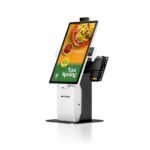
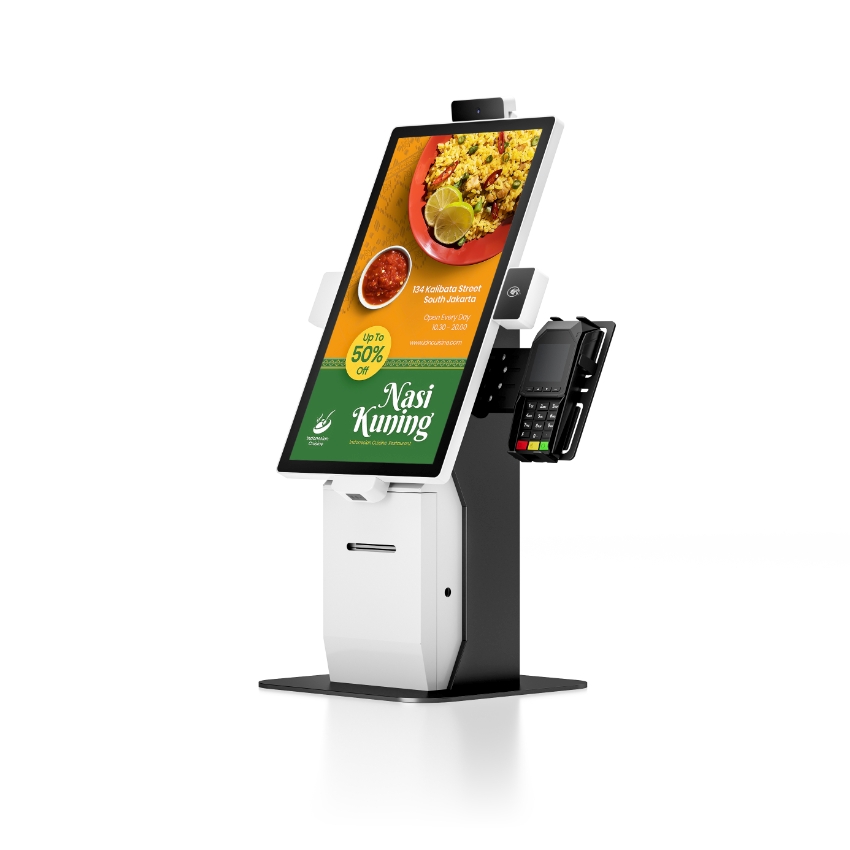
An EPOS system is a till that records a sale electronically: a terminal, a receipt printer, a cash drawer and the software that holds the prices. EPOS stands for electronic point of sale. In the UK and Ireland it is the ordinary word for the machine; in North America the same machine is called a POS system, and the two terms describe identical hardware.
That definition is worth thirty seconds. The rest of this page is about the part that costs money: a word that means four different things depending on who is quoting, and a buying process where two suppliers can both say “EPOS system” and mean equipment that cannot be connected to each other.
What the letters stand for, and why the word survived
Electronic point of sale. The “electronic” was doing real work in the 1980s, when the alternative was a mechanical register with a bell and a paper roll. Every till sold today is electronic, so the adjective is redundant — but the acronym stayed, because procurement documents, VAT guidance and job titles were written around it. It is now a marker of where the buyer learned the trade rather than a technical description.
This matters for one practical reason: search, catalogues and trade shows are split by the word. A buyer who searches “epos system” and a buyer who searches “pos system” want the same product, and a supplier who only uses one of the two words is invisible to half the market. That is true for us as well, which is why this page exists next to the POS system guide rather than instead of it.
EPOS is four layers, and only one of them is a box
The single most useful way to read an EPOS quote is to split it into four layers. Every system has all four. Quotes differ in which ones they include, and the arguments start when two people use the word for different layers.
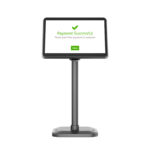
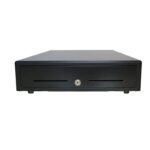
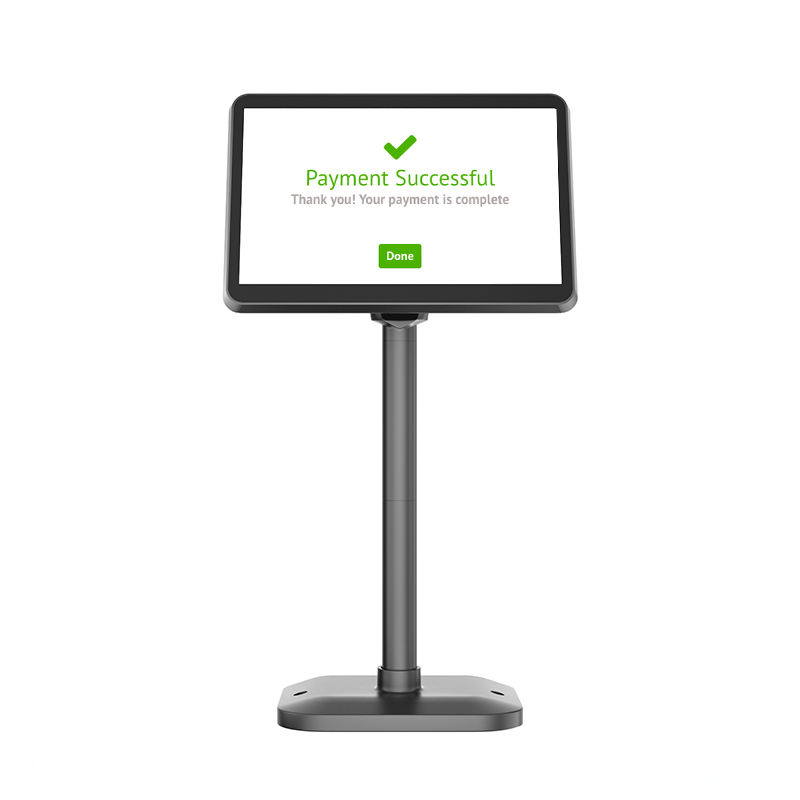
- Hardware. The terminal and its peripherals: a 15.6-inch panel on a 363 × 210 mm base, an 80 mm receipt printer at 72 mm print width, a steel drawer 410 mm wide, a scanner, and usually a customer display.
- Operating system. Android or Windows on the terminal. This decides which till application can be installed at all, and it is the layer that fixes the upgrade path five years from now.
- Application. The software that holds prices, tax rules, stock and staff logins. This is what most people mean when they say “our EPOS”.
- Payment link. The connection to an acquirer, either through a card terminal or through software on the till. It is the only layer that moves money, and it is almost never sold by the hardware supplier.
Where EPOS quotes go wrong
A quote that lists a terminal, a printer and a drawer but no payment line is not an EPOS system — it is the till half of one. The card contract is separate, has its own term, and its rates are usually the largest recurring cost in the whole deployment. Ask which layer each line item belongs to before comparing totals.
What an EPOS system does in one shift
Definitions get clearer when you follow a day rather than a feature list. A working till does six things, and each one touches a different layer:
- Open the shift with a counted float. The drawer is opened by key, without a sale — the one legitimate use of the manual position on a three-position lock.
- Ring a sale. Barcode scanned, price looked up in the local catalogue, tax applied by the rules in the application, not by the till.
- Take payment. Cash goes in the drawer and fires the solenoid; card goes out to the acquirer and comes back with an authorisation code that has to be stored against the transaction.
- Print. The receipt is 25 to 35 lines of ESC/POS; at 260 mm/s on an 80 mm printer that is about 0.4 s of paper.
- Record. The sale, the tender type and the drawer opening are written to the local database; the cloud copy is a queue, not a dependency.
- Close the shift with a Z report and a cash-up. The difference between counted cash and expected cash is the number the whole system exists to produce.
Nothing in that list needs the internet. That is the single most important architectural question to ask about any EPOS system: what still works when the connection drops? A till that queues sales and syncs later is a till. A till that blocks until the cloud answers is a terminal with a subscription.
EPOS versus POS: the difference is geography, not engineering
There is no technical difference. “EPOS system” is British and Irish usage; “POS system” is North American. The same Chinese factory ships the same 15.6-inch terminal to both markets with a different catalogue heading.
The words do diverge in one place that matters commercially: “EPOS” is more often used in British trade writing to mean the complete installed package — hardware, software and payment — while “POS” in North America is frequently used for the software alone. So a UK buyer asking for an EPOS system and a US buyer asking for a POS system may be asking for different scopes without either of them noticing.
| What is said | What it usually names | What it leaves out | What to ask |
|---|---|---|---|
| EPOS system (UK, IE) | Hardware + software + payment, installed | Who owns the software licence | Is the licence transferable if we change hardware? |
| POS system (US, CA) | Terminal and peripherals, sometimes software only | The payment contract | Is the card processing included or separate? |
| POS software | The application layer only | Every piece of hardware | Which terminals and printers are on the supported list? |
| EPOS till | The counter unit itself | Software, payment, back office | Does it ship with an OS image we can rebuild? |
| mPOS | A tablet or phone with a card reader | The drawer, the printer, the audit trail | Can it drive a 12 V drawer port at all? |
Read the last column as a checklist rather than a table. Those five questions, asked in the first meeting, prevent most of the mismatches that surface during installation.
The hardware an EPOS till is actually built from
Because the word is used loosely, it helps to know what the parts are and what each one contributes to the system. These are the numbers from our own range, and they are typical of the class:
| Part | Typical specification | What it decides |
|---|---|---|
| Terminal | 15.6-inch panel, 363 × 350 × 210 mm (W × H × D), 3.2 kg without a printer | Screen size, counter footprint, which applications can run |
| Receipt printer | 80 mm paper, 72 mm print width, 576 dots, 260 mm/s, 24 V / 2.5 A adapter | Receipt layout, queue speed at peak, whether a drawer can be connected |
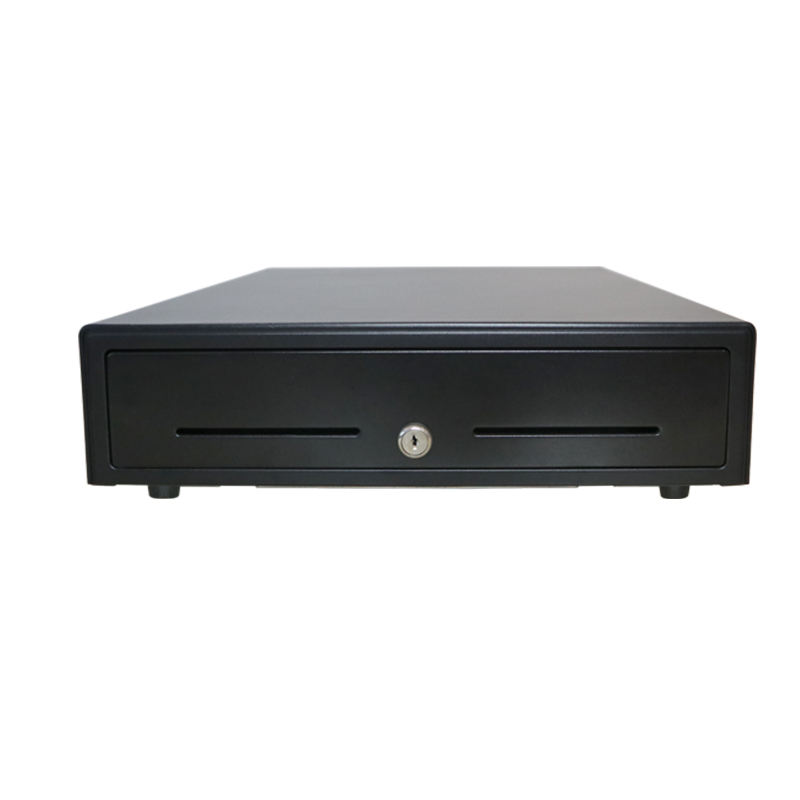
| Cash drawer | 410 × 420 × 100 mm, cold rolled steel, RJ11/RJ12, 12 V or 24 V solenoid | Cash control, not storage — the lock and the micro switch are the point |
| Barcode scanner | 1D laser or 2D imager, 10 to 250 mm working range on a 13 mil label | Scan time per item, and whether QR and screen codes work |
| Customer display | 2 × 20 character VFD, or a 10.1-inch 1280 × 800 pole LCD | Whether the customer can read the price from where they stand |
Two numbers in that table cause more installation calls than the rest combined. The first is the drawer voltage: a POS-8250 80 mm printer supplies 12 V / 1 A on its drawer port, and a POS-8370 in the same range supplies 24 V / 1 A. The connector is identical either way, so a mismatch is invisible until the drawer either does not open or burns its solenoid on the first pulse. The second is the printer port itself — a terminal with no drawer port and no printer cannot open a drawer without a USB or RS-232 trigger that the software has to support.
The three questions that decide whether two EPOS systems are compatible
When a buyer compares two EPOS quotes, the totals are the least useful line. These three determine whether the equipment can be combined, replaced or extended:
- Is the application tied to the hardware? Some vendors licence per device serial number. That is not a problem until a terminal fails on a Saturday, and the replacement cannot be licensed until Monday.
- Does the till hold a local copy of the catalogue? A cloud-only till must reach the network to price an item. Ask what the receipt looks like during an outage, and whether the sale is queued or refused.
- What closes the drawer? Either the printer fires it on the ESC/POS kick-out command, or the software sends a separate command over USB or serial. The first survives a software crash; the second does not.
Where EPOS systems are the wrong purchase
An EPOS system is a till: it is built to take money at a counter, in front of a customer, many times an hour. It is not a stock system, an accounting package or a CRM, even when the software has tabs for all three. Shops that buy an EPOS system expecting inventory management usually end up exporting a CSV and doing the work in a spreadsheet anyway.
It is also the wrong purchase for a site that takes no cash. A drawer, a lock and a cash-up procedure are dead weight in a card-only business, and the steel box under the counter becomes a security liability rather than an asset. In that case the same terminal, printer and software are still right — it is the drawer that should come off the quote.
FAQ
Is EPOS the same as POS?
Yes. EPOS — electronic point of sale — is the term used in the UK and Ireland; POS is the North American term for the same terminal, printer, drawer and software. The hardware is identical and the acronyms are interchangeable, but the scopes people attach to them are not, which is why the quote matters more than the word.
Do I need a card machine with an EPOS system?
You need a payment link, not necessarily a separate card machine. Either the till runs payment software with a connected reader, or a standalone terminal talks to the acquirer and the till stores the authorisation code. The second is simpler to start and harder to reconcile at month end, because the transaction exists in two systems.
Can an EPOS system work without internet?
It can if the application keeps a local catalogue and queues sales. That is a property of the software, not of the hardware, so it has to be asked for explicitly. A till that prices items from the cloud will stop taking money the moment the connection does.
What does an EPOS system cost?
Three separate costs that are usually quoted by three different companies: the hardware (terminal, printer, drawer, scanner), the software (a licence or a monthly subscription per terminal), and the payment processing (a percentage of turnover plus a fixed fee per transaction). Comparing two quotes means comparing all three over the same term.
Is an EPOS till the same as a cash register?
No. A register totals sales and prints; an EPOS till records each transaction against a product, a staff login and a payment type, and can report on them later. The drawer looks the same and opens the same way, which is why the two are confused — the difference is what is recorded, not what is in the box.
Where to go next
The word EPOS is settled in one sentence; the layers are what you actually buy. Decide the payment link first, then the software, then the hardware that the software supports.
what a POS system is, part by part how one sale moves through the system Android POS terminals Windows POS terminals custom POS system builds