Every restaurant, retail shop, and service business eventually hits the same wall: the old register can’t keep up. Whether it’s slow checkout lines, clunky inventory tracking, or the inability to accept tap-to-pay, outdated equipment costs you money every day it stays plugged in. The right smart POS system hardware changes that equation entirely, but choosing the wrong setup wastes thousands and creates headaches that last for years.
I’ve seen businesses drop $15,000 on shiny terminals only to realize six months later that the screens fog up in their kitchen, the battery dies mid-shift on handheld units, or the whole system locks them into a single payment processor with ugly fees. The hardware decision is more consequential than most owners realize because it determines not just how you ring up sales today, but how flexibly you can grow, adapt, and integrate new tools over the next five to seven years. This guide breaks down what actually matters when selecting POS hardware in 2026: the components, the specs, the hidden costs, and the traps worth avoiding.
Core Components of Modern Smart POS Hardware
The term “POS hardware” used to mean a cash register and a receipt printer. That world is gone. A modern smart POS setup is a connected ecosystem of displays, mobile devices, kiosks, and peripherals that work together. Understanding each component’s role helps you avoid buying equipment you don’t need while making sure you don’t skip something critical.
Fixed Terminal Displays and Customer-Facing Screens
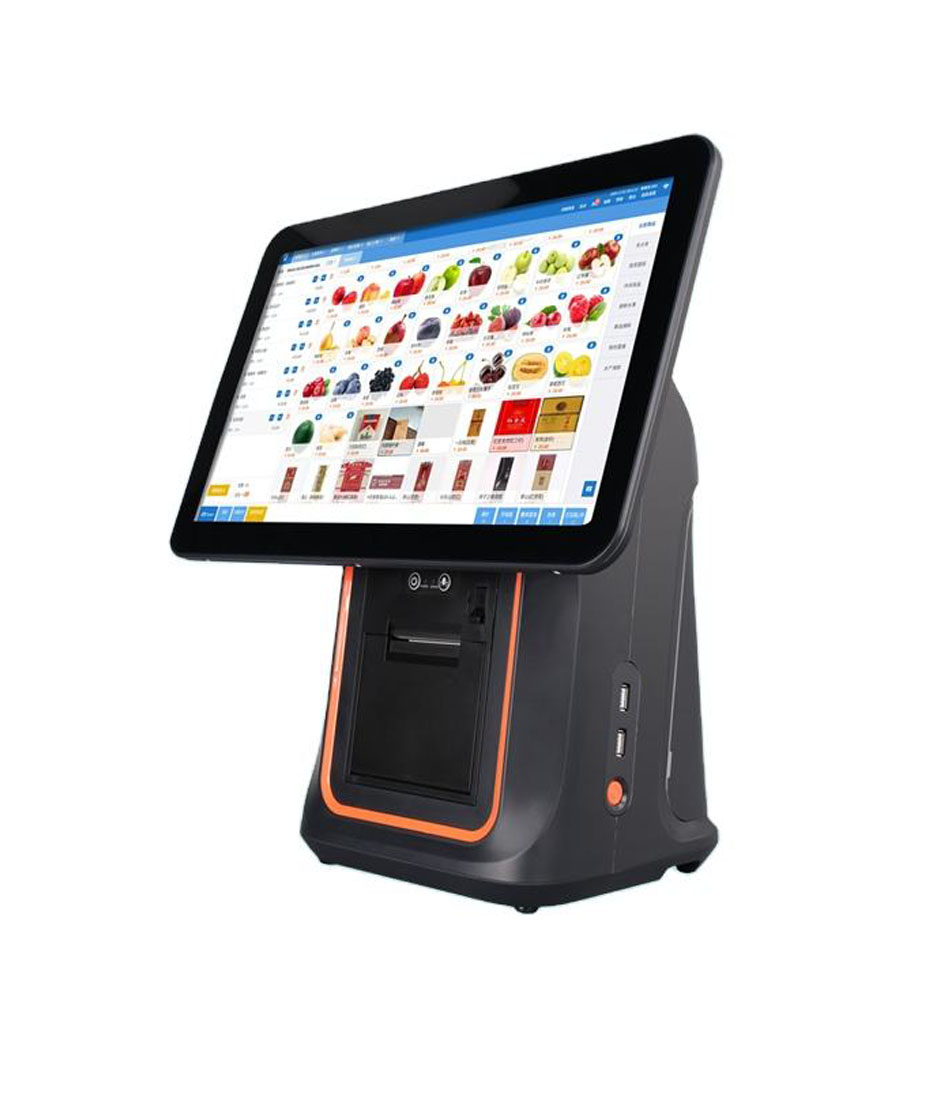
Fixed terminals remain the backbone of most setups. In 2026, the standard is a 10- to 15-inch touchscreen running either Android or a proprietary OS, with an integrated card reader and a secondary customer-facing display. That customer screen isn’t just a nice touch: it reduces chargebacks by letting buyers confirm totals, and it doubles as a digital advertising surface during idle moments.
Look for displays with at least 1080p resolution and capacitive touch (not resistive). Resistive screens feel sluggish and wear out faster. Brightness matters too, especially near windows. A screen rated at 300 nits or below will be hard to read in direct sunlight, so aim for 400 nits or higher if your counter gets any natural light.
Mobile Handheld Units for Tableside and Line-Busting
Handheld POS devices have gone from novelty to necessity. Full-service restaurants use them for tableside ordering and payment, while retailers deploy them to bust long checkout lines during peak hours. The best units in 2026 weigh under 400 grams, include built-in NFC and barcode readers, and run eight or more hours on a single charge.
Don’t confuse a consumer tablet in a case with a purpose-built handheld. Consumer tablets lack integrated payment readers, overheat with prolonged use, and aren’t drop-rated. Purpose-built handhelds from companies like Sunmi, PAX, and Zebra survive four-foot drops onto concrete and operate reliably in temperatures from freezing to 120°F.
Self-Service Kiosks and Interactive Standalone Units
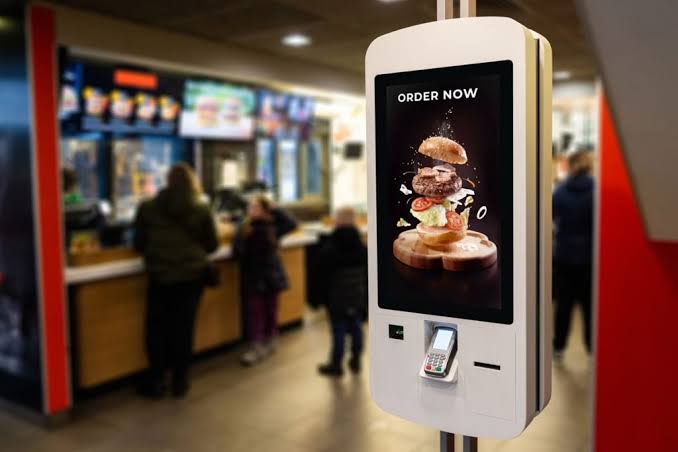
Self-service kiosks saw explosive adoption during the pandemic and haven’t slowed down. Quick-service restaurants report 15-20% higher average ticket sizes from kiosk orders because customers feel less rushed and are more likely to add extras. Standalone kiosk units typically feature a 21- to 32-inch vertical touchscreen, an integrated payment terminal, and a receipt or order-number printer.
The biggest mistake with kiosks is underestimating installation requirements. They need stable mounting, dedicated power, reliable network connectivity, and ADA-compliant height placement. Budget $500 to $1,200 per unit just for installation and mounting hardware beyond the kiosk cost itself.
Essential Connectivity and Integration Capabilities
A POS terminal is only as useful as its connections. If it can’t talk to your kitchen display, your inventory system, and your payment processor simultaneously and reliably, you’ve bought an expensive paperweight.
Wireless Standards: Wi-Fi, Bluetooth, and 4G/5G Failover
Every POS device in your operation should support Wi-Fi 6 (802.11ax) at minimum. Wi-Fi 6 handles dense environments far better than older standards, which matters when you have dozens of connected devices competing for bandwidth on a busy Saturday night. Bluetooth 5.0 or later is essential for connecting peripheral devices like receipt printers and barcode scanners without cable clutter.
The feature most businesses overlook is cellular failover. When your internet goes down (and it will), a built-in 4G or 5G radio keeps transactions processing. Some terminals include a SIM slot; others require a separate failover router. Either way, plan for it. A single hour of downtime during lunch rush can cost a busy restaurant $2,000 or more in lost sales.
Peripheral Support for Scanners, Scales, and Cash Drawers
Your terminal needs to play nicely with the peripherals your operation requires. Retail stores need barcode scanners and sometimes weight scales. Restaurants need kitchen printers and bump bars. Nearly everyone still needs a cash drawer, even if cash transactions have dropped below 15% of total volume in most markets.
Check for USB-A, USB-C, and serial port availability on any terminal you’re considering. Some sleek-looking all-in-one units sacrifice ports for aesthetics, leaving you dependent on Bluetooth connections that occasionally drop. A wired kitchen printer that never misses an order ticket is worth more than a wireless one that looks cleaner on the counter.
Payment Processing and Security Standards
Payment hardware isn’t just about accepting cards. It’s about accepting every payment method your customers want to use while keeping their data safe and your business compliant.
EMV Chip, NFC Contactless, and Magstripe Readers
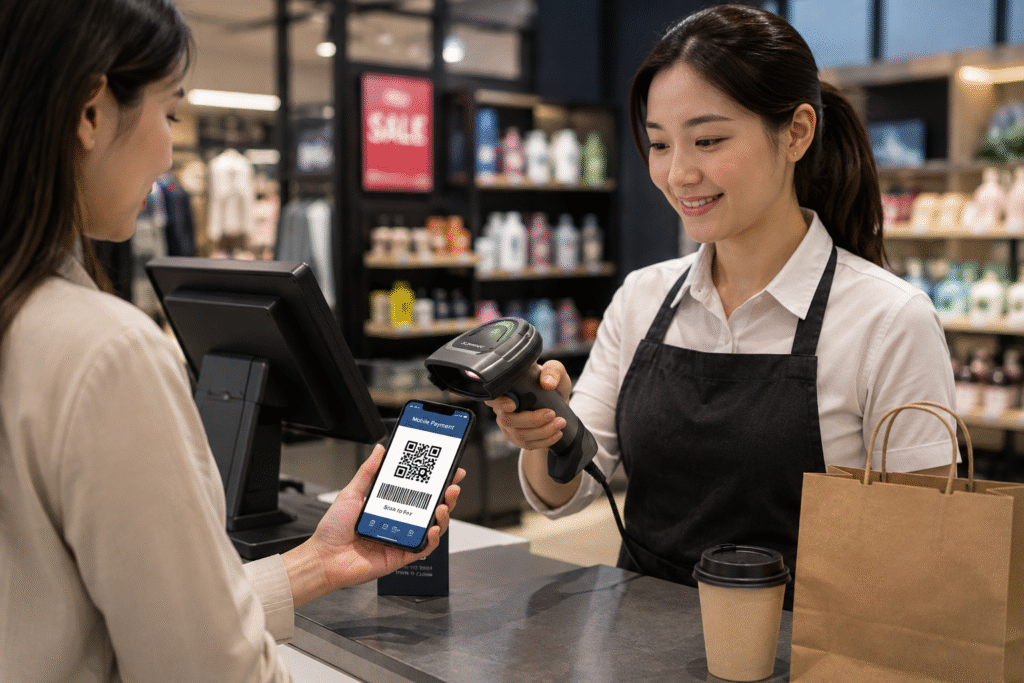
By 2026, NFC contactless payments (Apple Pay, Google Pay, and tap-to-pay cards) account for over 45% of in-person transactions in the US. Your hardware must support NFC. It also still needs EMV chip reading capability, as chip cards remain the dominant physical card type. Magstripe readers are technically optional in many markets now, but removing them frustrates the small percentage of customers still carrying older cards.
The key spec to watch is transaction speed. The best NFC readers complete a tap payment in under two seconds. Cheaper readers can take four to five seconds, which adds up painfully during rush periods. Ask vendors for actual transaction-time benchmarks, not just a “fast” label on the spec sheet.
Biometric Authentication and PCI Compliance Hardware
Biometric features are becoming standard for staff authentication. Fingerprint readers let employees clock in and access the POS without remembering passwords or carrying swipe cards. Some systems now offer facial recognition for manager overrides, though adoption is still early.
On the compliance side, any hardware that touches payment card data must meet PCI PTS (PIN Transaction Security) standards. In 2026, PCI PTS 6.x is the current certification. Don’t buy hardware certified only to version 4.x or 5.x, as those certifications are expiring or already expired, and using them puts you at liability risk. Always verify certification status directly on the PCI Security Standards Council website before purchasing.
Durability and Environmental Considerations
POS hardware lives in harsh environments. Grease, water, dust, drops, and temperature swings are daily realities, not edge cases. Choosing hardware rated for your specific conditions prevents costly replacements.
Ingress Protection (IP) Ratings for Kitchen and Outdoor Use
IP ratings tell you exactly how well a device resists dust and water. The rating uses two digits: the first for solids (dust), the second for liquids. A terminal rated IP54 handles dust exposure and water splashes. For kitchen environments, IP54 is the minimum. Outdoor installations, like food truck windows or patio ordering stations, should be IP65 or higher to withstand direct water jets from rain or cleaning.
Ignoring IP ratings is one of the most expensive mistakes I see. A $1,200 terminal that dies after three months in a humid kitchen costs far more than a $1,500 unit rated to survive those conditions for five years.
Battery Life and Power Management for Mobile Operations
For handheld and mobile POS units, battery capacity directly impacts your operational flexibility. Look for units with batteries rated at 5,000 mAh or higher, which typically deliver eight to twelve hours of active use. Hot-swappable batteries are a huge advantage for high-volume operations because you can swap a depleted battery for a fresh one in seconds without rebooting the device.
Charging infrastructure matters too. A restaurant with ten handheld units needs a multi-bay charging station, and those stations need counter space and accessible outlets. Plan the physical logistics before you buy the devices.
Evaluating Total Cost of Ownership and Scalability
The sticker price of POS hardware is often less than half the total cost over its useful life. Maintenance, software fees, replacement parts, and ecosystem lock-in all add up significantly.
Proprietary vs. Open-Source Hardware Ecosystems
Proprietary systems like Toast or Clover bundle hardware with their software and payment processing. The upfront cost is often low (sometimes even free), but you’re locked into their processing rates, which can run 0.3-0.5% higher than competitive alternatives. Over five years, a restaurant processing $1 million annually in card sales pays $15,000 to $25,000 extra in fees compared to a business using open hardware with a negotiated processing rate.
Open-ecosystem hardware from manufacturers like Sunmi, Elo, or Star Micronics runs third-party POS software of your choice. You get flexibility and negotiating power, but you take on more responsibility for compatibility testing and support coordination.
Maintenance Contracts and Hardware Replacement Cycles
Plan to replace primary terminals every four to five years. Mobile handhelds have shorter lives, typically three to four years due to battery degradation and the physical abuse they endure. Budget accordingly.
Maintenance contracts from hardware vendors typically cost 10-15% of the equipment’s purchase price annually. Whether that’s worth it depends on your volume: a single location with two terminals can probably self-insure by keeping a spare unit on hand. A chain with 50 locations needs a contract with guaranteed next-day replacement to avoid revenue loss.
Making Your Final Hardware Decision
Choosing the right POS hardware comes down to matching your specific environment, volume, and growth plans against the specs that actually matter: screen quality, connectivity reliability, payment speed, durability ratings, and total cost over the equipment’s lifespan. Don’t get seduced by the sleekest-looking terminal if it can’t survive your kitchen or connect to your existing peripherals.
Start by auditing your current pain points. If checkout speed is the bottleneck, prioritize fast NFC readers and mobile line-busting units. If equipment failures are bleeding your budget, invest in higher IP-rated hardware with solid maintenance contracts. The best smart POS hardware isn’t the most expensive or the most feature-packed: it’s the setup that fits your operation like a glove and still makes sense three years from now. Talk to vendors, request demo units for a real-world trial period, and never sign a long-term contract without testing the equipment in your actual environment first.